1. Safety Information
Please read this manual carefully before operating the device and retain it for future reference. Improper use may result in damage to the product or personal injury.
- Iva nechokwadi chekuti kamera yakaiswa panzvimbo yakagadzikana kudzivirira kudonha.
- Shandisa chete dhizaini yemagetsi yakapihwa kudzivirira kukuvadzwa.
- Do not expose the camera to extreme temperatures or direct sunlight for prolonged periods.
- Keep the device away from strong electromagnetic interference sources like refrigerators or microwave ovens to prevent audio distortion.
- Avoid opening the camera casing; endesa masevhisi ese kuvashandi vanokwanisa.
2. Package Zviri mukati
Tarisa uone kuti zvinhu zvese zviripo mupakeji:
- 1x JOOAN S-3MP A6M-U Security Camera
- 1x 3M Type-C Cable
- 1x Power Adapter
- 1x Pack of Screws (for mounting)
- 1x Chigadzirwa Chinyorwa

Image: Contents of the JOOAN S-3MP A6M-U Security Camera package.
3. Chigadzirwa Pamusoroview
3.1 Kamera Zvikamu

Mufananidzo: Pazasi view of the camera, displaying the model number A6M-U and regulatory information.
The camera features a lens, two LED lights for night vision, a microphone, and a speaker. The base includes a reset button and a Micro SD card slot.
3.2 Mamiriro Akakosha
- HD1296P Resolution: Inopa yakajeka uye yakadzama vhidhiyo footage.
- WiFi Kubatana: Easy wireless connection to your home network.
- Outdoor/Indoor Use: IP65 weatherproof rating ensures durability in various conditions.
- Kuonekwa uye Zviziviso: Sends instant notifications to your smartphone upon detecting movement.
- Mbiri-Nzira Audio: Kurukura nevashanyi kana kudzivirira vanopinda muchivande.
- Color Night Vision: Offers clear, full-color video even in low-light conditions.
- Inoshanda ne Alexa: Integrates with Amazon Alexa for voice control and smart home automation.
- Sarudzo Dzakawanda Dzekuchengetera: Supports Micro SD card (up to 256GB) and cloud storage (30-day trial available).
4. Setup Guide
4.1 Powering On the Camera
- Connect the provided 3M Type-C cable to the camera and the power adapter.
- Batanidza dhiraivha yemagetsi mugetsi remagetsi.
- The camera will power on, indicated by an LED light.

Image: The camera connected to a power source using the 3M Type-C cable.
4.2 Kudhawunirodha App uye Kugadzira Akaunti
- Scan the QR code in the manual or search for the recommended app (e.g., 'Cam720' or similar as indicated in the manual) on your smartphone's app store (App Store for iOS, Google Play Store for Android).
- Dhawunirodha uye isa iyo app.
- Vhura iyo app uye uteedzere iyo-pa-screen mirairo kugadzira account uye kupinda.
4.3 Kubatanidza Kamera kuWiFi
- Muapp, tinya chiratidzo che '+' kuti uwedzere mudziyo mutsva.
- Select your camera model or choose the 'Scan QR code' option if available on the camera.
- Follow the app's instructions to connect the camera to your 2.4GHz WiFi network. Ensure your phone is also connected to the same WiFi network during setup.
- If prompted, reset the camera by pressing the reset button on the bottom of the device for 5 seconds until you hear a prompt or see a change in the LED indicator.

Image: A finger pressing the reset button located on the camera's base.
4.4 Kuiswa Kwenyama
The camera can be placed on a flat surface or mounted to a wall or ceiling. The adjustable base allows for flexible positioning.
- Surface Placement: Simply place the camera on a stable surface like a shelf or table.
- Mount/Ceiling Mount: Use the provided screws to secure the mounting plate to your desired location. Attach the camera to the mounting plate.

Mufananidzo: Eksamples of the camera mounted on a wall, ceiling, and placed on a table, demonstrating versatile installation options.

Image: The camera's base allows for manual adjustment of the viewing angle (Pan 360°, Tilt 90°).
5. Operating Instructions
5.1 Rarama View
Once connected, open the app to access the live video feed from your camera. You can view it on your smartphone or tablet.
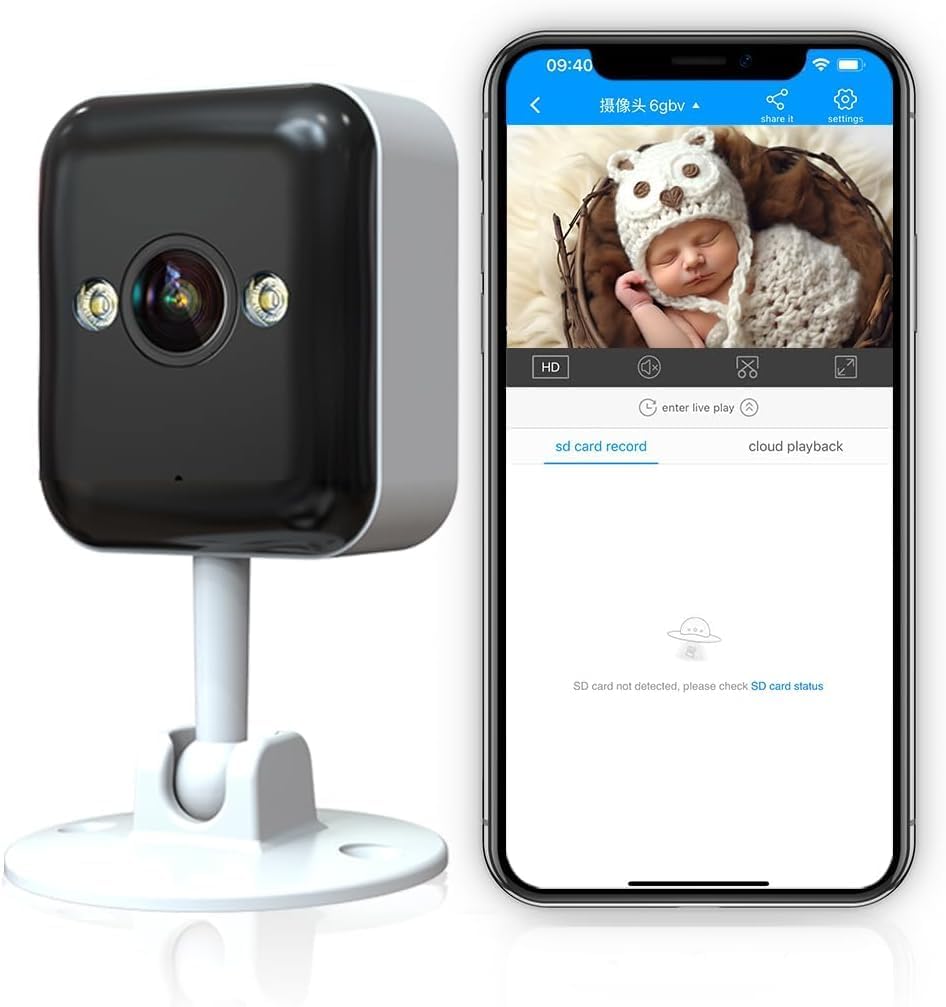
Image: The camera's live feed displayed on a smartphone, showing a baby in a basket.
5.2-Nzira mbiri Audio
The camera features a built-in microphone and speaker, allowing for two-way communication.
- Dzvanya chiratidzo chemaikorofoni chiri muapp kuti utaure uchishandisa spika yekamera.
- The camera's microphone will pick up audio from its surroundings.

Image: A girl communicating with her mother via the camera's two-way audio feature.

Image: Visual representation of the camera's two-way audio capability, showing a baby and audio waves.
5.3 Kuona Kufamba & Zviziviso
The camera can detect motion and send instant notifications to your phone.
- Gonesa kuona mafambiro muzvirongwa zveapp.
- Adjust sensitivity levels and define detection areas to minimize false alarms.
- Gamuchira zviziviso zvekusundidzira pafoni yako kana kufamba kwaonekwa.

Image: A smartphone showing an instant notification from the camera after detecting motion, with a kitten in the background.

Image: The camera's advanced chip enables both motion and sound detection, sending alerts for events like a baby crying.
5.4 Night Vision Modes
The camera offers multiple night vision options for clear monitoring in the dark.
- Full Color Light: Utilizes built-in white lights for full-color night vision.
- Infrared Normal Light: Standard black and white infrared night vision.
- Smart Color Light: Automatically switches to color night vision when motion is detected in dark environments.

Image: Comparison of the three night vision modes: Full Color Light, Infrared Normal Light, and Smart Color Light, showing how the camera adapts to different lighting conditions.

Image: A split screen on a smartphone showing the difference between traditional IR night vision and enhanced color night vision.
5.5 Kuchengeta Vhidhiyo uye Kutamba
The camera supports both local and cloud storage options for recorded footage.
- Micro SD Kadhi: Insert a Micro SD card (up to 256GB, not included) into the designated slot for 24/7 continuous recording.
- Cloud Storage: A 30-day trial is available. Subscribe to cloud services for secure, remote storage and access to your video history.
- Kutamba Access recorded videos through the app's playback feature, allowing you to review events by date and time.

Image: Icons representing cloud storage, Micro SD card storage, and video playback features.

Image: A timeline showing 24/7 local recording capability, with a child playing in the background.
5.6 Multi-person Sharing
Share access to your camera's live feed and recordings with family and friends through the app.
- Navigate to the sharing options within the camera settings in the app.
- Invite other users by entering their account details.
- Manage permissions for each shared user.
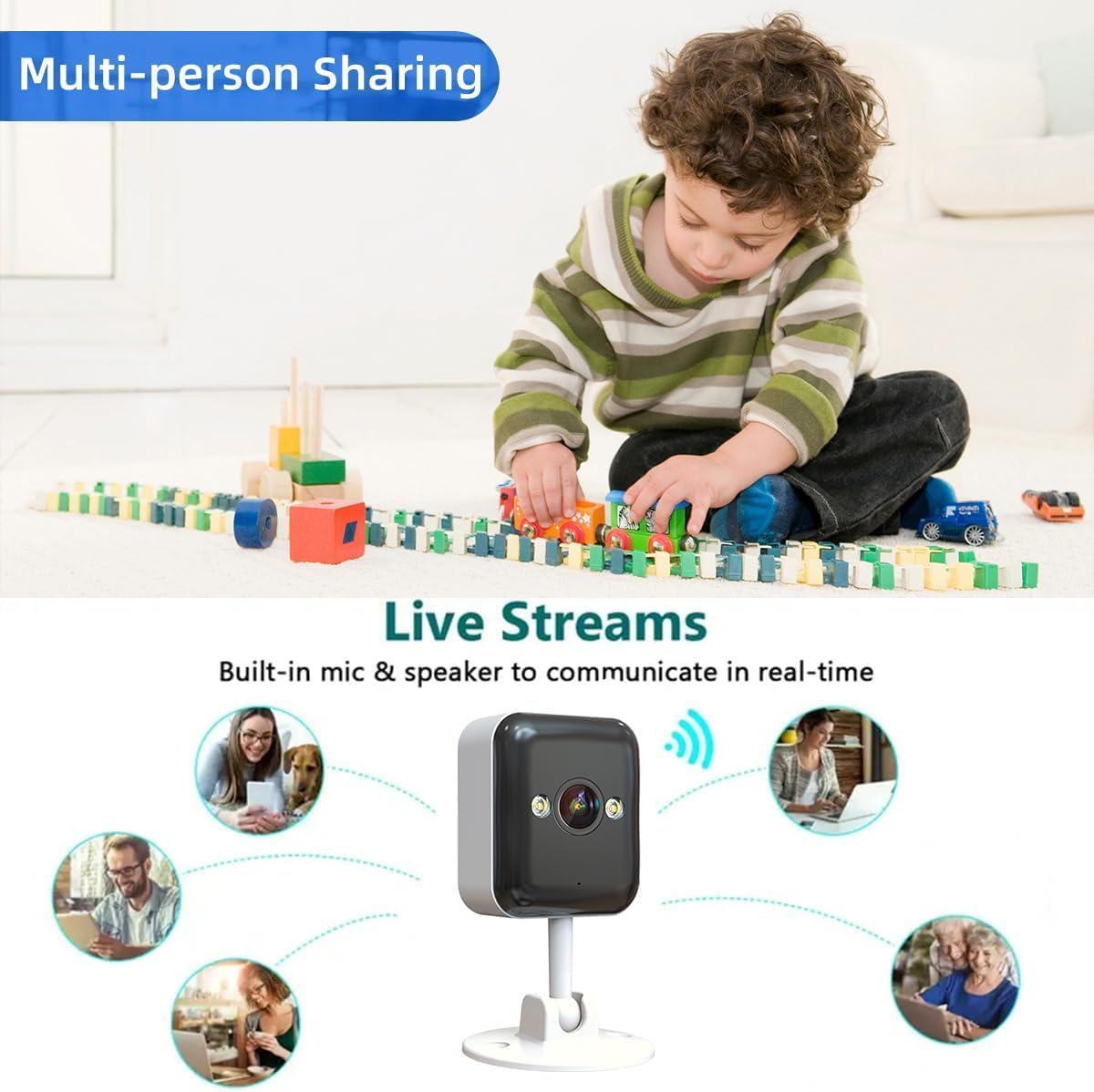
Image: The camera surrounded by icons of people, illustrating the multi-person sharing feature.
6. Kuchengeta
- Kuchenesa: Use a soft, dry cloth to clean the camera lens and body. Avoid harsh chemicals.
- Firmware Dzokorora: Gara uchitarisa app kuti uwane zvigadziriso zvefirmware zviripo kuti uve nechokwadi chekuti inoshanda zvakanaka uye yakachengeteka.
- Magetsi: Iva nechokwadi chekuti tambo yemagetsi yakabatana zvakanaka uye haina kukuvara.
- Network Connection: Periodically check your WiFi signal strength to ensure a stable connection for the camera.
7. Kugadzirisa matambudziko
| Dambudziko | Zvinogona Kukonzera | Solution |
|---|---|---|
| Kamera isina Indaneti | No power; WiFi disconnected; Router issue | Check power connection; Reconnect WiFi in app; Restart router. |
| Zviziviso zvekufamba hazvina kugamuchirwa | Motion detection off; App notifications disabled; Incorrect sensitivity | Enable motion detection in app; Allow app notifications in phone settings; Adjust sensitivity. |
| Hunhu hwevhidhiyo husina kunaka | Weak WiFi signal; Dirty lens | Move camera closer to router or use a WiFi extender; Clean the lens. |
| Two-way audio echo/noise | Camera too close to phone; Electromagnetic interference | Maintain distance (>8m) between phone and camera during intercom; Move camera away from interference sources. |
8. Zvinotsanangurwa
| Feature | Detail |
|---|---|
| Model Number | A6M-U |
| Resolution | HD1296P (3MP) |
| Kubatana | Wireless (Wi-Fi) |
| Indoor / Outdoor Kushandiswa | Kunze (IP65 Inodzivirira mamiriro ekunze) |
| Night Vision Range | 30 Feet (Color Night Vision available) |
| Mbiri-Nzira Audio | Ehe |
| Motion Detection | Ehe |
| Kuchengeta Sarudzo | Kadhi reMicro SD (kusvika ku256GB), Kuchengetera Mari muCloud |
| Inowirirana Devices | Smartphone, Tablet (Works with Alexa) |
| Dimensions (L x W x H) | 12.7 x 8.8 x 8 masendimita |
| Item Weight | 210 g |
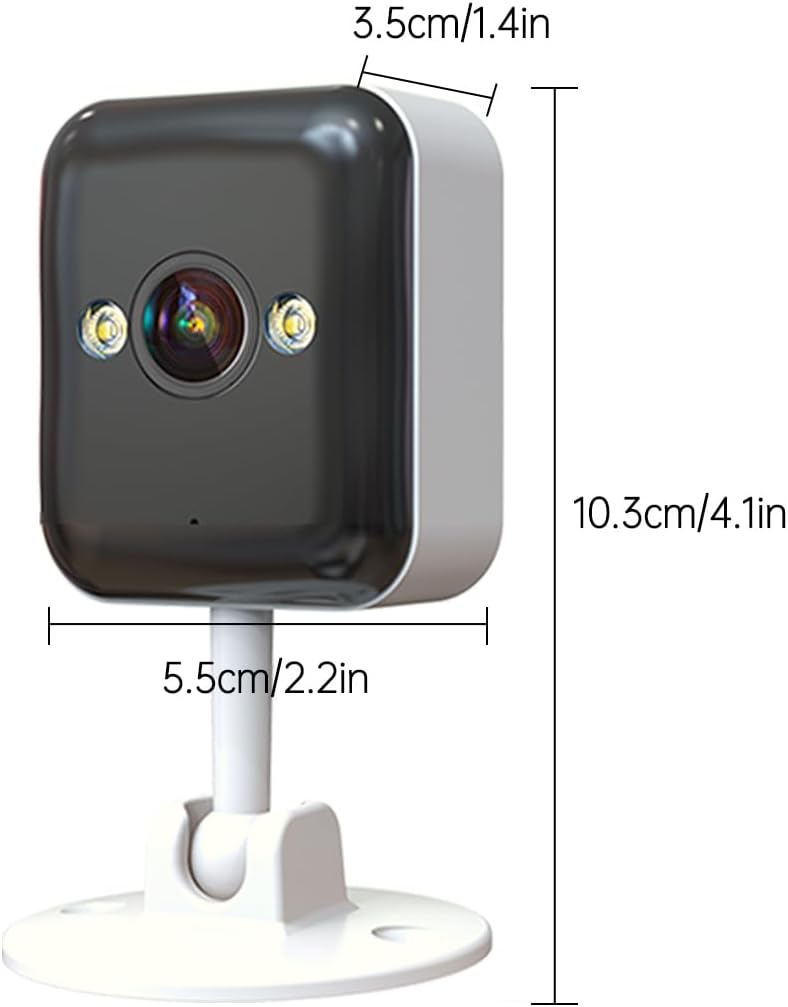
Image: Detailed dimensions of the JOOAN S-3MP A6M-U Security Camera.

Image: The camera is shown with water droplets, illustrating its IP65 weatherproof rating for outdoor use.
9. Warranty uye Tsigiro
For warranty information and technical support, please refer to the contact details provided in the product packaging or visit the official JOOAN website. Chengetedza risiti yako yekutenga sehumbowo hwekutenga kwezvichemo zvewaranti.
Rutsigiro rwepamhepo: Check the JOOAN websaiti ye FAQs, madhairekitori ekugadzirisa matambudziko, uye kurodha software.
Mabatiro evatengi: Contact JOOAN customer service for further assistance.


