Nhanganyaya
This manual provides detailed instructions for the setup, operation, and maintenance of your ExtreLife Find Wallet Stand. This product is designed to enhance your iPhone experience by combining a secure card holder, an adjustable phone stand, and Apple Find My functionality.
Key Features
- Apple Find My Integration: With full Apple-Certified Find My functionality, you can add this magnetic wallet to the Find My App on your Apple iOS device to see its real-time location. Play a sound to find it nearby with Bluetooth, or locate it through GPS with the Apple Find My Network. Get notified when you leave it behind and set Lost Mode to help you retrieve it. Cherechedza: Midziyo yeAndroid haitsigirwi.
- Yakasimba Magnetic Attachment: Features powerful built-in magnets with a magnetic force up to 4200Gs, 6x stronger than official magnetic wallets, ensuring it effortlessly snaps into place on the back of your iPhone without cards falling off.
- High Card Capacity: Upgraded with 3 individual card slots, this wallet can easily hold a maximum of 6 cards for your daily needs, keeping essentials close without bulk.
- Adjustable Phone Stand: The sturdy and adjustable hinge allows the wallet to open smoothly, creating a stable stand with a wide range of viewing angles (15° to 170°) in both portrait and landscape orientations.
- Kuchaja Wireless: The wallet supports wireless charging and provides up to 6 months of battery life on a single charge for its Find My function. No special charging cable is required. (Note: The wireless charger is not included).
- RFID Blocking: Integrated RFID blocking technology shields your cards from unauthorized scanners and prevents demagnetization, protecting your identity and properties.
- Durable Material: Made from vegan leather, designed for lasting use.
Kugarisana
The ExtreLife Find Wallet Stand is compatible with the following devices and accessories:
- iPhone 12 series or later (iPhone 17 Pro Max/17 Pro/17 Air/17/16/16 Plus/16 Pro/16 Pro Max/iPhone 15/15Pro/15 Plus/15 Pro Max/ 14 Pro Max/14 Plus/14 Pro/14, iPhone 13 Pro Max/13 Pro/13/, for iPhone 12/12 Pro/12 Max).
- Official MagSafe cases.
- Other magnetic cases.
Hazvienderane ne: iPhone 13/12 mini and non-magnetic cases.
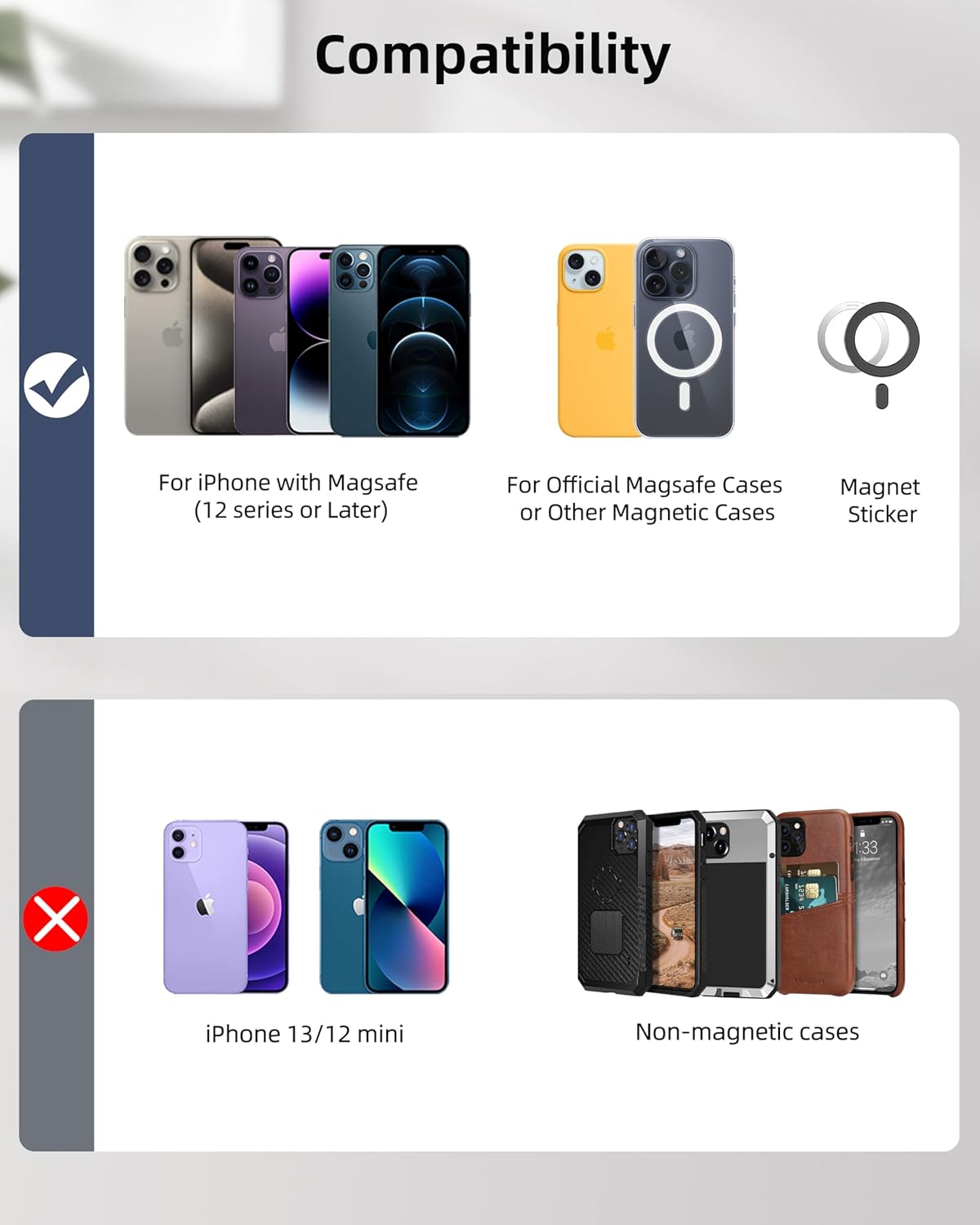
Image: Visual guide illustrating compatible iPhone models (12 series and later, official MagSafe cases, magnetic cases) and incompatible models (iPhone 13/12 mini, non-magnetic cases).
Setup: Pairing with Apple Find My
To utilize the tracking features, pair your ExtreLife Find Wallet Stand with your iPhone's Find My app.
- Ensure your iPhone is running iOS 14.5 or later.
- Turn on your iPhone's Bluetooth.
- Enable Two-Factor Authentication for your Apple ID.
- Enable Location Services on your iPhone.
- Short press the power button on the wallet once to turn it on.
- Open the Find My app on your iPhone. Tap "Items" then "Add New Item" and select "Other Supported Item".
- Follow the on-screen prompts to connect your wallet.

Image: A visual step-by-step guide demonstrating how to pair the ExtreLife Find Wallet Stand with the Apple Find My application on an iPhone.
Video Tutorial: How to Pair Your Wallet
Video: A detailed guide on how to pair your ExtreLife Find Wallet Stand with the Apple Find My app, covering all necessary iPhone settings and pairing steps.
Operation
Attaching to iPhone
Align the wallet with the MagSafe area on the back of your iPhone or MagSafe-compatible case. The strong magnets will securely snap it into place.

Image: Demonstrates the strong magnetic force of the wallet attaching to the back of an iPhone, highlighting its secure connection.
Kadhi Kuchengeta
The wallet features three card slots, allowing you to store up to 6 cards. Use the thumb slot for easy access to your most frequently used cards.

Image: Illustrates the wallet's capacity to hold up to 6 cards across its three slots, with a dedicated thumb slot for convenient card retrieval.
Adjustable Stand Function
Fold out the wallet to create a stable stand for your iPhone. The adjustable hinge allows for various viewing angles (15° to 170°) in both portrait and landscape modes, ideal for watching videos or video calls.
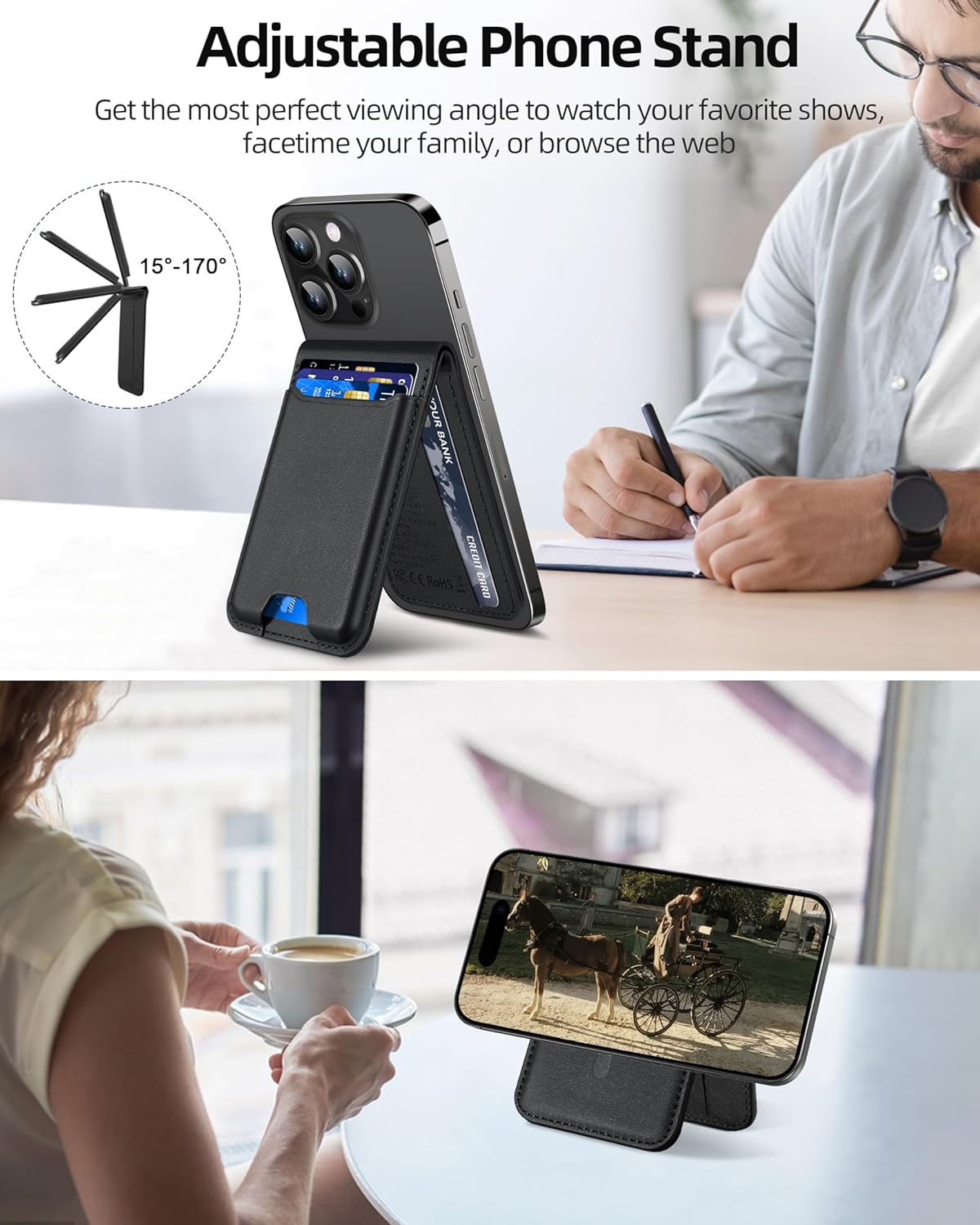
Image: Shows the wallet unfolded to act as an adjustable stand for an iPhone, demonstrating its versatility for different viewing angles.
Using Apple Find My Features
- Locate Your Wallet: Open the Find My app to see the real-time location of your wallet on a map.
- Ridza Ruzha: If your wallet is nearby (within Bluetooth range of approximately 50m/164ft), use the "Play Sound" feature in the Find My app to emit an audible alert.
- Left Behind Notifications: Receive alerts on your iPhone if you accidentally leave your wallet behind.
- Yakarasika Modhi: If lost, enable Lost Mode in the Find My app to display a custom message and contact information to anyone who finds your wallet.
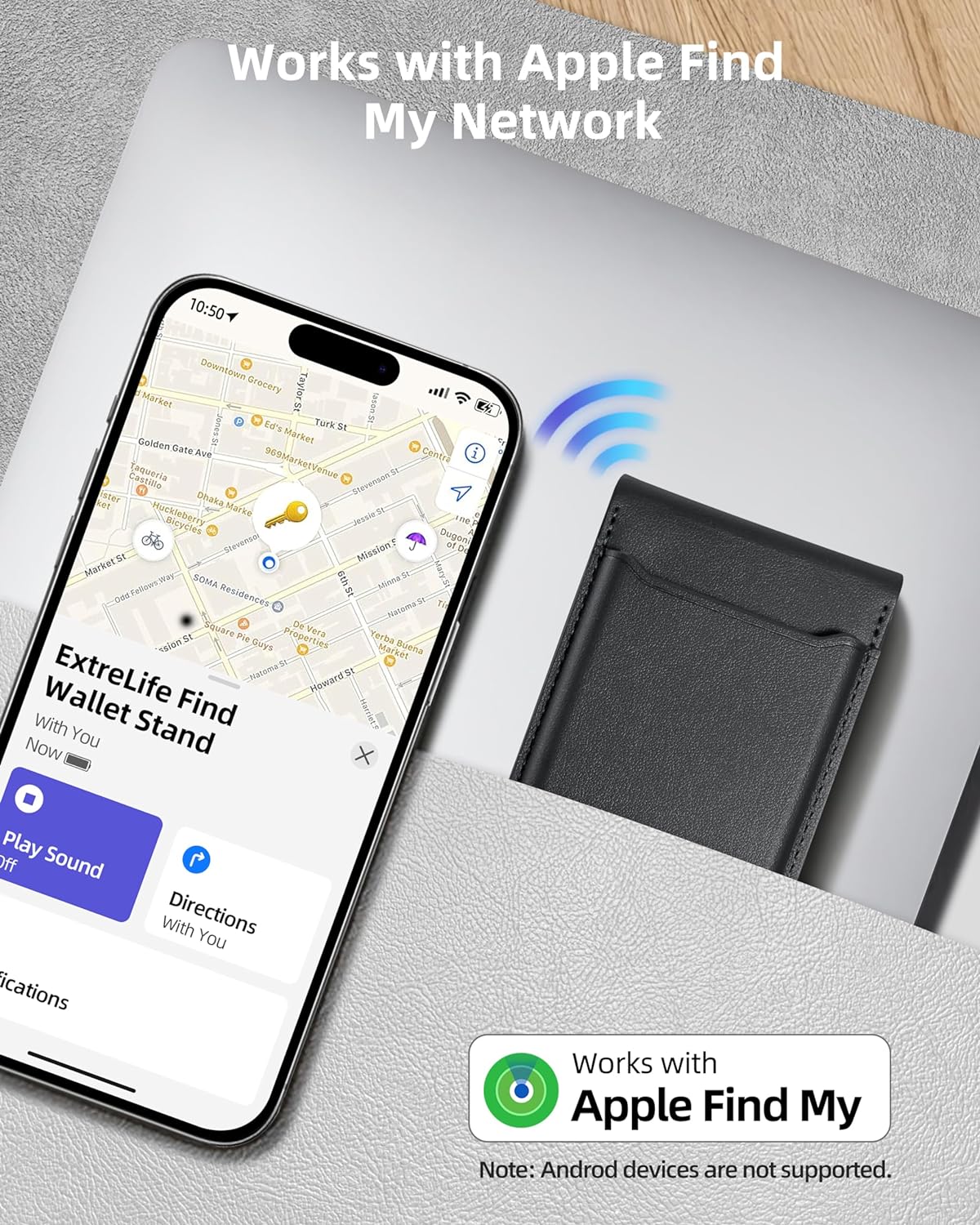
Image: Screenshot of the Apple Find My app displaying the location of the ExtreLife wallet and options to play a sound or get directions.
Video Tutorial: Magsafe Wallet Works with Apple Find My
Video: A demonstration of the Apple Find My functionality of the wallet, including playing a sound to locate it and receiving left-behind notifications.
Kuchaja
The ExtreLife Find Wallet Stand supports wireless charging. No special charging cable is required.
- Place the wallet on a regular wireless charger.
- Manually adjust the charging position until you see an orange light illuminate.
- The light will turn green when the wallet is fully charged.
- A full charge provides up to 6 months of battery life for the Find My function.
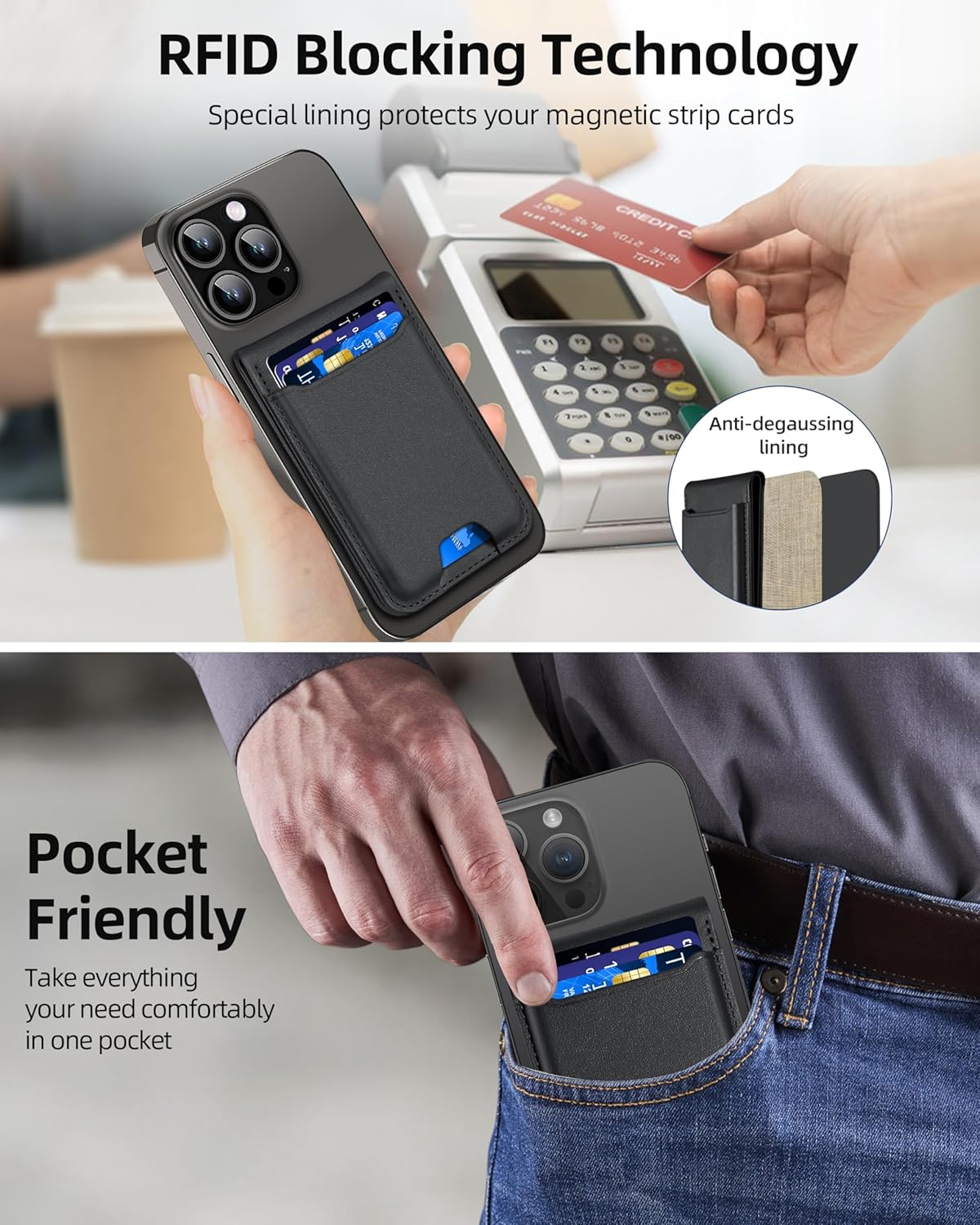
Image: Shows the ExtreLife Find Wallet Stand being wirelessly charged on a charging pad, with an indicator light visible.
Video Tutorial: How to Wirelessly Charge This Find My Magsafe Wallet
Video: A demonstration of how to wirelessly charge the ExtreLife Find Wallet Stand, showing the indicator light changes during charging.
Kugadzirisa matambudziko
If you cannot pair the wallet to your iPhone:
- Ensure Bluetooth is turned on for your iPhone.
- Keep the wallet as close to your iPhone as possible during the pairing process.
- If issues persist, perform a factory reset on the wallet:
- Short press the power button 4 times.
- Then, long press the power button for 3 seconds.
- Attempt to pair the wallet again.
To unpair the wallet from your iPhone:
- Have the wallet within Bluetooth range of your iPhone.
- Vhura iyo Tsvaga Yangu app.
- In the "Items" tab, select your ExtreLife Wallet.
- Scroll down and tap "Remove Item", then confirm removal.
Zvinotsanangurwa
| Product Dimensions | 3.94 x 3.94 x 3.94 inches (10.3 x 6.5 x 1.7 cm) |
| Item Weight | 3.52 ounces (0.1 Makirogiramu) |
| Model Number | e526c808-4861-432b-a3bf-9086da9fbea7 |
| Mabhatiri | 1 Lithium Polymer bhatiri (inosanganisirwa) |
| Material | Faux Leather, Magnet, Steel plate |
| Color | Nhema |
| Special Features | Card Holder, Magnetic Wallet with Full Find My Functionality, Phone Stand, Wallet Tracker, Wireless Charging |
Warranty uye Support
Your ExtreLife Find Wallet Stand comes with a manufacturer's warranty. For any problems or inquiries, please do not hesitate to contact our customer service team. Our friendly customer service will reply to you within 24 hours and offer a satisfactory solution.
Contact information can typically be found on the product packaging or the official ExtreLife website.


