1. Nhanganyaya
Thank you for choosing the Tronsmart KH02 Kids Wireless Headphones. This manual provides detailed instructions for setting up, operating, maintaining, and troubleshooting your headphones to ensure a safe and enjoyable listening experience for children.
2. Chii chiri muBhokisi
- 1 x Tronsmart KH02 Wireless Kids Headphones
- 1 x Warranty Card
- 1 x Chinyorwa cheMushandisi
- 1 x Type-C Cable
- 1 x Aux-in Cable
3. Chigadzirwa Pamusoroview
The Tronsmart KH02 headphones are designed for children, featuring a volume limit function, long battery life, and a comfortable, durable design. They support both wireless (Bluetooth) and wired (3.5mm Aux-in) connections.

Image: Tronsmart KH02 Kids Wireless Headphones in Princess Pink, showcasing dhizaini yese.
Vhidhiyo: Kuperaview of the Tronsmart KH02 Wireless Kids Headphones, highlighting features like portability, durability, comfortable fit, safe volume control, long playtime, and dual mode (wireless/wired).
4. Setup uye Connection
4.1 Kuchaja mahedhifoni
Before first use, fully charge the headphones. Connect the provided Type-C cable to the charging port on the headphones and the other end to a USB power source. A full charge takes approximately 2 hours and provides up to 45 hours of playtime.

Image: A child enjoying music with Tronsmart KH02 headphones, emphasizing the 45-hour battery life.
4.2 Kubatanidza Pasina Waya (Bluetooth)
- Power On: Press and hold the 'Multifunction' button for 2 seconds to turn on the headphones. The indicator light will flash, indicating pairing mode.
- Vhura Bluetooth: Pafoni yako (smartphone, tablet, nezvimwewo), enda kuBluetooth settings uye iva nechokwadi chekuti Bluetooth yakabatidzwa.
- Vaviri: Tsvaga "Tronsmart KH02" in the list of available devices and select it to connect. Once connected, the indicator light will stop flashing.
Video: Demonstrates how to operate the Tronsmart KH02 Wireless Kids Headphones, including power on, Bluetooth pairing, music control, and call management.

Image: Tronsmart KH02 headphones demonstrating wireless connectivity with a smartphone.
4.3 Wired Connection (3.5mm Aux-in)
To use the headphones in wired mode, simply plug the provided 3.5mm Aux-in cable into the headphone's audio jack and the other end into your device's 3.5mm audio output. This mode is useful when the battery is depleted or for devices without Bluetooth connectivity.

Image: Children using Tronsmart KH02 headphones in both wireless and wired modes.
5. Operating Instructions
5.1 Basic Controls
- Batidza/Kudzima: Press and hold the 'Multifunction' button for 2 seconds.
- Ridza/Misa Mimhanzi: Press the 'Multifunction' button once.
- Vhoriyamu Kumusoro: Press the 'Volume +' button once.
- Vhoriyamu Pasi: Press the 'Volume -' button once.
- Next Track: Dzvanya wobata bhatani rekuti 'Volume +' kwemasekonzi maviri.
- Previous Track: Press and hold the 'Volume -' button for 2 seconds.
- Pindura/Pedzisa Kufona: Press the 'Multifunction' button once.
- Ramba Kufona: Double-press the 'Multifunction' button.
5.2 Volume Limit Control
The headphones feature a three-level volume control switch to protect children's hearing. You can select between 74dB, 85dB, and 93dB depending on the environment and age of the child. Adjust the switch located on the earcup to your desired volume limit.

Image: Visual representation of the volume limit settings (74dB for sleep, 85dB for study, 93dB for travel).
5.3 Built-in HD Microphone
The integrated HD microphone allows for clear, hands-free calls, making the headphones suitable for online learning or communication.

Image: Child using headphones with a laptop, highlighting the built-in HD microphone.
6. Kuchengeta
6.1 Kuchenesa
Wipe the headphones with a soft, dry cloth. Do not use abrasive cleaners or solvents. Keep the charging port and audio jack free of dust and debris.
6.2 Kuchengeta
The headphones feature a foldable design for compact storage and portability. When not in use, fold them to save space and protect them from damage. Store in a cool, dry place away from extreme temperatures.

Image: Features of the Tronsmart KH02 headphones, including adjustable headband, soft ear pads, eco-friendly materials, and foldable design.
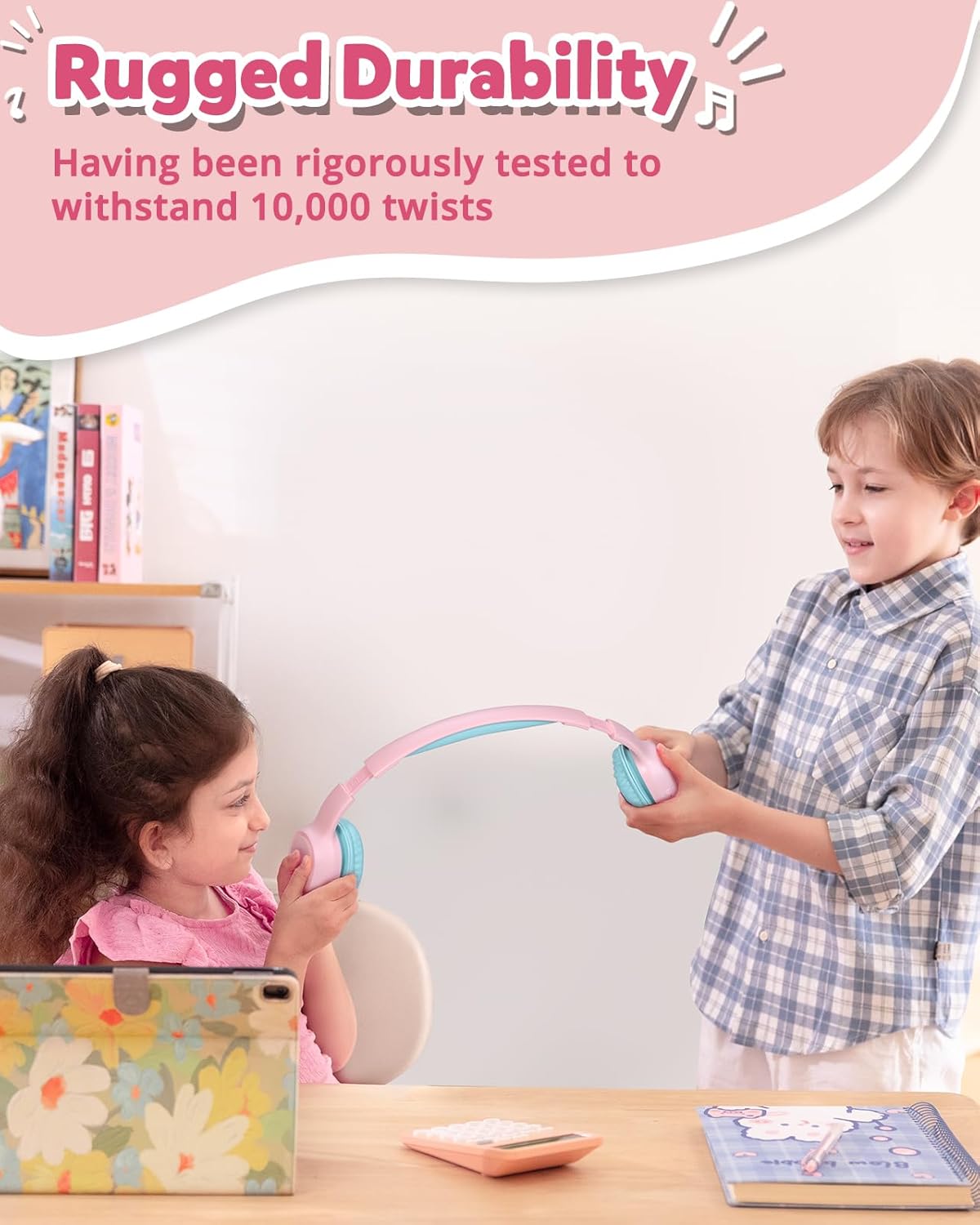
Image: Children demonstrating the durability and flexibility of the headphones' headband.
7. Kugadzirisa matambudziko
- Mahedhifoni haasi kubatidzwa: Ita shuwa kuti mahedhifoni akachajwa zvizere.
- Haikwanise kubatanidzwa nemudziyo:
- Ita shuwa kuti Bluetooth yakagoneswa pane yako kifaa uye mahedhifoni ari mukuita pairing mode.
- Fambisa mahedhifoni pedyo nemudziyo wako.
- Try resetting the headphones by pressing and holding the 'Multifunction' and 'Volume +' buttons simultaneously for 5 seconds.
- Hapana ruzha kana vhoriyamu yakaderera:
- Tarisa huwandu hwevhoriyamu pamahedhifoni nemudziyo wako wakabatana.
- Iva nechokwadi chekuti mahedhifoni akabatana zvakanaka (Bluetooth kana waya).
- Verify the volume limit switch is set to an appropriate level.
- Hunhu hwekufona husina kunaka: Ensure the microphone is not obstructed and you are in an area with good signal strength.
8. Zvinotsanangurwa
| Feature | Detail |
|---|---|
| Model Name | KH02 |
| Kubatana Technology | Wireless (Bluetooth 5.3) |
| Maheadphone Jack | 3.5 mm Jack |
| Vhoriyamu Limit | 74dB, 85dB, 93dB |
| Hupenyu hwebhatiri | Kusvikira kuMaawa mashanu |
| Kuchaja Nguva | 2 Maawa |
| Yakavakwa-mukati Maikorofoni | Yes (HD Mic) |
| Foldable Design | Ehe |
| Adjustable Headband | Yes (Four levels) |
| Earpad Material | Imitation Protein Leather |
| Material | Eco-friendly Plastic |
| Item Weight | 5.9 ounces |
| Product Dimensions | 6.17 x 2.89 x 7.07 inches |
| Bluetooth Range | 49 Tsoka |
| Frequency Response | 20 Hz |
| Sensitivity | 93 dB |
| Impedance | 8 Ohms |
9. Warranty uye Tsigiro
The Tronsmart KH02 Kids Wireless Headphones come with a Warranty Card. Please refer to the card for specific warranty terms and conditions. For product support, technical assistance, or further inquiries, please contact Tronsmart customer service through their official webnzvimbo kana mutengesi uko chigadzirwa chakatengwa.


