Nhanganyaya
This manual provides comprehensive instructions for the installation, operation, maintenance, and troubleshooting of your suevery 24-inch Curved Gaming Monitor (Model: SV240QC). Please read this manual thoroughly before using the product to ensure proper functionality and to maximize your viewing experience. Chengeta bhuku rino kuti ugozorishandisa mune ramangwana.
Product Features
- Immersive Curved Display: The 24-inch 3000R curved screen is designed to match the natural curvature of the human eye, providing an immersive visual experience. This is complemented by a Full HD (1920x1080) resolution, drawing users into the content.
- Ultra-Smooth Motion: An ultra-high 180Hz refresh rate combined with an ultra-fast 1ms (GTG) gray-to-gray response time, enhanced by FreeSync technology, effectively eliminates screen tearing, stuttering, and ghosting. This ensures seamless transitions in fast-paced games.
- Kugadzira Ruvara Kwazvo: With 100% sRGB color space coverage and precise reproduction of 16.7 million colors, the VA panel delivers excellent contrast and color layering. This results in vivid and realistic visuals for both gaming and multimedia.
- Flexible Connectivity and Installation: Equipped with DisplayPort (DP) and High-Definition Multimedia Interface (HDMI) ports, the monitor can easily connect to PCs, gaming consoles, laptops, and other devices. It supports VESA wall mounting, allowing for flexible placement in various environments.

Image: The suevery 24-inch Curved Gaming Monitor, showcasing dhizaini yayo yakapfava uye yakakombama skrini.
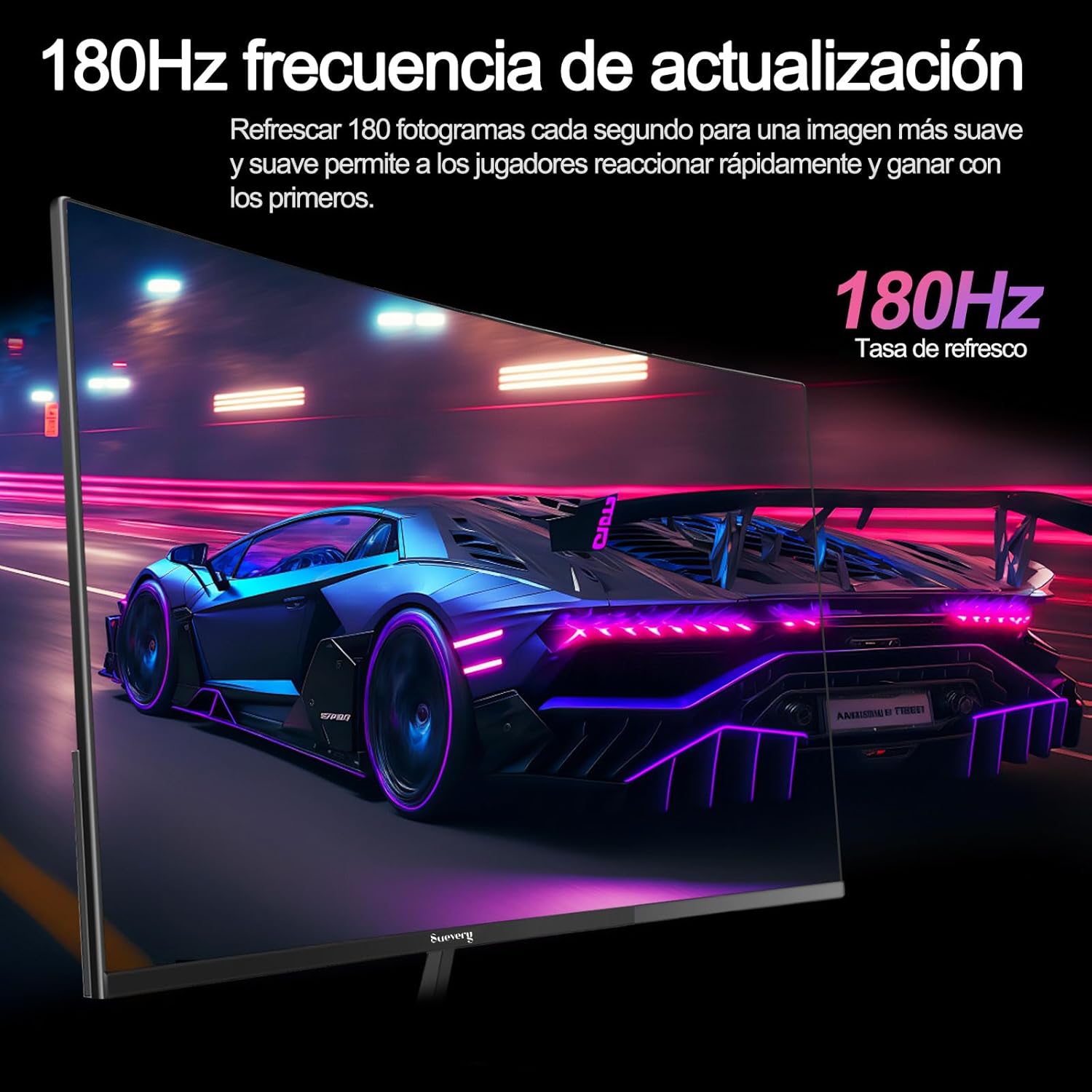
Image: A visual representation highlighting the 180Hz refresh rate, illustrating smooth motion in a racing game scene.

Image: An illustration demonstrating the monitor's wide color gamut (100% sRGB), 3000:1 contrast ratio, and 16.7 million colors for vibrant visuals.

Image: A split-screen comparison showing the visual difference with FreeSync OFF (screen tearing) and FreeSync ON (smooth image) during gameplay.
Setup Instructions
1. Kusunungura uye Gungano
- Nyatsobvisa zvese zvikamu kubva pakurongedza.
- Isa cheni chekutarisa chakatarisana pasi panzvimbo yakapfava, yakachena kudzivirira mavanga.
- Attach the stand base to the stand neck, securing it with the provided screws.
- Attach the assembled stand to the back of the monitor panel. Ensure it clicks securely into place or is fastened with screws as per the design.
- Alternatively, for VESA mounting, remove the stand and attach a VESA-compatible mount (75x75mm) to the monitor's rear panel.
2. Kubatanidza Cables
Refer to the diagram below for port locations.

Image: A diagram illustrating the monitor's rear panel, showing the HDMI, DisplayPort (DP), USB (if applicable), and power input ports, along with VESA mount dimensions (75x75mm).
- Power Connection: Connect the power adapter to the monitor's power input port, then plug the power cable into a wall outlet.
- Vhidhiyo yekubatanidza: Connect one end of an HDMI or DisplayPort cable to the corresponding port on your monitor and the other end to your computer's graphics card or other video source. For optimal performance, especially at 180Hz, a DisplayPort connection is recommended.
- Audio (if applicable): If your monitor has a 3.5mm audio output, you can connect external speakers or headphones.
3. Chekutanga Power On
- Dzvanya bhatani rekudzima magetsi riri pamonitor. Chiedza chekuratidza simba chinofanira kupenya.
- Turn on your connected computer or video source.
- Chinongedzo chinofanira kuona chiratidzo chekupinda otomatiki. Kana zvisina kudaro, ungangoda kusarudza wega sosi yekupinda uchishandisa menyu yeOn-Screen Display (OSD).
Operating Instruction
1. Simba On / Off
Press the power button, usually located on the back or bottom of the monitor, to turn the monitor on or off.
2. Pa-Screen Display (OSD) Menyu
The OSD menu allows you to adjust various monitor settings. Access the OSD menu using the joystick or buttons typically found on the back or bottom of the monitor.
- Navigation Use the joystick or directional buttons to navigate through the menu options.
- Sarudzo: Press the joystick or a dedicated button to select an option or confirm a setting.
- Buda: Use the designated 'Exit' button or move the joystick in a specific direction to close the OSD menu.
3. Kugadzirisa Zvirongwa
Key settings you can adjust include:
- Kupenya/Kusiyanisa: Gadzirisa izvi kuti zvienderane nezvinodiwa zvako viewing environment.
- Rudzi Settings: Shandura tembiricha yeruvara, gamma, uye hunhu hweRGB hwemunhu.
- Mabviro Nemaoko sarudza pakati peHDMI neDisplayPort zvinopinza.
- Refresh Rate: Ensure your operating system and graphics card settings are configured to utilize the monitor's 180Hz refresh rate.
- FreeSync: Enable FreeSync in the OSD menu and in your graphics card control panel for tear-free gaming.
- Mufananidzo Mode: Select from preset modes (e.g., Standard, Game, Movie) or customize your own.
Maintenance
1. Kuchenesa Screen
- Dzima chekutarisa uye bvisa tambo yemagetsi.
- pukuta skrini zvinyoro nyoro nemucheka wakapfava, usina lint.
- Pazvibodzwa zvakasindimara, zvishoma dampsn jira rine mvura kana nyanzvi yekuchenesa skrini (usapfapfaize zvakananga pachiratidziro).
- Dzivisa kushandisa makemikari ane simba, mishonga inokwesha, kana mishonga ine doro.
2. General Care
- Chengeta chidzitiro kure nezuva rakananga, kupisa kwakanyanya, uye hunyoro.
- Ita shuwa kuti pave nemhepo yakakwana yakatenderedza monitor.
- Dzivisa kuisa zvinhu zvinorema pamonitor kana tambo dzayo.
Kugadzirisa matambudziko
Kana iwe ukasangana nematambudziko neako monitor, ndapota tarisa kune anotevera akajairika matambudziko uye mhinduro:
| Dambudziko | Possible Solution |
|---|---|
| Hapana mufananidzo pachiratidziri | Ensure the power cable is securely connected and the monitor is turned on. Verify the video cable (HDMI/DP) is properly connected to both the monitor and the computer. Check if the correct input source is selected in the OSD menu. |
| Mufananidzo unopenya kana kusagadzikana | Check the video cable connection. Ensure your graphics card drivers are up to date. Verify the refresh rate setting in your operating system is set correctly (e.g., 180Hz). Enable FreeSync if supported by your graphics card. |
| Mavara anoita seasina kururama | Adjust color settings (brightness, contrast, color temperature) in the OSD menu. Reset the monitor to factory default settings. |
| Monitor haibatidzi | Check the power cable and adapter connections. Try plugging the monitor into a different power outlet. |
Kana dambudziko rikaramba riripo mushure mekuyedza mhinduro idzi, ndapota taura nerutsigiro rwevatengi.
Zvinotsanangurwa
| Feature | Tsanangudzo |
|---|---|
| Brand | suevery |
| Model Number | SV240QC |
| Screen Size | 24 inches |
| Display Resolution | 1920 x 1080 (Full HD) |
| Refresh Rate | 180Hz |
| Nguva Yekupindura | 1ms (GTG) |
| Curvature | 3000R |
| Color Gamut | 100% sRGB |
| Panel Type | VA |
| Aspect ratio | 16:9 |
| Kubatana | 1x HDMI, 1x DisplayPort (DP) |
| VESA Mount Compatibility | 75x75mm |
| Product Dimensions | 59 x 39 x 11 masendimita (pamwe nechigadziko) |
| Kurema | 3.5 kg |
Warranty uye Support
Warranty Information
suevery provides a 12-mwedzi waranti for this monitor, covering manufacturing defects and malfunctions under normal use. Please retain your proof of purchase for warranty claims.
Mutengi Support
If you encounter any damage, failure, or missing parts, or require technical assistance, please do not hesitate to contact suevery customer service. Our support team is available to assist you with any product-related inquiries.
For support, please refer to the contact information provided on the suevery official websaiti kana chikuva chako chekutenga.