1. Nhanganyaya
This manual provides detailed instructions for the MACALLY BTZKEY Bluetooth Full-size Keyboard, designed for seamless integration with Apple devices. It features a Japanese layout, a numeric keypad, and multi-pairing capabilities for up to three devices. Please read this manual thoroughly before using the product to ensure proper operation and longevity.

Figure 1: MACALLY BTZKEY Bluetooth Full-size Keyboard
2. Package Zviri mukati
Ndokumbira utarise zvirimo pasuru kuti uone kuti zvinhu zvese zviripo:
- MACALLY BTZKEY Bluetooth Full-size Keyboard
- USB-C Kuchaja Cable
- User Manual
3. Setup
3.1 Kuchaja Kiyibhodhi
The keyboard comes with a built-in 780mAh rechargeable battery. Before initial use, it is recommended to fully charge the keyboard.
- Connect the included USB-C cable to the charging port on the keyboard.
- Connect the other end of the USB-C cable to a USB power adapter (not included) or a powered USB port on your computer.
- Chiedza chechiratidzo chekuchaja chinovhenekera panguva yekuchaja uye kudzima kana chazara chaji.
Cherechedza: The USB-C cable provided is for charging only and does not support data transfer.

Figure 2: Charging the MACALLY BTZKEY Keyboard
3.2 Kubatanidza nemidziyo
The MACALLY BTZKEY keyboard supports pairing with up to three Bluetooth-enabled devices (MacBook, iMac, iPhone, iPad). You can easily switch between these devices.
- Iva nechokwadi chekuti keyboard yakachajwa uye yakabatidzwa.
- Enable Bluetooth on your device (Mac, iPad, iPhone).
- On the keyboard, press and hold one of the dedicated device keys (B1, B2, or B3) for 3-5 seconds until the corresponding indicator light above the key flashes rapidly. This indicates the keyboard is in pairing mode.
- On your device, go to Bluetooth settings and select "BTZKEY" from the list of available devices.
- Once connected, the indicator light will stop flashing and remain solid for a few seconds, then turn off.
- To switch between paired devices, simply press the corresponding device key (B1, B2, or B3). The keyboard will automatically connect to the last paired device on that channel.
Zano rekugadzirisa matambudziko: If pairing fails, it is recommended to delete all existing pairing records for the keyboard on your device and attempt to reconnect.

Figure 3: Multi-Sync Bluetooth Functionality
4. Operating Instructions
4.1 Mac-Specific Layout and Shortcut Keys
This keyboard is designed with a 111-key macOS-specific layout, providing a familiar and efficient typing experience for Apple users. It includes 14 dedicated shortcut keys for quick access to common Mac functions.
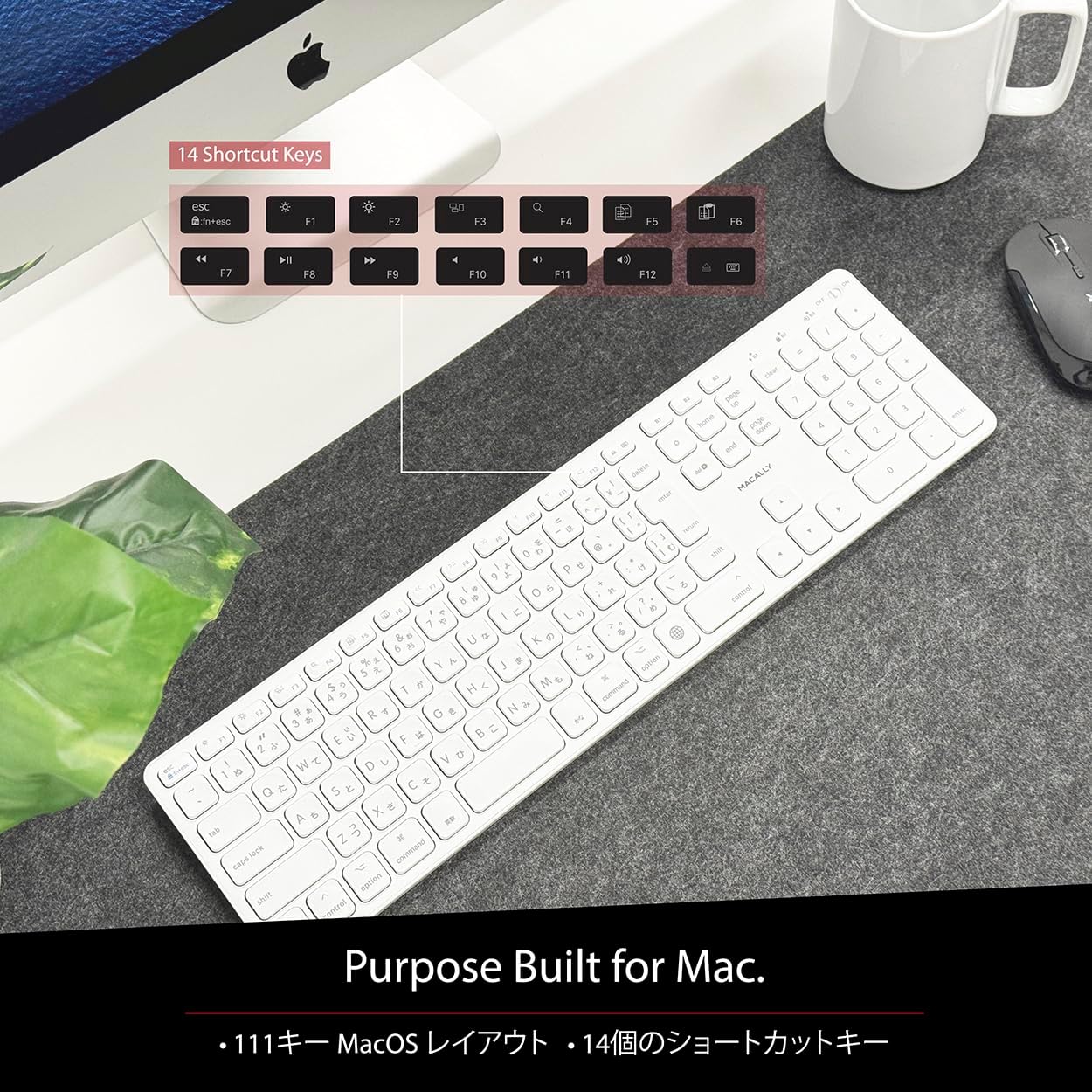
Figure 4: Mac-Specific Layout and Shortcut Keys
4.2 Scissor-Switch Keycaps
The keyboard utilizes quiet scissor-switch keys, offering a smooth, tactile, and quiet typing experience. This design ensures comfortable and efficient typing, whether for extended periods or quick tasks.
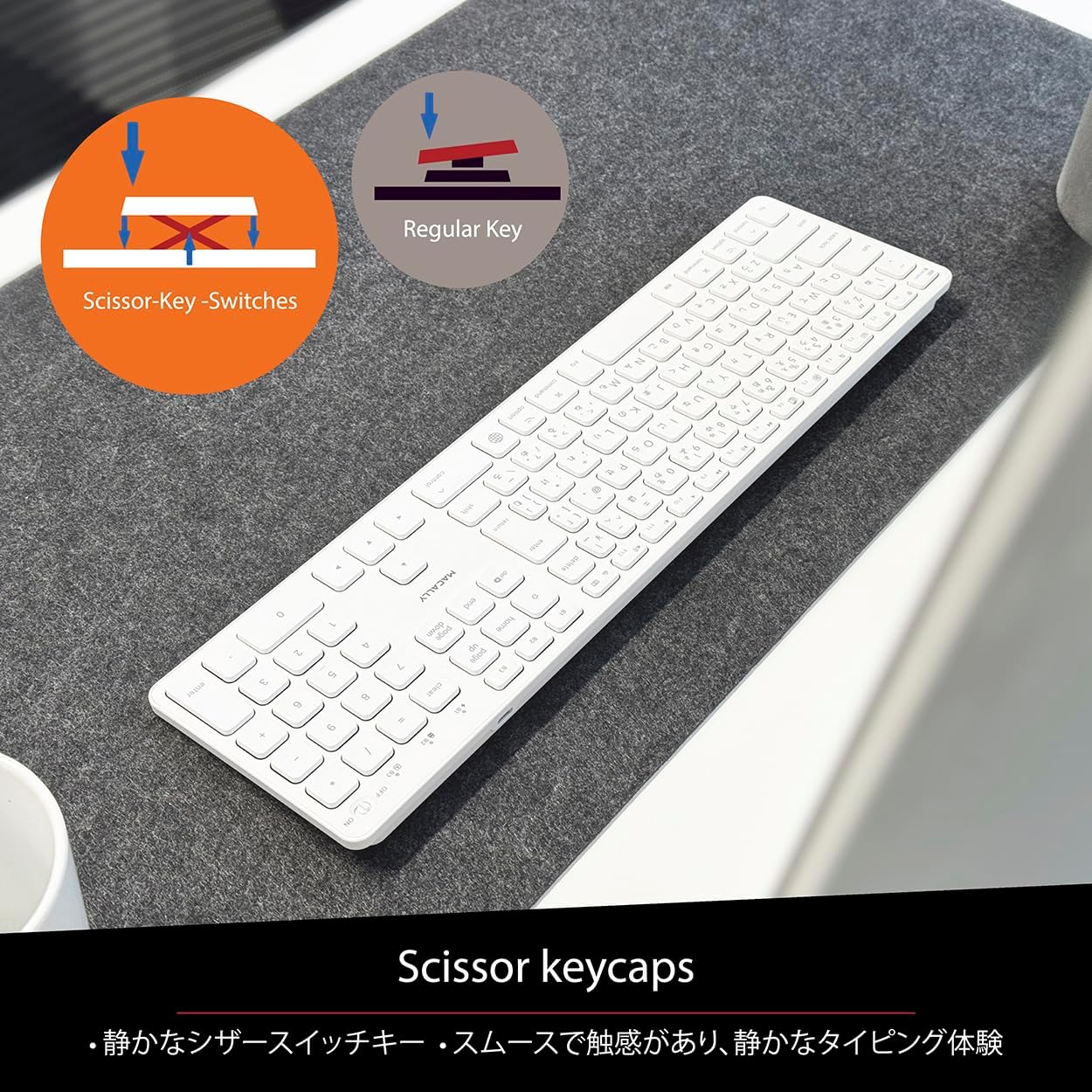
Figure 5: Scissor-Key-Switches Mechanism
4.3 Ergonomics and Design
The keyboard features an integrated kickstand for comfortable typing angles, reducing strain during use. Its slim profile, approximately 0.8 inches (2cm) thick, ensures portability and ergonomic use, complementing any workspace.
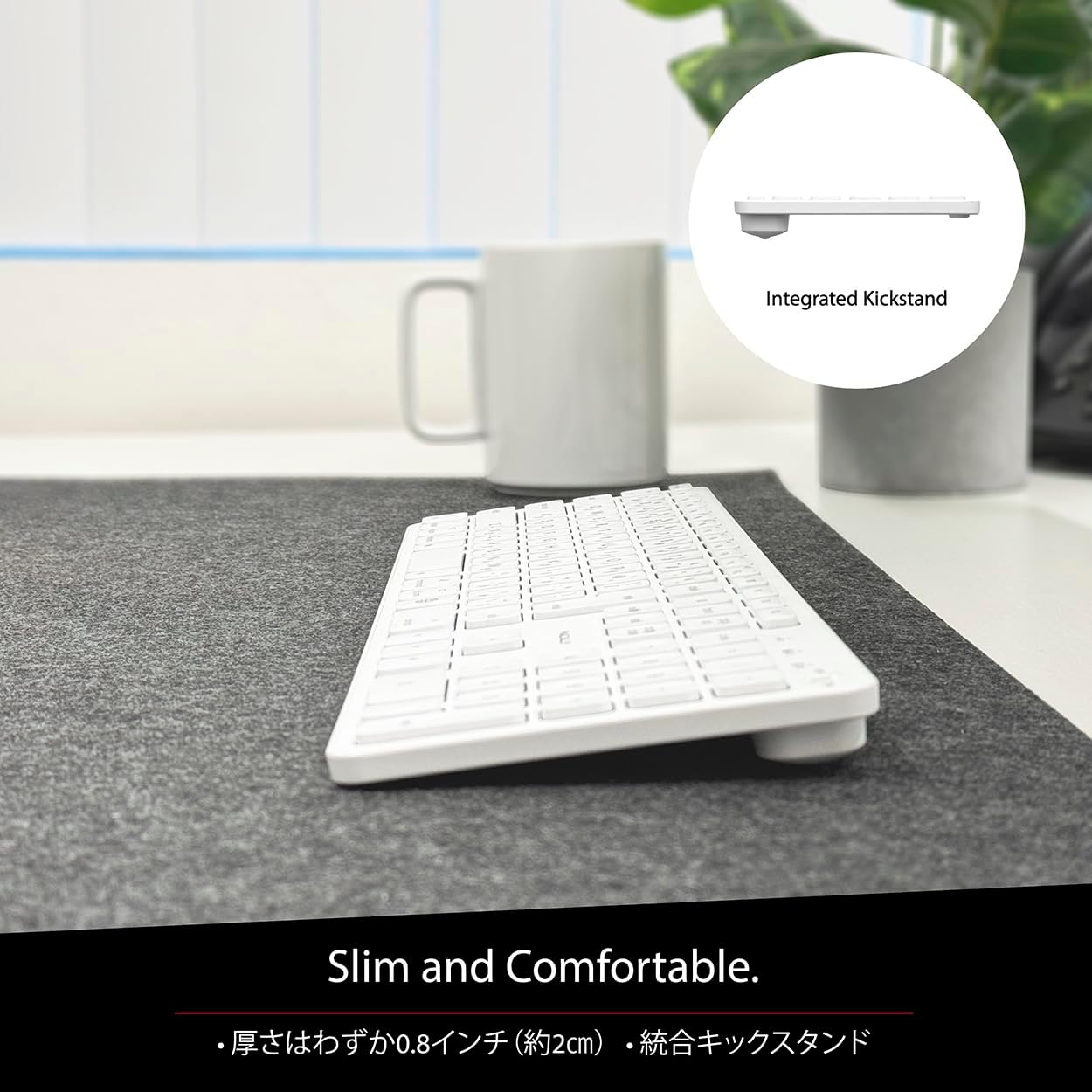
Figure 6: Slim Design with Integrated Kickstand
5. Kuchengeta
Kuti uve nechokwadi chekugara kwenguva refu uye kuita kwakakwana kwekhibhodi yako, tevera iyi nhungamiro yekugadzirisa:
- Kuchenesa: Shandisa jira rakapfava, risina lint zvishoma dampYakanatswa nemvura kana mushonga wekuchenesa wakapfava kuti upukute pamusoro pekhibhodi. Dzivisa makemikari ane simba kana zvinhu zvinogumbura.
- Kubvisa Dust: Shandisa mweya wakamanikidzwa kubvisa huruva nemarara kubva pakati pemakiyi.
- Battery Care: Avoid exposing the keyboard to extreme temperatures. Charge the keyboard regularly, even if not in frequent use, to maintain battery health.
- Kuchengeta: When not in use for extended periods, store the keyboard in a cool, dry place away from direct sunlight.
6. Kugadzirisa matambudziko
If you encounter issues with your MACALLY BTZKEY keyboard, please refer to the following common problems and solutions:
| Dambudziko | Zvinogona Kukonzera | Solution |
|---|---|---|
| Kiyibhodhi haisi kubatanidza/kubatanidza | Bluetooth off, low battery, pairing conflict | Ensure Bluetooth is enabled on device. Charge keyboard. Delete existing pairing records on device and re-pair. |
| Keys unresponsive or repeating characters | Low battery, software glitch, interference | Charge keyboard. Restart device. Re-pair keyboard. Minimize interference from other wireless devices. |
| Cannot switch between devices | Device not properly paired to channel | Ensure each device is paired to a unique channel (B1, B2, B3). Re-pair if necessary. |
| Hupenyu hupfupi hwebhatiri | Frequent use, aging battery | Ensure full charge before use. Reduce backlight usage if applicable (not on this model). Battery life may decrease over time. |
Kana dambudziko rikaramba riripo mushure mekuyedza mhinduro idzi, ndapota taura nerutsigiro rwevatengi.
7. Zvinotsanangurwa
| Feature | Tsanangudzo |
|---|---|
| Brand | Macally |
| Mugadziri | MACALLY |
| Series | BTZKEY |
| Zviyero zveChigadzirwa (L x W x H) | 42 x 14 x 2 cm |
| Product Model Number | BTZKEY |
| Color | Chena |
| Mabhatiri Akabatanidzwa | Ehe |
| Lithium Battery Pack | Mabhatiri ari mumidziyo |
| Lithium Battery Weight | 2 g |
| Item Weight | 610 g |
| Inowirirana Devices | Laptop (MacBook Pro/Air, iMac, Mac Mini, Mac Pro, iPad, iPhone) |
| Kubatana Technology | Bluetooth |
| Keyboard Tsanangudzo | Office Keyboard |
| Zvinokurudzirwa Zvishandiso Zvechigadzirwa | Business |
| Special Feature | Rechargeable |
| Number of Keys | 111 |
| Inosanganisirwa Zvikamu | USB Cable |
8. Warranty uye Tsigiro
For detailed warranty information, technical support, and customer service, please refer to the official MACALLY website or contact their support channels directly. It is recommended to keep your purchase receipt as proof of purchase for any warranty claims.
9. Official Product Videos
Official product videos, if available and relevant, would be embedded here to provide visual guidance on setup, features, or troubleshooting. Please note that video content is subject to availability and may require an internet connection to view.
(No official seller videos were available in the provided product data to embed at this time.)