1. Chigadzirwa Pamusoroview
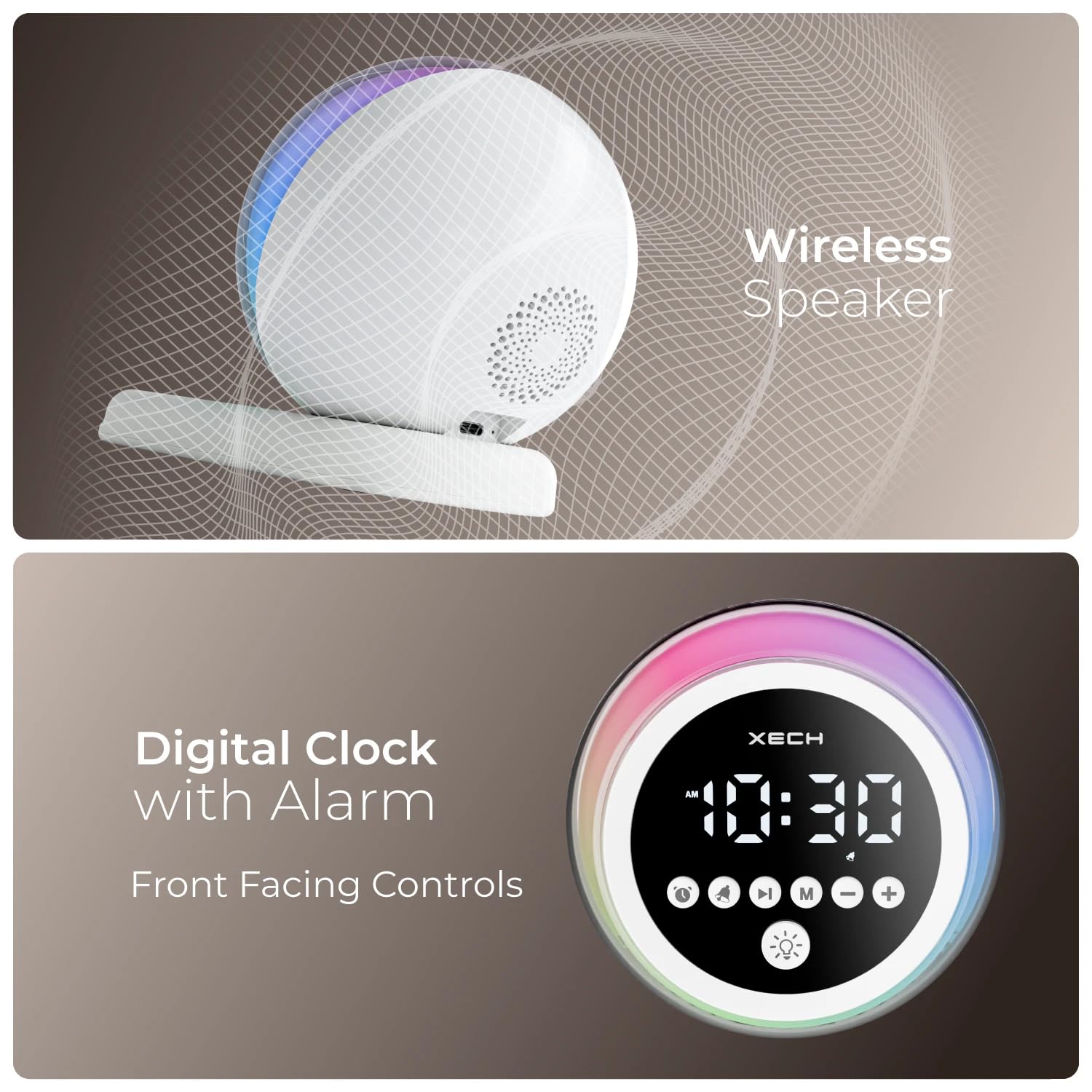
The Xech Hue Alarm Clock is a versatile device designed to enhance your daily routine. It combines a loud alarm clock for heavy sleepers with a wireless Bluetooth speaker, dynamic RGB lighting, and a convenient pen stand with a smartphone holder. Its compact and portable design makes it suitable for various settings, including bedrooms, study tables, and office desks.

Image: The Xech Hue Alarm Clock in white, featuring its digital display, control buttons, and the integrated base with pen and smartphone holder.
2. Package Zviri mukati
- Xech Hue Alarm Clock (Model X-611)
- USB-C Kuchaja Cable
- Yakabatanidzwa Lithium Ion Battery (pre-yakaiswa)
- Mushandisi Chinyorwa (gwaro iri)
3. Setup
3.1. Kuchaja Chishandiso
Before first use, fully charge the alarm clock. Connect the provided USB-C cable to the charging port on the back of the device and plug the other end into a compatible USB power adapter (not included).
Mufananidzo: Pedyo-up view of the Xech Hue Alarm Clock's rear, showing the USB-C charging port and the device connected to a power source, indicating continuous power supply.
3.2. Chekutanga Power On
Press and hold the Power/Function button (usually indicated by a power icon) on the front panel to turn on the device. The LED display will illuminate.
3.3. Kuisa Nguva
To set the time, press the 'Clock' button (often represented by a clock icon). Use the '+' and '-' buttons to adjust the hours and minutes. Press the 'Clock' button again to confirm and switch between hour/minute settings. The clock supports 12/24-hour format, which can typically be toggled by pressing and holding the 'Clock' button.
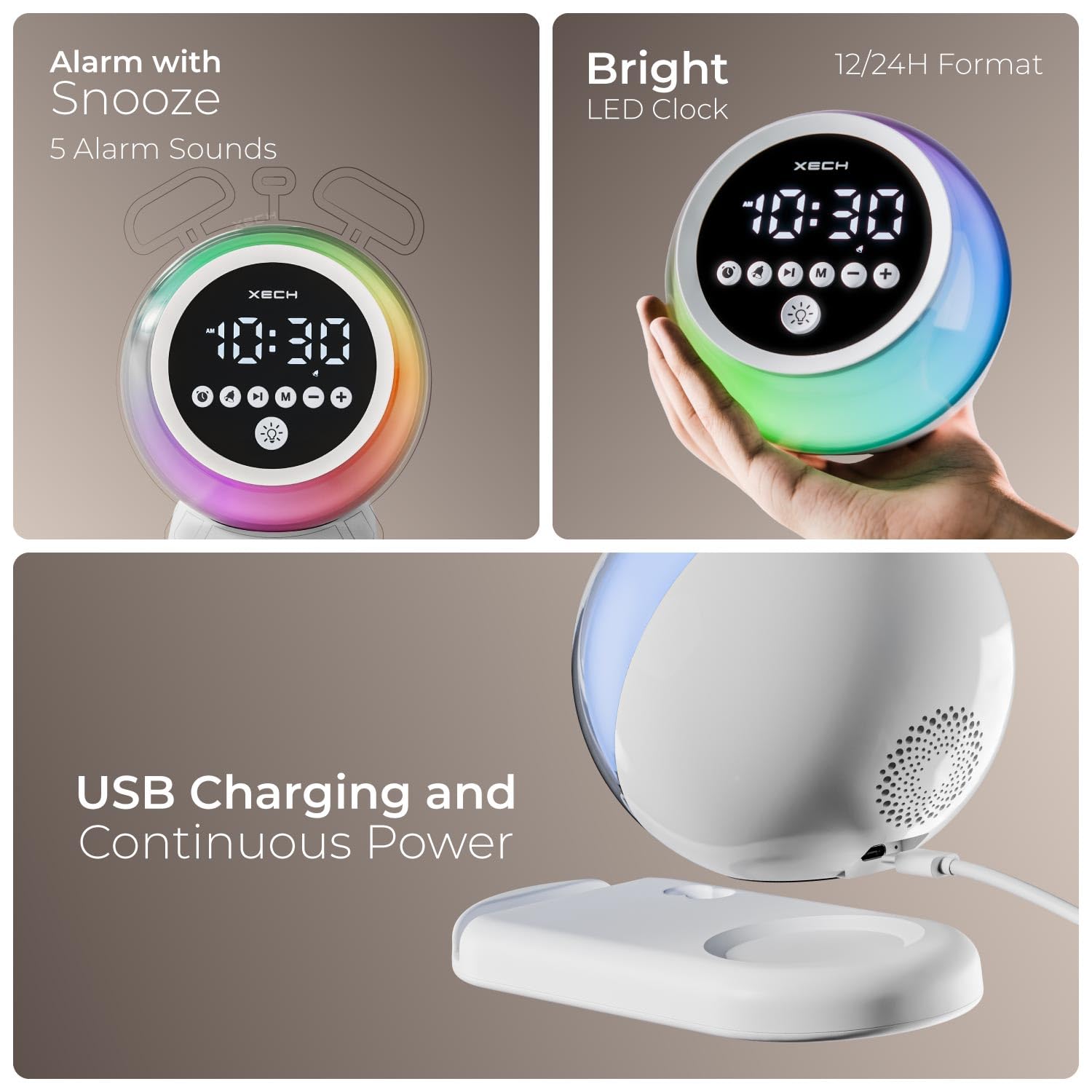
Image: The Xech Hue Alarm Clock displaying a bright LED time, highlighting its 12/24H format capability and the clear visibility of the display when held in hand.
3.4. Kuisa Alarm
Press the 'Alarm' button (bell icon) to enter alarm setting mode. Use the '+' and '-' buttons to set the desired alarm time. Press the 'Alarm' button again to confirm. You can cycle through 5 different alarm tones: Ambient Tone, Fun Mornings, Classic Alarm, Morning Chirp, and Calm Chirp. Select your preferred tone using the 'Mode' button or a dedicated tone selection button if available.
3.5. Bluetooth Kubatanidza
To use the wireless speaker function, press the 'Mode' button until you hear an audible prompt indicating Bluetooth pairing mode. On your smartphone or audio device, search for 'Xech Hue' (or similar name) in the Bluetooth settings and connect. Once paired, you can play music wirelessly through the clock's speaker.
4. Operating Instructions
4.1. Alarm Mabasa
- Zivai: When the alarm sounds, press any button (except power off) to activate the snooze function. The alarm will sound again after a short interval.
- Disabling Alarm: To turn off the alarm for the day, press the 'Alarm' button when it is sounding.
- Alarm Tones: Choose from 5 distinct alarm tones for a personalized wake-up experience.
4.2. Speaker Functions
- Kudzora inzwi: Use the '+' and '-' buttons to adjust the speaker volume during music playback or alarm sounds.
- Kuridza Mumhanzi: Once paired via Bluetooth, control music playback (play/pause, next/previous track) directly from your connected device.

Image: An exploded diagram illustrating the internal components of the Xech Hue Alarm Clock's 5W wireless speaker, emphasizing its high-fidelity sound capabilities.
4.3. Dynamic RGB Lighting
The Xech Hue features dynamic RGB lighting with 6 ambient lights and 6 mood lights. Press the 'Ambient Light' button (light bulb icon) to cycle through different lighting modes and colors. This feature is ideal for creating a relaxing atmosphere or as a night light.

Image: The Xech Hue Alarm Clock showcasing its vibrant, color-changing RGB lights, functioning as a perfect mood light with options for 6 ambient and 6 dynamic light settings.
4.4. Pen Stand and Smartphone Holder
The integrated base of the alarm clock includes a dual-slot pen stand and a smartphone holder. This allows you to keep your desk organized and your essentials, such as pens and your smartphone, within easy reach. The smartphone holder provides a comfortable viewing angle for media consumption.

Image: The Xech Hue Alarm Clock's base featuring a dual-slot pen stand and a smartphone holder, demonstrating how it keeps essentials within reach and provides a comfortable viewing angle for a smartphone.

Image: A collage showing the Xech Hue Alarm Clock placed in different environments: a study table, a bedside table, an office desk, and a living room, illustrating its versatility.
5. Kuchengeta
- Kuchenesa: Shandisa jira rakapfava, rakaoma kuchenesa pamusoro pewachi yekuyambira. Usashandise zvinochenesa zvinokuvadza kana zvinonyungudutsa.
- Liquid Exposure: Avoid exposing the device to water or excessive moisture. This product is not waterproof.
- Kuchengeta: Kana usingashandiswi kwenguva yakareba, chengeta mudziyo wacho munzvimbo inotonhorera, yakaoma pasina zuva rakananga.
6. Kugadzirisa matambudziko
| Nyaya | Zvinogona Kukonzera | Solution |
|---|---|---|
| Mudziyo haubatike. | Bhatiri shoma kana kuti hapana simba rekubatanidza. | Ensure the device is fully charged or connected to a power source via USB-C. |
| Alarm hainzwi. | Alarm haina kuiswa kana kuti vhoriyamu haina kuderera zvakanyanya. | Verify alarm settings and increase alarm volume using the '+' button. |
| Bluetooth haina kubatana. | Device not in pairing mode or too far from source. | Ensure the clock is in Bluetooth pairing mode. Move the connected device closer to the clock. Try unpairing and re-pairing. |
| Mwenje yeRGB haisi kushanda. | Light function is off or malfunction. | Press the 'Ambient Light' button to activate and cycle through light modes. If issue persists, contact support. |
7. Zvinotsanangurwa
| Feature | Detail |
|---|---|
| Brand | Xech |
| Model Number | X-611 |
| Color | Chena |
| Display Type | Digital LED |
| Special Features | Loud Alarm, LED Display, Mood Light, Adjustable Volume, Bluetooth Speaker, Pen Stand, Smartphone Holder |
| Product Dimensions | Masendimita 11.5W x 11H |
| Simba Source | Battery Powered (1 Lithium Ion bhatiri inosanganisirwa) |
| Input Type | USB-C |
| Wireless Version | 5.3v |
| Transmission Range | 10m |
| Mutauriri Wattage | 5W |
| Mutauri Mutyairi | 40mm |
| Item Weight | 0.45 magiramu |
| Material | Acrylonitrile Butadiene Styrene (Purasitiki) |
8. Warranty uye Tsigiro
8.1. Ruzivo rweWaranti
This product comes with a Limited Warranty. Please retain your proof of purchase for any warranty claims. For specific terms and conditions, refer to the warranty card included with your product or contact customer support.
8.2. Mutengi Tsigiro
For technical assistance, troubleshooting, or warranty inquiries, please contact Xech Technologies Pvt Ltd customer care:
- Runhare: +91 8828844466
- Mugadziri: XECH Technologies Pvt Ltd, MIDC, Mumbai


