1. Nhanganyaya
The Triplett WS230 Wall Scanner is a versatile and compact tool designed for accurately detecting hidden objects behind walls. It features advanced capabilities to locate wood studs, metal objects (ferrous and non-ferrous), and live AC wiring, providing essential information for construction, home improvement, and maintenance tasks. This manual provides detailed instructions for safe and effective use of your WS230 Wall Scanner.
2. Safety Information
Ndapota verengai yambiro dzese dzekuchengetedza nemirairo zvakanyatsonaka musati mashandisa mudziyo uyu. Kukundikana kutevedzera mirairo iyi kunogona kukonzera kuvhunduka kwemagetsi, moto, kana kukuvara kwakanyanya.
- Always assume that live electrical wires are present behind walls. Exercise extreme caution.
- Do not rely solely on the detection results. Always verify findings through other means if possible.
- Keep the device dry and clean. Do not expose it to moisture or extreme temperatures.
- Usaedze kuvhura kana kugadzirisa mudziyo. Tumira mabasa ese ekugadzirisa kune vashandi vane hunyanzvi.
3. Package Zviri mukati
Ona kuti zvinhu zvese zviripo mupasuru yako:
- Triplett WS230 Wall Scanner
- 3.7V/300mAh Lithium Ion Battery (pre-installed)
- Soft Protective Pouch Case
- Mushandisi Chinyorwa (gwaro iri)
- USB Type C Yekuchaja Cable

Figure 3.1: WS230 Wall Scanner with Pouch and USB-C Cable
4. Chigadzirwa Pamusoroview
Familiarize yourself with the components of your Triplett WS230 Wall Scanner.

Mufananidzo 4.1: Mberi View of WS230 Wall Scanner

Mufananidzo 4.2: Kudzoka View of WS230 Wall Scanner (QR Code: C242594011)
4.1 Zvikamu Zvikuru
- Color LCD Screen: Displays detection mode, depth, battery status, and object location.
- Bhatani reSimba: Inobatidza/kudzima mudziyo.
- Mabhatani Ekusarudza Modhi: Allows switching between Stud, Metal, and AC Voltage detection modes.
- Nzvimbo yeSensor: Nzvimbo iyi iri kumashure kwechishandiso, inofanira kunge yakabatana nemadziro kuti ikwanise kuskenwa nemazvo.
- USB-C yekuchaja Port: For recharging the internal Lithium-ion battery.
5. Setup uye Kuchaja
5.1 Kuchaja Bhatiri
The WS230 is equipped with a rechargeable 3.7V/300mAh Lithium-ion battery. Before first use, ensure the device is fully charged.
- Connect the provided USB Type C charging cable to the charging port on the device.
- Batanidza rimwe divi retambo yeUSB kune adapta yemagetsi yeUSB yakajairika (isina kuiswa) kana chiteshi cheUSB chekombuta.
- The battery indicator on the LCD screen will show charging status. A full charge typically takes a few hours.
5.2 Kubatidza/Kudzima
- Kuti uwane simba, pfuurira uye ubatisise Bhatani reSimba (red button) until the screen illuminates.
- Kuti ubvise magetsi, pinda uye bata iyo Bhatani reSimba again until the screen turns off.
6. Kushanda
6.1 General Mashandisiro Mazano
- Ita shuwa kuti pamadziro pakachena uye pakaoma.
- Avoid scanning over freshly painted or wallpapered surfaces until they are completely dry, as moisture can affect accuracy.
- Hold the scanner flat against the wall, ensuring the sensor area is in full contact.
- Fambisa scanner zvishoma nezvishoma uye zvishoma nezvishoma pamusoro.
6.2 Automatic Calibration
The WS230 features automatic calibration for accurate results. Calibration occurs automatically upon power-on or when switching detection modes.
- Place the scanner flat against the wall in an area where you are certain there are no studs, metal, or live wires.
- Press the Bhatani reSimba or select your desired mode. The screen will display "Calibrating, please wait."
- Keep the device still against the wall until calibration is complete.

Figure 6.1: Calibration in Progress
6.3 Detection Modes
The WS230 offers three primary detection modes:

Figure 6.2: Multiple Detection Mode Displays
6.3.1 Stud Detection
This mode locates the center and edges of wood or metal studs behind walls.
- Select the Stud Detection mode using the appropriate button.
- Place the scanner flat against the wall and slowly move it horizontally.
- The display will indicate the presence of a stud, its center, and depth (up to 1.5 inches / 38mm). Audio alerts will also sound.

Figure 6.3: Wood Stud Detection
6.3.2 Kuonekwa kweSimbi
This mode identifies ferrous and non-ferrous metals, such as pipes and electrical wiring (even if not live).
- Select the Metal Detection mode.
- Scan the wall slowly. The display will show "Detect metal" and indicate the object's location and type (magnetic/non-magnetic).
- Maximum detection depth is 4.0 inches (100mm).

Figure 6.4: Metal Detection

Figure 6.5: Non-Magnetic Metal Detection
6.3.3 AC Voltage Kuonekwa
This mode specifically detects live AC wires behind walls, providing an essential safety feature.
- Select the AC Voltage Detection mode.
- Scan the wall slowly. The display will show a lightning bolt icon and indicate the presence of live AC wiring.
- Maximum detection depth is 2 inches (50mm).
7. Kuchengeta
- Geza mudziyo nejira rakapfava, rakaoma. Usashandise abrasive cleaners kana solvents.
- Store the device in its protective pouch in a cool, dry place when not in use.
- Regularly charge the battery to maintain its health, even if the device is not used frequently.
8. Kugadzirisa matambudziko
If you encounter issues with your WS230 Wall Scanner, try the following:
- Kuverenga Kusina Kurongeka: Ensure the device is properly calibrated on a clear section of the wall. Check for moisture on the wall surface.
- Hapana Simba: Verify the battery is charged. Connect the USB-C cable and allow it to charge for at least 30 minutes before attempting to power on again.
- Intermittent Detection: Ensure the sensor area is in full contact with the wall and you are moving the device slowly and steadily.
If problems persist, contact Triplett customer support.
9. Zvinotsanangurwa
| Feature | Tsanangudzo |
|---|---|
| Product Dimensions | 4.8 x 1 x 2.4 inches |
| Item Weight | 4 Onzi |
| Model Number | WS230 |
| Mabhatiri | 1 Lithium Ion bhatiri (inosanganisirwa) |
| Simba Source | Battery Powered |
| Stud Detection Depth | Kusvika 1.5 inches (38mm) |
| Metal Detection Depth | Kusvika 4.0 inches (100mm) |
| AC Voltage Detection Depth | Kusvika 2 inches (50mm) |
| Optimum Operating Temperature | 0 kusvika 40°C |
| Storage Temperature | -20 kusvika ku60 ° C |
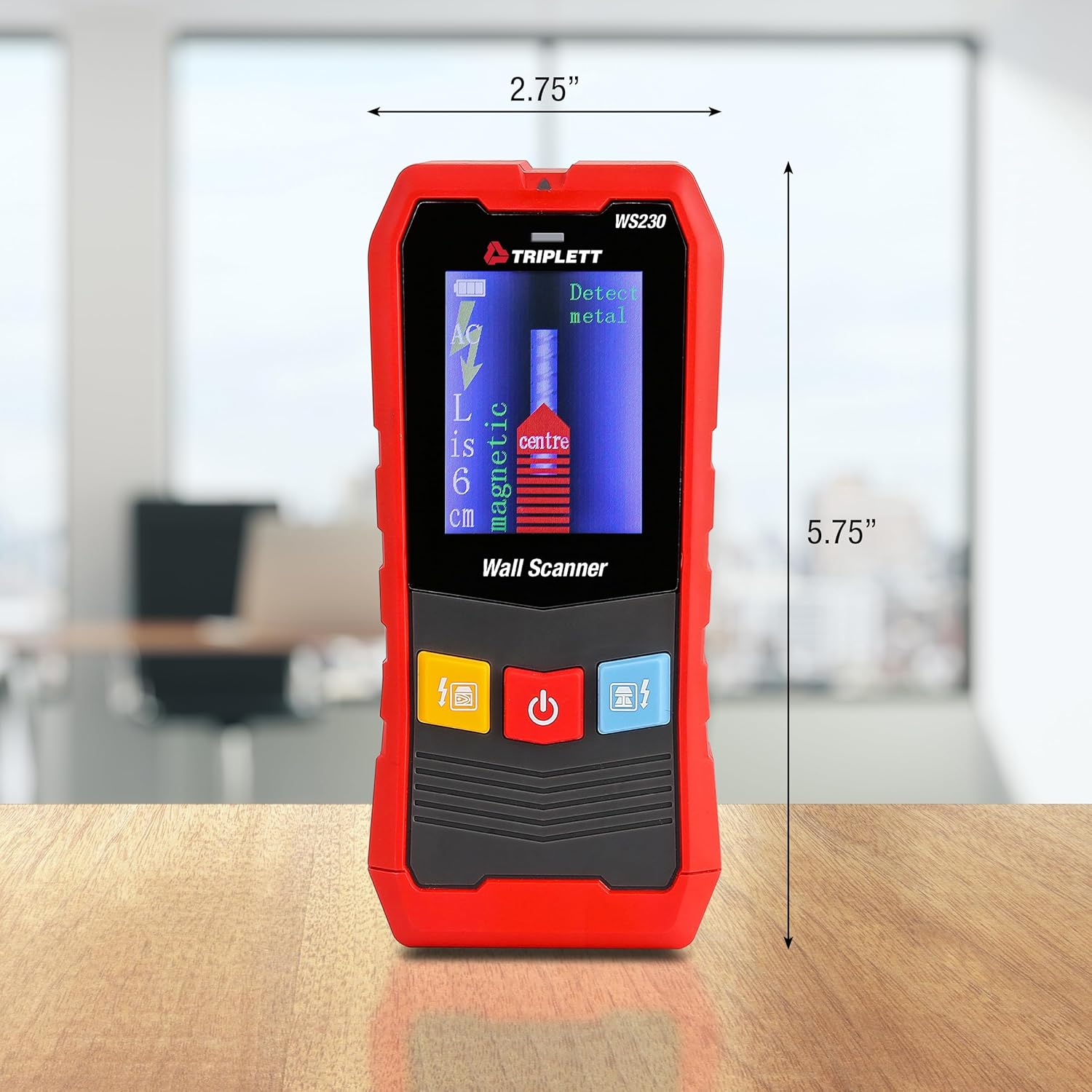
Figure 9.1: WS230 Dimensions
10. Warranty uye Tsigiro
For warranty information or technical support, please refer to the official Triplett websaiti kana kubata dhipatimendi ravo rebasa revatengi. Chengeta risiti rako rekutenga seumboo hwekutenga.
Visit the official Triplett Store: Triplett Store on Amazon


