Nhanganyaya
Thank you for choosing the Doubc Q13 Wireless Bluetooth 5.3 Earbuds. These earbuds are designed to provide a high-quality audio experience with advanced features such as HiFi stereo sound, ENC noise-cancelling microphones, and IPX7 waterproofing. This manual will guide you through the setup, operation, and maintenance of your new earbuds.

Image: The Doubc Q13 Wireless Bluetooth 5.3 Earbuds in their open charging case, displaying the digital battery indicator.
Package Zviri mukati
Ndokumbira utarise pasuru yezvinhu zvinotevera:
- Doubc Q13 Wireless Earbuds (Left and Right)
- Kuchaja Case
- USB Type-C Yekuchaja Cable
- User Manual
- Eartips (various sizes, typically S/M/L)
Gadzirira
1. Kutanga Kuchaja
Before first use, fully charge the earbuds and the charging case. Connect the provided USB Type-C cable to the charging port on the case and a power source. The LED display on the charging case will show the battery percentage. Kuchaja kwakazara kunotora maawa matatu.
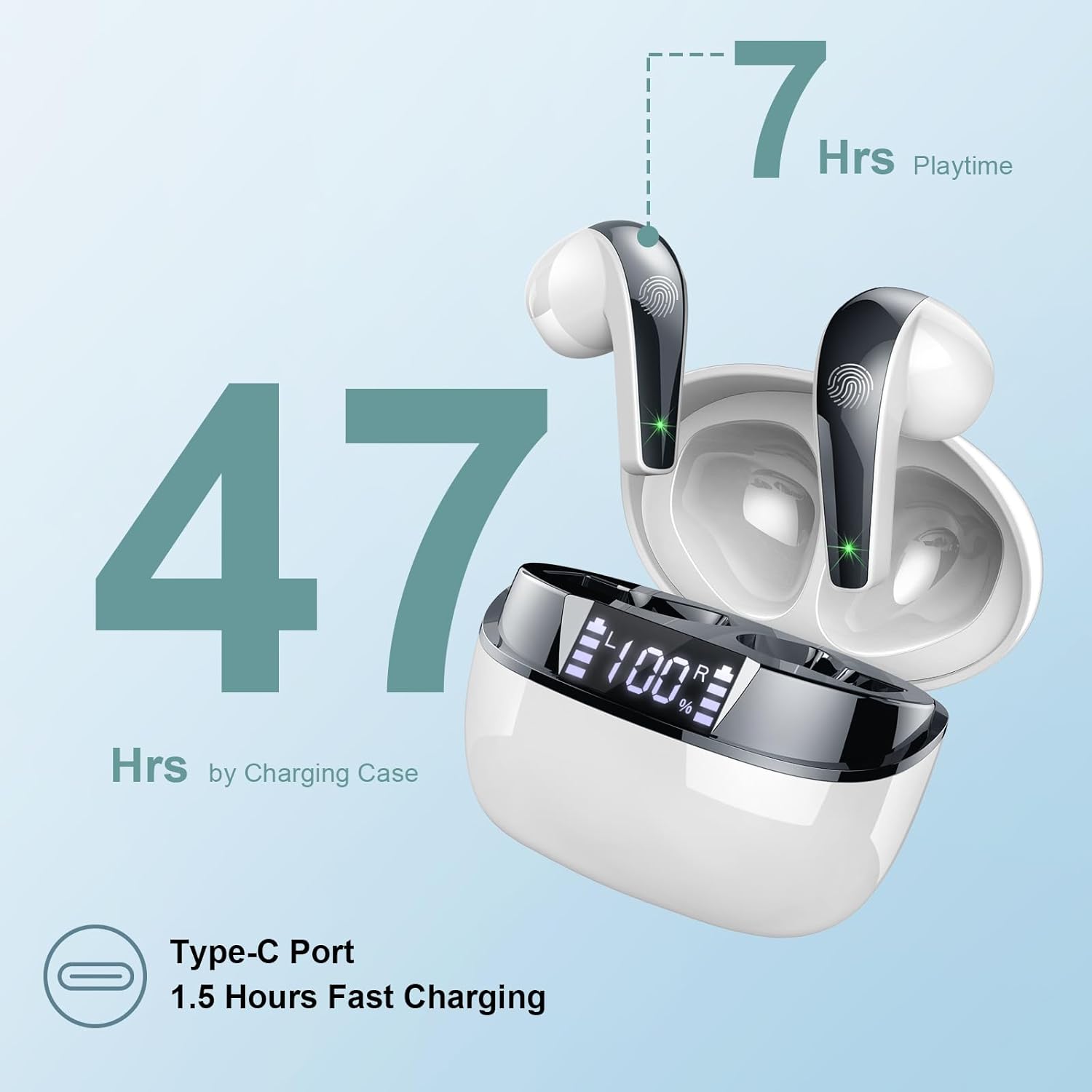
Image: The charging case highlighting 47 hours of total playtime and the Type-C charging port.

Image: A visual representation of the earbuds and charging case, emphasizing 7 hours of music time per charge and 47 hours total with the charging case, along with the dual LED digital display.
2. Kubatanidza neChishandiso
- Ita shuwa kuti maearbuds akachajwa.
- Vhura kesi yekuchaja. Maearbuds anozopinda otomatiki maitiro ekubatanidza.
- Pamudziyo wako (smartphone, piritsi, komputa), enda kumasetin'i eBluetooth.
- Tsvaga available devices and select "Q13" from the list.
- Kana yangobatanidzwa, unonzwa toni yekusimbisa, uye maearbuds anenge agadzirira kushandiswa.
The Doubc Q13 earbuds feature one-step pairing and wide compatibility with iOS, Android, and Windows devices.

Image: The earbuds in their charging case next to a smartphone displaying Bluetooth settings, showing "Q13" as a discoverable device, illustrating the one-step pairing process.
Operating Instruction
Touch Controls
The Doubc Q13 earbuds feature smart touch controls for easy management of music and calls. The touch sensitive area is located on the outer surface of each earbud.

Image: A user wearing an earbud, with icons indicating various touch control functions such as volume adjustment, call management, music playback, and voice assistant activation.
| Chiito | Function |
|---|---|
| Single Tap (L/R) | Tamba/Misa Mimhanzi, Pindura/ Pedzisa Kufona |
| Tap kaviri (kurudyi) | Next Track |
| Tokonya kaviri (Kuruboshwe) | Previous Track |
| Tap katatu (kurudyi) | Volume Up |
| Tap katatu (Kuruboshwe) | Volume Down |
| Long Press (2s) (L/R) | Ramba Kufona, Activate Voice Assistant |
Simba On/Kudzima
- Power On: Open the charging case, and the earbuds will automatically power on. Alternatively, long-press the touch area on both earbuds for 3 seconds.
- Power Off: Place the earbuds back into the charging case and close the lid. They will automatically power off and begin charging. Alternatively, long-press the touch area on both earbuds for 5 seconds.
Maintenance
Kuchenesa
To ensure optimal performance and charging, regularly clean the charging contacts on both the earbuds and the charging case. Use a cotton swab lightly dampened with alcohol to gently wipe the contacts.

Image: A diagram illustrating the location of charging contacts on the earbuds and inside the charging case, with instructions to clean them if charging issues occur.
Kuramba Mvura
The earbuds are IPX7 waterproof, meaning they can withstand immersion in water up to 1 meter for 30 minutes. This makes them suitable for workouts and light rain. However, the charging case is not waterproof. Do not expose the charging case to water.

Image: Two earbuds covered in water droplets, visually representing their IPX7 waterproof capability.
Storage
Chengetedza maearbuds mukesi yavo yekuchaja kana isiri kushandiswa kuadzivirira uye kuti agare aine chaji. Dzivisa kupisa kwakanyanya uye chiedza chezuva chakananga.
Kugadzirisa matambudziko
Maearbuds Haachaji
- Ita shuwa kuti tambo yekuchaja yakabatana zvakachengeteka kune ese ari maviri kesi uye sosi yemagetsi.
- Verify that the charging contacts on both the earbuds and the case are clean and free of debris. Use alcohol to clean them if necessary.
- Check if the charging case itself has sufficient battery charge.
Only One Earbud Has Sound
- Isa ese maearbuds kumashure muchesi yekuchaja wovhara chivharo.
- On your phone's Bluetooth settings, manually "forget" or "unpair" the "Q13" device.
- After approximately 10 seconds, open the charging case. The earbuds should automatically re-enter pairing mode.
- Reconnect the earbuds with your phone via Bluetooth.
Image: A diagram illustrating solutions for common issues: cleaning charging contacts for charging problems and re-pairing steps for when only one earbud produces sound.
Earbuds Haisi Kubatana
- Ita shuwa kuti Bluetooth yakabatidzwa pane chako kifaa.
- Make sure the earbuds are within the effective range (typically 10 meters) of your device.
- Turn off and then turn on your device's Bluetooth.
- Dzokorora maitiro ekubatanidza sezvakatsanangurwa muchikamu che "Setup".
Zvinotsanangurwa
| Feature | Detail |
|---|---|
| Model Number | Q13 |
| Bluetooth Version | 5.3 |
| Audio Driver | 13mm Graphene Audio Driver |
| Frequency Range | 20Hz - 20,000Hz |
| Nguva yekutamba (Earbuds) | Kusvikira kumaawa masere (chaji imwe chete) |
| Yese Yekutamba (neNyaya) | Kusvikira kumaawa makumi maviri nemashanu |
| Kuchaja Port | USB Type-C |
| Kuchaja Nguva | Approx. 1.5 hours (case) |
| Waterproof Rating | IPX7 (maearbuds chete) |
| Maikorofoni | 4 ENC Inodzima Ruzha Maikorofoni |
| Kurema kwenzeve | Approx. 3g (imwe neimwe) |
| Kuchaja Case Weight | Approx. 29g |
| Product Dimensions | 2.13 x 1.81 x 1.34 inches (bhokisi rekuchaja) |

Mufananidzo: Yakadzama view of the 13mm Graphene Audio Driver, emphasizing HiFi Stereo Sound and built-in microphones with noise reduction for HD calling.

Image: A diagram illustrating the benefits of Advanced Bluetooth 5.3 technology, including faster transfer, lower power consumption, more stable connection, and lower latency.

Image: A visual showing the comfortable and lightweight design of the earbuds and charging case, including their dimensions and individual weights (3g per earbud, 29g for the case).
Warranty uye Support
The Doubc Q13 Wireless Bluetooth 5.3 Earbuds come with a 3-makore waranti, kuve nechokwadi chekuti chigadzirwa chacho chine rugare rwepfungwa maererano nemhando yezvigadzirwa uye mashandiro azvo.
For technical support, warranty claims, or any inquiries, please refer to the contact information provided on the product packaging or the official Doubc website. Specific support contact details are not available in this manual.
Ruzivo Rwakakosha Chekuchengetedza
- Usabvisa kana kushandura chigadzirwa.
- Ramba kure nekupisa kwakanyanya uye zuva rakananga.
- Dzivisa kuisa chivharo chekuchaja mumvura.
- Shandisa chete tambo yekuchaja yakapihwa kana certified yakaenzana.
- Rasa chigadzirwa zvine hungwaru maererano nemitemo yenzvimbo.


