1. Nhanganyaya
This manual provides essential information for the proper use and care of your MUNBYN 4x6 Direct Thermal Printer Labels. These labels are designed for efficient and reliable printing of shipping labels and other thermal printing applications. Please read this manual thoroughly to ensure optimal performance and longevity of the product.

Mufananidzo 1: A roll of MUNBYN 4x6 Direct Thermal Printer Labels, ready for use.
2. Zvigadzirwa zveChigadzirwa
| Tsanangudzo | Detail |
|---|---|
| Label Dimensions | 4 inches x 6 inches (103 mm x 159 mm) |
| Core Diameter | 1 inch (26 mm) |
| Isa dhayamita | 3.15 inches (80 mm) |
| Mazita paRoll imwe neimwe | 220 mapepa |
| Material | High-quality thermal paper with strong adhesive |
| Color | Chena |
| Model Number | ITLP10155 |

Mufananidzo 2: Visual representation of the 4x6 inch label dimensions and roll size.
3. Kugadzirisa uye Kurodha
These labels are designed for direct thermal printers. Ensure your printer is compatible with 4x6 inch direct thermal labels.
- Prepare Your Printer: Turn off and unplug your thermal printer before loading labels.
- Open Printer Cover: Open the top cover of your thermal printer according to its specific instructions.
- Load the Label Roll: Place the MUNBYN label roll onto the spindle or into the label compartment. Ensure the labels feed from the bottom of the roll and the print side (the smoother, whiter side) is facing up towards the print head.
- Align Labels: Guide the first label through the printer's feed slot. Adjust the label guides to fit snugly against the edges of the label roll, preventing skewing. The alignment hole between labels assists in accurate feeding.
- Vhara Kavha: Vhara chivharo cheprinta zvakachengeteka.
- Power On: Plug in and power on your printer. The printer should automatically detect and calibrate the label size.

Mufananidzo 3: Example of labels loaded into different compatible thermal printers.
4. Operating Instructions
Once loaded, these labels are ready for printing with your compatible thermal printer. No ink or toner is required.
- Printer Settings: Ensure your printer software or driver settings are configured for 4x6 inch direct thermal labels.
- Kudhinda: Send your print job to the thermal printer. The labels are designed to produce crystal-clear images and easy-to-read barcodes.
- Tearing Labels: After printing, use the perforated line between labels for easy and clean tearing. For best results, tear upward from the perforated end.
- Application: Peel the label from its backing and apply it firmly to your package or surface. The ultra-strong adhesive ensures secure attachment.
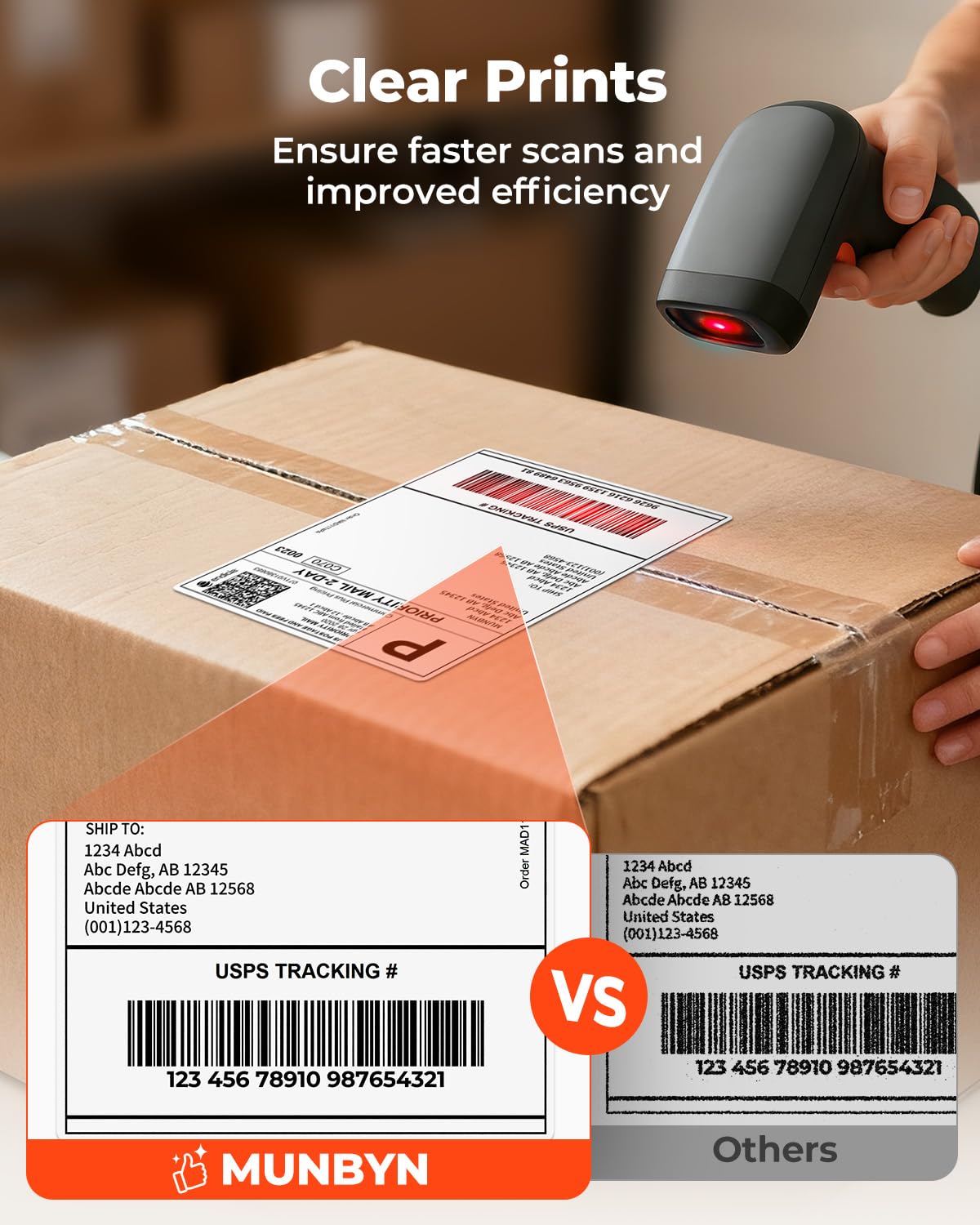
Mufananidzo 4: Illustration of clear print quality for faster scans and improved efficiency.

Mufananidzo 5: Demonstrates the easy-tear perforation, strong adhesive, and residue-free removal of the labels.
5. Kuchengetedza nekuchengetedza
Proper handling and storage will preserve the quality and effectiveness of your thermal labels.
- Storage Conditions: Store label rolls in a cool, dry place away from direct sunlight, heat sources, and excessive humidity.
- Dzivisa Kuonana Prevent labels from coming into contact with chemicals, oils, or abrasive surfaces, which can degrade the thermal coating.
- Kubata: Handle labels by the edges to avoid transferring oils from your skin, which can affect print quality over time.
- Environmental Features: These labels are waterproof, oil-proof, and scratch-proof, offering durability for various shipping conditions. They are also BPA and BPS-free.
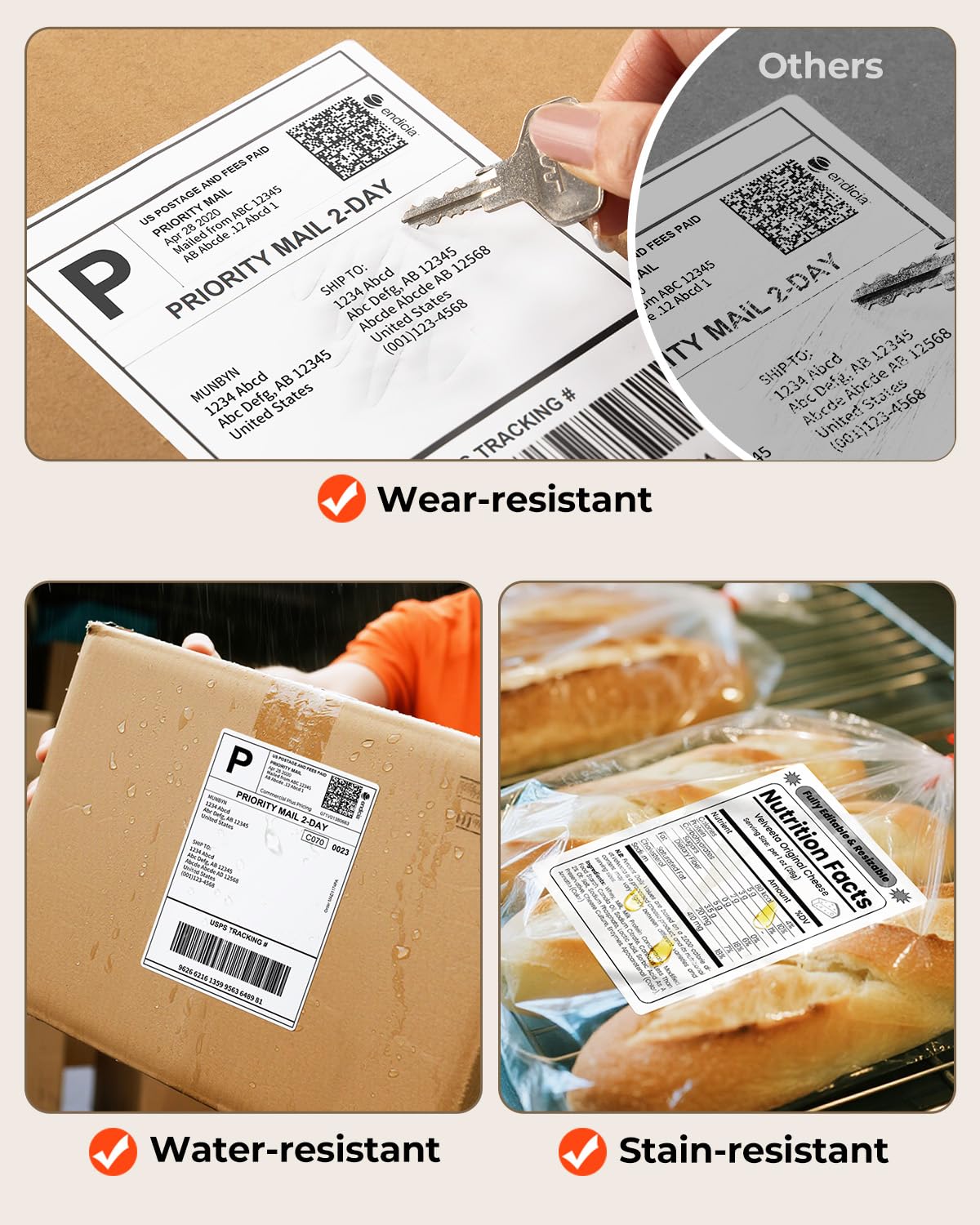
Mufananidzo 6: Illustrates the wear-resistant, water-resistant, and stain-resistant properties of the labels.

Mufananidzo 7: Highlights the eco-friendly aspects: No BPA & BPS, FSC certified, and Climate Pledge Friendly.
6. Kugarisana
MUNBYN 4x6 Direct Thermal Printer Labels are widely compatible with most direct thermal printers. This includes, but is not limited to, the following brands and models:
- MUNBYN Printers: 130B, 941BP, 129B, 941U, 941AP, RW401AP, RW403B
- Mamwe Mabrand: Rollo, Jadens, Nelko, Pedoolo
- DYMO Printers: Dymo 450, Dymo 5XL, Dymo extra-large LW 1744907, 1755120, 1951462
Note: These labels are not compatible with Brother printers. They are exclusively for direct thermal printers and will not work with laser or inkjet printers.
7. Kugadzirisa matambudziko
If you encounter issues while using your MUNBYN thermal labels, consider the following:
- Faint or Missing Print:
- Ensure the label roll is loaded correctly with the print side facing the thermal print head.
- Check your printer's print density settings and adjust if necessary.
- Clean the print head of your thermal printer according to its manufacturer's instructions.
- Zviratidzo Zvisingadyi Zvakanaka:
- Verify that the label guides are properly adjusted to hold the roll securely without being too tight.
- Ensure the labels are aligned with the printer's feed mechanism. The alignment hole should assist in proper feeding.
- Tarisa kana paine zvipingamupinyi munzira yekunyora.
- Labels Not Sticking:
- Ensure the surface of the package is clean, dry, and free from dust or grease.
- Apply firm, even pressure across the entire label when attaching it.
- Verify that the labels have been stored correctly and have not been exposed to extreme conditions that could degrade the adhesive.
- Smudged or Blurry Prints:
- Clean the print head of your thermal printer.
- Ensure the labels are not expired or damaged.
- Check printer settings for print speed and darkness.
8. Ruzivo rweWaranti
The manufacturer's warranty period for MUNBYN products, including these thermal labels, is makore maviri kubva pazuva rekutenga. Ndapota chengetedza humbowo hwako hwekutenga kwezvichemo zvewaranti.
9. Mutengi Tsigiro
For further assistance, questions, or technical support, please contact MUNBYN customer service:
- Runhare: +1 628 229 3612 (Monday through Friday, EST 9:00-24:00, excluding public holidays)
- WhatsApp: Scan the QR code below to quickly reach us on WhatsApp.
- When contacting support, please be prepared to provide your order number.

Mufananidzo 8: QR code for direct WhatsApp support.


