Nhanganyaya
Thank you for choosing the Grundig Wireless Bluetooth Open-Ear Earbuds. These earbuds are designed to provide a comfortable listening experience with an open-ear design, allowing you to stay aware of your surroundings while enjoying your audio. This manual provides essential information on how to set up, operate, and maintain your earbuds.
Chii chiri muBhokisi
- Grundig Wireless Bluetooth Open-Ear Earbuds
- USB-C Kuchaja Cable
- User Manual
Product Overview
Ziva zvinhu zviri muma earbuds ako:
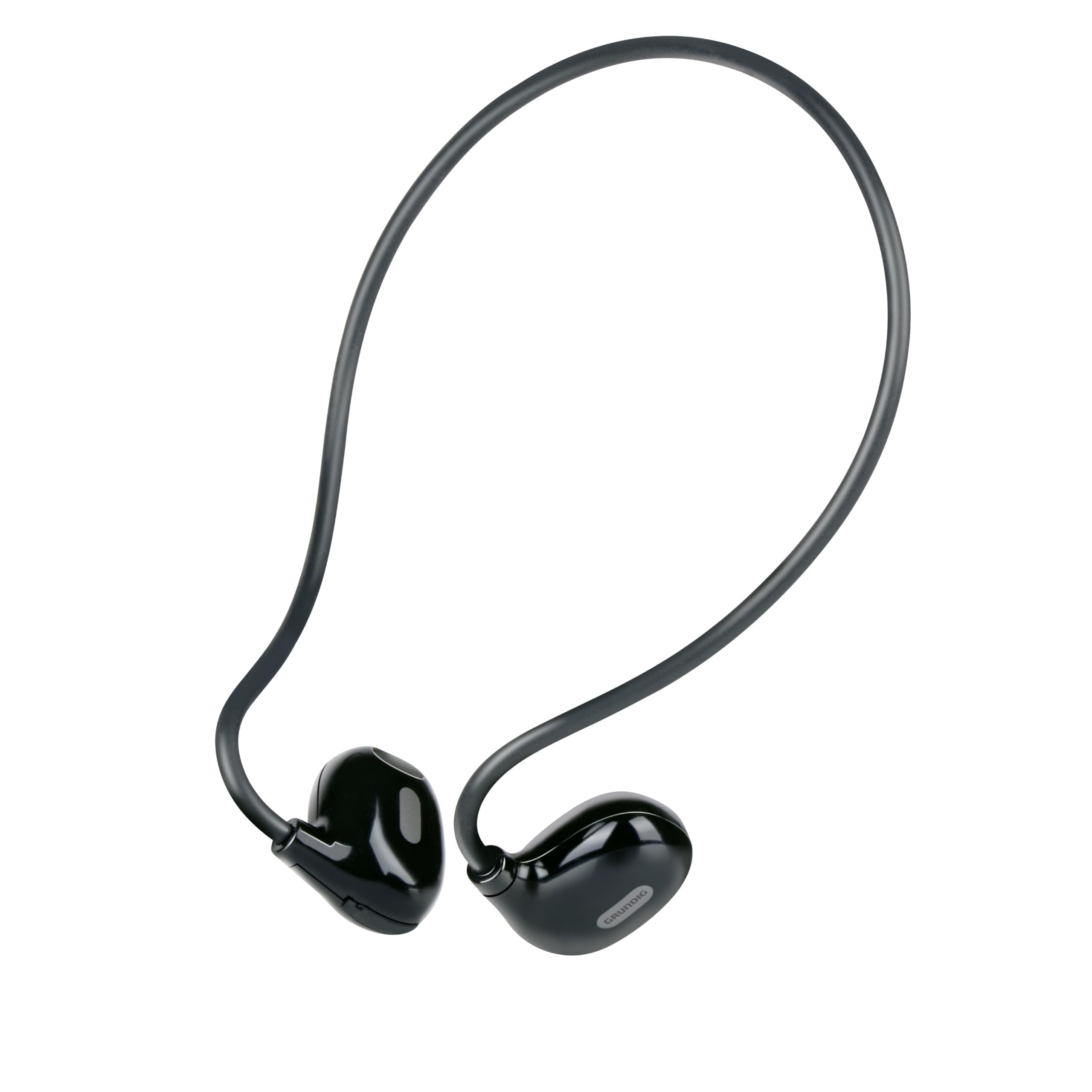
Figure 1: Close-up of a single earbud, highlighting the speaker and flexible ear hook.
- Earbud Unit: Contains the speaker and internal electronics.
- Chiredzo Chenzeve Chinochinjika: Designed to fit securely around your ear.
- Maikorofoni: Zvekufona pasina maoko.
- Bata Kudzora Nzvimbo: For managing music and calls.
- USB-C yekuchaja Port: Located on one of the earbuds for power input.
Gadzirira
1. Kuchaja maEarbuds
- Connect the supplied USB-C charging cable to the charging port on the earbuds.
- Batanidza imwe magumo etambo ye-USB-C kune inoenderana ne USB sosi (semuenzaniso, adapta yemudhuri, komputa USB port).
- The indicator light on the earbuds will show the charging status. A full charge takes approximately 1.5 hours.
- Kana wanyatsochajiswa, bvisa tambo yekuchaja.
2. Kubatanidza neChishandiso
Kuti ubatanidze maearbud ako kumudziyo unogonesa Bluetooth:
- Iva nechokwadi chekuti mahedhifoni akachajwa uye akadzimwa.
- Press and hold the touch control area on one earbud until the indicator light flashes, indicating pairing mode.
- On your device (phone, tablet, laptop), enable Bluetooth and search for available devices.
- Select "Grundig Earbuds" (or similar name) from the list of found devices.
- Once connected, the indicator light on the earbuds will change, usually to a slow flash or off, and you will hear an audible confirmation.
- Maearbud anozoedza otomatiki kubatanazve nemudziyo wekupedzisira wakabatana kana wabatidzwa.
3. Kupfeka maEarbuds
For optimal comfort and sound, wear the earbuds as shown:

Figure 2: Proper placement of the earbuds with the ear hook.
- Place the earbud unit near your ear canal, ensuring the speaker is positioned to direct sound into your ear.
- Gently hook the flexible ear hook behind your ear to secure the earbud in place.
- Adjust for a comfortable and stable fit.
Kushandisa Earbuds
Simba On/Kudzima
- Power On: Press and hold the touch control area for a few seconds until you hear a power-on prompt.
- Power Off: Press and hold the touch control area for a few seconds until you hear a power-off prompt.
Music Playback
- Tamba/Kumbomira: Tap the touch control area once.
- Next Track: Double-tap the right earbud's touch control area.
- Previous Track: Double-tap the left earbud's touch control area.
Fonera Management
- Pindura/Pedzisa Kufona: Tap the touch control area once during an incoming call or an active call.
- Ramba Kufona: Press and hold the touch control area for 2 seconds during an incoming call.
Volume Control
Volume control is typically managed directly from your connected device. The earbuds support media control functions for play/pause and track skipping.
Maintenance
- Kuchenesa: Use a soft, dry cloth to clean the earbuds. Do not use abrasive cleaners or immerse them in water.
- Kuchengeta: Chengeta maearbuds munzvimbo inotonhorera, yakaoma kure nezuva rakananga uye tembiricha yakanyanya.
- Battery Care: To prolong battery life, charge the earbuds regularly, even if not in frequent use. Avoid fully discharging the battery for extended periods.
Kugadzirisa matambudziko
| Dambudziko | Solution |
|---|---|
| Maearbud haabatidzike. | Ensure the earbuds are fully charged. Connect them to the USB-C charging cable and allow 1.5 hours for a full charge. |
| Haikwanise kubatanidzwa nemudziyo. | Make sure Bluetooth is enabled on your device. Ensure the earbuds are in pairing mode (indicator light flashing). Move the earbuds closer to your device. Forget previous pairings on your device and try again. |
| Hapana ruzha kana vhoriyamu yakaderera. | Check the volume level on both your connected device and the earbuds. Ensure the earbuds are properly seated on your ears. Reconnect the earbuds to your device. |
| Calls are unclear. | Ensure the microphone is not obstructed. Move to an area with less background noise. Check your device's call settings. |
| Maearbuds anodzima nguva zhinji. | Ensure the earbuds are within the Bluetooth range of your device. Avoid obstacles between the earbuds and your device. Charge the earbuds if the battery is low. |
Zvinotsanangurwa
| Model Number | 8711252259871 |
| Brand | Grundig |
| Kubatana Technology | Wireless (Bluetooth 5.3) |
| Kuiswa Nzeve | Vhura Nzeve |
| Kudzora Nzira | Bata Kudzora |
| Hupenyu hwebhatiri | Kusvikira kumaawa makumi maviri nemashanu |
| Kuchaja Nguva | Anenge maawa maviri |
| Kuchaja Port | USB-C |
| Material | Plastiki uye Silicone |
| Mvura Resistance Level | Kwete kudzivirira mvura |
| Inowirirana Devices | Mobile phones, tablets, laptops, game consoles, desktop computers, smart speakers |
| Special Features | Fast charging, Hands-free calls |
Safety Information
- Usashandise maearbuds nevhoriyamu yakakwira kwenguva yakareba kudzivirira kukuvara kwekunzwa.
- Do not use the earbuds in situations where inability to hear ambient sounds could be dangerous (e.g., driving, cycling, walking in traffic).
- Keep the earbuds away from water and moisture.
- Do not attempt to disassemble or modify the earbuds.
- Chengetedza pasingasvikirwi nevana.
- Rasa chigadzirwa zvine hungwaru maererano nemitemo yenzvimbo.
Warranty uye Support
Grundig products are designed for reliability and performance. For warranty information and customer support, please refer to the documentation provided with your purchase or visit the official Grundig website. Ndapota chengetedza humbowo hwako hwekutenga kune chero vimbiso yewaranti.


