Nhanganyaya
Thank you for choosing the Vieta Pro Way 4 Headband Headphones. These headphones are designed to provide a superior audio experience with advanced features such as Bluetooth 5.4 connectivity, an integrated microphone, a dedicated gaming mode, and dual pairing capabilities. This manual will guide you through the setup, operation, and maintenance of your new headphones.
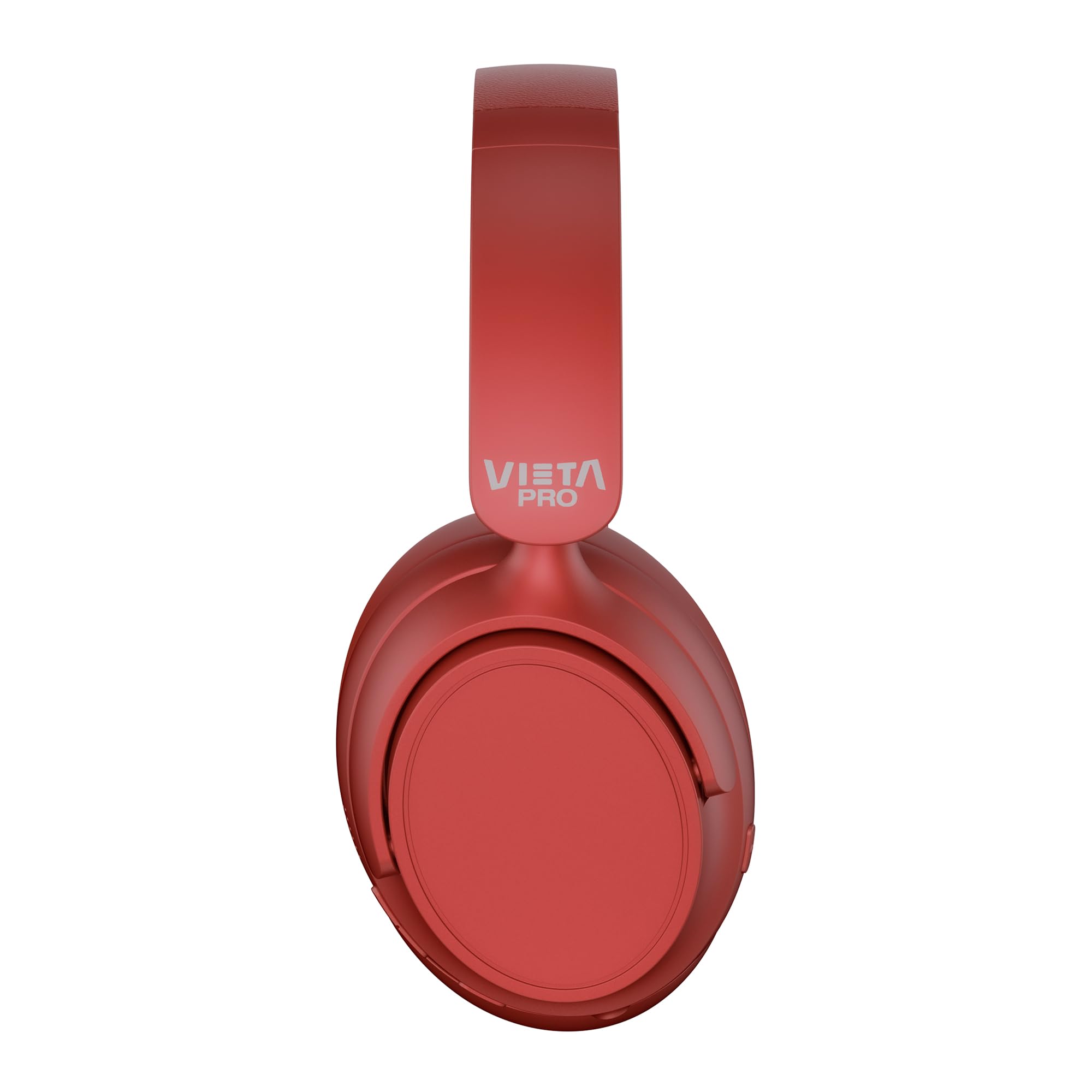
Mufananidzo: Mberi view of the Vieta Pro Way 4 Headband Headphones in red.
Package Zviri mukati
Ndapota tarisai kuti zvinhu zvese zviripo mupakeji:
- Vieta Pro Way 4 Headband Headphones
- USB Kuchaja Cable
- 3.5mm Audio Cable with integrated microphone
- Mushandisi Chinyorwa (gwaro iri)
Product Overview
Familiarize yourself with the various parts and controls of your headphones.

Image: Right earcup with power button, volume controls, USB-C charging port, and 3.5mm audio jack.
- Bhatani reSimba: Inoshandiswa kubatidza / kudzima uye kutanga Bluetooth pairing.
- Bhatani reKukwidza/Kunoteera Track: Press briefly to increase volume, press and hold for next track.
- Bhatani reVolume Down/Previous Track: Press briefly to decrease volume, press and hold for previous track.
- Multi-function Bhatani: For play/pause, answer/end calls, activate voice assistant.
- USB-C yekuchaja Port: Zvekuchaja mahedhifoni.
- 3.5mm Audio Jack: Kuti ubatanidze waya uchishandisa waya yeaudio iri mukati.
- Yakabatanidzwa Microphone: For calls and voice assistant commands.

Image: Left earcup and adjustable headband of the Vieta Pro Way 4 headphones.
Gadzirira
1. Kuchaja mahedhifoni
Usati watanga kushandisa, chaja zvizere mahedhifoni ako.
- Batanidza tambo yekuchaja USB kune USB-C port pane mahedhifoni.
- Batanidza imwe magumo etambo kune USB magetsi adapta (isina kuisirwa) kana komputa USB port.
- The LED indicator will show charging status (e.g., red for charging, blue/off for fully charged).
- Kuchaja kwakazara kunoita kuti mutambo urambe uchitamba kwemaawa makumi mashanu nemanomwe.
2. Powering On / Off
- Kubatidza: Press and hold the Power button for approximately 3 seconds until the LED indicator flashes.
- Kudzima: Dzvanya uye bata bhatani reSimba kweanenge masekonzi matatu kusvika chiratidzo che LED chadzima.
3. Bluetooth Kubatanidza
Batanidza mahedhifoni ako nemudziyo wako kuti unzwe ruzha rusina waya.
- Ita shuwa kuti mahedhifoni akadzimwa.
- Dzvanya wobata bhatani rePower kwemasekondi angangoita mashanu kusvika manomwe kusvika chiratidzo che LED chapenya dzvuku nebhuruu zvichichinjana, zvichiratidza nzira yekuwiriranisa.
- Pamudziyo wako (smartphone, piritsi, komputa), gonesa Bluetooth uye tsvaga zvishandiso zviripo.
- Select "Vieta Pro Way 4" from the list of found devices.
- Once connected, the LED indicator will flash blue slowly or turn solid blue.
4. Kubatanidza kaviri
The Vieta Pro Way 4 headphones support dual pairing, allowing simultaneous connection to two devices (e.g., phone and computer).
- Pair the headphones with the first device as described in "Bluetooth Pairing".
- Dzima Bluetooth pamudziyo wekutanga. Mahedhifoni achapinda zvakare mumodhi yekuwiriranisa.
- Batanidza mahedhifoni nemudziyo wechipiri.
- Vhura Bluetooth zvakare pamudziyo wekutanga. Mahedhifoni anofanira kubatana otomatiki kumidziyo yese miviri.
- Audio will play from the device that is actively transmitting.
5. Kubatanidza Newaya (Aux-in)
Use the included 3.5mm audio cable for a wired connection. This is useful when the battery is low or for devices without Bluetooth.
- Connect one end of the 3.5mm audio cable to the Aux-in port on the headphones.
- Batanidza rimwe divi kune jack ye3.5mm audio yemudziyo wako.
- The headphones will automatically switch to wired mode. The integrated microphone on the cable can be used for calls in this mode.
Operating Instruction
Music Playback
- Tamba/Kumbomira: Dhinda iyo Multi-function bhatani kamwe.
- Vhoriyamu Kumusoro: Dzvanya bhatani reVolume Up kamwe.
- Vhoriyamu Pasi: Dzvanya bhatani reVolume Down kamwe.
- Next Track: Dzvanya uye bata Volume Up bhatani.
- Previous Track: Dzvanya uye bata Volume Down bhatani.
Fonera Management
- Pindura/Pedzisa Kufona: Dhinda iyo Multi-function bhatani kamwe.
- Ramba Kufona: Dzvanya uye bata bhatani reMulti-function kwemasekonzi maviri.
- Dhonzazve Nhamba Yekupedzisira: Dzvanya kaviri bhatani reMulti-function.
Voice Assistant
- Shandisa Voice Assistant (Siri, Google Assistant, nezvimwewo): Katatu-dzvanya bhatani reMulti-function.
Gaming Mode
Activate Gaming Mode to reduce Bluetooth latency for an optimized gaming experience.
- Shandisa/Dzima Mutambo weGaming Mode: Press the Power button twice quickly. The headphones will provide an audio cue.
Maintenance
- Kuchenesa: Pukuta mahedhifoni nemucheka wakapfava, wakaoma. Usashandise abrasive cleaners kana solvents.
- Kuchengeta: Store the headphones in a cool, dry place. The foldable design allows for compact storage.
- Battery Care: Kuti bhatiri rirambe richishanda kwenguva refu, dzivisa kuburitsa mahedhifoni ese nguva nenguva. Achaje nguva dzose.
- Kuramba Mvura: Aya mahedhifoni haapindire mvura. Dzivisa kusangana nemvura kana kunyorova kwakanyanyisa.

Image: The Vieta Pro Way 4 headphones in their foldable configuration, demonstrating portability.
Kugadzirisa matambudziko
| Dambudziko | Zvinogona Kukonzera | Solution |
|---|---|---|
| Mahedhifoni haabatike. | Bhatiri rakaderera. | Chaja mahedhifoni zvizere. |
| Haikwanise kubatanidza kuburikidza neBluetooth. | Mahedhifoni haasi muchimiro chekuwiriranisa; Bluetooth yakadzimwa pamudziyo; kure zvakanyanya nemudziyo. | Ensure headphones are in pairing mode (flashing red/blue). Enable Bluetooth on your device. Move headphones closer to the device (within 10 meters). |
| Hapana ruzha kana vhoriyamu yakaderera. | Volume too low on headphones or device; incorrect audio source selected; headphones not connected. | Increase volume on both headphones and device. Check Bluetooth connection or 3.5mm cable connection. Ensure the correct audio output is selected on your device. |
| Maikorofoni haisi kushanda. | Microphone muted on device; incorrect input device selected; issue with 3.5mm cable microphone. | Check device settings to ensure microphone is not muted and "Vieta Pro Way 4" is selected as input. If using wired connection, ensure the cable's microphone is enabled/functional. |
| Audio delay in games. | Gaming Mode is not activated. | Activate Gaming Mode by double-pressing the Power button. |
Zvinotsanangurwa
| Model Name | Vieta Pro Way 4 |
| Model Number | Kunyarara 3 |
| Kubatana | Bluetooth 5.4, 3.5mm Aux-in |
| Hupenyu hwebhatiri | Kusvikira kumaawa makumi maviri nemashanu |
| Maikorofoni | Integrated (for Bluetooth), In-line (for 3.5mm cable) |
| Special Features | Gaming Mode, Dual Pairing, Foldable Design, Passive Noise Reduction |
| Impedance | 32 Ohms |
| Kuiswa Nzeve | Over-ear (Circumaural) |
| Material | Plastiki |
| Kuramba Mvura | Kwete kudzivirira mvura |
| Inowirirana Devices | Mobile devices, computers, game consoles |
Warranty uye Support
For warranty information and technical support, please refer to the warranty card included in your product packaging or visit the official Vieta Pro website.
Ndapota chengetedza humbowo hwako hwekutenga kune chero vimbiso yewaranti.


