1. Nhanganyaya
Ndatenda nekutengaasing the SIMATE 6.5" Self-Balancing Scooter. This manual provides essential information for the safe operation, maintenance, and troubleshooting of your scooter. Please read this manual thoroughly before first use and retain it for future reference.
2. Safety Information
Your safety is paramount. Always wear appropriate safety gear, including a helmet, knee pads, and elbow pads, when operating the scooter. Ensure you understand and comply with all local laws and regulations regarding the use of self-balancing scooters.
- This product is UL2272 Safety Certified, ensuring compliance with U.S. safety regulations.
- Usashandise scooter wakadhakwa nedoro kana zvinodhaka.
- Avoid riding on uneven surfaces, steep slopes (over 15 degrees), or in wet conditions.
- Chengetedza chinhambwe chakachengeteka kubva kune vanofamba netsoka nedzimwe mota.
- Children should be supervised by an adult during operation.
- Maximum load capacity is 220 lbs. Do not exceed this limit.
3. Package Zviri mukati
Ona kuti zvinhu zvese zviripo mupasuru yako:
- SIMATE 6.5" Self-Balancing Scooter
- Charger
- Chinyorwa Chirairo (gwaro iri)
4. Chigadzirwa Pamusoroview
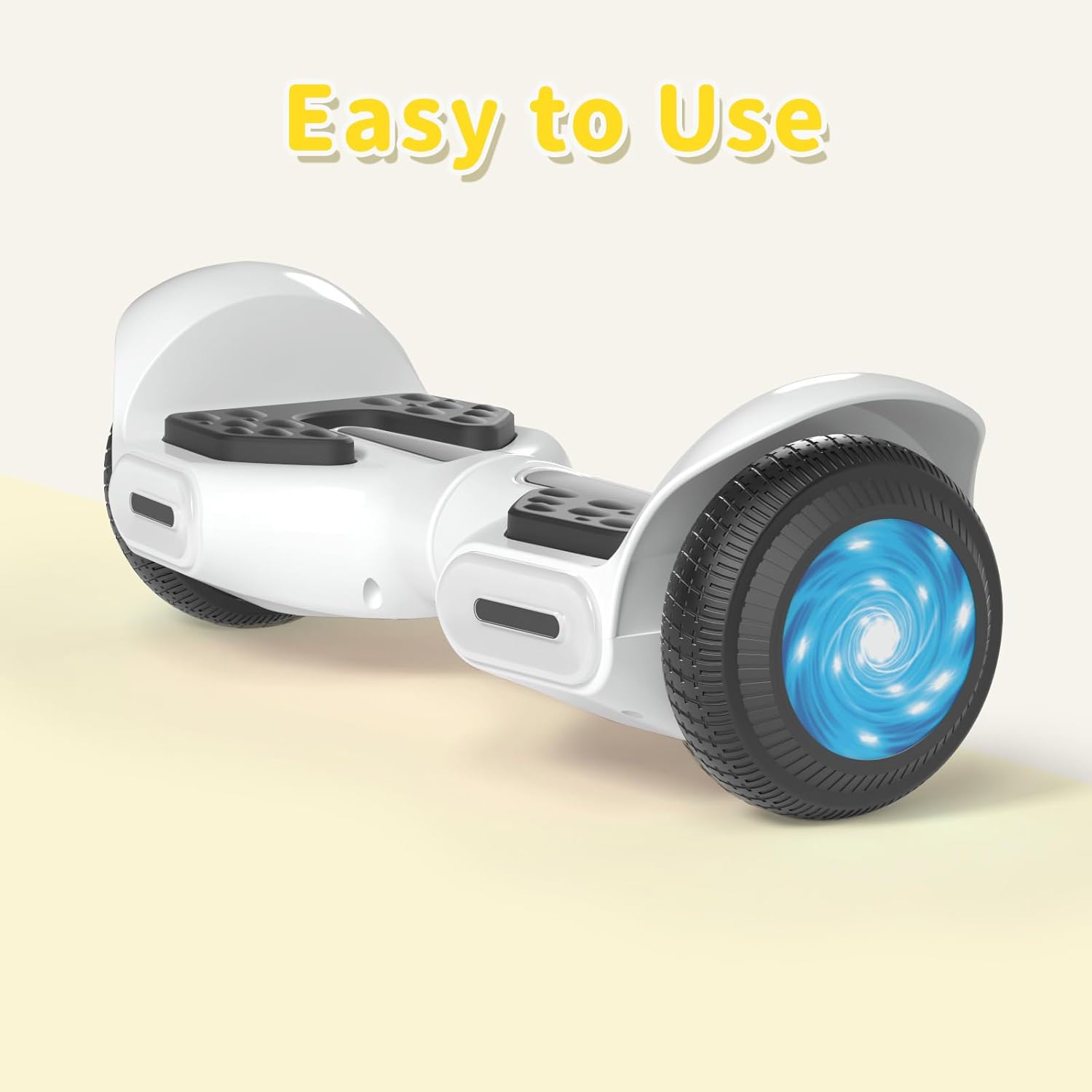
The SIMATE 6.5" Self-Balancing Scooter features dual 250W motors, LED lights, and a self-balancing control system. It is designed for ease of use and enjoyment.

Mufananidzo 4.1: Mberi view of the SIMATE 6.5" Self-Balancing Scooter in white.
Zvinokosha:
- Self-Balancing System: Assists in maintaining balance for easier learning and riding.
- Mwenje ye LED: Includes head lights and central lights for enhanced visibility and aesthetics.
- Bluetooth Music Speaker: Allows connection to a device for audio playback.
- Kudzora kweApp: Compatible with the "XsCar" app for advanced control and monitoring.
- Dual 250W Motors: Provides power for speeds up to 7.5 mph and a range of 7.5 miles.

Image 4.2: Diagram illustrating the self-balancing function and basic movement controls (Go Ahead, Back, Self-Balancing).
Mufananidzo 4.3: Pedyo-up view of the head and central LED lights on the scooter.
5. Setup
5.1 Kutanga Kuchaja
- Before first use, fully charge the scooter. Connect the charger to the charging port on the scooter and then to a power outlet.
- The indicator light on the charger will change (e.g., from red to green) when charging is complete. Charging typically takes 2-3 hours.
- Usachaja bhatiri zvakawandisa. Bvisa charger kana yapera kuchaja.
5.2 Simba On/Kudzima
- To power on, press and hold the power button located on the scooter.
- Kuti udzime, dzvanya uye bata bhatani remagetsi zvakare.
6. Operating Instructions
6.1 First Ride Guidelines
- Place the scooter on a flat, level surface.
- Step onto one footpad, then quickly and confidently step onto the other footpad. Use a wall or another person for support initially.
- Lean slightly forward to move forward, and lean backward to slow down or move in reverse.
- Kuti utendeuke, dzvanya zvinyoro nyoro netsoka yako yekuruboshwe kuti utendeuke kurudyi, uye netsoka yako yerudyi kuti utendeuke kuruboshwe.
- Kuti uburuke, buruka netsoka imwe panguva, uchiita shuwa kuti scooter inoramba yakagadzikana.
Video 6.1: Demonstration of basic riding techniques and self-balancing features for the SIMATE Kids Scooter.
6.2 Speed Modes
The scooter features three adjustable speed modes:
- Safe Mode: Maximum speed 5 mph (suitable for beginners).
- Kutanga Modhi: Maximum speed 6.5 mph (suitable for novices).
- Sports Mode: Maximum speed 8.5 mph (suitable for proficient users).

Image 6.2: Visual representation of the three speed modes: Safe, Beginner, and Sports.
6.3 App Control ("XsCar")
Download the exclusive "XsCar" app to unlock additional features and control options:
- Scan the QR code (if provided on packaging or scooter) or search for "XsCar" in your device's app store.
- Pair your scooter with the app via Bluetooth.
- Kuburikidza neapp, unogona:
- Power on/off the scooter.
- Adjust LED lights.
- Monitor speed and battery power.
- Set speed modes.
- Access other control features.

Image 6.3: Illustration of the "XsCar" app interface and its control capabilities for lights, speed, and battery.
6.4 Bluetooth Music Speaker
Kushandisa sipika yeBluetooth yakavakirwa mukati:
- Iva nechokwadi chekuti scooter yakabatidzwa.
- Vhura Bluetooth pane nharembozha yako.
- Tsvaga available Bluetooth devices and select "SIMATE Scooter" (or similar name).
- Once paired, you can play music through the scooter's speaker.
7. Kuchengeta
7.1 Kuchenesa
- Pukuta scooter ne adamp cloth after use. Avoid using excessive water or harsh cleaning agents.
- Usashandise majeti emvura ane simba guru kuchenesa scooter, sezvo izvi zvinogona kukuvadza zvikamu zvemagetsi.
7.2 Kuchengeta Battery
- Charge the battery regularly, even if the scooter is not in use, to maintain battery health.
- Chengeta scooter munzvimbo inotonhorera, yakaoma kure nezuva rakananga uye tembiricha dzakanyanya.
- If the scooter will not be used for an extended period, charge it to approximately 50% before storage.
7.3 Kuchengeta
- Store the scooter indoors to protect it from weather elements.
- Chengetedza scooter kure nezvinhu zvinopisa.
8. Kugadzirisa matambudziko
| Dambudziko | Zvinogona Kukonzera | Solution |
|---|---|---|
| Sikuta haibati simba. | Bhatiri shoma kana bhatani remagetsi harina kudzvanywa nemazvo. | Charge the scooter fully. Ensure the power button is pressed and held for a few seconds. |
| Scooter is not balancing. | Rider weight distribution is incorrect or surface is uneven. | Ensure feet are centered on the footpads. Practice on a flat, smooth surface. |
| Sipika yeBluetooth haisi kubatana. | Bluetooth not enabled on device or scooter, or device is too far. | Ensure scooter is on and Bluetooth is enabled on your device. Move device closer to the scooter. Re-pair if necessary. |
| Kumhanya kana kuti daro rakaderedzwa. | Low battery, heavy load, or riding on inclines. | Charge the battery fully. Reduce load. Avoid steep inclines. |
9. Zvinotsanangurwa
| Feature | Detail |
|---|---|
| Model Name | 6.5" Scooter (K3) |
| Brand | SIMATE |
| Wheel Size | 6.5 inches |
| Motor Power | Dual 250W Motors |
| Max Speed | 7.5 mph (3 adjustable speed modes) |
| Max Range | 7.5 mamaira |
| Max Load | 220 lbs |
| Kuchaja Nguva | 2-3 maawa |
| Material | Aluminium, Rubber |
| Special Features | Built-In Bluetooth speaker, LED Lights, App Control |
| Safety Certification | UL2272 |
10. Ruzivo rweWaranti
The SIMATE 6.5" Self-Balancing Scooter comes with a 1-makore waranti kubva pazuva rawakatenga. Iyi waranti inovhara zvikanganiso zvekugadzira pasi pekushandiswa kwakajairika. Haivhari kukuvara kunokonzerwa nekushandiswa zvisizvo, tsaona, shanduko dzisina mvumo, kana kusakara kwakajairika.
Ndapota chengetedza humbowo hwako hwekutenga kwezvichemo zvewaranti.
11. Mutengi Tsigiro
For any questions, technical assistance, or warranty claims, please contact SIMATE customer support:
- Online Service: SIMATE provides 7*24 hours online service.
- Contact: Refer to the contact information provided on the product packaging or the official SIMATE websaiti yeakanyanya-kusvika-zuva ekutsigira nzira.

Image 11.1: Illustration of a customer support representative, symbolizing available assistance.


