1. Nhanganyaya
This manual provides essential information for setting up, operating, and maintaining your FOSSiBOT S1 smartphone. Please read it carefully to ensure proper use and to maximize the device's performance and longevity.
2. Package Zviri mukati
Tarisa kuti zvinhu zvese zviripo mubhokisi rechigadzirwa chako:
- FOSSiBOT S1 Smartphone
- TPU nyaya
- Pin yeSIM Card
- Type-C USB Cable
- 10W Charger
- Mushandisi Manual / Warranty Card

3. Mudziyo Pamusoroview
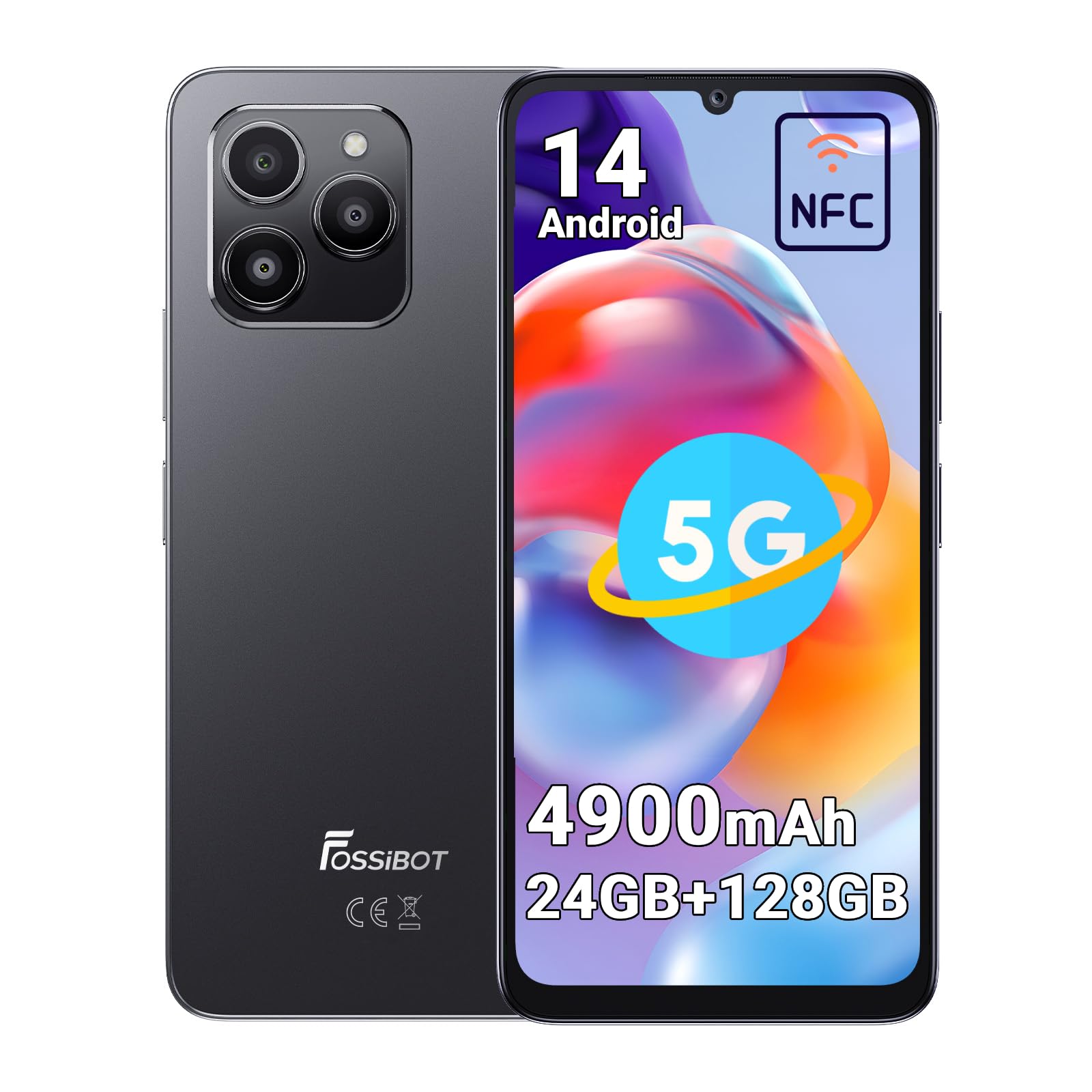
The FOSSiBOT S1 features a sleek design with a large display and strategically placed components for ease of use.
3.1 Zvikamu Zvemuviri
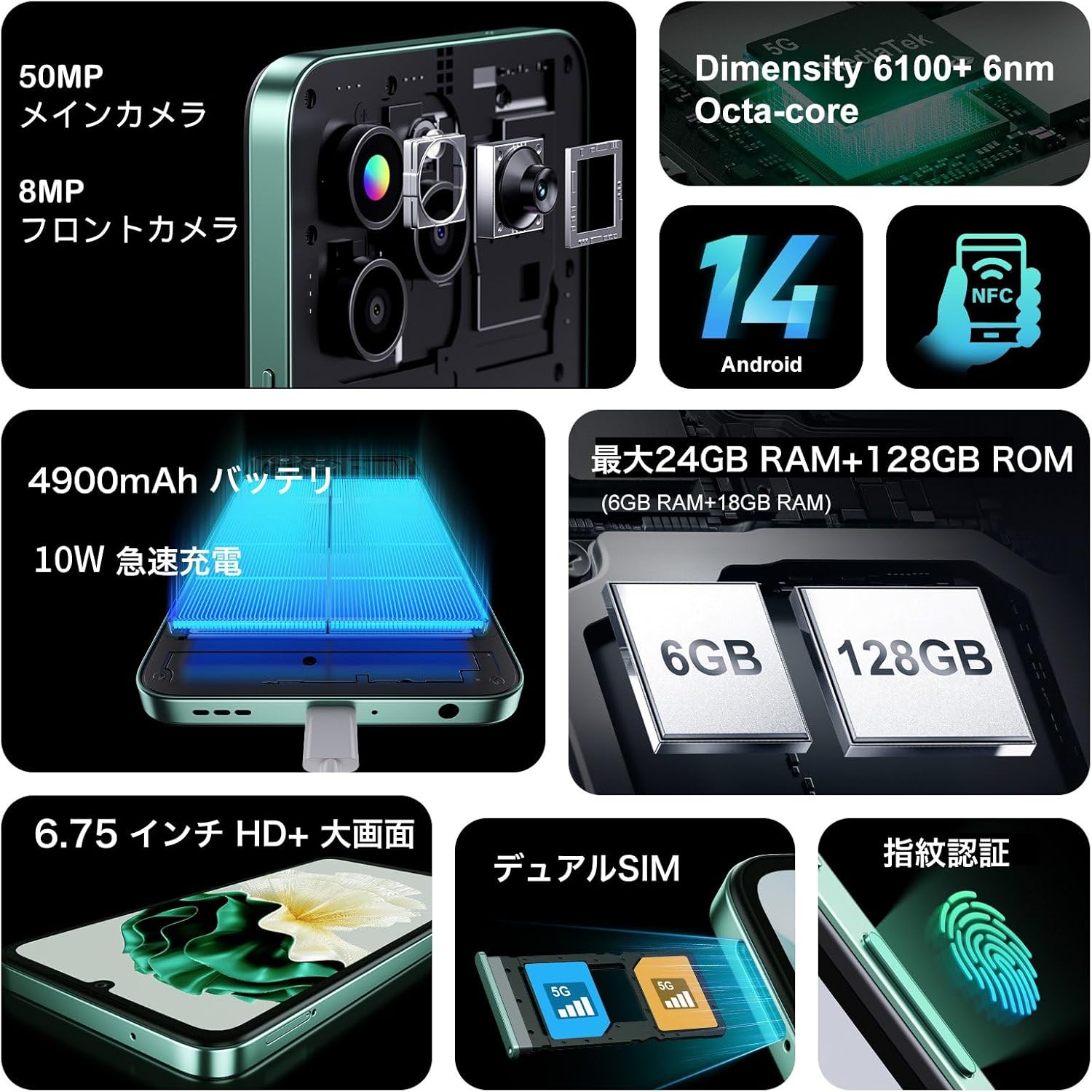
- Ratidza: Chidzitiro che6.75-inch HD+.
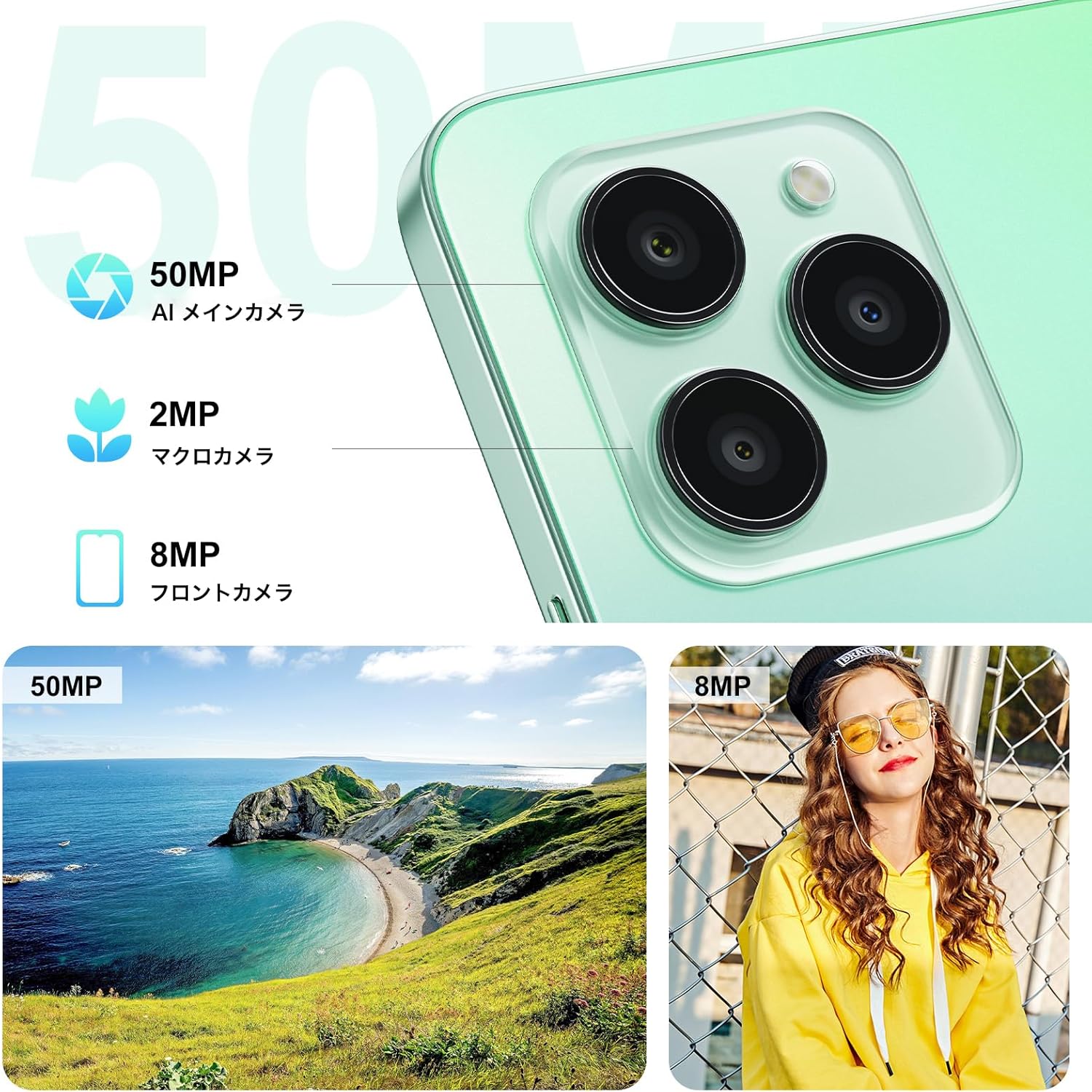
- Rear Camera: 50MP AI Main Camera, 2MP Macro Camera.
- Front Camera: 8MP.
- Sensor yeFingerprint yakasungirirwa padivi: Integrated into the power button.
- USB Type-C Port: Yekuchaja uye kutumira data.
- Nzvimbo yeSIM/MicroSD Card: Supports Dual SIM and expandable storage.
4. Setup
4.1 Kuisa SIM Card neMicroSD Card
- Tsvaga SIM card tray padivi pechigadzirwa.
- Isa chishandiso cheSIM ejector chakapihwa muburi diki riri pedyo netireyi wodzvanya zvinyoro nyoro kusvika tireyi yabuda.
- Place your Nano-SIM cards (up to two) and/or a MicroSD card (for storage expansion up to 1TB) into the designated slots on the tray. Ensure the metal contacts face downwards.
- Nyatsopinza tireyi mufoni kusvika yabaya panzvimbo.
4.2 Kutanga Kubatidza uye Kugadzirisa Kwekutanga
- Press and hold the Power button (located on the side) until the FOSSiBOT logo appears.
- Tevedzera zviri pa-skrini kuti usarudze mutauro wako, batanidza kunetiweki yeWi-Fi, uye gadzira yako Google account.
- Configure security features such as Face ID and Fingerprint ID for convenient and secure unlocking.
5. Operating Instructions
5.1 Simba On / Off uye Restart
- Power On: Press and hold the Power button until the device vibrates and the logo appears.
- Kudzima/Kutangisazve: Press and hold the Power button for a few seconds. A menu will appear with options to Power Off or Restart.
5.2 Screen Navigation
The FOSSiBOT S1 runs on Android 14, offering intuitive touch and gesture navigation:
- Top: Select items, open apps.
- Rova zvakasimba: Scroll through pages, navigate between home screens.
- Pina-ku-Zoom: Adjust zoom level in photos, maps, and web mapeji.
5.3 Fingerprint and Face Unlock
For enhanced security and convenience, the FOSSiBOT S1 supports both fingerprint and face recognition.
- ID yemunwe: Register your fingerprints via Magadzirirwo > Kuchengetedzwa > Kuvhura Zvigunwe. The sensor is integrated into the side power button.
- Face ID: Set up face recognition via Settings> Chengetedzo> Face Unlock.

5.4 Kushandisa Kamera
Tora mifananidzo nemavhidhiyo emhando yepamusoro uchishandisa sisitimu yekamera inoshanda zvakasiyana-siyana.
- Kamera huru ye50MP AI: For detailed and vibrant shots. Supports Night Mode, Portrait Mode, HDR, Macro, and Panorama.
- 8MP Kumberi Kamera: Yakanakira kutora maselfies uye kufona kwevhidhiyo.
- Kamera yeMacro ye2MP: Kuti utore mifananidzo yezvinhu zvidiki zviri pedyo.
5.5 Kushanda kweNFC
The FOSSiBOT S1 supports NFC (Near Field Communication) for contactless payments and quick data exchange.
- Bvumira NFC mu Magadzirirwo > Midziyo yakabatana > Zvaunofarira pakubatanidza > NFC.
- Tap your phone to compatible NFC readers for payments or to other NFC-enabled devices for data transfer.

5.6 Connectivity (5G, Wi-Fi, GPS)
Stay connected with high-speed 5G, reliable Wi-Fi, and precise GPS navigation.
- 5G Network: Enjoy fast mobile data speeds. Ensure your SIM card and plan support 5G.
- Wi-Fi: Batanidza kune mawireless network kuti uwane internet.
- GPS: Shandisa masevhisi enzvimbo pakufambisa uye mapurogiramu anoenderana nenzvimbo.

5.7 Bhatiri uye Kubhadharisa
The FOSSiBOT S1 is equipped with a 4900mAh battery and supports 10W fast charging.
- Use the provided 10W charger and Type-C USB cable for optimal charging speed.
- Dzivisa kushandisa majaja kana tambo dzakakuvadzwa.

6. Key Features
6.1 Ratidza
Experience immersive visuals on the 6.75-inch HD+ display.
- Saizi 6.75 inches
- Resolution: 720*1600
- Aspect ratio: 20:9
- Screen-to-body Ratio: 94%

6.2 processor
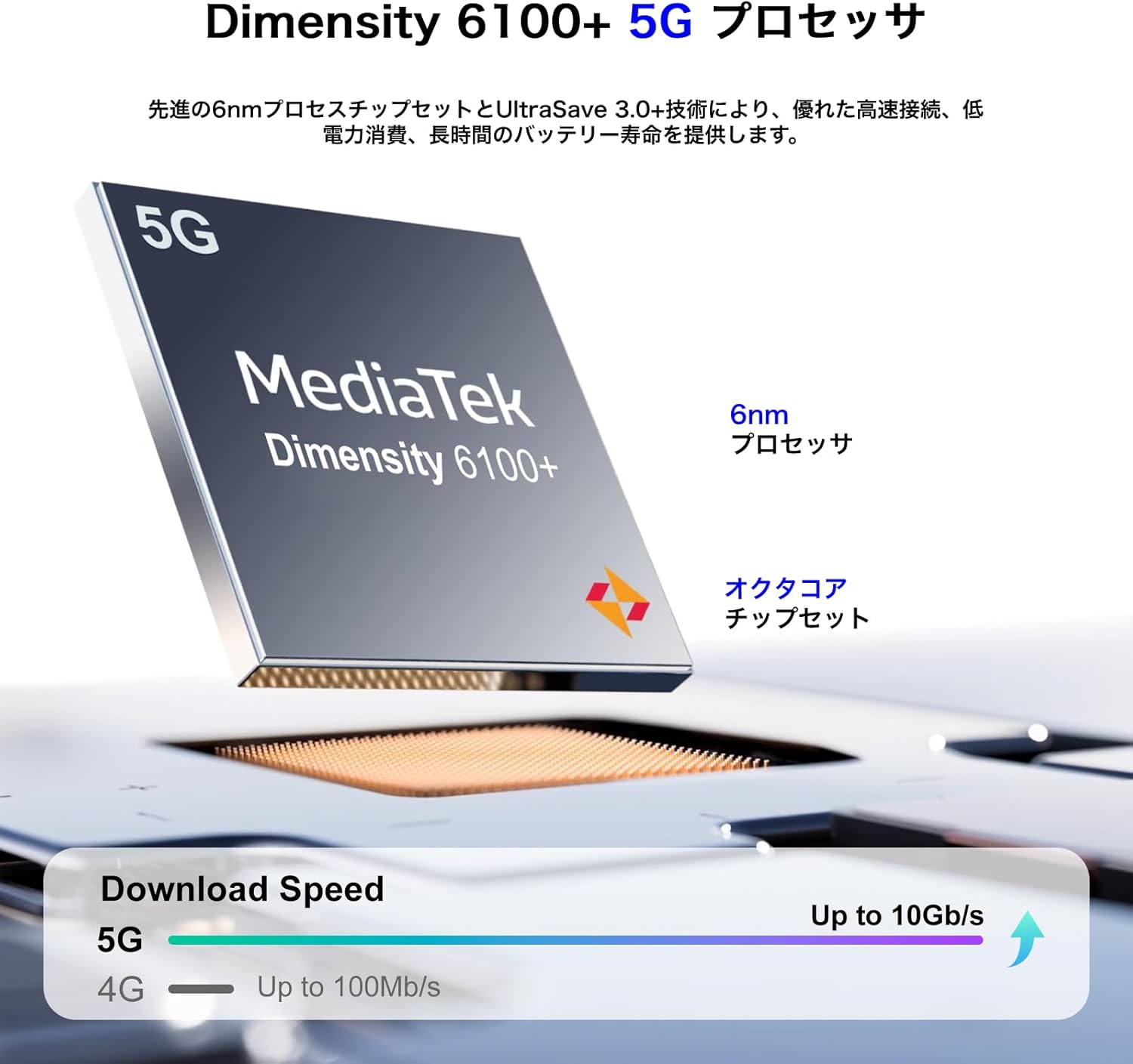
Powered by the MediaTek Dimensity 6100+ 5G Octa-core processor for smooth performance.
- Chipset: Dimensity 6100+
- Maitiro: 6nm
- Cores: Octa-core
- Kubatana: 5G yakagoneswa
6.3 ndangariro uye Kuchengeta
Generous memory and expandable storage for all your needs.
- RAM: Up to 24GB (6GB physical + 18GB virtual)
- Kuchengetera Kwemukati (ROM): 128GB
- Kuchengetedzwa Kunogona Kuwedzerwa: Up to 1TB via TF card (MicroSD)

6.4 Operating System
The FOSSiBOT S1 runs on the latest Android 14, providing a smooth and secure user experience with access to the Google Play Store.
7. Kuchengeta
7.1 Kuchenesa mudziyo wako
- Shandisa jira rakapfava, risina lint kuchenesa skrini uye muviri wefoni.
- Dzivisa kushandisa makemikari ane hasha kana abrasive zvinhu.
- Chengetedza zviteshi zvisina guruva nemarara.
7.2 Zvigadziriso zveSoftware
Gara uchitarisa uye kuisa zvigadziriso zvesoftware kuti uone kuti mudziyo wako une zvichangobva kuitika, zvigamba zvekuchengetedza, uye kuvandudzwa kwekuita. Enda ku Settings> System> System update.
7.3 Kuchengeta Battery
- Dzivisa tembiricha yakanyanyisa, sezvo inogona kukanganisa hupenyu hwebhatiri.
- Usabudise bhatiri zvakazara nguva zhinji.
- Kana ukachengeta mudziyo kwenguva yakareba, uchachaja kusvika pa50% usati waidzima.
8. Kugadzirisa matambudziko
8.1 Chishandiso Chisiri Kubatidzwa
- Ita shuwa kuti bhatiri rachajwa. Batanidza charger womira maminetsi mashoma usati waedza kubatidza.
- Dzvanya uye bata bhatani reSimba kweinenge 10-15 masekonzi kumanikidza kutangazve.
8.2 Mapurogiramu Anoputsika kana Kuomesa nechando
- Bvisa cache yeapp inonetsa (Zvirongwa> Zvishandiso> [Zita reApp]> Chengetedza> Bvisa cache).
- Gadziridza app kune yazvino vhezheni kubva kuGoogle Play Store.
- Kana nyaya ikaramba iripo, bvisa uye dzosera iyo app.
8.3 Kubatana Kwakashata Kwenetiweki
- Tarisa kana SIM kadhi rako rakaiswa zvakanaka.
- Tangazve mudziyo.
- Batidza uye dzima Airplane Mode (Settings > Network & internet > Airplane mode).
- Verify that your mobile data or Wi-Fi is enabled and configured correctly.
9. Zvinotsanangurwa
| Feature | Tsanangudzo |
|---|---|
| Brand | FOSSiBOT |
| Model Number | S1 |
| Operating System | Android 14 |
| Screen Size | 6.75 inches |
| Saizi Yekurangarira yeRAM Yakaiswa | 128 GB (expandable up to 24GB with virtual RAM) |
| Memory Storage Capacity | 128 GB (inowedzerwa kusvika ku1TB kuburikidza neTF card) |
| Kuramba Kushandisa Nguva | 22 Maawa |
| Package Dimensions | 22.8 x 22 x 6.4cm; 540g |
| Kutanga Kuwanikwa Zuva | 2024/9/14 |
10. Warranty uye Tsigiro
Your FOSSiBOT S1 smartphone comes with a standard manufacturer's warranty. Please refer to the warranty card included in your package for specific terms and conditions.
For technical support, troubleshooting assistance, or warranty claims, please contact FOSSiBOT customer service through their official websaiti kana ruzivo rwekusangana rwunopihwa mune yako waranti zvinyorwa.
Always ensure you purchase from authorized retailers to guarantee valid warranty support.


