1. Nhanganyaya
This manual provides essential information for the safe and effective use of your XIAOMI Night Light 3. Please read it thoroughly before operating the device and retain it for future reference.
The XIAOMI Night Light 3 is designed to provide comfortable ambient lighting, featuring smart dual sensor detection and effortless switching between sensor and constant light modes. Its versatile design allows for placement in various locations throughout your home.
2. Safety Information
- Usaisa mudziyo kune tembiricha yakanyanyisa, zuva rakananga, kana hunyoro hwepamusoro.
- Chengetedza mudziyo kure nemvura uye zvimwe zvinwiwa.
- Do not attempt to disassemble, repair, or modify the device yourself. Contact qualified service personnel if needed.
- Dispose of batteries according to local regulations. Do not incinerate batteries.
- Ensure the mounting surface is clean, dry, and smooth before applying the adhesive base.
- The adhesive on the base is designed for one-time use only. Plan placement carefully.
3. Chigadzirwa Pamusoroview
The XIAOMI Night Light 3 features a minimalist, round design with integrated motion and light sensors. It includes a magnetic base for flexible placement and a switch for mode selection.

Mufananidzo 1: Pamusoro view of the XIAOMI Night Light 3, showing its round shape and central XIAOMI logo.

Mufananidzo 2: Rutivi view of the night light, illustrating the magnetic attachment to its base.
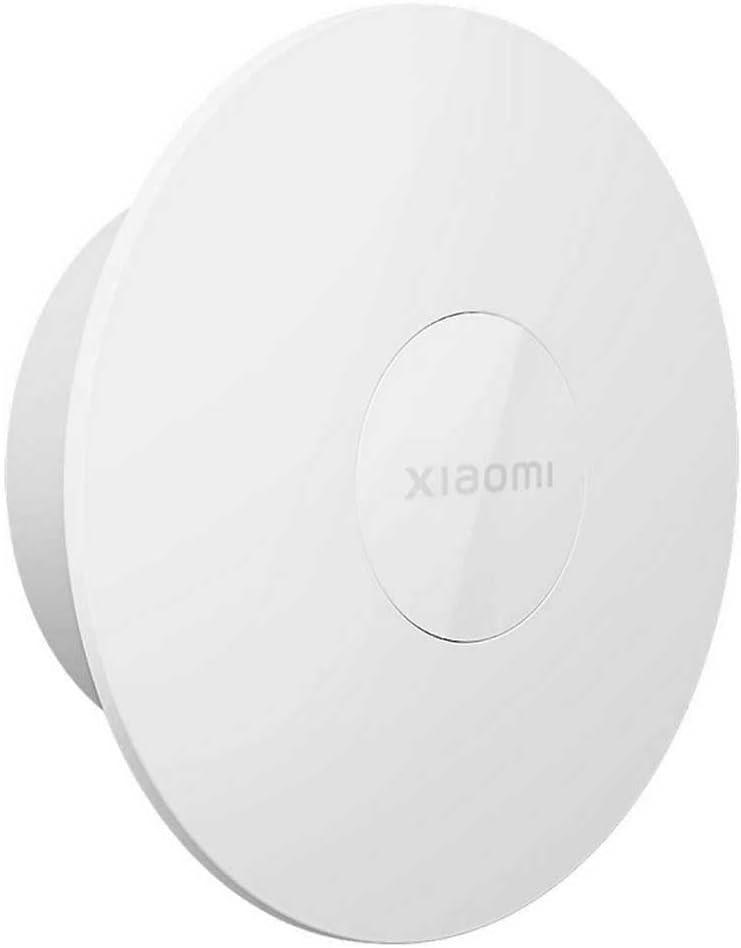
Mufananidzo 3: An angled view of the XIAOMI Night Light 3, highlighting its compact design.
4. Setup
4.1 Kuiswa kwebhatiri
The XIAOMI Night Light 3 requires 2 Lithium Ion batteries, which are included with the product.
- Gently twist or slide open the battery compartment cover, typically located on the back or side of the light unit.
- Insert the 2 Lithium Ion batteries, ensuring correct polarity (+ and -) as indicated inside the compartment.
- Vhara chivharo chebhatiri zvakachengeteka.
4.2 Kuisa Chiedza cheHusiku
The night light offers versatile mounting options using its built-in magnet or the included 3M adhesive base.
Magnetic Attachment:
The night light can effortlessly adhere to magnetic surfaces such as refrigerators or other metallic furniture without the need for the adhesive base.
Using the 3M Adhesive Base:
For non-magnetic surfaces, use the provided 3M adhesive base. Please note that the adhesive is designed for one-time use only. Choose your location carefully before affixing.
- Sarudza Nzvimbo: Identify a suitable, smooth, clean, and dry surface. Recommended surfaces include wood, coated metal, or tiles. Avoid painted walls as the adhesive may damage the paint upon removal.
- Gadzirira Surface: Clean the chosen surface thoroughly to remove any dust, grease, or moisture.
- Shandisa Adhesive: Peel the protective backing from the 3M adhesive on the base.
- Affix Base: Press the base firmly onto the prepared surface. Apply consistent pressure for several seconds.
- Nguva Yekudyara: Rega kunamira kupora 24 maawa before attaching the magnetic light unit to the base. Pressing firmly during application can shorten the wait time.
- Kufunga nezveTembiricha: For optimal adhesion, apply the adhesive within a temperature range of 21°C to 38°C (70°F to 100°F). If the temperature is below 10°C (50°F), gently warm the adhesive before use.
5. Operating Instructions
The XIAOMI Night Light 3 features a switch to select between different operating modes: OFF, ON (constant light), and AUTO (sensor mode).

Figure 4: The physical switch for selecting operating modes.
5.1 Mode Sarudzo
- DZIMA: The light is completely off and will not activate.
- ONI: The light remains constantly on, providing continuous illumination.
- AUTO (Sensor Mode): The night light automatically switches on when it detects human movement in a dark environment.
5.2 Sensor Mode Operation (AUTO)
In AUTO mode, the night light utilizes both a motion sensor and a light sensor for intelligent activation:
- Activation Conditions: The light activates only when it detects human movement AND the ambient brightness level is below 10 lux (i.e., in a dark environment).
- Auto-Off: If no human activity is detected for 15 seconds, the light will automatically switch off to conserve battery power.
- Sensor Range: The human body can be detected within a 120° angle centered around the XIAOMI logo. The detection range is approximately 5 meters (16.4 feet) in front and 3 meters (9.8 feet) to the side of the product.
- Factors Affecting Sensor: The effectiveness of the sensor is dependent on ambient temperature, brightness, human body size, and movement speed.
- Mounting Height: The sensor range provided is based on testing with the night light mounted at a height of 1.2 meters (3.9 feet), with the XIAOMI logo positioned as shown in Figure 1. The sensor range may vary with different mounting heights.
6. Kuchengeta
- Kuchenesa: Wipe the surface of the night light with a soft, dry cloth. Do not use abrasive cleaners or solvents.
- Kutsiva Bhatiri: When the light dims or stops functioning, replace the batteries with new Lithium Ion batteries. Ensure correct polarity.
- Nzvimbo yeSensor: Keep the sensor area clear of obstructions to ensure optimal performance of the motion and light sensors.
7. Kugadzirisa matambudziko
| Dambudziko | Zvinogona Kukonzera | Solution |
|---|---|---|
| Light does not turn on in AUTO mode. |
|
|
| Light stays on constantly in AUTO mode. |
|
|
| Chiedza hachina kujeka kana kupenya. |
|
|
| Adhesive base does not stick properly. |
|
|
8. Zvinotsanangurwa
| Feature | Detail |
|---|---|
| Model Number | Xiaomi Night Light 3 GL58251 |
| Brand | XIAOMI |
| Product Dimensions | 4.06"L x 4.06"W x 2.24"H |
| Item Weight | 4.1 ounces |
| Material | Alloy Steel |
| Color | Chena |
| Simba Source | Battery Powered |
| Bhatiri Type | 2 Lithium Ion mabhatiri (akabatanidzwa) |
| Rudzi rweBulb | LED |
| Wattage | 2.5 watts |
| Kudzora Nzira | Switch (OFF, ON, AUTO) |
| Sensor Technology | Motion Sensor, Chiedza Sensor |
| Motion Sensor Range | 120° angle, up to 5m front, 3m side (at 1.2m mounting height) |
| Light Sensor Threshold | Below 10 lux for AUTO mode activation |
| Auto-Off Nguva | 15 seconds (in AUTO mode, after no motion detected) |
| Mounting Type | Magnetic, Tabletop, 3M Adhesive Base |
| Special Features | Smart Functionality, Dual Sensor Detection |
| Usage | Ambient Lighting, Decorative Lighting, Nighttime Navigation |
9. Warranty uye Tsigiro
For warranty information and customer support, please refer to the warranty card included with your product or visit the official XIAOMI website. Chengeta risiti rako rekutenga seumboo hwekutenga.
If you encounter any issues not covered in the troubleshooting section, please contact XIAOMI customer service for assistance.


