Nhanganyaya
This manual provides detailed instructions for the proper use and maintenance of your T-fun NC45 Active Noise Cancelling Headphones. Please read this guide thoroughly before using the product to ensure optimal performance and longevity.

Image: T-fun NC45 Active Noise Cancelling Headphones in black.
Chii chiri muBhokisi
Ona kuti zvinhu zvese zviripo mupasuru yako:
- NC45 Active Noise Kudzima Mahedhifoni
- 3.5mm Audio Cable
- Type-A to Type-C Charging Cable
- Digital User Manual (downloadable)
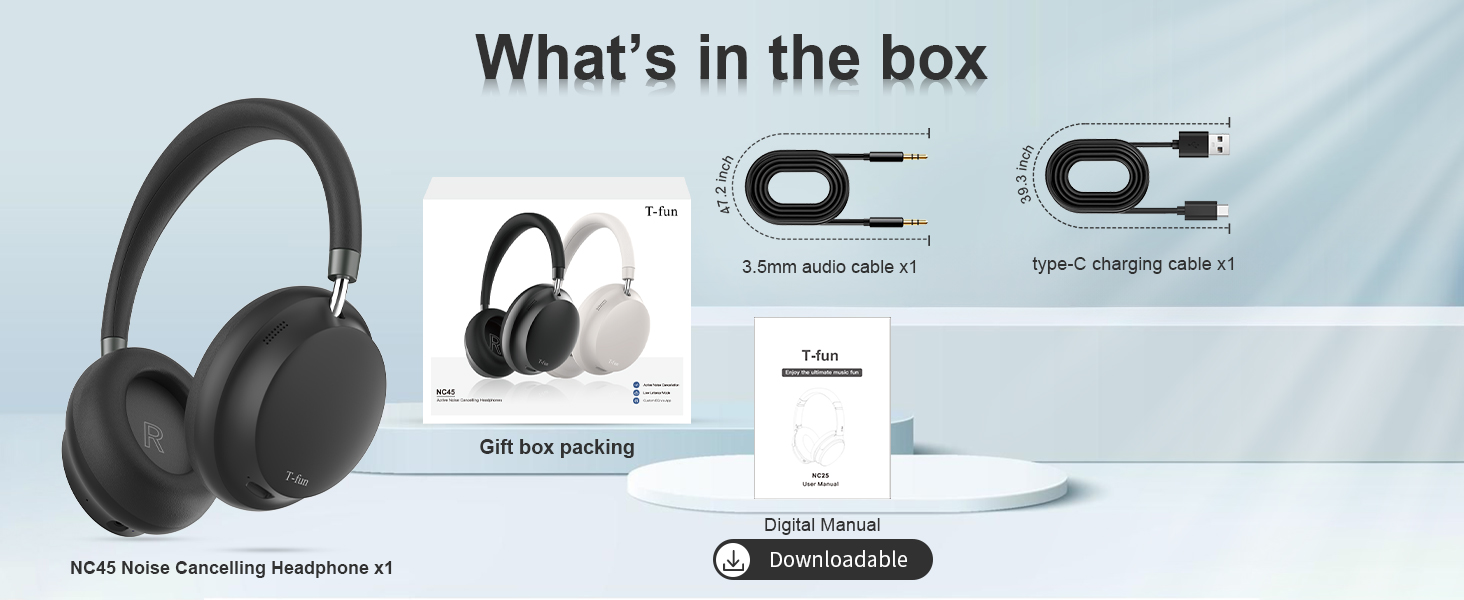
Image: Contents of the T-fun NC45 headphone package, including headphones, cables, and manual.
Zvidzore uye Mabasa
The T-fun NC45 headphones feature intuitive controls for managing audio playback, calls, and Active Noise Cancellation (ANC).
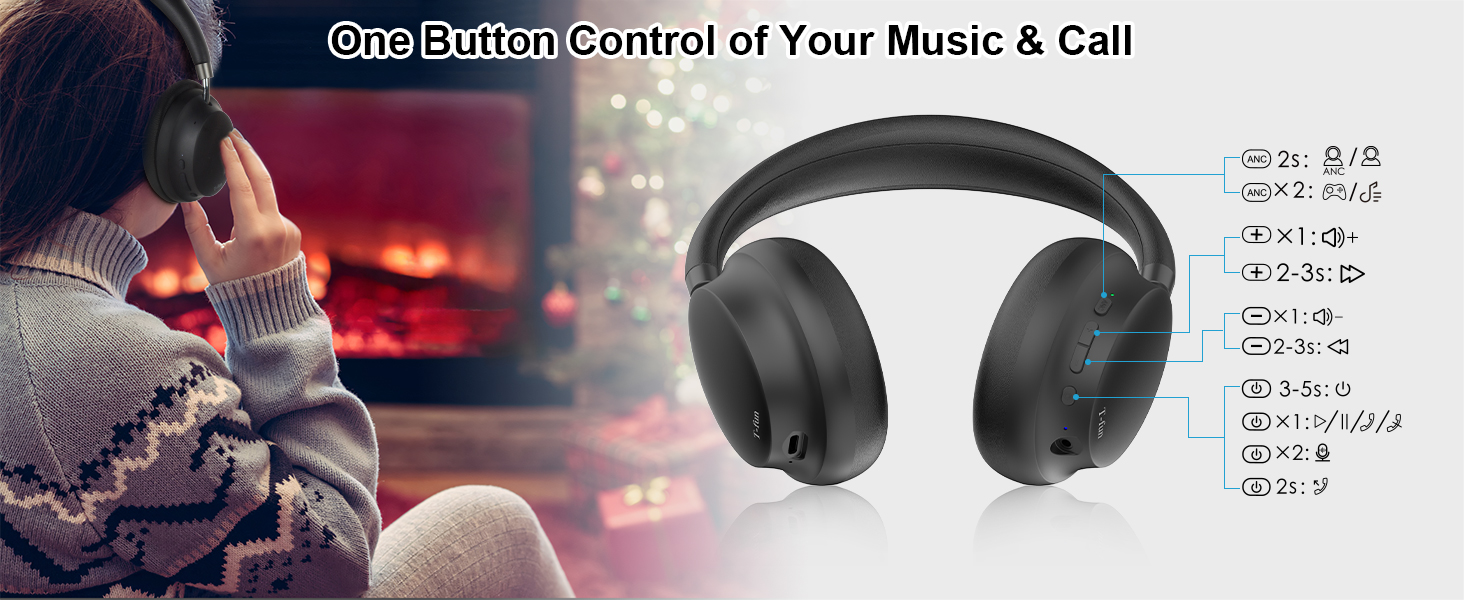
Image: Detailed diagram of the T-fun NC45 headphone controls.
Bhatani Mabasa:
- ANC Button (Left Earcup):
- Press for 2 seconds: Toggle Active Noise Cancellation (ANC) ON/OFF.
- Multi-function Button (Right Earcup):
- Dzvanya kamwe chete: Ridza/Misa mimhanzi, Pindura/Gumisa kufona.
- Press and hold for 2 seconds: Reject call.
- Press and hold for 3 seconds: Activate voice assistant (Siri, Google Assistant).
- Volume Up (+) Button (Right Earcup):
- Press once: Increase volume.
- Press and hold for 2-3 seconds: Next track.
- Volume Down (-) Button (Right Earcup):
- Press once: Decrease volume.
- Press and hold for 2-3 seconds: Previous track.
- Power Button (Right Earcup):
- Press and hold for 3-5 seconds: Power ON/OFF.
- Press twice: Toggle Low Latency Mode.
Gadzirira
1. Kuchaja mahedhifoni
Before first use, fully charge your T-fun NC45 headphones.
- Connect the Type-C charging cable to the charging port on the headphones.
- Batanidza imwe magumo etambo kune USB magetsi adapta (isina kuisirwa) kana komputa USB port.
- Chiratidzo che LED chicharatidza mamiriro ekuchaja. Kuchaja kwakazara kunotora maawa maviri.
- Once fully charged, the LED indicator will change or turn off, depending on the model.
A 10-minute quick charge provides approximately 3 hours of listening time.

Image: Battery life and quick charge information.
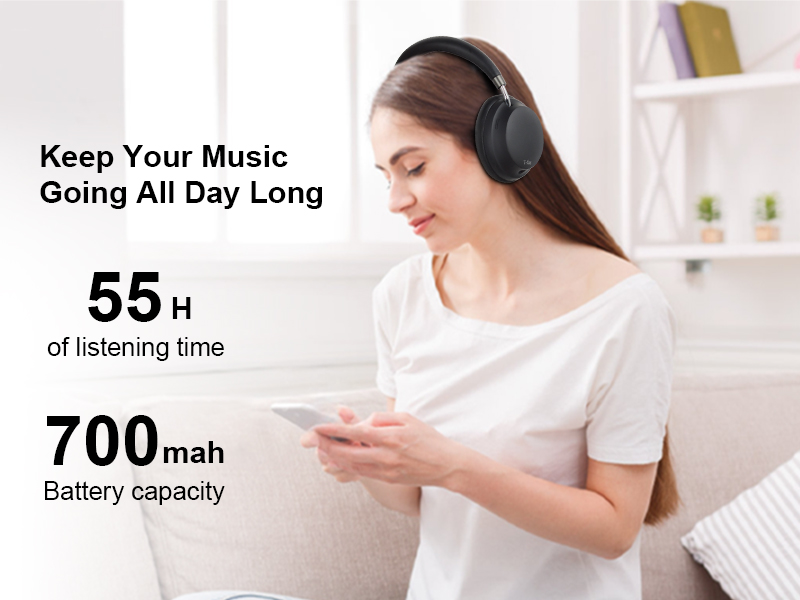
Image: Headphones in use, highlighting 55 hours of listening time.
2. Powering On / Off
- Power On: Press and hold the Power button for 3-5 seconds until the LED indicator flashes.
- Power Off: Dzvanya wobata bhatani rePower kwemasekondi 3-5 kusvika chiratidzo che LED chadzima.
3. Bluetooth Kubatanidza
- Ita shuwa kuti mahedhifoni akadzimwa.
- Dzvanya wobata bhatani rePower kwemasekondi angangoita mashanu kusvika manomwe kusvika chiratidzo che LED chapenya dzvuku nebhuruu zvichichinjana, zvichiratidza nzira yekuwiriranisa.
- Pamudziyo wako (smartphone, piritsi, laptop), shandisa Bluetooth.
- Tsvaga available Bluetooth devices and select "T-fun NC45" from the list.
- Kana yabatanidzwa, chiratidzo che LED chinopenya bhuruu zvishoma nezvishoma, uye uchanzwa kusimbiswa kunonzwika.
The headphones support Bluetooth 5.3 for a stable connection up to 15 meters (50 feet).
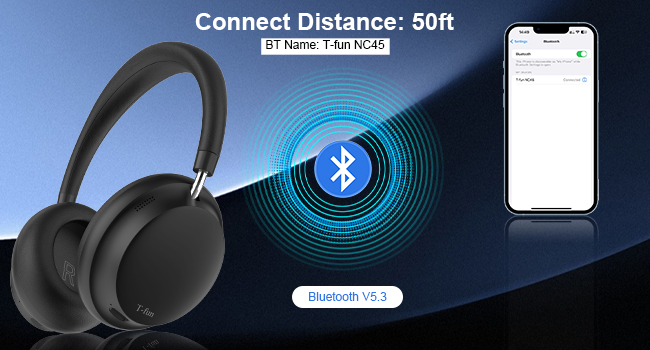
Image: Bluetooth pairing illustration with connection range.
Operating Instruction
1. Active Noise Cancellation (ANC)
The T-fun NC45 headphones feature active noise cancellation to reduce ambient sounds by up to 28dB.
- To activate ANC: Press the ANC button on the left earcup for 2 seconds. The ANC indicator light will illuminate.
- To deactivate ANC: Press the ANC button again for 2 seconds. The ANC indicator light will turn off.

Image: Active Noise Cancellation feature demonstration.
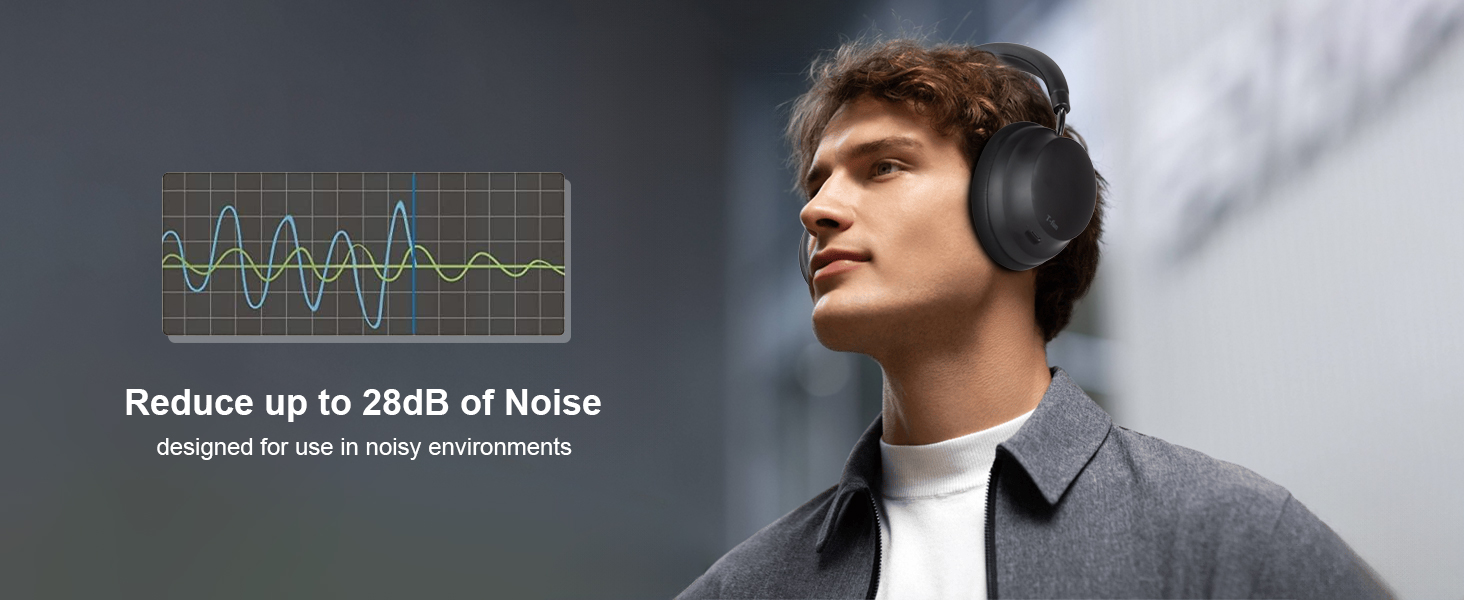
Image: Man wearing headphones, demonstrating noise reduction.
2. T-fun App Customization
Enhance your listening experience by customizing equalizer settings and other features via the dedicated T-fun app.
- Download the T-fun app from the Google Play Store or Apple App Store.
- Open the app and follow the on-screen instructions to connect your NC45 headphones.
- Within the app, you can adjust the equalizer, manage ANC modes, and access other personalized settings.

Image: T-fun app interface for customization.
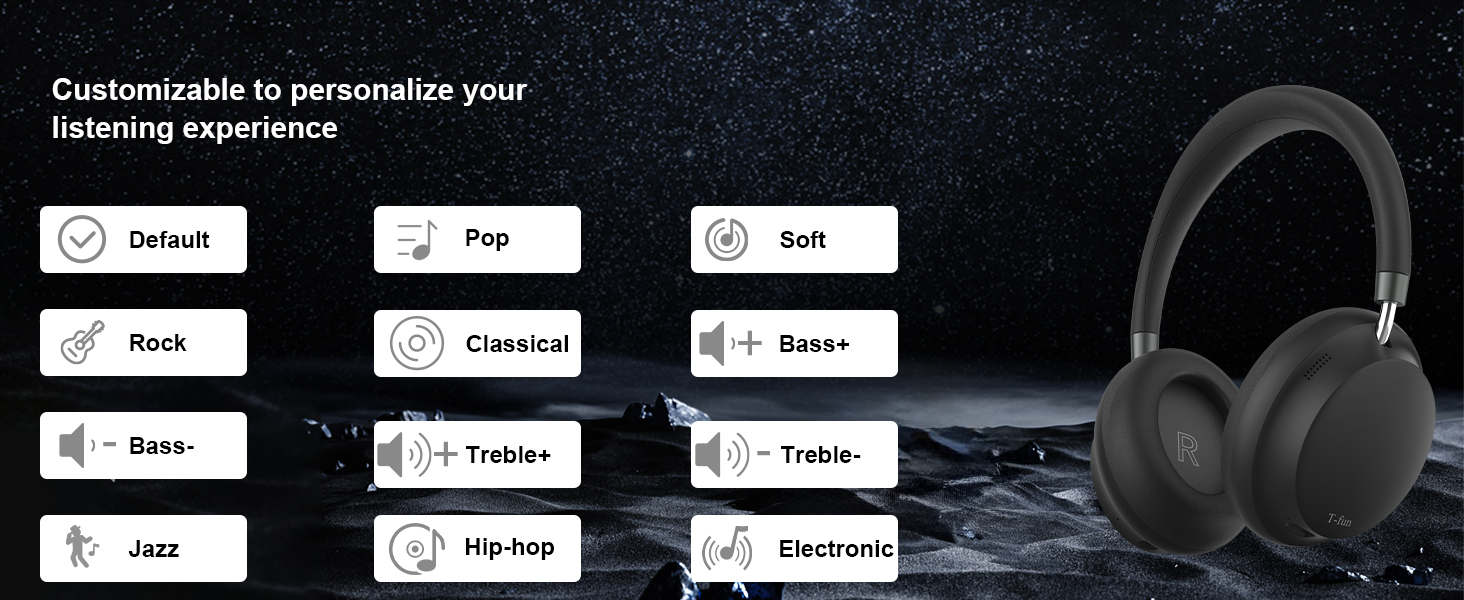
Image: Equalizer customization options in the T-fun app.
3. Mode yeLatency Yakaderera
The 50ms ultra-low latency mode ensures synchronized audio and video, ideal for gaming, movies, and video calls.
- To activate Low Latency Mode: Double-press the Power button.
- To deactivate Low Latency Mode: Double-press the Power button again.

Image: Low Latency Mode for gaming and video.
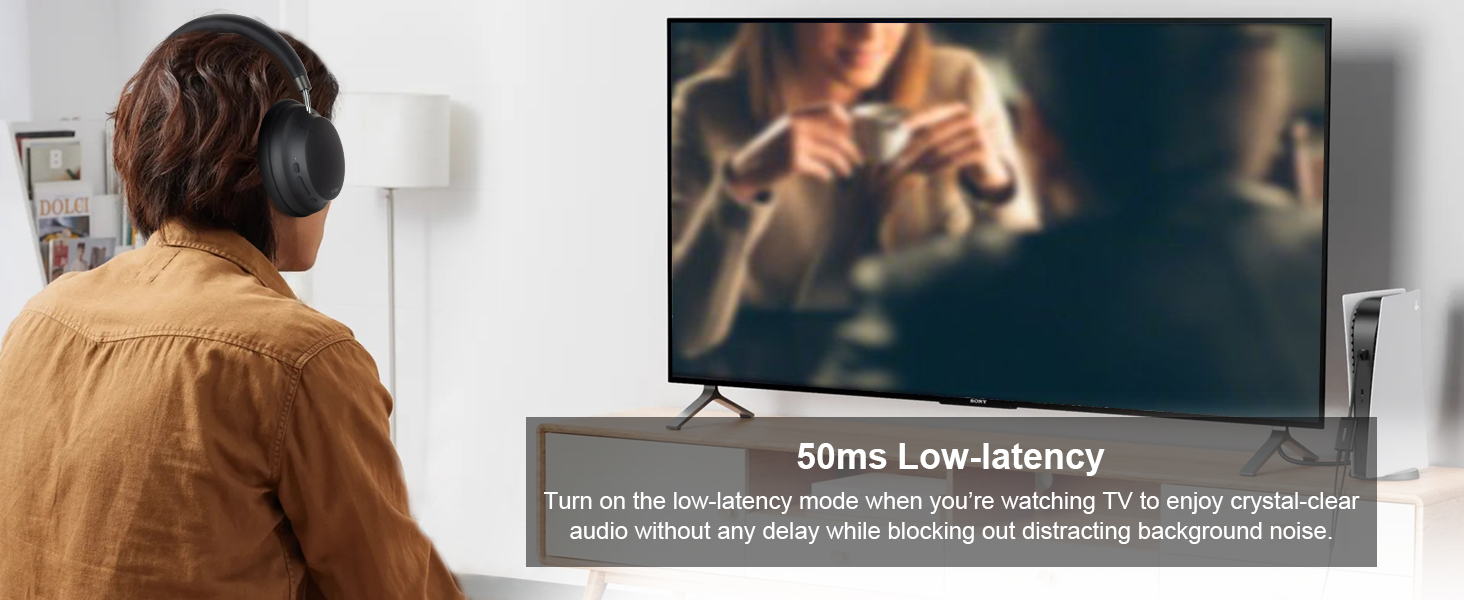
Image: Man watching TV with headphones, demonstrating low latency.
4. Nzira yeWaya
You can use the T-fun NC45 headphones in wired mode using the included 3.5mm audio cable, which is useful when the battery is depleted or for devices without Bluetooth.
- Batanidza mugumo mumwe wetambo yekuteerera ye3.5mm kune jeki yekuteerera iri pamahedhifoni.
- Batanidza rimwe divi kune chiteshi che3.5mm chechinhu chako cheaudio.
Note: In wired mode, ANC, microphone, and volume buttons may not function.

Image: Wireless and wired connection modes.
5. Multipoint Connectivity
The headphones can connect to two Bluetooth devices simultaneously, allowing seamless switching between audio sources.
- Pair the headphones with the first device as described in the Bluetooth Pairing section.
- Dzima Bluetooth pamudziyo wekutanga.
- Batanidza mahedhifoni nemudziyo wechipiri.
- Vhura Bluetooth zvakare pamudziyo wekutanga. Mahedhifoni anofanira kunge akabatana nemidziyo yese miviri.
You can now listen to music from one device and automatically switch to a call on the other without re-pairing.

Image: Multi-device connectivity with laptop and smartphone.
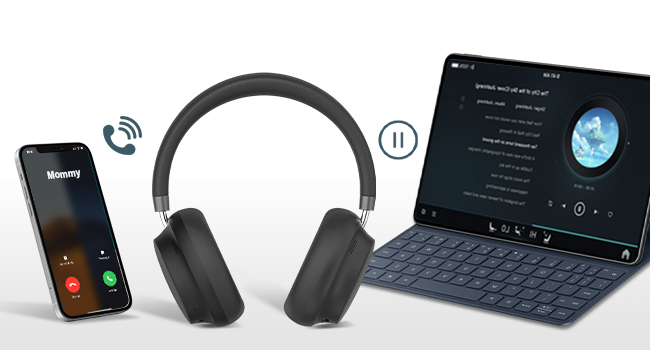
Image: Multipoint connection for calls and music.
6. Maikorofoni Yakavakirwa Mukati uye Mubatsiri weIzwi
The NC45 headphones include a built-in microphone for clear calls and support voice assistants like Siri and Google Assistant.
- Kupindura / Kugumisa Kufona: Dhinda iyo Multi-function bhatani kamwe.
- Kuramba Kufona: Dzvanya uye bata bhatani reMulti-function kwemasekonzi maviri.
- Kushandisa Voice Assistant: Dzvanya uye bata bhatani reMulti-function kwemasekonzi maviri.

Image: Woman using headphones for a video call.
Maintenance
Kuchenesa
- Pukuta mahedhifoni nemucheka wakapfava, wakaoma.
- Usashandise zvinochenesa zvinogumbura, zvinonyungudutsa, kana zvinopfapfaidza zvemakemikari.
- Dzivisa kuwana mwando mune chero mazaru.
Storage
- Chengetedza mahedhifoni munzvimbo inotonhorera, yakaoma kure nechiedza chezuva uye tembiricha yakanyanyisa.
- When not in use for extended periods, store them in their protective case (if included) to prevent damage.
Comfort and Ear Health
To maintain optimal comfort and ear health, it is recommended to remove the headphones every 1-2 hours during extended use.
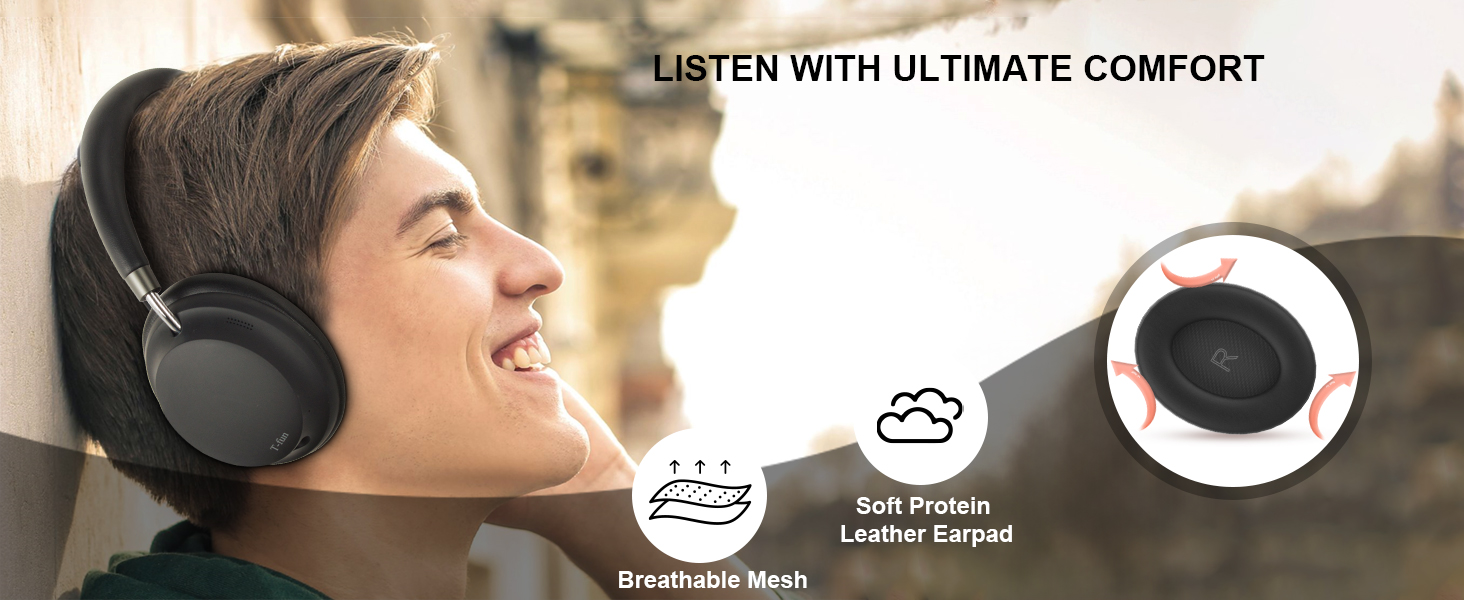
Image: Comfort features of the headphones.
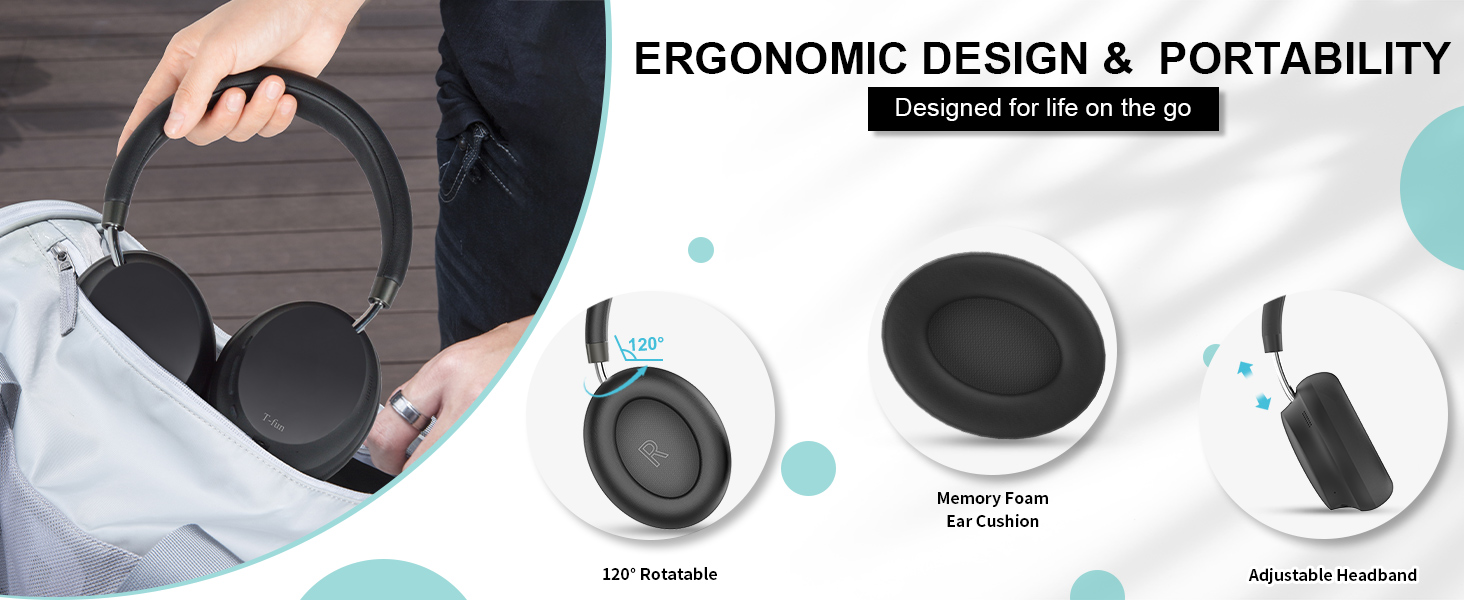
Image: Ergonomic design and portability features.
Kugadzirisa matambudziko
| Dambudziko | Zvinogona Kukonzera | Solution |
|---|---|---|
| Mahedhifoni haabatike. | Bhatiri rakaderera. | Chaja mahedhifoni zvizere. |
| Haikwanise kubatanidzwa nemudziyo. | Mahedhifoni asiri mukuita pairing mode; Bluetooth yakadzima pane mudziyo; mudziyo wakanyanya kureba. | Ensure headphones are in pairing mode (flashing red/blue). Turn on Bluetooth on your device. Move device closer to headphones (within 15m). |
| Hapana ruzha kana vhoriyamu yakaderera. | Volume too low; incorrect audio source; wired mode limitations. | Increase volume on headphones and device. Ensure correct audio output is selected on your device. Note that some controls are limited in wired mode. |
| ANC haina kushanda. | ANC not activated; specific noise types. | Ensure ANC is activated (ANC indicator light on). ANC is most effective for low-frequency, constant noise. |
| Sound delay in games/videos. | Low Latency Mode not active. | Activate Low Latency Mode by double-pressing the Power button. |
Zvinotaurwa Nezvehunyanzvi
| Feature | Tsanangudzo |
|---|---|
| Model Name | NC45 |
| Noise Control | Active Noise Cancellation (kusvika ku28dB) |
| Kubatana Technology | Waya isina waya (Bluetooth), Waya ine waya (Jack ye3.5mm) |
| Wireless Kukurukurirana | Bluetooth 5.3 |
| Bluetooth Range | 15 metres (50 tsoka) |
| Audio Driver Size | 40 Millimeters Dynamic Driver |
| Frequency Response | 20-20000 Hz |
| Sensitivity | 105 dB |
| Impedance | 32 Ohm |
| Sravana Sameeralu Serial XNUMXth Audio Latency | 50 Milliseconds (Low Latency Mode) |
| Hupenyu hwebhatiri | Up to 55 Hours (ANC mode) |
| Kuchaja Nguva | Anenge 2 Maawa |
| Material | PC + ABS |
| Item Weight | 14.9 ounces |
| Control Type | Button, App Control |
| Inowirirana Devices | Maserura, Desktop, Laptops, Mahwendefa |
Warranty uye Support
Warranty Information
T-fun products are designed for reliability and performance. For specific warranty details and terms, please refer to the warranty card included with your product or visit the official T-fun website. Some users have reported an 18-month extended warranty available upon product registration.
Mutengi Support
If you encounter any issues or have questions regarding your T-fun NC45 headphones, please contact T-fun customer support. You can find contact information on the official T-fun websaiti kana kuburikidza nepuratifomu yako yekutenga.
Visit the T-fun Store on Amazon kuti uwane rumwe ruzivo.


