1. Nhanganyaya
This manual provides comprehensive instructions for the installation, operation, and maintenance of your Xigmatek FENIX 240 ARCTIC AIO ARGB CPU Liquid Cooler. Please read this manual thoroughly before installation to ensure proper setup and optimal performance.
Package Zviri mukati:
- 240mm redhiyeta
- Pump/CPU Block
- Two High-Performance ARGB Fans
- CPU Socket Mounting Kit (for Intel LGA 1700/1200/115X and AMD AM5/AM4)
- Thermal Paste
- MINI ARGB Controller
- Tube Clips
2. Safety Information
Chengeta matanho ekuchengetedza anotevera panguva yekuisa nekushanda:
- Iva nechokwadi chekuti system yako yadzimwa uye yabviswa plug usati waisa.
- Bata zvikamu zvakanyatsonaka kuti usakuvadza.
- Do not open the pump or radiator; it contains liquid coolant.
- Chengetedza pasingasvikirwi nevana.
- Refer to your motherboard manual for specific fan and ARGB header locations.
3. Setup uye Kuiswa
Follow these steps to install your Xigmatek FENIX 240 ARCTIC AIO Liquid Cooler.
3.1 Prepare the Radiator and Fans
Attach the two 120mm ARGB fans to the 240mm radiator using the provided screws. Ensure the fan airflow direction is appropriate for your case (typically exhausting air out of the case or drawing cool air in).
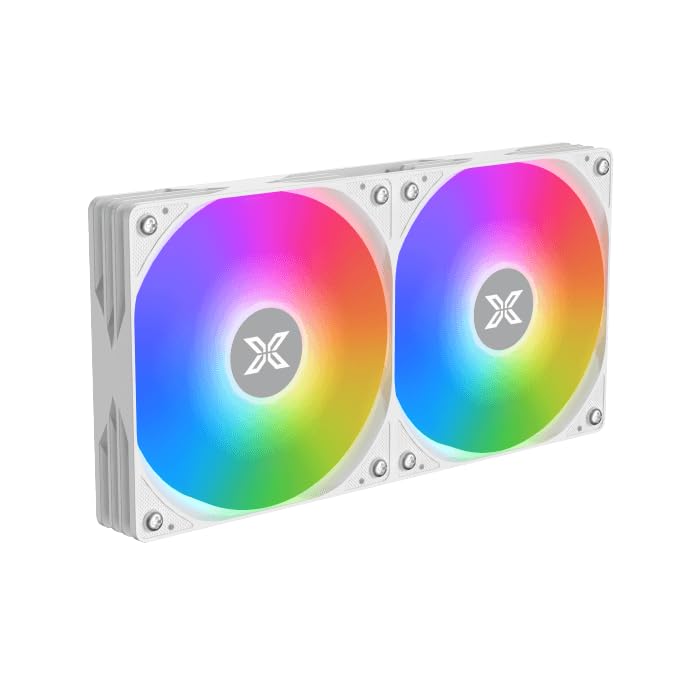
Image: Two ARGB fans are shown mounted on the white radiator, ready for installation.
3.2 Install the CPU Mounting Bracket
Select the appropriate mounting bracket for your CPU socket (Intel LGA 1700/1200/115X or AMD AM5/AM4). Follow the instructions in the mounting kit for your specific socket type to secure the backplate and standoffs to your motherboard.
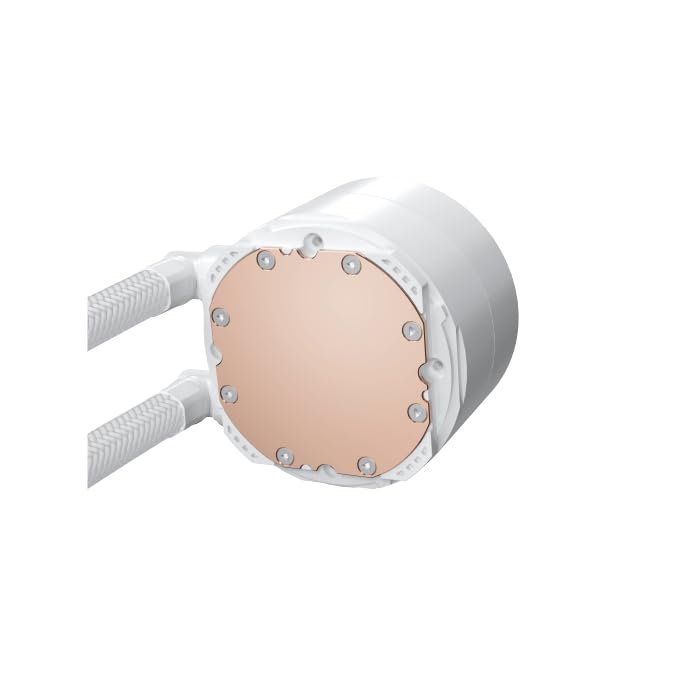
Image: The copper cold plate of the CPU pump block is visible, which makes direct contact with the CPU.
3.3 Apply Thermal Paste
Clean the CPU surface thoroughly. Apply a small amount of the included thermal paste to the center of your CPU's integrated heat spreader (IHS). A pea-sized dot is generally sufficient.
3.4 Mount the Pump/CPU Block
Carefully place the pump/CPU block onto the CPU, aligning it with the standoffs. Secure it with the provided thumb screws, tightening them in a cross pattern until snug. Avoid overtightening.

Image: The complete Xigmatek FENIX 240 ARCTIC AIO Liquid Cooler, showcasing the radiator, fans, and pump with ARGB lighting.
3.5 Install the Radiator
Mount the radiator and fan assembly into an available 240mm fan mount location in your PC case. Common locations include the top or front of the case. Use the appropriate screws to secure it.
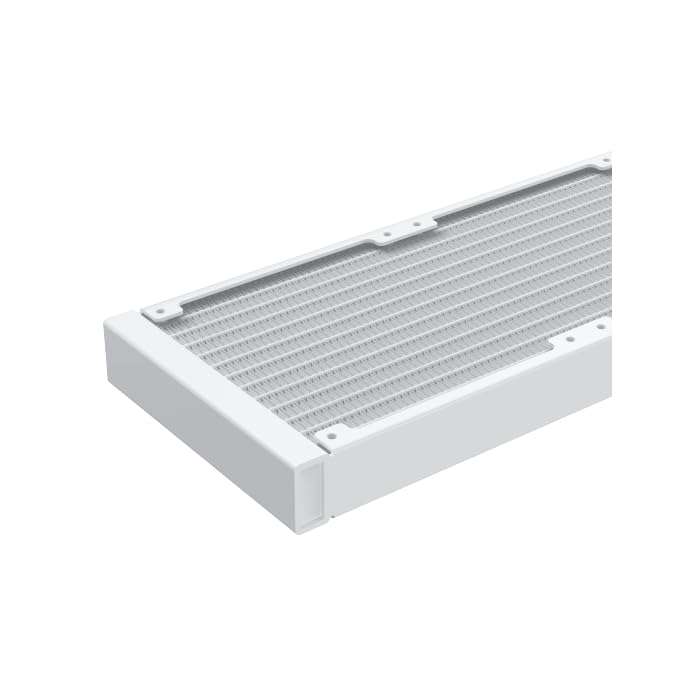
Mufananidzo: Kuvhara view of the radiator fins, highlighting the high-density aluminum construction for efficient heat dissipation.
3.6 Batanidza Tambo
- Connect the pump's 3-pin or 4-pin power cable to a dedicated AIO_PUMP or CPU_FAN header on your motherboard.
- Connect the fan power cables to available fan headers on your motherboard or to the included MINI ARGB Controller.
- Connect the ARGB cables from the fans and pump to the MINI ARGB Controller. Then, connect the controller to a 5V 3-pin ARGB header on your motherboard for software control, or use the controller's built-in modes.
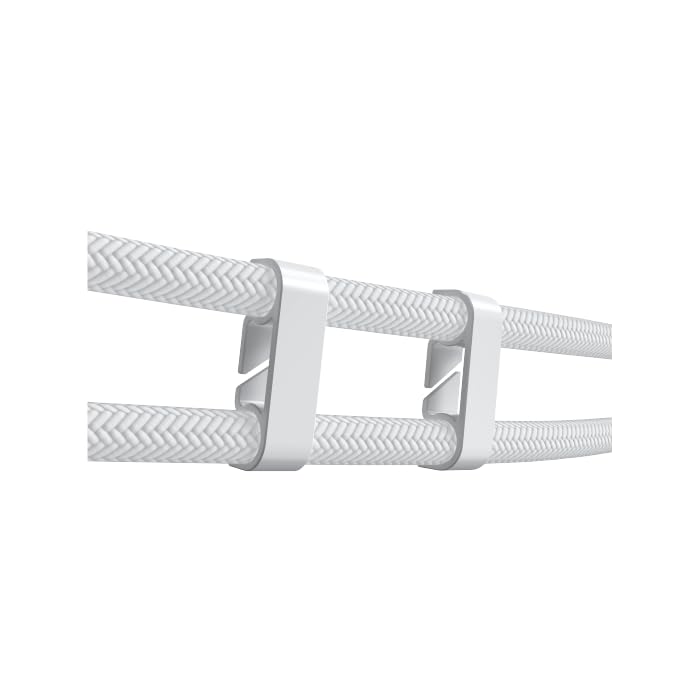
Image: Tube clips are shown securing the braided liquid cooler tubing, helping with cable management and preventing kinks.
4. Operating Instructions
Once installed, power on your system. The Xigmatek FENIX 240 ARCTIC AIO will begin cooling your CPU automatically. The pump and fans will adjust their speed based on CPU temperature, as controlled by your motherboard's BIOS settings or fan control software.
Kudzora Mwenje weARGB:
The integrated ARGB lighting can be controlled via the included MINI ARGB Controller or through compatible motherboard software (e.g., ASUS Aura Sync, MSI Mystic Light Sync, Gigabyte RGB Fusion, ASRock Polychrome Sync). Connect the controller to your motherboard's 5V 3-pin ARGB header to synchronize lighting effects.
5. Kuchengeta
Regular maintenance ensures optimal performance and longevity of your liquid cooler.
- Kuchenesa Hupfu: Nguva nenguva chenesa guruva kubva pamapete eredhiyeta nemashizha efeni uchishandisa mweya wakamanikidzwa. Iva nechokwadi chekuti mafeni haasi kutenderera panguva yekuchenesa.
- Kuongorora Machubhu: Tarisa kana paine zviratidzo zvekudonha kwemvura, kubuda kwemvura, kana kukuvara muchubhu.
- Pombi Noise: Tarisa pombi kana paine ruzha rusina kujairika, runogona kuratidza dambudziko.
6. Kugadzirisa matambudziko
Kana ukasangana nematambudziko, tarisa kune anotevera akajairika matambudziko uye mhinduro:
- Yakakwira CPU Tembiricha:
- Ensure the pump is running and connected to the correct header.
- Verify fans are spinning and correctly oriented.
- Check if the CPU block is securely mounted and thermal paste is properly applied.
- No ARGB Lighting:
- Confirm all ARGB cables are securely connected to the controller and motherboard (5V 3-pin header).
- Check motherboard software settings for ARGB control.
- Ensure the MINI ARGB Controller is powered.
- Unusual Pump Noise:
- Ensure there are no air bubbles trapped in the pump. Gently tilt your PC case to help dislodge any air.
- Verify the pump is running at an appropriate speed (check BIOS settings).
7. Zvinotsanangurwa
| Feature | Tsanangudzo |
|---|---|
| Model Number | EN42980 |
| Radiator saizi | 240mm |
| Radiator Material | Aluminium |
| Kutonhodza Nzira | Mvura |
| Fan Speed | Kusvika ku1800 RPM |
| Kuyerera Kwemhepo Kugona | 82.8 Cubic Inches Per Minute |
| Noise Level | 29.8 Decibel |
| Voltage | 12 Volts (DC) |
| Wattage | 280 watts |
| Inoenderana Sockets | Intel LGA 1700/1200/115X, AMD AM5/AM4 |
| Product Dimensions | 12.91 x 8.11 x 5.71 inches |
| Kurema | 3.62 Pondo |
8. Warranty uye Tsigiro
Xigmatek products are manufactured to high-quality standards. For warranty information and technical support, please refer to the official Xigmatek webwebhusaiti kana kuti taura nemutengesi wemuno. Chengeta humbowo hwekutenga kwako kuti zvionekwe sezvikumbiro zvewaranti.
Kuti uwane rumwe rubatsiro, shanya: www.xigmatek.com


