1. Nhanganyaya
This manual provides detailed instructions for the safe and proper installation, operation, and maintenance of your MOUNTUP MU0057-L Full Motion TV Wall Mount. Please read all instructions carefully before installation to ensure correct setup and to prevent damage or injury. Keep this manual for future reference.
The MOUNTUP MU0057-L is designed to securely mount most 42-75 inch flat or curved screen televisions weighing up to 99 lbs (45 kg). It features a 30-inch extension arm, +/-90° swivel, +5°/-10° tilt, and +/-3° leveling for optimal viewing flexibility.
2. Safety Information
WARNING: Failure to read and follow these instructions may result in serious personal injury, property damage, or voiding of warranty.
- Weight Capacity: Usapfuure huremu hwepamusoro hwe 99 lbs (45 kg). Chigadziko ichi chakagadzirirwa kushandiswa chete nehuremu hwepamusoro hwakaratidzwa. Kushandiswa nezvinhu zvinorema kupfuura huremu hwepamusoro hwakaratidzwa kunogona kukonzera kusagadzikana zvichikonzera kukuvara.
- Kukura kweTV: This mount is compatible with TVs from 42 to 75 inches.
- VESA Kuenderana: Ensure your TV's VESA pattern (mounting hole spacing) is within the range of 150x100mm to 600x400mm.
- Rudzi rweMadziro: This mount is designed for installation on solid concrete/brick walls or single wood studs. USASEKERE mune drywall chete.
- Professional Installation: If you have any doubts about your ability to safely install this mount, consult a qualified professional.
- Kuongorora kwechikamu: Before installation, verify that all components are present and undamaged. Do not use damaged or defective parts.
- Zvishandiso: Shandisa midziyo yakakodzera yekuisa.
3. Package Zviri mukati
Please check the package to ensure all parts are included and undamaged. If any parts are missing or damaged, contact MOUNTUP customer service.
- Kuungana kwePlati remadziro
- TV mabhureki (2)
- Kiti yeHardware Yokugadzika (zvikururu zvakasiyana-siyana, mawasher, maspacers, zvibatiso)
- Bubble Level
- Kuchera template
- Bhuku reMirayiridzo
4. Zvinotsanangurwa
| Tsanangudzo | Value |
|---|---|
| Model | MU0057-L |
| Kukura kweTV kukura | 42 - 75 inches |
| Weight Capacity | Kusvikira ku99 lbs (45 kg) |
| VESA kuenderana | 150x100mm kusvika 600x400mm |
| Kuwedzera kubva pamadziro | 3 inches (yakadzoserwa kumashure) kusvika 30 inches (yakatambanudzwa) |
| Swivel Range | +/-90° |
| Tilt Range | +5° / -10° |
| Level Adjustment | +/-3° |
| Material | Metal |
| Color | Nhema |
| Item Weight | 13.77 makirogiramu |
Cherechedza: The TV plate is offset approximately 8.5 inches (215mm) from the wall plate center. Consider this when positioning your TV on the wall.

Image: TV Plate Offset Diagram
5. Installation Instructions
5.1 Pre-Instalation Checks
- Simbisa Kuenderana kweTV: Check your TV's size, weight, and VESA mounting pattern. The VESA pattern refers to the four mounting holes on the back of your TV.
- Ziva Rudzi rweWall: Determine if your wall is solid concrete/brick or a single wood stud.
- Check TV Ports: Ensure the mount will not block any necessary ports on your TV.

Image: Available VESA Patterns and TV Mounting Holes

Image: Diverse Wall Compatibility

Image: Ensure Mount Won't Block Ports
5.2 Nhanho-ne-Nhanho Kuisa
The installation process involves three main steps:
- Mount Brackets to TV: Attach the TV brackets to the back of your television using the appropriate screws, washers, and spacers from the hardware kit. Ensure they are securely fastened.
- Isa Wall Plate: Using the provided drilling template and bubble level, mark and drill pilot holes in your wall. Secure the wall plate assembly to the wall with the appropriate anchors and lag bolts.
- Hang TV onto Wall Plate: Carefully lift your TV with the attached brackets and hook them onto the wall plate. Secure the TV to the wall plate using the safety screws or locking mechanisms.


Image: Easy & Quick 3-Step Installation Overview
6. Kushanda uye Kugadzirisa
6.1 Kuwedzera uye Kudzosera shure
The mount allows your TV to extend up to 30 inches from the wall and retract to approximately 3 inches, providing flexibility for various viewing positions and saving space when not in use.
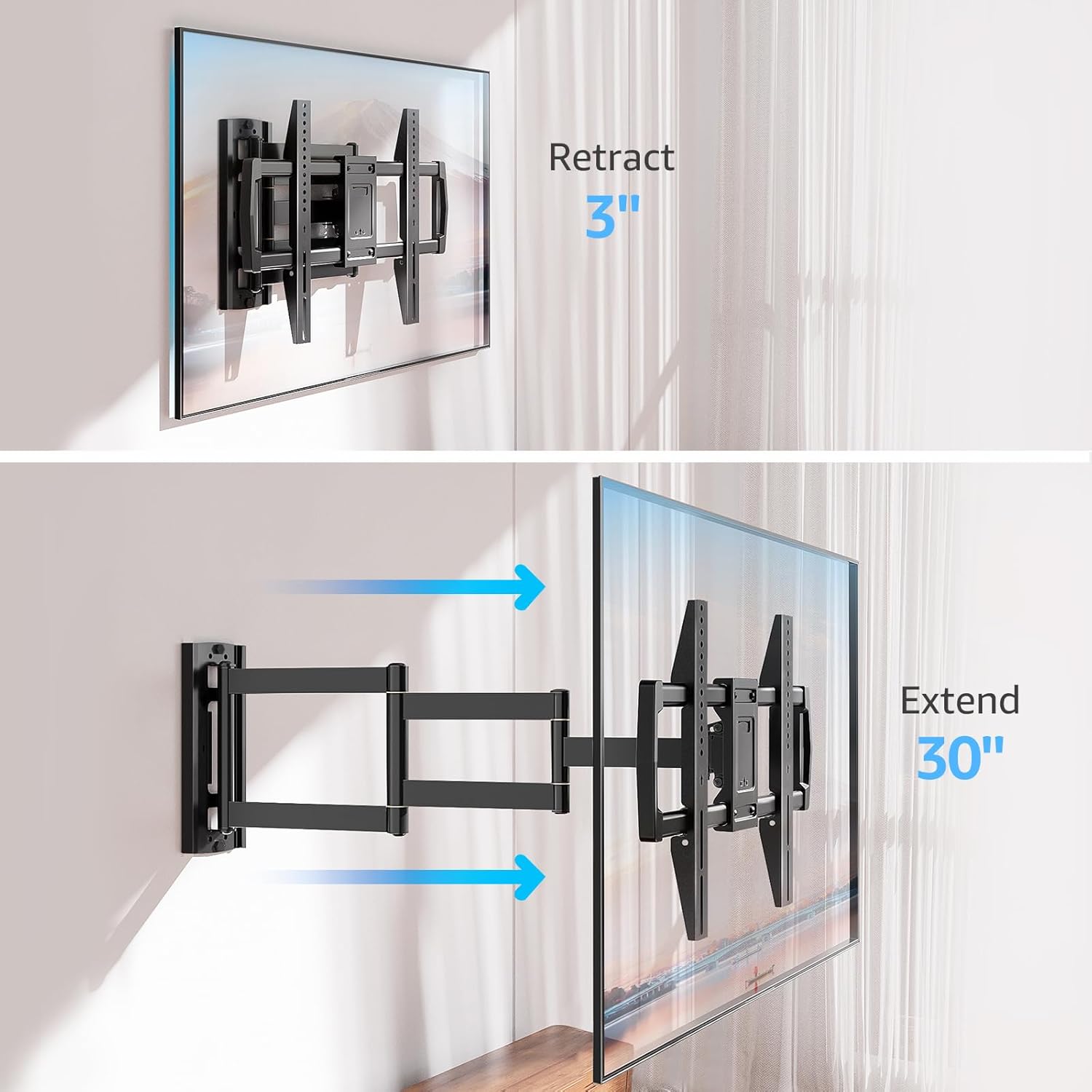
Image: Mount Extension and Retraction
6.2 Kugadziriswa kweSwivel
The articulating arm allows for a smooth +/-90° swivel, enabling you to adjust the TV's angle to suit different viewing areas within a room, including corner mounting scenarios.
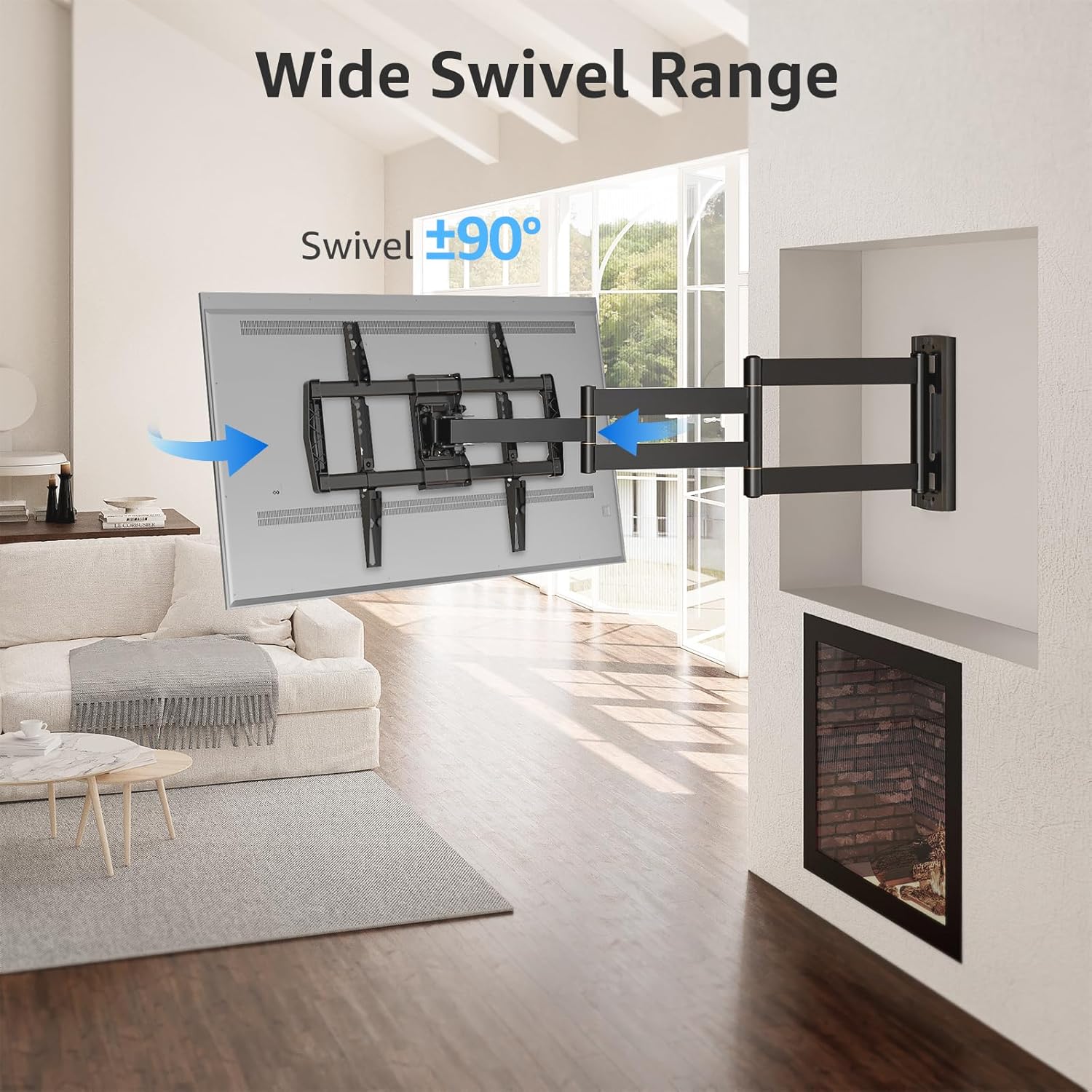
Image: Wide Swivel Range for Corner Mounting
6.3 Tilt Kugadziriswa
Adjust the TV's vertical angle with a +5°/-10° tilt range. This feature helps reduce glare from lights or windows and provides a comfortable vieweng angle
6.4 Leveling Adjustment
After installation, you can make minor horizontal adjustments of +/-3° to ensure the TV is perfectly level.

Image: Level and Tilt Adjustments
7. Kuchengeta
Kugadziriswa nguva dzose kunovimbisa kugara kwenguva refu uye kushanda kwakachengeteka kweTV yako.
- Kuchenesa: Pukuta chigadziko nejira rakapfava, rakaoma. Dzivisa zvinochenesa zvinogumbura kana zvinonyungudutsa zvinogona kukuvadza magumo acho.
- Fastener Check: Periodically check all screws and bolts to ensure they remain tight and secure. Re-tighten if necessary.
- Movement Check: Test the mount's full range of motion (extension, retraction, swivel, tilt) occasionally to ensure smooth operation.
8. Kugadzirisa matambudziko
Kana ukasangana nematambudziko panguva yekuisa kana mushure mekuiisa, tarisa matambudziko nemhinduro dzinotevera:
- TV haina kuenzana: Use the +/-3° post-installation leveling feature to adjust the TV's horizontal position.
- Gomo rinonzwa rakasununguka: Re-check all wall and TV fasteners to ensure they are securely tightened. Do not overtighten.
- Difficulty moving the arm: The mount's joints may be stiff initially. Apply gentle force. If persistent, ensure no cables are snagged.
- TV not fitting VESA pattern: Double-check your TV's VESA pattern against the mount's specifications (150x100mm to 600x400mm). If incompatible, the mount cannot be used.
9. Warranty uye Tsigiro
MOUNTUP is dedicated to providing quality products and customer satisfaction. While specific warranty details are not provided in this document, MOUNTUP offers comprehensive support.
If you have any questions, require assistance with installation, or need to report a missing/damaged part, please contact MOUNTUP customer service. Experts are available 7 days a week to provide support and advanced technology solutions.
For more information or to contact support, please visit the official MOUNTUP store or website.


