Nhanganyaya
This manual provides comprehensive instructions for the MoKo 10X Rechargeable Magnifying Glass with 21 LED Lights. Designed for enhanced visual clarity, this device is ideal for reading, inspection, and exploring small details. It features a powerful 10X magnification, adjustable LED lighting, and a comfortable ergonomic design for extended use.
Please read this manual thoroughly before using the product to ensure proper operation and maintenance.
Chii chiri muBhokisi
- MoKo 10X Rechargeable Magnifying Glass
- USB Kuchaja Cable
- Kuchenesa Mucheka
- Storage Pouch
- User Manual
Gadzirira
1. Kutanga Kuchaja
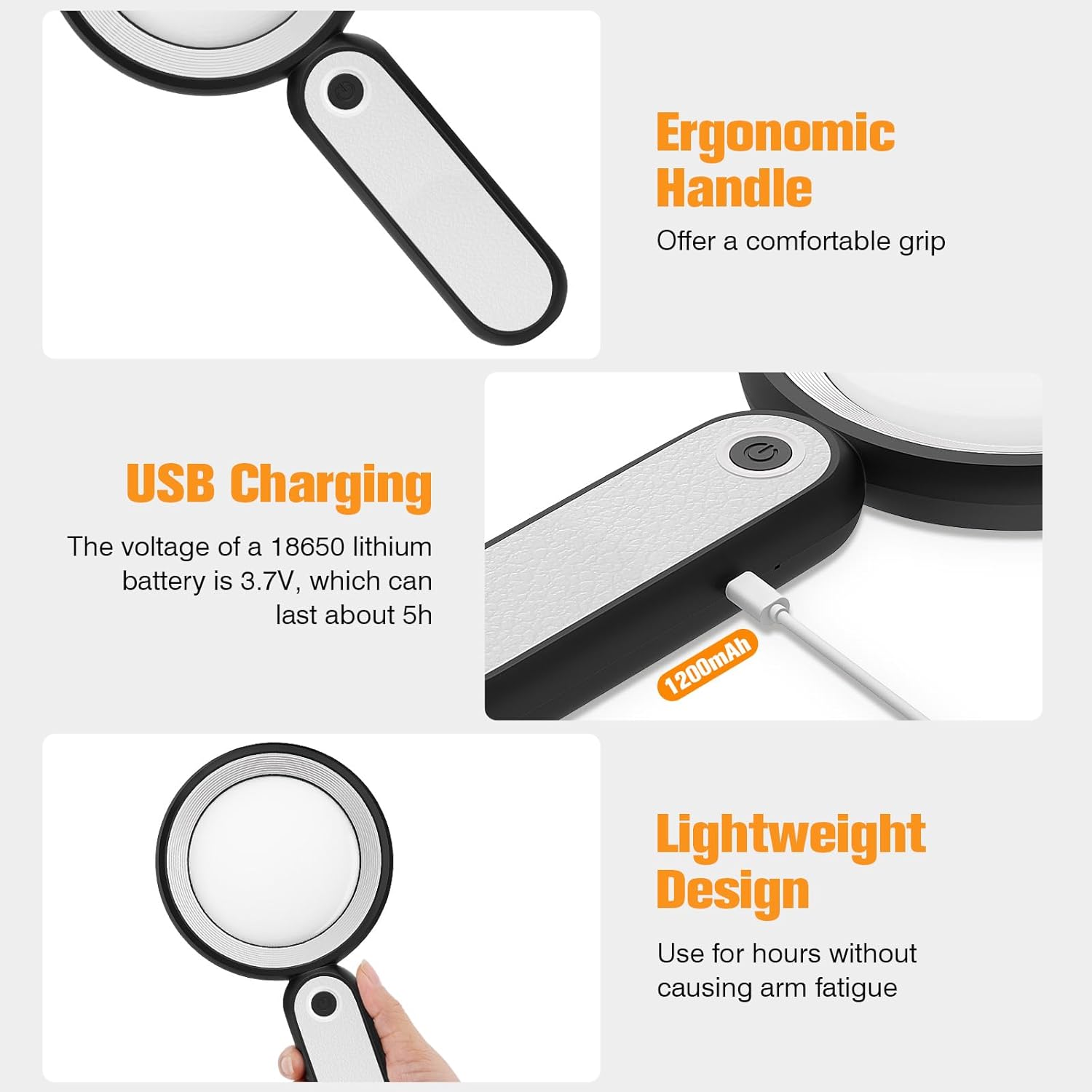
Before first use, fully charge the magnifying glass. Locate the USB charging port on the handle of the device.

Image: USB charging port on the handle.
- Connect the provided USB charging cable to the charging port on the magnifying glass.
- Batanidza rimwe divi retambo yeUSB muadapta yemagetsi yeUSB inoenderana nayo (isina kuiswa) kana pachiteshi cheUSB chekombuta.
- The charging indicator lights (if present) will show the charging status. Allow the device to charge until fully powered, typically around 5 hours for a full charge.
2. Kugadziriswa kweMubato
The magnifying glass features an adjustable handle for comfortable use.

Image: Ergonomic handle design.
- Gently pivot the handle to your desired angle for handheld use.
- The handle can be folded for compact storage or extended for a comfortable grip during use.
Operating Instruction
1. Kukudza
The MoKo Magnifying Glass provides 10X magnification for clear viewing of small text and objects.

Image: Magnifying glass in use, showing 10X magnification on text.
- Hold the magnifying glass approximately 3-5 inches (7.5-12.5 cm) above the object you wish to magnify.
- Adjust the distance slightly until the object comes into clear focus.
2. LED Lighting Modes
The device is equipped with 21 LED lights and three lighting modes to suit various environments and reduce eye strain.

Image: Three adjustable lighting modes (cool, warm, mixed) for the LED lights.
- Locate the power button on the handle.
- Press the power button once to activate the Cool Chiedza mode.
- Press the power button a second time to switch to Chiedza chinodziya mode.
- Press the power button a third time to activate the Mixed Light mode.
- Press the power button a fourth time to turn off the LED lights.
Choose the lighting mode that provides the most comfortable and clear viewing experience for your specific task and ambient light conditions.
Maintenance
1. Kuchenesa Lens
To maintain optimal clarity, keep the optical glass lens clean.
- Use the provided soft cleaning cloth to gently wipe the lens surface.
- Avoid using abrasive materials, paper towels, or chemical cleaners, as these can scratch or damage the lens.
- Kune matope akaomarara, zvishoma dampen the cleaning cloth with a small amount of lens cleaning solution or water, then gently wipe and dry.
2. Kuchengeta
When not in use, store the magnifying glass in the provided storage pouch to protect it from dust and scratches.

Image: Magnifying glass being stored in its protective pouch.
- Chengetedza munzvimbo inotonhorera, yakaoma kure nechiedza chezuva uye tembiricha yakanyanyisa.
Kugadzirisa matambudziko
| Dambudziko | Zvinogona Kukonzera | Solution |
|---|---|---|
| Mwenje haisi kubatidza. | Bhatiri rakaderera kana mudziyo wakadzima. | Charge the device using the provided USB cable. Ensure the power button is pressed correctly to cycle through modes. |
| Magnification is blurry or distorted. | Incorrect distance from object or dirty lens. | Adjust the distance between the lens and the object. Clean the lens with the provided cleaning cloth. |
| Handle is stiff or difficult to adjust. | Minor friction in the hinge. | Apply gentle, consistent pressure. Avoid forcing the hinge. |
Zvinotsanangurwa
| Feature | Detail |
|---|---|
| Brand | MoKo |
| Model Number | 10X |
| Kuwedzera Simba | 10X |
| Lens Material | Girazi reOptical |
| Mwenje dze LED | 21 LED Bead |
| Lighting Modes | 3 (Cool, Warm, Mixed) |
| Simba Source | Rechargeable USB (1200mAh battery, 3.7V) |
| Hupenyu hweBattery (Kuenderera Mberi Kushandisa) | Anenge maawa maviri |
| Product Dimensions | 9.57 x 4.72 x 1.02 inches (24.3 x 12 x 2.6 cm) |
| Item Weight | 7.05 Onzi (200g) |
| UPC | 840401442876 |
Mufananidzo: Zviyero zvechigadzirwa.
Warranty uye Support
MoKo products are designed for reliability and performance. For warranty information or technical support, please refer to the contact details provided with your purchase or visit the official MoKo website.
Chengetedza risiti yako yekutenga sehumbowo hwekutenga kune chero vimbiso yewaranti.
Ruzivo Rwakakosha Chekuchengetedza
- Do not expose the magnifying glass to direct sunlight for extended periods, as this may cause fire or damage to surfaces.
- Chengetedza pasingasvikirwi nevana.
- Dzivisa kudonhedza mudziyo kana kuzviisa pasi pesimba rakasimba.
- Do not attempt to disassemble or modify the magnifying glass.


