1. Nhanganyaya
This manual provides detailed instructions for the setup, operation, and maintenance of your JoFomp 17.3" Large Digital Wall Clock. Please read this manual thoroughly before use to ensure proper functionality and longevity of the product.
2. Safety Information
- Ensure the clock is connected to a stable power source (5V/2A adapter included).
- Usaisa mudziyo kune tembiricha yakanyanyisa, zuva rakananga, kana hunyoro hwepamusoro.
- Chengetedza pasingasvikirwi nevana.
- Usaedze kudimbura kana kugadzirisa mudziyo wega. Bata rutsigiro rwevatengi kuti ubatsirwe.
- Iyo remote control inoda 2 AAA mabhatiri (asina kuisirwa).
- A 1 AAA battery (not included) is required for the memory function to retain settings during power outages.
3. Package Zviri mukati
Tarisa uone kuti zvinhu zvese zviripo mupakeji:
- JoFomp 17.3" Digital Wall Clock
- Remote Control
- 5V/1A DC Power Adapter
- Power Cord
- Mounting Hooks (2)
- Mounting Template Ruler
- Mushandisi Chinyorwa (gwaro iri)

Mufananidzo 3.1: Zvishongedzo zvakabatanidzwa uye chiyuniti chikuru.
4. Chigadzirwa Pamusoroview
The JoFomp 17.3" Large Digital Wall Clock features a clear LED display and multiple functions for convenience.

Figure 4.1: Front display of the digital wall clock.
4.1 Ratidza Zvimiro
- Nguva Ratidza: Large 17.3" LED digits.
- Date Ratidza: Month and Day.
- Zuva revhiki: Indicated by illuminated text (Mon-Sun).
- Tembiricha: Displays in Celsius or Fahrenheit.
- Humidity: Displays relative humidity percentage.
- Ma alarm maviri: Two independent alarm settings.
- DST Indicator: Daylight Saving Time status.

Figure 4.2: Labeled display functions.
4.2 Back Panel and Buttons
The back of the clock houses control buttons and connection ports.

Figure 4.3: Back panel with labeled components.
- Mabhatani ekuseta: Five buttons for manual adjustments (Light, SET, +, -, Alarm).
- Memory Battery Compartment: For 1 AAA battery (not included) to retain settings.
- Simba Port: Yekubatanidza iyo adapta yemagetsi.
- Mounting Holes: For wall installation.
5. Setup
5.1 Simba Connection
- Connect the power cord to the clock's power port.
- Plug the 5V/2A power adapter into a standard electrical outlet. The clock will power on and display.
Cherechedza: The clock requires continuous power to operate. It is not battery-powered for primary display.
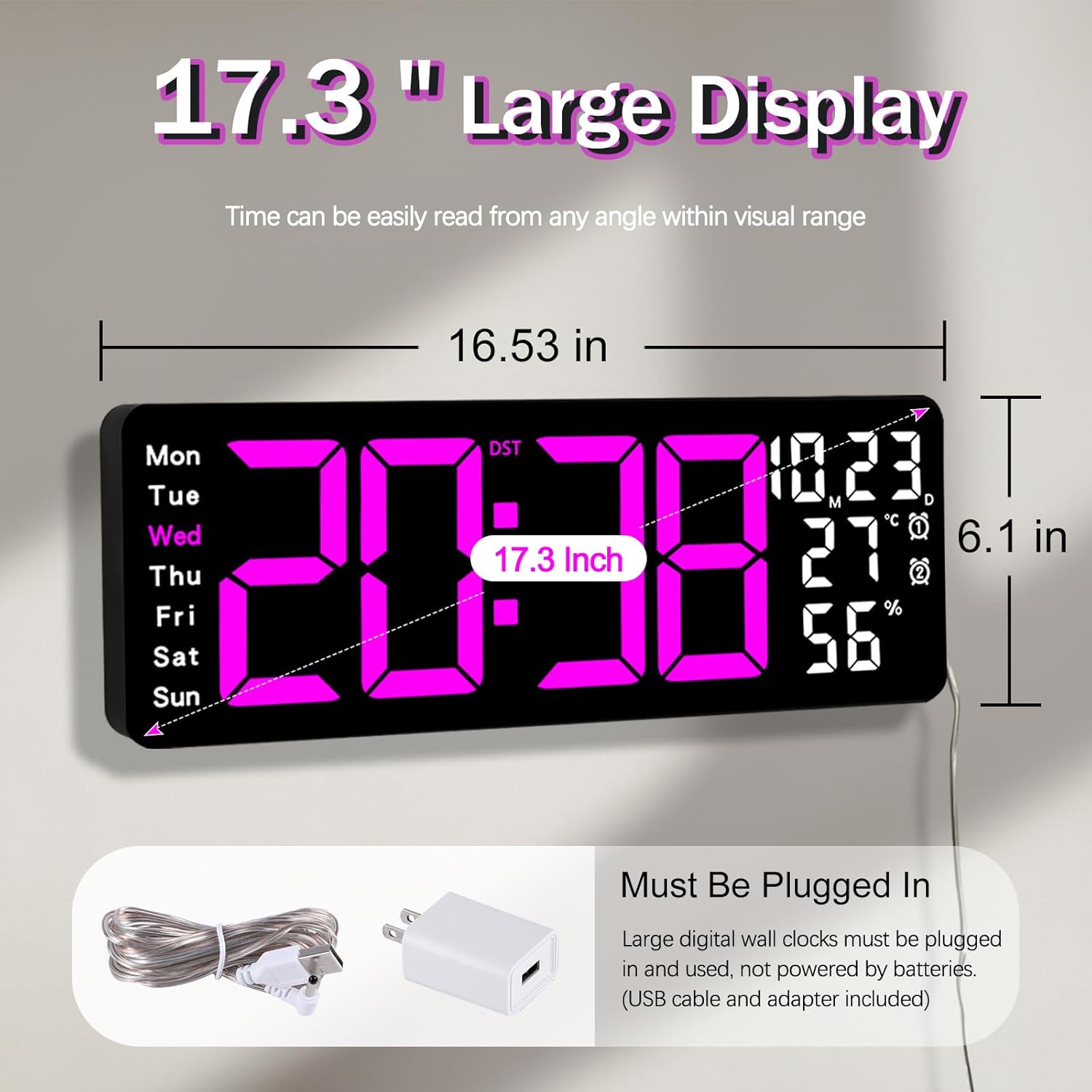
Figure 5.1: Power connection and dimensions.
5.2 Memory Battery Installation (Optional)
To retain time and settings during a power outage, install a 1 AAA battery (not included) into the memory battery compartment on the back of the clock.
- Locate the memory battery compartment on the back of the clock.
- Vhura chivharo chekamuri.
- Insert one 1.5V AAA battery, ensuring correct polarity (+/-).
- Vhara chivharo chekamuri zvakachengeteka.
5.3 Kuiswa Kwemadziro
Use the included mounting template ruler and hooks for easy wall installation.
- Determine the desired location for your clock.
- Place the mounting template ruler on the wall at the desired height.
- Mark the positions for the mounting hooks according to the ruler's indications.
- Install the mounting hooks into the wall at the marked positions.
- Carefully hang the clock onto the installed hooks, ensuring it is level and secure.
6. Operating Instructions
The clock can be operated using either the remote control or the buttons on the back.
6.1 Nguva uye Date Setting
Use the remote control or the "SET" button on the back of the clock.
- Press the SET button (on remote or back of clock) to enter setting mode.
- Shandisa iyo + uye - mabhatani ekugadzirisa kukosha kwekupenya (semuenzaniso, awa, miniti, gore, mwedzi, zuva).
- Press SET again to confirm the current setting and move to the next parameter.
- Dzokorora kusvika zvese zvagadziriswa.
6.2 12/24 Hour Format Conversion
Kuti uchinje pakati pemafomati enguva yemaawa gumi nemaviri neawa makumi maviri nemana:
- Dzvanya zvakatsaurirwa 12/24H bhatani riri paremote control.
- Alternatively, during time setting, the format option will appear.

Figure 6.1: 12/24H format conversion.
6.3 Kuchinja kweChikamu Chetembiricha (°C/°F)
Kuchinja pakati peCelsius neFahrenheit tembiricha zvikamu:
- Press the ° C / ° F bhatani riri paremote control.
6.4 Alarm Setting (Dual Alarms)
Wachi inotsigira maaramu maviri akazvimiririra.
- Press the ALARM button on the remote control or the back of the clock.
- Shandisa + uye - kuseta nguva yealarm yaunoda.
- Press ALARM zvakare kuti usimbise uye uende kune alarm inotevera kana kubuda.
- To activate/deactivate an alarm, press the corresponding alarm button (e.g., AL1 or AL2) paremote.
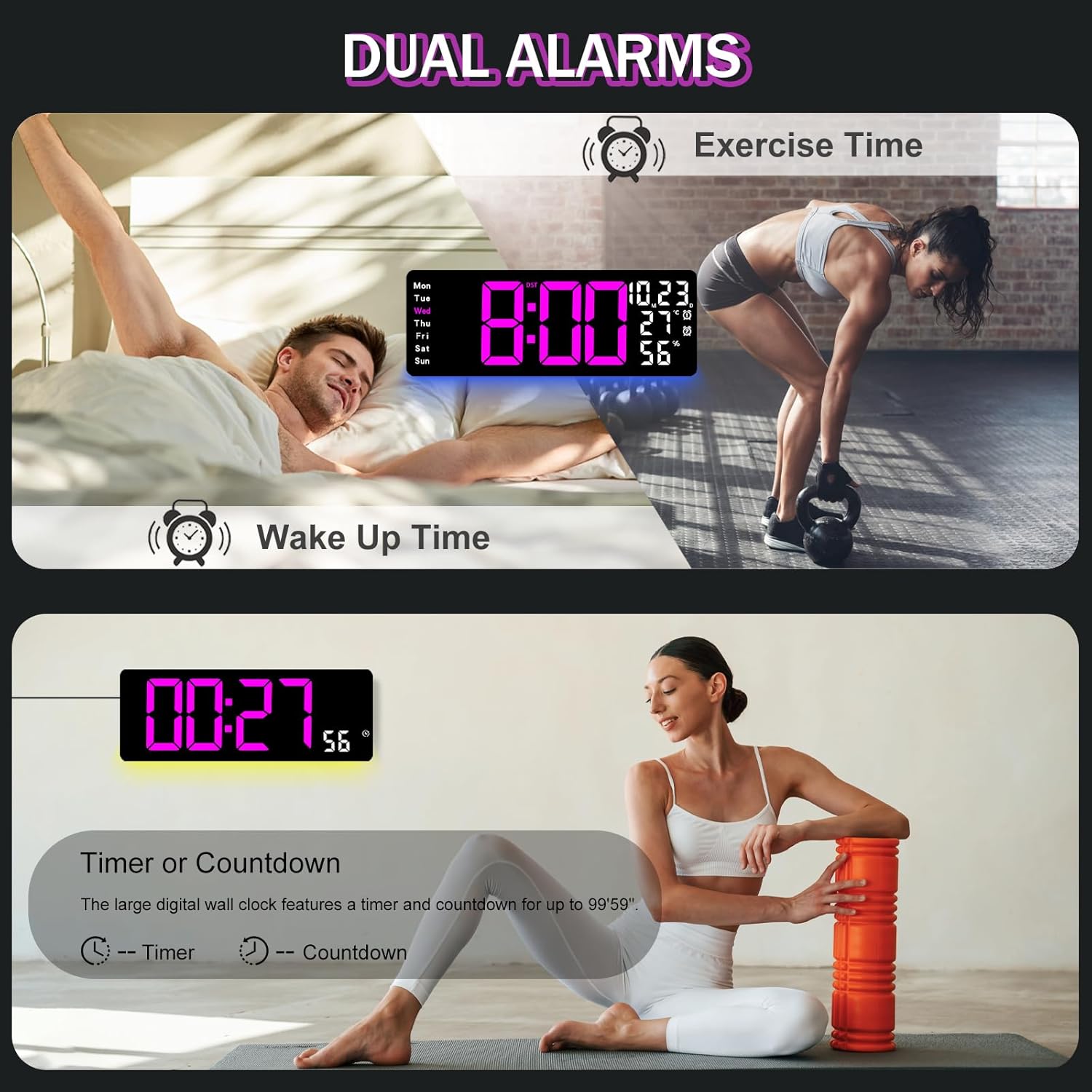
Figure 6.2: Dual alarm and timer functions.
6.5 Kugadzirisa Kujeka
The clock offers 10 levels of brightness, adjustable manually or automatically.
- Automatic Kupenya: The built-in light sensor adjusts brightness based on ambient light. Activate this mode by pressing the AUTO bhatani riri paremote.
- Manual Brightness: Press the KUpenya button on the remote, then use + uye - to select one of the 10 levels.

Figure 6.3: Custom and auto-brightness settings.

Figure 6.4: Brightness regulator illustration.
6.6 Ambient Light Features
The clock includes a night light feature at the bottom with multiple color options.
- Press the CHIEDZA button on the remote control or the back of the clock to cycle through 8 fixed colors and 1 multi-color mode.
- In multi-color mode, the colors automatically convert. Press OK to fix a favorite color.
- Adjust the brightness of the ambient light using the + uye - buttons when the ambient light is active.

Figure 6.5: Multiple ambient night light options.

Figure 6.6: 9 color ambient light options.
6.7 Basa reKutora Nguva uye Kuverenga Nguva
The clock features a timer (count-up) and countdown function up to 99 minutes and 59 seconds.
- Press the TIMER bhatani riri paremote control.
- Shandisa + uye - to set the desired time for countdown.
- Press TANGA/MIRA to begin or pause the timer/countdown.
- Press RESET kubvisa timer.

Figure 6.7: Timing function (count-up/countdown).
Video 6.1: Demonstration of multi-functional features including night light change, brightness control, count-up, and countdown. This video also shows the time, date, day, alarm clock, temperature, and humidity displayed on the same screen, along with 12/24 hour conversion, Celsius/Fahrenheit conversion, and DST enablement. The back design and buttons are also briefly shown.
6.8 Masikati Saving Time (DST)
If DST is observed in your region, you can enable or disable it.
- Long press the - button on the remote control to enable or disable DST. The DST indicator will appear/disappear on the display.

Figure 6.8: Enabling and disabling Daylight Saving Time.

Figure 6.9: Daylight Saving Time (DST) functionality.
6.9 Remote Control Kushandisa
The remote control provides convenient access to all clock functions without needing to reach the clock directly.

Figure 6.10: Remote control and its functions.

Figure 6.11: Remote control in use.
- Ensure the remote control has 2 AAA batteries installed (not included).
- Point the remote control directly at the clock for optimal response.
- Each button on the remote corresponds to a specific function as described in this manual.
7. Kuchengeta
- Clean the clock's display and body with a soft, dry cloth. Avoid abrasive cleaners or solvents.
- Ensure the power adapter and cord are free from damage.
- Replace the memory battery annually to ensure settings are retained during power interruptions.
8. Kugadzirisa matambudziko
| Dambudziko | Zvinogona Kukonzera | Solution |
|---|---|---|
| Chiratidziro chewachi chadzimwa. | Hapana magetsi. | Check if the power adapter is securely plugged into the clock and the outlet. Ensure the outlet is functional. |
| Remote control haisi kushanda. | Low or dead batteries in remote; obstruction; remote out of range. | Replace remote batteries (2 AAA). Ensure no obstructions between remote and clock. Point directly at the clock within effective range. |
| Magadzirirwo akarasika mushure mekubatidza magetsitage. | No memory battery or dead memory battery. | Install a fresh 1.5V AAA battery in the memory compartment. |
| Incorrect temperature/humidity reading. | Kukanganiswa kwe sensor kana kuiswa kwayo. | Ensure the clock is not placed near heat sources, direct sunlight, or in areas with extreme drafts. Allow time for the sensor to stabilize. |
| Ambient light not changing colors. | Stuck in fixed color mode. | Press the LIGHT button on the remote to cycle through modes. If stuck on a fixed color, press the OK button to release it from fixed mode. |
9. Zvinotsanangurwa
| Feature | Detail |
|---|---|
| Brand | JoFomp |
| Model Number | 6669 |
| Display Type | Digital LED |
| Kukura Kwekuratidza | 17.3 inches |
| Product Dimensions | 16.5"W x 6.7"H |
| Simba Source | Corded Electric (5V/2A adapter included) |
| Memory Battery | 1 x AAA (isina kubatanidzwa) |
| Kupenya Kwemazinga | 10 (Auto/Manual) |
| Ambient Light Colors | 8 Fixed + 1 Multi-color |
| Special Features | Large Display, Adjustable Brightness, Temperature Display, Humidity Display, Dual Alarms, Timer, Countdown, DST, Remote Control |
| Mounting Type | Gomo reMasvingo |
| Item Weight | 1.95 makirogiramu |
10. Warranty uye Tsigiro
JoFomp products are designed for reliability and performance. For warranty information or technical support, please refer to the contact details provided with your purchase or visit the official JoFomp website. Chengeta risiti rako rekutenga seumboo hwekutenga.


