Nhanganyaya
This manual provides essential information for the setup, operation, and maintenance of your NIMO 15.6" FHD IPS Business Gaming Laptop. Designed for both productivity and light gaming, this laptop features an AMD Ryzen 5 6600H processor, 32GB DDR5 RAM, and a 1TB PCIe SSD, ensuring fast performance and ample storage. Please read this manual thoroughly to ensure proper use and longevity of your device.
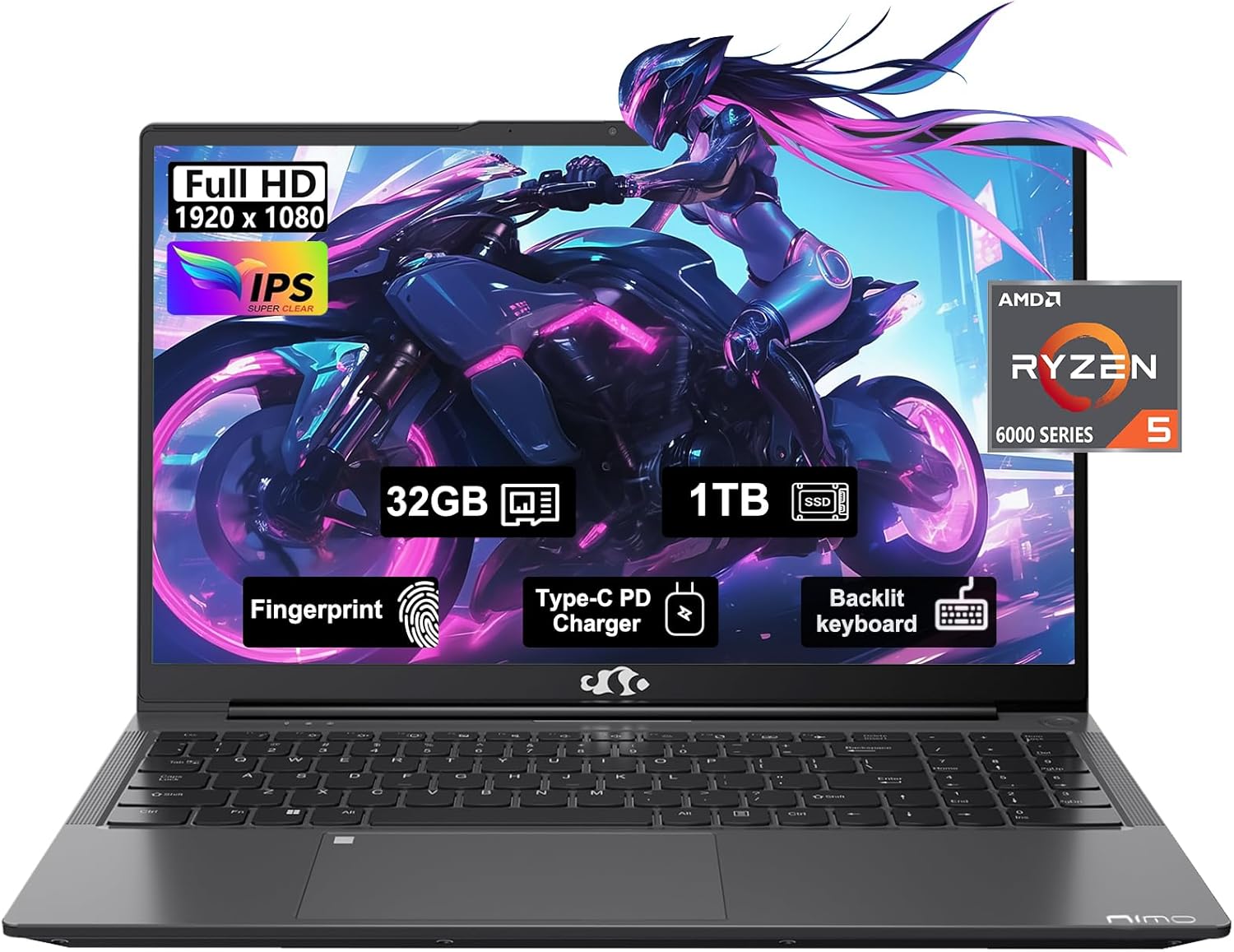
Figure 1: NIMO 15.6" FHD IPS Business Gaming Laptop overview.
Gadzirira
1. Unboxing uye Kutanga Kuongorora
Bvisa zvese zviri mupakeji nokungwarira. Bhokisi rinofanira kunge riine:
- Laptop yeNimo N153 1 x
- 1 x Type-C 100W PD Inochaja Inokurumidza
- 1 x Chinyorwa cheMushandisi
Inspect the laptop and accessories for any signs of damage. If any components are missing or damaged, contact customer support immediately.
2. Kutanga Kubatidza uye Kuchaja
Before first use, it is recommended to fully charge the laptop.
- Connect the Type-C 100W PD Fast Charger to the laptop's Type-C port (Multifunction) and to a power outlet.
- The charge LED indicator will illuminate. Allow the laptop to charge until the LED indicates a full charge.
- Dzvanya bhatani remagetsi kuti ubatidze laptop.

Figure 2: Connecting the Type-C 100W PD Fast Charger.
3. Operating System Setup (Windows 11)
Follow the on-screen prompts to complete the initial setup of Windows 11. This typically includes:
- Kusarudza dunhu rako uye keyboard marongerwo.
- Kubatanidza kune network yeWi-Fi.
- Kusaina kana kugadzira Microsoft account.
- Kugadzirisa PIN kana password.
- Configuring privacy settings.
Kushandisa Laptop Yako
1. Keyboard uye Touchpad
The NIMO laptop features a full-size backlit keyboard and a large touchpad for comfortable and efficient input.
- Backlit Keyboard: Use the function keys (Fn + F-key combination, typically F3 or F4) to adjust keyboard backlight brightness.
- Touchpad: Supports multi-touch gestures for navigation. Refer to Windows settings for customization.
- Fingerprint Reader: Located on the touchpad, allows for secure login via Windows Hello.

Figure 3: Laptop keyboard layout with backlit keys and integrated fingerprint reader.
2. Ports uye Kubatana
Your NIMO laptop is equipped with various ports for versatile connectivity:
- USB 2.0 Ports: 1 port for connecting peripherals.
- USB 3.0 Ports: Maport matatu ekutumira data nekukurumidza.
- Type-C Ports (Multifunction): 2 ports supporting power delivery (PD) and data.
- HDMI Port: Zvekubatanidza kune zvekunze zvinoratidzwa.
- Headphone Jack: Zvekuburitsa audio.
- Micro SD Kadhi Slot: For expanding storage or transferring data from memory cards.
- Kensington Lock Slot: Kuchengetedzwa kwemuviri.
- Wireless Kubatana: Supports Wi-Fi 802.11a/b/g/n/ac and Bluetooth 5.2.

Mufananidzo 4: Kupfuuraview of laptop ports for various connections.
3. Ratidza
The laptop features a 15.6" FHD IPS (1920x1080) Anti-Glare Display with an 85% screen-to-body ratio. This display is designed to provide clear visuals and reduce eye strain during extended use.

Figure 5: The 15.6-inch Full HD IPS display.
4. Kuita
Powered by an AMD Ryzen 5 6600H processor (6 Cores, 12 Threads, up to 4.5 GHz) and 32GB DDR5 RAM, the laptop delivers robust performance for business tasks, content creation, and light gaming. The integrated AMD Radeon 660M GPU handles graphics processing efficiently.

Figure 6: AMD Ryzen 5 6600H processor, central to the laptop's performance.
The 1TB PCIe SSD provides fast boot times and rapid data access, enhancing overall system responsiveness.
Maintenance
1. Kuchenesa Laptop Yako
- Shandisa jira rakapfava, risina lint zvishoma dampyakavharirwa nemvura kana chidzitiro chekuchenesa kuchenesa chiratidziro.
- Kune keyboard uye chassis, shandisa jira rakapfava. Dzivisa makemikari ane hasha kana abrasive zvinhu.
- Shandisa mhepo yakamanikidzwa kubvisa huruva kubva kune mavhesi uye madoko nguva nenguva.
2. Software Updates
Regularly check for and install Windows updates and driver updates to ensure optimal performance and security.
- Enda ku Zvirongwa> Windows Update to check for OS updates.
- Visit the NIMO support websaiti yezvitsva zvemutyairi.
3. Kuchengetedza Kuchengetedza
To maintain performance, regularly manage your 1TB SSD storage:
- Delete zvisina basa files uye zvikumbiro.
- Shandisa kuchengetedza kwegore kune hombe files.
- Periodically run Disk Cleanup (built-in Windows tool).
4. Battery Care
Kuti uwedzere hupenyu hwebhatiri:
- Dzivisa kupisa kwakanyanya.
- Usasiye laptop yakabatana ichichajwa zvizere kwenguva yakareba kana isiri kushandiswa.
- Calibrate the battery occasionally by fully discharging and recharging it.
5. Memory and Storage Upgrades
The NIMO laptop supports dual-channel memory upgrades (up to 2 x 16GB DDR5 RAM) and features an upgradable PCIe SSD. Consult a qualified technician for hardware upgrades to avoid voiding your warranty.
Kugadzirisa matambudziko
Ichi chikamu chinotarisa zvinowanzoitika zvaungasangana nazvo.
Laptop Does Not Power On
- Ita shuwa kuti charger yakabatana zvakachengetedzeka kune ese ari maviri laptop uye inoshanda simba rekubuda.
- Tarisa kuti magetsi emagetsi ari kushanda nekuisa imwe mudziyo.
- Edza kubata bhatani remagetsi kwemasekonzi 15-20 kuti uite gadziriso yakaoma.
- Kana bhatiri rapera simba, rega richajiswe kwemaminitsi makumi matatu usati waedza kuribatidza.
Screen Remains Blank
- Check if the laptop is powered on (listen for fan noise or look for indicator lights).
- Connect an external monitor via the HDMI port to check if the display output works.
- Tangazve laptop.
Slow Performance
- Vhara zvisina basa zvikumbiro zvinomhanya kumashure.
- Tarisa uye isa chero zvakamirira Windows updates.
- Ensure there is sufficient free space on your SSD.
- Shandisa hutachiona hwekuongorora.
Matambudziko eWi-Fi
- Ita shuwa kuti Wi-Fi inogoneswa muWindows marongero.
- Tangazve router yako uye modem.
- Gadziridza madhiraivha eadapta yenetwork isina waya.
- Kanganwa network uye batanidza zvakare.
For issues not covered here, please refer to the Warranty and Support section for contact information.
Zvinotsanangurwa
| Feature | Detail |
|---|---|
| Brand | NIMO |
| Model Name | Nimo N153G |
| Screen Size | 15.6 inches |
| Screen Resolution | 1920 x 1080 pixels (FHD IPS Anti-Glare) |
| processor | AMD Ryzen 5 6600H (6 Cores, 12 Threads, up to 4.5 GHz) |
| RAM | 32GB DDR5 (Dual-channel, upgradable to 2x16GB) |
| Hard Drive | 1TB PCIe SSD |
| Graphics Coprocessor | AMD Integrated graphics (Radeon 660M GPU) |
| Operating System | Windows 11 |
| Wireless Type | 802.11a/b/g/n/ac (Wi-Fi 5), Bluetooth 5.2 |
| Ports | 1x USB 2.0, 2x USB 3.0, 2x Type-C (Multifunction), 1x HDMI, 1x Headphone Jack, 1x Micro SD Slot |
| Special Features | Fingerprint Reader, HD Audio, Backlit Keyboard, Numeric Keypad |
| Simba Source | Battery Powered, Type-C 100W PD Fast Charger |
| Avhareji Hupenyu hweBhatiri | 5 Maawa |
| Item Weight | 6 makirogiramu |
| Product Dimensions | 14.07 x 8.98 x 0.76 inches |
| Color | Space Grey |
Warranty uye Support
Warranty yemugadziri
Laptop yako yeNIMO inofukidzwa nehurongwa hwakazara hwekuchengetedza ruzivo 2-Yegore Mugadziri Warandi offered by Nimo Direct Inc. This warranty covers defects in materials and workmanship under normal use.
Additionally, Nimo Direct Inc. offers Kudzoka Kwemazuva Makumi Mapfumbamwe Pasina Kutambudzika. If you encounter any concerns or issues with your product within this period, please contact customer support for assistance with resolution or replacement.
Bata Rutsigiro
For technical assistance, warranty claims, or return inquiries, please contact NIMO customer support. Refer to the contact information provided on the official NIMO websaiti kana zvinyorwa zvinosanganisirwa nechigadzirwa chako.
Please have your product model number (Nimo N153) and purchase details ready when contacting support.


