Nhanganyaya
This manual provides detailed instructions for the setup, operation, and maintenance of your Transformers TF-T31 Bluetooth TWS Wireless Earbuds. Please read this manual thoroughly before using the product to ensure proper function and longevity.
Product Overview
Package Zviri mukati
- Transformers TF-T31 Wireless Earbuds (Left and Right)
- Kuchaja Case
- USB Type-C Yekuchaja Cable
- Bhuku reMushandisi (Gwaro Iri)
Key Features
- Makaralı 5.4: Provides a stable, fast, and low-power connection.
- Dual Mode Kushanda: Switch between Gaming Mode for low latency audio and Music Mode for HiFi sound.
- High-Fidelity Audio: Features 13mm magnetically levitated drivers for rich, detailed sound with deep bass.
- Environmental Noise Cancellation (ENC): Inonatsiridza kujeka kwekufona nekudzikisa ruzha.
- Intuitive Touch Controls: Manage music playback, calls, and mode switching directly from the earbuds.
- Hupenyu Hwebhatiri Hwakawedzerwa: Up to 5 hours of playback per charge, with the charging case providing up to 50 hours total.
- Ergonomic Dhizaini: Lightweight and comfortable for prolonged wear.
- Mechanical Shell Design: Unique aesthetic inspired by Transformers.

Image: The Transformers TF-T31 wireless earbuds and their distinctive mechanical shell charging case, shown in yellow.

Image: Close-up of the Transformers TF-T31 charging case, highlighting its unique mechanical shell design and the Transformers logo.
Gadzirira
1. Kuchaja maEarbuds uye Case
Usati watanga kushandisa, chaja zvizere maearbud nekesi yekuchaja.
- Isa maearbud ese ari maviri mubhokisi rekuchaja. Iva nechokwadi chekuti agere zvakanaka.
- Connect the provided USB Type-C cable to the charging port on the case and plug the other end into a USB power source (e.g., wall adapter, computer).
- The LED digital display on the charging case will indicate the battery status during charging.
- Charging typically takes approximately 1.5 hours for a full charge.
Cherechedza: The charging case has a 3.7V/300mAh battery, and each earbud has a 3.7V/30mAh built-in battery.
2. Bluetooth Kubatanidza
Tevedza nhanho idzi kubatanidza maearbud ako neBluetooth-inogonesa mudziyo:
- Power On: Vhura bhokisi rekuchaja. Ma earbuds anozongobatidza otomatiki opinda mu pairing mode. Unogona kunzwa ruzha runonzwika.
- Activate Bluetooth: Pachishandiso chako (smartphone, tablet, komputa), enda kuBluetooth settings wobva waona kuti Bluetooth yavhurwa.
- Sarudza Mudziyo: Look for "TF-T31" in the list of available Bluetooth devices and select it to connect.
- Simbiso Once connected, you will hear a confirmation sound from the earbuds, and your device will show "TF-T31" as connected.
Cherechedza: Maearbuds anozobatana otomatiki kune yekupedzisira paired mudziyo kana aburitswa kunze kwekesi, kana Bluetooth yakagoneswa pachigadzirwa.

Image: Diagram illustrating the advanced Bluetooth 5.4 technology, emphasizing stable and fast connection.
Operating Instruction
Simba On/Kudzima
- Power On: Vhura kesi yekuchaja, kana kudzvanya-refu nzvimbo yekubata pane ese maearbuds kwemasekonzi matatu.
- Power Off: Isa maearbuds kumashure muchesi yekuchaja wovhara chivharo, kana kureba-dzvanya nzvimbo yekubata pane ese maearbuds kwemasekonzi mashanu.
Touch Controls
The TF-T31 earbuds feature intuitive touch controls on the outer surface of each earbud. The functions are as follows:
| Chiito | Function |
|---|---|
| Single Tap (Kuruboshwe/Kurudyi) | Tamba / Imbomira mimhanzi, Pindura / Pedza kufona |
| Tokonya Kaviri (Nyeve yekurudyi) | Next Track |
| Tokonya Kaviri (Nzeve Yeruboshwe) | Previous Track |
| Tap katatu (Kuruboshwe/Kurudyi) | Switch between Gaming Mode and Music Mode |
| Long Press (Left/Right, 2 seconds) | Reject incoming call, Activate Voice Assistant |
Switching Modes (Gaming/Music)
The TF-T31 earbuds offer two distinct audio modes:
- Gaming Mode: Provides ultra-low latency audio synchronization, ideal for gaming and video playback to minimize delay between audio and visuals.
- Mumhanzi Mode: Delivers rich HiFi sound with enhanced bass and clear highs, optimized for an immersive music listening experience.
To switch between modes, tap katatu the touch area on either earbud. You will hear an audible prompt indicating the current mode.
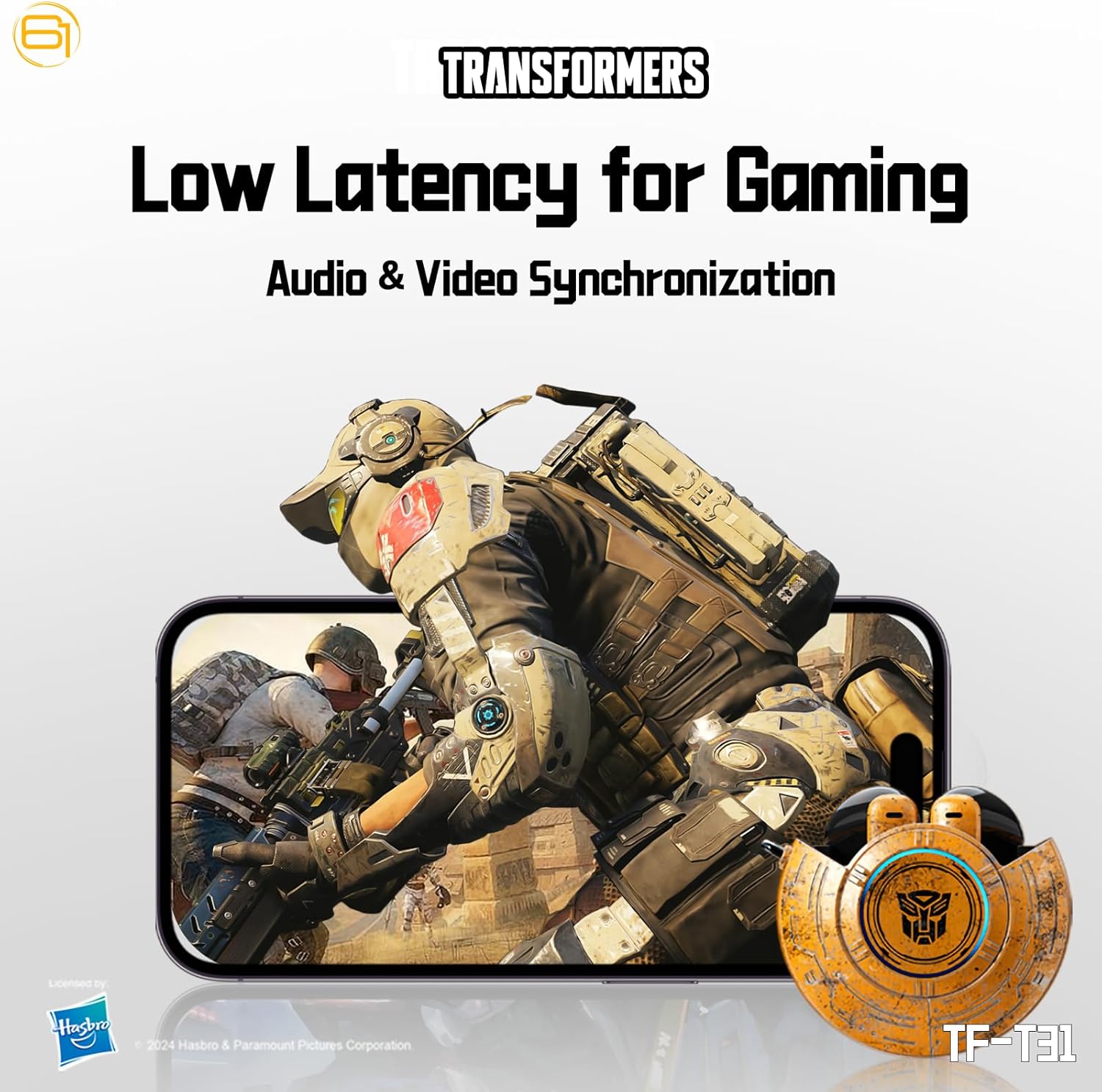
Image: Illustration of the earbuds providing low latency audio for gaming, showing a mobile gaming scenario.
Maintenance
Kuchenesa
- Garai kuchenesa maearbud nekesi yekuchaja nejira rakapfava, rakaoma, risina lint.
- Usashandise abrasive cleaners, doro, kana makemikari zvinonyungudutsa.
- Bvisa zvinyoro nyoro chero wakisi kana marara kubva pamesh ye earbud uchishandisa bhurashi diki, rakapfava kana swab yedonje.
- Ensure the charging contacts on both the earbuds and the case are clean and dry to maintain proper charging.
Storage
- Kana isiri kushandiswa, chengeta maearbuds mukesi yavo yekuchaja kuti uzvidzivirire uye ugare wakachajwa.
- Chengeta chigadzirwa ichi munzvimbo inotonhorera, yakaoma, kure nekupisa kwakanyanya uye zuva rakananga.
- Avoid exposing the earbuds or case to water or excessive moisture. While the product is water-resistant, it is not waterproof.
Kugadzirisa matambudziko
If you encounter issues with your TF-T31 earbuds, please refer to the following common problems and solutions:
Maearbuds Haabatanidzi kana Kubatanidza
- Ita shuwa kuti ese maearbud akachajwa.
- Ita shuwa kuti Bluetooth yakabatidzwa pane chako kifaa.
- Isa maearbuds kumashure muchesi yekuchaja, vhara chivharo, mirira mashoma mashoma, wozoivhura zvakare kuti upinde zvakare pairing mode.
- On your device, forget or delete "TF-T31" from your Bluetooth device list, then attempt to pair again.
- Edza kubatanidza nemudziyo wakasiyana kuti usave nenyaya dzakanangana nemudziyo.
Hapana Ruzha kana Low Volume
- Tarisa huremu hwevhoriyamu pane chako chakabatana mudziyo uye maearbuds.
- Ita shuwa kuti maearbuds akagara zvakanaka munzeve dzako.
- Clean any debris from the earbud mesh that might be obstructing sound.
- Batanidzazve maearbuds kumudziyo wako.
Nyaya dzekuchaja
- Tarisa kuti tambo yekuchaja yakabatana zvakachengetedzeka kune ese ari maviri kesi uye sosi yemagetsi.
- Iva nechokwadi chekuti ma contacts ekuchaja ari pama earbuds nemukati mebhokisi akachena uye haana zvipingamupinyi.
- Edza kushandisa tambo ye USB Type-C yakasiyana kana adapta yemagetsi.
- Confirm the power source is active.
Earbuds Disconnect Frequently
- Ensure your device is within the Bluetooth transmission distance (26-32 feet or 8-10 meters) without significant obstacles.
- Dzivisa nharaunda dzine simba remagetsi kukanganiswa.
- Chaja maearbud ese pamwe nebhokisi rekuchaja zvizere.
Zvinotsanangurwa
| Feature | Detail |
|---|---|
| Model Name | TF-T31 |
| Bluetooth Version | Bluetooth 5.4 |
| Bluetooth Transmission Distance | 26-32 tsoka (8-10 metres) |
| Headphone Battery Kugona | 3.7V/30mAh (each earbud) |
| Kuchaja Case Battery Capacity | 3.7V/300mAh |
| Kuchaja Port | Type-C |
| Kuchaja Nguva | Anenge maawa maviri |
| Battery Talk/Music Time | Kusvika kumaawa manomwe (maearbuds), anosvika maawa makumi maviri nemasere (nekesi yekuchaja) |
| Frequency Response Range | 20Hz-20KHz |
| Mutauri Impedance | 32Ω |
| Sensitivity | 109dB±3dB |
| Control Type | Bata Kudzora |
| Mvura Resistance Level | Mvura Inodzivirira |
| Product Dimensions | 3.15 x 3.15 x 4.72 inches |
| Item Weight | 5.3 ounces (0.15 Makirogiramu) |
Safety Information
- Kudzivirira Kunzwa: Dzivisa kuteerera nepamusoro-soro mazinga kwenguva yakareba kudzivirira kukuvara kwekunzwa.
- Driving Safety: Do not use earbuds while driving or operating machinery where the inability to hear ambient sounds could pose a danger.
- Kuratidzwa kwemvura: The earbuds are water-resistant, not waterproof. Do not submerge them in water or expose them to heavy rain. Dry them thoroughly if they get wet.
- Vana: Keep earbuds and small parts away from children to prevent choking hazards.
- Kuchengetedzwa kweBhatiri: Do not attempt to replace the built-in batteries. Do not expose batteries to excessive heat or direct sunlight. Dispose of batteries according to local regulations.
- Kuchenesa: Use only recommended cleaning methods. Avoid harsh chemicals.
Warranty uye Support
Kuti uwane ruzivo nezvewarandi kana rutsigiro rwehunyanzvi, ndapota tarisa magwaro akapihwa panguva yekutenga kana kubata mutengesi/mugadziri zvakananga. Chengeta humbowo hwekutenga kwako kuti uwane zvikumbiro zvewarandi.
You can visit the official Transformers store on Amazon for more product information: Chitoro cheTransformers


