Nhanganyaya
This manual provides detailed instructions for the RUIMEN Fitness Tracker. This device is designed to monitor various health and fitness metrics, offering a comprehensive overview of your daily activity and well-being. It features a 1.47-inch HD full-touch display and comes with two interchangeable bands for versatile use.
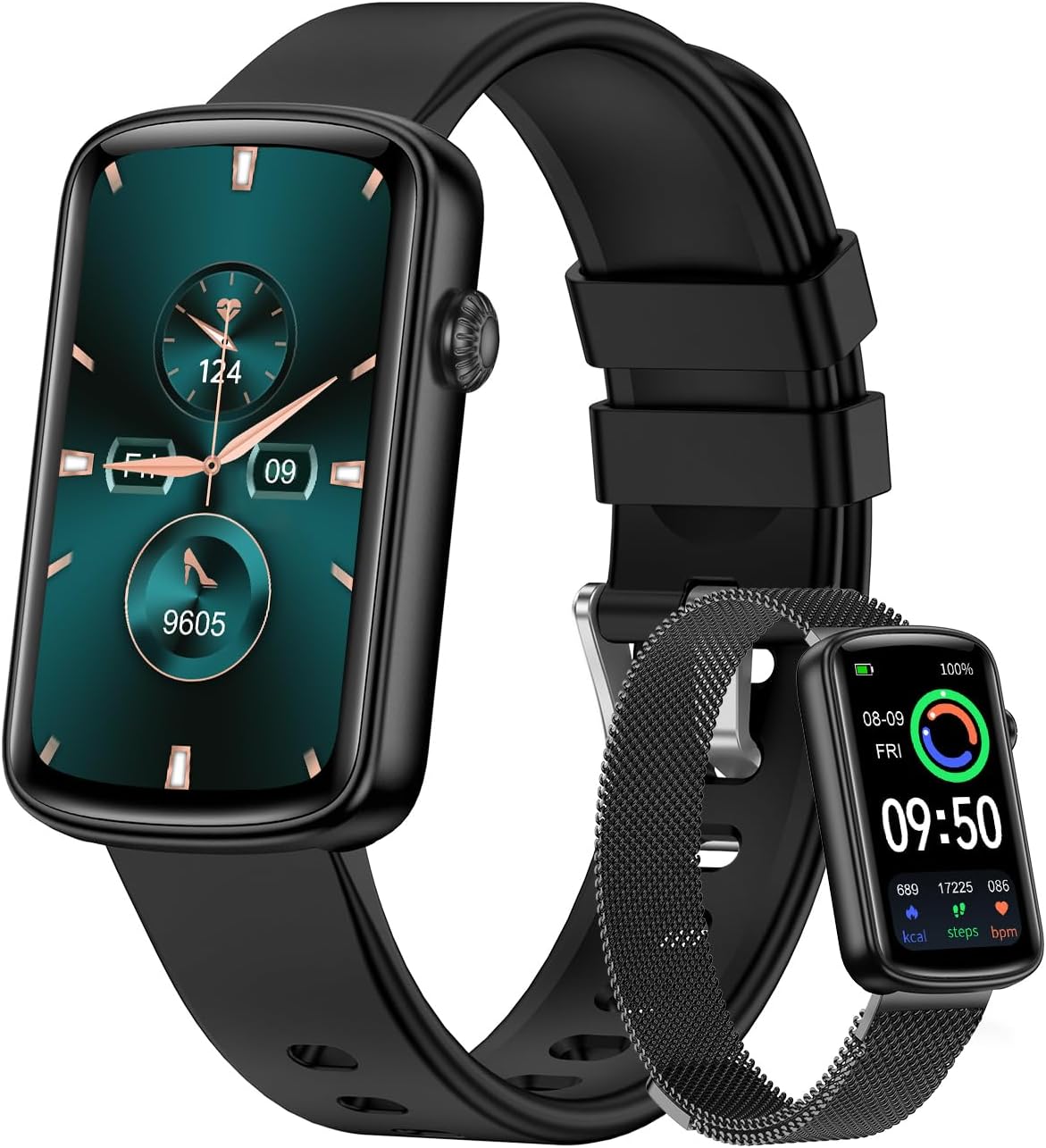
Image: The RUIMEN Fitness Tracker shown with both the black sport band and the elegant stainless steel mesh band.
Chii chiri muBhokisi
- Fitness Tracker
- Chaja Cable
- User Manual
Gadzirira
Kutanga Kuchaja
Before first use, fully charge the fitness tracker. Connect the charging cable to the charging port on the device and a compatible USB power source. A full charge typically takes approximately 2.5 hours.

Image: The fitness tracker connected to its charging cable, illustrating the charging process and indicating long battery life.
Kubatanidza kune Yako Smartphone
To utilize all features, connect the fitness tracker to your smartphone via the companion app. The device is compatible with iOS 9.0/Android 5.0 and Bluetooth 5.0 or above.
- Download the "GloryFit" app from your smartphone's App Store (for iOS) or Google Play Store (for Android).
- Ita shuwa kuti Bluetooth yakagoneswa pane yako smartphone.
- Open the "GloryFit" app and follow the on-screen prompts to add a new device.
- The app will search for nearby devices. Select "L2B" from the list to initiate the pairing process. Confirm the Bluetooth pairing request on both your phone and the tracker.
Operating Instruction
General Navigation
The fitness tracker features a full-touch display. Swipe left/right or up/down to navigate through menus and functions. Tap to select options or confirm actions.
Mitambo Modes
The tracker supports 24 sports modes, including running, cycling, yoga, and dancing. Select your desired activity from the sports menu to track real-time data such as steps, calories burned, and distance.

Image: The fitness tracker screen showing a list of various sport modes, including dancing, yoga, spinning bike, and sit-ups.
Health Monitoring
The device provides 24/7 health monitoring capabilities, including heart rate, blood oxygen level (SpO2), and sleep quality tracking. Access these features through the health monitoring section on the device or the companion app for detailed insights.

Image: Two fitness trackers displaying heart rate (BPM) and blood oxygen (SpO2) measurements, indicating continuous health monitoring.
Kurara Monitoring
Wear the tracker during sleep to automatically monitor your sleep patterns, including deep sleep, light sleep, and REM sleep. View detailed sleep scores and analysis in the GloryFit app.

Image: The fitness tracker screen showing sleep duration and breakdown into deep and light sleep, with a graphic representation of sleep cycles.
Notifications
Once connected to your smartphone, the tracker will display real-time notifications for incoming calls, text messages, and various app alerts (e.g., Instagram, Facebook, WhatsApp). Ensure app permissions are granted for notifications in your phone settings.

Image: A smartphone screen displaying notifications from various social media and messaging apps, indicating the watch's notification capabilities.
Customized Watch Faces
Personalize your fitness tracker with over 100 watch dials available in the GloryFit app. You can also upload your own photos to create unique customized watch faces.

Image: A variety of digital and analog watch faces displayed, along with a phone interface showing options to customize the watch face with personal photos and color schemes.
Mamwe Mabasa
The fitness tracker includes several other useful functions:
- Alarm Clock: Set alarms directly on the device or through the app.
- Stopwatch: Use the built-in stopwatch for timing activities.
- Utano hwevakadzi: Track menstrual cycles and receive reminders.
- Tsvaga Runhare: Tsvaga foni yako yakabatana nekutanga ruzha rwekunyevera.
- Timer: Set countdown timers for various tasks.
- Kudzora Mumhanzi: Control music playback on your smartphone (play/pause, next/previous track).
- Mamiriro ekunze: View current weather conditions and forecasts (requires app connection).

Image: The fitness tracker displaying various additional functions such as Alarm Clock, Stopwatch, and Women's Health tracking, with illustrative images of people using these features.
Maintenance
Kuramba Mvura
The RUIMEN Fitness Tracker has an IP68 waterproof rating, meaning it is resistant to dust and can withstand immersion in water up to 1.5 meters for 30 minutes. It is suitable for daily use, such as washing hands or light rain, but not recommended for swimming or showering with hot water.
Hupenyu hwebhatiri uye Kuchaja
A full charge provides up to 5 days of normal use and up to 30 days of standby time. To maintain optimal battery health, avoid fully discharging the battery frequently and charge the device using the provided cable.
Kuchenesa
Wipe the device and bands regularly with a soft, dry cloth to remove sweat, dirt, and debris. Avoid using harsh chemicals or abrasive materials.
Bhendi Kutsiva
The tracker comes with two interchangeable bands. To replace a band, locate the quick-release pins on the underside of the band where it connects to the watch body. Slide the pin to detach the band, and then align and slide the pin of the new band into place until it clicks securely.

Image: The fitness tracker displayed with both the soft sport band and the elegant stainless steel mesh band, highlighting their interchangeability.
Kugadzirisa matambudziko
- Mudziyo haubatike: Ita shuwa kuti mudziyo wachajiwa zvizere.
- Haikwanise kubatanidzwa nefoni: Check if Bluetooth is enabled on your phone and the tracker is within range. Restart both devices and try pairing again. Ensure the GloryFit app has necessary permissions.
- Kurava kusina kururama: Ensure the tracker is worn snugly on your wrist, not too tight or too loose. Clean the sensor regularly.
- Zviziviso hazvisi kuoneka: Verify that app notifications are enabled in your phone's settings and within the GloryFit app.
Zvinotsanangurwa
| Model Name | L2B |
| Screen Size | 1.47 inches |
| Item Weight | 25 magiramu (0.882 ounces) |
| Kubatana Technology | Bluetooth |
| Operating System | Pfeka OS |
| Bhatiri Type | Lithium Polymer |
| Mvura Isingapindi Chinhanho | IP68 |
| Normal Use Battery Life | Kusvikira kumazuva makumi manomwe |
| Standby Time | Kusvikira kumazuva makumi manomwe |
Warranty uye Support
For warranty information and technical support, please refer to the contact details provided in the packaging or visit the official RUIMEN website. Chengetedza risiti yako yekutenga sehumbowo hwekutenga kwezvichemo zvewaranti.


