Nhanganyaya
Thank you for choosing the AOLON Curve Smart Watch. This device is designed to enhance your daily life with advanced health monitoring, fitness tracking, and smart communication features. This manual provides essential information for setting up, operating, and maintaining your new smart watch.

Image: The AOLON Curve Smart Watch in Rose Gold, showcasing dhizaini yayo yakapfava uye inoyevedza kuratidza.
Chii chiri muBhokisi
Upon opening your AOLON Curve Smart Watch package, you should find the following items:
- AOLON Curve Smart Watch (with Watch Band attached)
- Chaja Cable
- Mushandisi Chinyorwa (gwaro iri)

Image: A visual representation of the product packaging contents, showing the watch, charging cable, and user manual.
Gadzirira
1. Kutanga Kuchaja
Before first use, fully charge your smart watch. A full charge typically takes approximately 2.5 hours. The watch offers up to 7 days of normal use and over 20 days in power-saving mode on a single charge.
- Batanidza tambo yekuchaja ine magineti panzvimbo dzekuchaja dziri kumashure kwewachi.
- Plug the USB end of the cable into a standard USB power adapter (not included) or a computer's USB port.
- Chiratidziro chewachi chinoratidza mamiriro ekuchaja.

Image: The smart watch connected to its magnetic charging cable, illustrating the charging process and battery icon.
2. Kurodha kweApp uye Kubatanidza
To unlock the full potential of your AOLON Curve Smart Watch, download the companion app and pair it with your smartphone.
- Scan the QR code in your physical manual or search for "GloryFit" in the Apple App Store (for iOS) or Google Play Store (for Android).
- Install the GloryFit app pane yako smartphone.
- Ita shuwa kuti Bluetooth yakagoneswa pane yako smartphone.
- Open the GloryFit app, navigate to the "Device" section, and tap "Add Device".
- Select "Aolon Curve2" from the list of available devices to pair.
- Tevedzera chero pa-skrini yekurudziro kuti upedze iyo pairing maitiro.

Image: A step-by-step guide illustrating how to download the GloryFit app and connect the AOLON Curve Smart Watch to a smartphone.
Kushandisa Yako Smart Watch
1. Basic Navigation
The AOLON Curve Smart Watch features a 1.83-inch HD full-view curved display with a responsive touchscreen and an optical rotary button for intuitive navigation.
- Swipe Kumusoro/Kudzika: Dzvanya mumamenyu uye zviziviso.
- Swipe Kuruboshwe/Kurudyi: Wana mabasa anokurumidza kana mawachi akasiyana.
- Top: Sarudza chinhu kana simbisa chiito.
- Dzvanya Side Bhatani: Dzokera kuchidzitiro chekumba kana batidza/kudzima.
- Rotate Side Button: Scroll through menus or adjust settings.

Mufananidzo: Yakadzama view of the smart watch's 1.83-inch HD display with 3D curved glass, highlighting its visual clarity.
2. Customizing Watch Faces
Personalize your watch with over 120 customizable watch faces available through the GloryFit app. You can also set your own photos as watch faces.
- From the watch home screen, long-press the display to quickly change watch faces.
- For more options, open the GloryFit app and navigate to the watch face selection menu.

Image: Various digital and analog watch faces shown on the smart watch, demonstrating customization options.
3. Kufona kweBluetooth
With its built-in microphone and speaker, the smart watch allows you to make and receive calls directly from your wrist when connected to your phone via Bluetooth.
- To make a call, access the dial pad or contact list on your watch.
- To answer an incoming call, tap the green phone icon on the watch screen.
- To reject a call, tap the red phone icon.

Image: A user interacting with the smart watch to manage calls while driving, highlighting the Bluetooth calling feature.
4. Smart Notifications
Receive real-time notifications for messages, alarms, and other app alerts directly on your watch. Note that message reply is not supported directly from the watch.
- Ensure notification permissions are granted to the GloryFit app on your smartphone.
- Swipe down on the watch face to view zviziviso zvichangoburwa.

Image: The smart watch displaying various app notifications, indicating its intelligent notification reminder feature.
5. Kuongorora Utano
The AOLON Curve Smart Watch provides continuous monitoring of key health metrics.
- Chiyero chemoyo: Continuous heart rate tracking with alerts for abnormal rates.
- Ropa Okisijeni (SpO2): Tarisa huwandu hweokisijeni muropa rako.
- Kuongorora Kurara: Tracks sleep duration, quality, and stages (deep, light, REM, awake).
- Stress Monitoring: Inopa ruzivo rwekushushikana kwako mazinga.
- Women's Cycle Tracking: Inotsigira kutevedza kutenderera kwemwedzi.
- Sedentary Zviyeuchidzo: Alerts you to move after prolonged periods of inactivity.
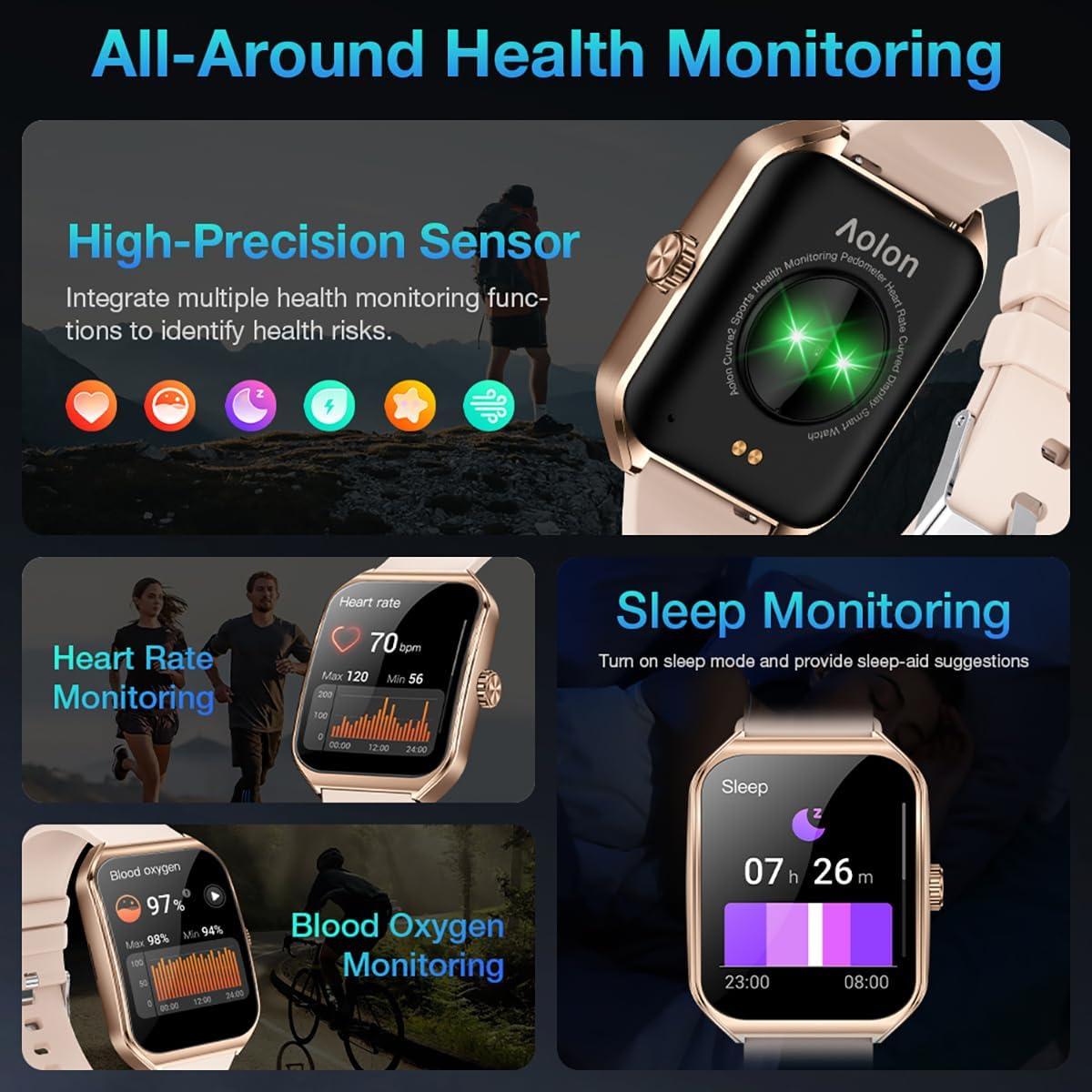
Image: A collage showing the smart watch monitoring heart rate, blood oxygen, and sleep, emphasizing its comprehensive health tracking capabilities.
Video: Demonstrates the 24/7 health monitoring features of the AOLON Smart Watch, including heart rate and SpO2 tracking.
6. Maitiro eMitambo uye Kutevera Zviitiko
The watch supports over 60 sports modes, allowing you to accurately monitor heart rate, calorie consumption, and exercise duration.
- Select your desired sports mode from the watch menu (e.g., outdoor run, indoor run, outdoor walk, ball games, dance, gymnastics).
- When connected to your phone, the watch can record and track your exercise routes using your phone's GPS.
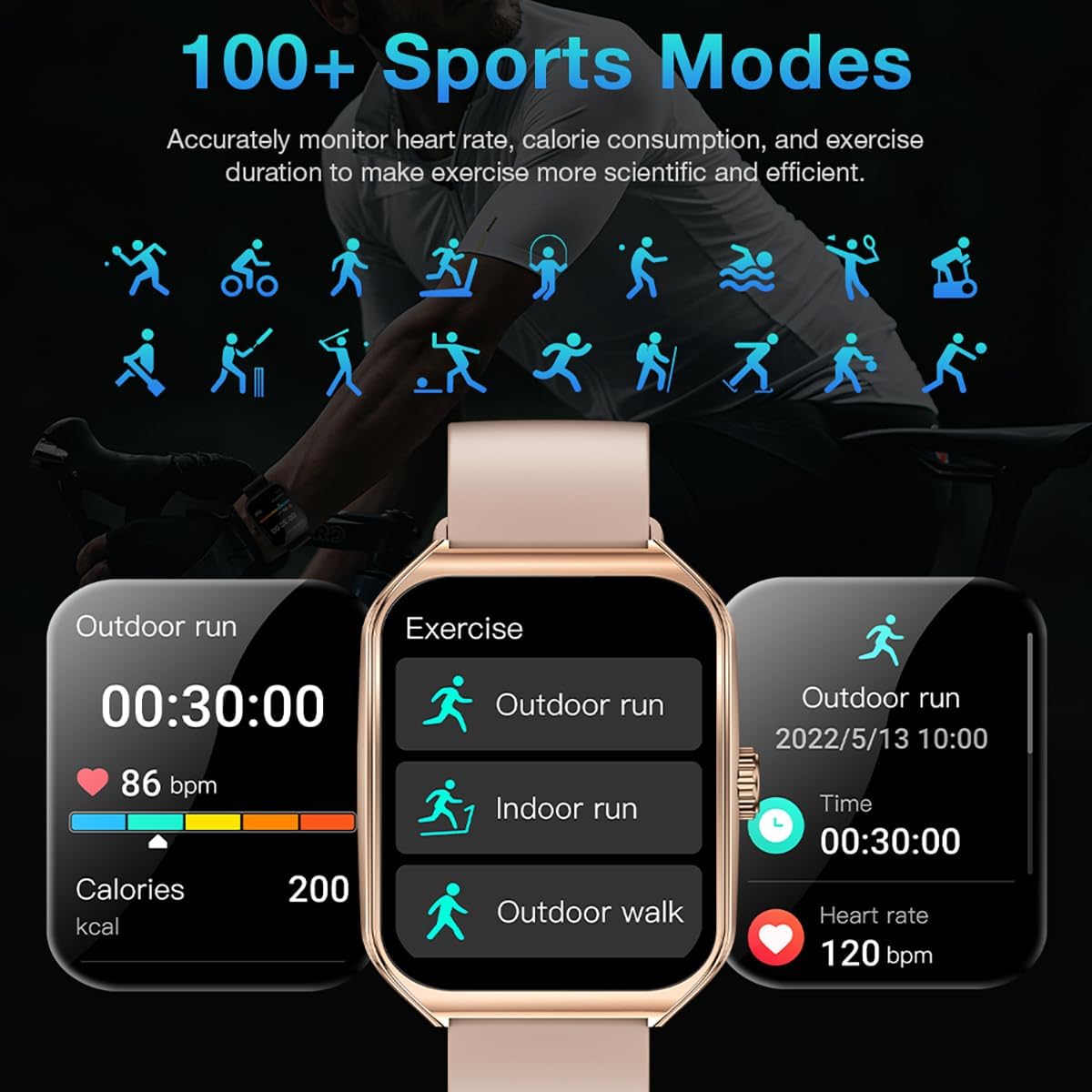
Image: The smart watch interface showing different sports modes and real-time exercise data like heart rate, calories, and distance.
7. Zvimwe Zvinhu Zvakangwara
The AOLON Curve Smart Watch integrates several convenient features for daily use:
- AI Voice Assistant: Quickly activate your voice assistant for tasks like making calls, checking weather, or setting alarms.
- Mamiriro ekunze: Wana real-time mamiriro ekunze.
- Kudzora Mumhanzi: Dzora mimhanzi kutamba pane yako smartphone.
- Alarm Clock: Seta uye gadzirisa maaramu.
- Stopwatch & Timer: Essential timing functions.
- Tsvaga Foni Yako: Tsvaga foni yako yakabatana.
- Tochi: A simple flashlight function.
- Calculator: Kuverenga kwekutanga paruoko rwako.
- SOS Basa: For emergency situations.
Vhidhiyo: Kuperaview of the Curve2 Smart Watch features, including fitness tracking, notifications, and various smart functions.
Maintenance
1. Kuchenesa Wachi Yako
Regular cleaning helps maintain the appearance and functionality of your smart watch.
- Pukuta sikirini nemuviri nekanyoro, damp jira.
- The silicone strap is washable. You can gently clean it with mild soap and water.
- Dzivisa kushandisa makemikari ane hasha kana abrasive zvinhu.
2. Kudzivirira Mvura (IP67)
The AOLON Curve Smart Watch is IP67 waterproof, meaning it is resistant to dust and can withstand immersion in water up to 1 meter for 30 minutes. It is suitable for daily use and light water activities like hand washing or rain exposure.
- Do not use the watch for diving, hot showers, or prolonged submersion in water.
- Avoid exposing the watch to high-pressure water or steam.

Image: The smart watch partially submerged in water, illustrating its IP67 water resistance feature.
Kugadzirisa matambudziko
If you encounter issues with your AOLON Curve Smart Watch, please refer to the following common solutions:
- Watch not kubatidza: Iva nechokwadi chekuti wachi yacho yachajwa zvizere. Ibatanidze netambo yekuchaja woirega ichichajwa kwemaminitsi makumi matatu usati waedza kuibatidza.
- Haikwanise kubatanidzwa nefoni:
- Iva nechokwadi chekuti Bluetooth yakabatidzwa pafoni yako uye kuti wachi iri pedyo.
- Tangazve zvese foni yako newachi.
- Check if the GloryFit app has necessary permissions (location, Bluetooth, notifications).
- If previously paired, try unpairing and re-pairing the device through the GloryFit app.
- Mashoko ehutano asina kururama:
- Ita shuwa kuti wachi yakapfekwa zvakanaka paruoko rwako, kwete yakanyanya kusimba kana kuregedzera.
- Chenesa sensor kuseri kwewachi.
- Environmental factors or skin conditions can sometimes affect sensor accuracy.
- Zviziviso hazvisi kuoneka:
- Verify that notification permissions are enabled for the GloryFit app in your phone's settings.
- Ita shuwa kuti wachi yakabatana nefoni yako kuburikidza neBluetooth.
- Check the notification settings within the GloryFit app to ensure specific app notifications are enabled.
Zvinotsanangurwa
| Kukura Kwekuratidza | 1.83 inches |
| Display Type | HD Curved Display with 3D Curved Glass |
| Kubatana | Bluetooth 5.0 |
| Battery Capacity | 245 mamiriyoniamp Maawa |
| Hupenyu hwebhatiri (Kazhinji Kushandiswa) | Kusvikira kumazuva makumi manomwe |
| Battery Life (Power-Saving Mode) | Kupfuura mazuva makumi mapfumbamwe |
| Kuchaja Nguva | Approx. 2.5 maawa |
| Kuramba Mvura | IP67 |
| Health Monitoring | Heart Rate, SpO2, Sleep, Stress, Women's Cycle |
| Mitambo Modes | 60+ modes |
| Kugarisana | Android & iOS |
| Kurema | 40g (watch body only) |
| Model Number | 5d738664-f1e0-4256-942f-d938b44e5e53 |
Warranty uye Support
AOLON provides a 12-mwedzi waranti for your smart watch. If you encounter any issues or require assistance, please contact our customer service team.
- Mabatiro evatengi: Available 24 hours a day. Please contact us through Amazon Customer Service for prompt assistance.


