1. Nhanganyaya
Thank you for choosing the himaly Smart Rechargeable Body Fat Scale. This digital bathroom scale is designed to provide comprehensive body composition analysis, including body weight, BMI, body fat percentage, muscle mass, and more. It connects via Bluetooth to the Moving Life App, allowing you to track your health trends over time. This manual provides essential information for safe and effective use of your new scale.
2. Safety Information
- Do not use if you have a pacemaker or other internal medical device.
- Usashandise kana uine pamuviri.
- The scale is not intended for diagnosis or treatment of any medical condition. Consult a healthcare professional for medical advice.
- Place the scale on a hard, flat surface. Avoid carpets or soft surfaces, as this can affect accuracy.
- The scale surface can be slippery when wet. Ensure the surface is dry before stepping on.
- Usasvetuka pachikero.
- Chengetedza chikero kure nekupisa kwakanyanya uye hunyoro.
- This scale is designed for household use only.
3. Package Zviri mukati
Ona kuti zvinhu zvese zviripo mupasuru yako:
- himaly Smart Rechargeable Body Fat Scale
- USB Kuchaja Cable
- Mushandisi Chinyorwa (gwaro iri)
4. Chigadzirwa Pamusoroview
The himaly Smart Rechargeable Body Fat Scale features a sleek design with a tempered glass surface and four high-precision sensors for accurate measurements. The integrated LCD displays your weight, and the scale connects to a mobile application for detailed body composition analysis.

Image: The himaly Smart Rechargeable Body Fat Scale, displaying weight on its LCD screen, alongside a smartphone showing the companion app interface and a USB charging cable.

Image: An exploded diagram illustrating the internal components of the himaly Smart Scale, highlighting the durable tempered glass, four high-sensitivity electrodes, precise weight measurement sensors, and anti-slip stable pads.
5. Setup
5.1 Kutanga Kuchaja
The himaly Smart Scale features a built-in rechargeable battery. Before first use, or if the battery is low, connect the scale to a USB power source using the provided USB cable. The charging port is typically located on the side or back of the scale.

Mufananidzo: Kuvhara view of the USB charging port on the side of the himaly Smart Scale, indicating its rechargeable nature and the inclusion of a USB cable.
5.2 Kurodha uye kuiswa kweApp
To access full body composition data and track your progress, download the 'Moving Life' app. It is available for free on both iOS and Android devices.
- Scan the QR code provided in the packaging or search for 'Moving Life' in the Apple App Store (for iOS) or Google Play Store (for Android).
- Dhawunirodha uye gadza iyo app pane yako smartphone kana piritsi.
- Gadzira mushandisi profile within the app, entering your personal details such as age, height, and gender for accurate body composition calculations.
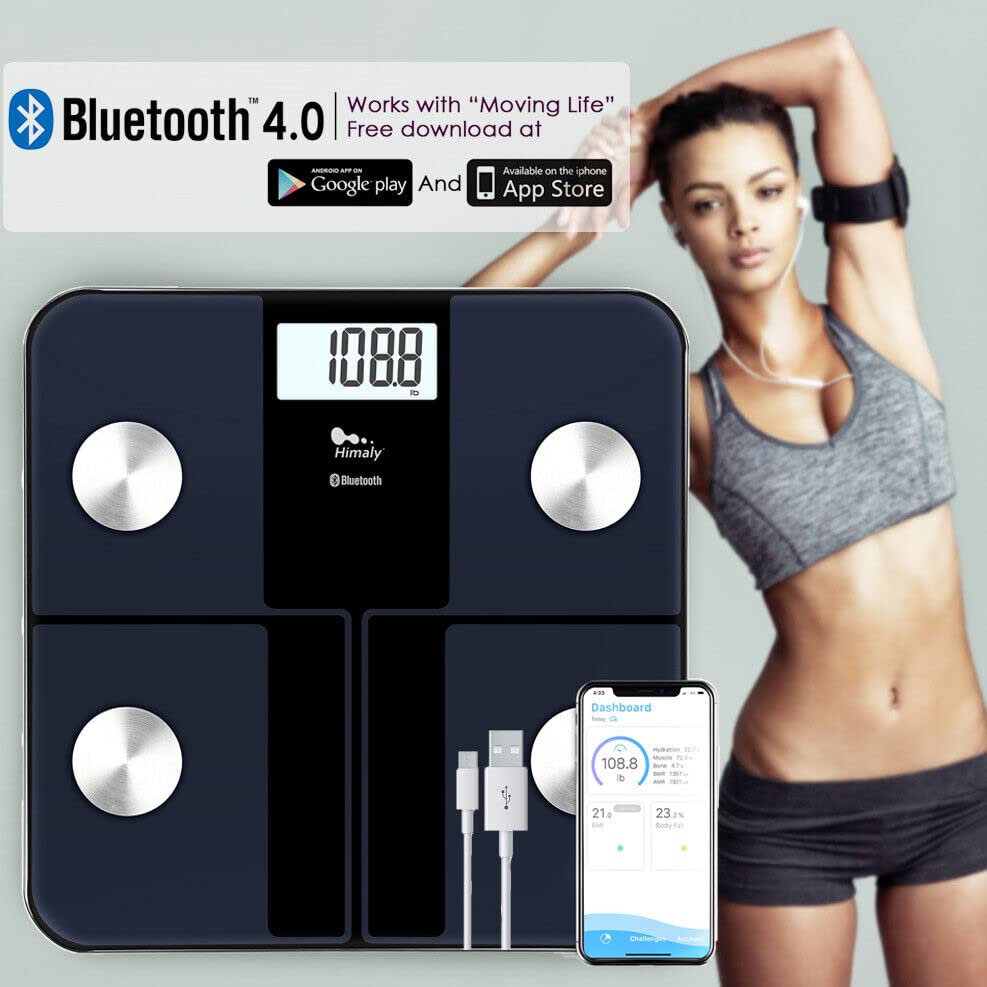
Image: A himaly Smart Scale shown with a smartphone displaying the 'Moving Life' app interface, highlighting Bluetooth 4.0 compatibility and availability on Google Play and the App Store.
5.3 Bluetooth Pairing
Ensure Bluetooth is enabled on your smartphone and the scale is charged.
- Open the 'Moving Life' app on your device.
- Step onto the scale barefoot to activate it. The display will light up.
- The app should automatically detect and connect to the scale via Bluetooth 4.0+. Follow any on-screen prompts in the app to complete the pairing process.
6. Operating Instructions
6.1 Kutora Chiyero
- Isa chikero panzvimbo yakaoma, yakati sandara, uye yakagadzikana.
- Iva nechokwadi chekuti tsoka dzako dzakachena uye dzakaoma.
- Step onto the scale barefoot, placing your feet on the metal electrodes. Stand still until the measurement is complete.
- Your weight will be displayed on the scale's LCD. If the app is open and connected, all 15 body composition metrics will be sent to your device and displayed in the app.
6.2 Multi-User Support
The Moving Life App supports multiple users, allowing each family member to track their individual health data. Each user can create their own profile mukati me app.

Image: A smartphone screen displaying the 'Moving Life' app with multiple user profiles, illustrating the scale's ability to save data for an unlimited number of users.
7. Understanding Measurements
The himaly Smart Scale provides 15 essential body composition measurements using Bioelectrical Impedance Analysis (BIA) technology. These metrics offer a comprehensive view of your health beyond just weight.
- Kurema Huremu hwemuviri wako wese.
- BMI (Body Mass Index): Chiyero chemafuta emuviri zvichibva pahurefu nehuremu.
- Body Fat Percentage: Huwandu hwemafuta zvichienderana nehuremu hwemuviri wese.
- Tsandanyama Misa: The total amount of muscle in your body.
- Body Water/Hydration: The percenttage yemvura mumuviri wako.
- Bone Mass: Kurema kwemineral yemapfupa mumuviri wako.
- BMR (Basal Metabolic Rate): The number of calories your body burns at rest.
- AMR (Active Metabolic Rate): The total calories burned in a day.
- And other metrics such as Visceral Fat, Protein, Metabolic Age, etc.
The scale's LCD display may also use color-coded indicators to reflect different body fat levels for easy interpretation.

Image: The himaly Smart Scale surrounded by icons representing various body metrics it measures, including AMR, Weight, Muscle, BMI, Bone, Body Fat, Hydration, and BMR.

Image: A person standing barefoot on the himaly Smart Scale, with the LCD display showing weight and color-coded indicators (Thin, Slim, Normal, Heavy, Overweight) to represent different body types.

Image: A graphic illustrating the himaly Bluetooth Body Fat Scale's ability to track and display trends for weight and body fat over time, with a person performing a plank exercise in the foreground.
8. Kuchengeta uye Kuchengeta
- Geza pamusoro pechikero netsvina yakapfava, damp jira. Usashandise michina yekuchenesa kana kunyudza chikwambo mumvura.
- Chengetedza chiyero munzvimbo inotonhorera, yakaoma.
- Dzivisa kudonhedza kana kuisa chikero kune zvinokanganisa zvakasimba.
- Regularly charge the scale to maintain battery health.
9. Kugadzirisa matambudziko
- No Display / Low Battery: Recharge the scale using the provided USB cable.
- Kuverenga Kusina Kurongeka:
- Iva nechokwadi chekuti chikero chiri panzvimbo yakaoma, yakati sandara (kwete kapeti).
- Make sure your feet are clean and dry, and you are standing still.
- Calibrate the scale by stepping on it briefly, then stepping off and waiting for it to display '0.0' before taking a measurement.
- App Haisi Kubatana:
- Ita shuwa kuti Bluetooth yakabatidzwa pane chako kifaa.
- Make sure the scale is activated (step on it).
- Tangazve app uye edza zvakare.
- Check if the app has necessary permissions (e.g., location for Bluetooth on some Android devices).
- Hapana Ruzivo rweKuumbwa kweMuviri: Ensure you are standing barefoot on the electrodes and your profile in the app is complete with accurate personal information.
10. Zvinotsanangurwa
| Product Dimensions | 12.2 x 12.2 x 1.18 inches |
| Item Weight | 3.47 Pondo |
| Model Number | MOU-X0565 |
| Brand | himaly |
| Color | Navy Blue |
| Display Type | LCD |
| Kurema Kurema | 400 Mapaundi (180 kg) |
| Kuyera Kuwedzera | 0.2 lb / 0.05 kg |
| Kubatana | Makaralı 4.0+ |
| Kuenderana kweApp | Moving Life App (iOS & Android) |
| Simba Source | Rechargeable Battery (USB Cable Included) |
11. Warranty uye Tsigiro
For warranty information or technical support, please refer to the contact details provided in your product packaging or visit the official himaly website. Chengeta risiti rako rekutenga seumboo hwekutenga.


