Product Overview
The Gravity C28 Rugged Smartwatch is designed for durability and comprehensive health and fitness tracking. It features a 2.02-inch TFT high-resolution display, AI-generated watch faces, and over 100 sports modes. This device also includes Bluetooth calling, smart notifications, and robust water, shock, and dust resistance.

Mufananidzo: Mberi view of the Gravity C28 Rugged Smartwatch, showcasing dhizaini yayo yakasimba uye kuratidzwa kwayo kwedhijitari.
Key Features
- 2.02" HD Display: Clear visuals with 320x390 resolution and customizable watch faces.
- Comprehensive Health Tracking: Monitors heart rate, sleep patterns, step count, and calories.
- 100+ Mitambo Modes: Tracks various activities including running, cycling, and hiking.
- Bluetooth Calling & Smart Alerts: Answer calls and receive notifications directly from the wrist.
- Inogara uye Inodzivirira Mamiriro ekunze: 1 ATM waterproof, shockproof, and dustproof design.
- Hupenyu Hurefu Hwebhatiri: Up to 25 days standby time with a 410mAh battery.
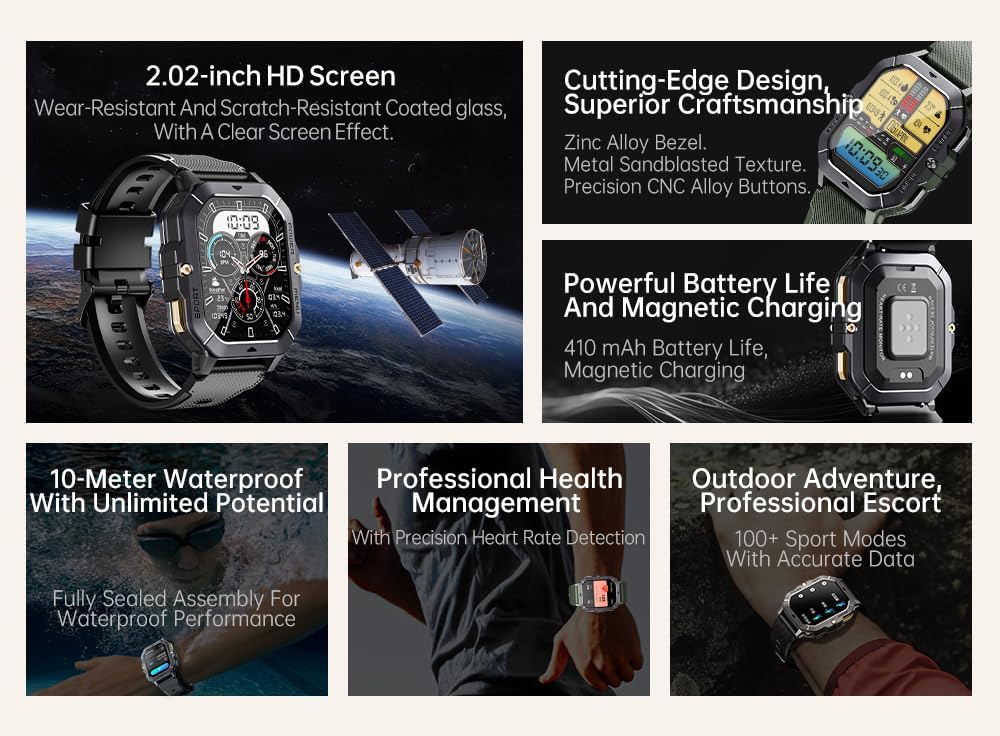
Image: Visual summary of the smartwatch's features, including HD screen, craftsmanship, battery life, waterproofing, health management, and sports modes.
Chii chiri muBhokisi
Upon unboxing your Gravity C28 Smartwatch, please ensure all components are present:
- Wachi yeGravity C28 Smartwatch
- Chaja Cable
- Mushandisi Chinyorwa (gwaro iri)
Gadzirira
1. Kuchaja Chishandiso
Before first use, fully charge your Gravity C28 Smartwatch. Connect the magnetic charging cable to the charging points on the back of the watch and plug the USB end into a compatible power adapter (not included) or a computer USB port.

Image: Close-up of the smartwatch's rear, showing the magnetic charging pins and the charging cable attached.
2. Powering On / Off
- Power On: Dzvanya wobata bhatani rekuti 'SIMBA' (kazhinji bhatani rekumusoro kurudyi) kusvika skrini yapenya.
- Power Off: Press and hold the 'POWER' button, then select 'Power Off' on the screen, or continue holding until the device shuts down.
3. Kuiswa kweApp uye Kubatanidza
The Gravity C28 Smartwatch uses the Da Fit application for full functionality and data synchronization. The app is compatible with both Android and iOS devices.
- Download the 'Da Fit' app from your device's app store (Google Play Store for Android, Apple App Store for iOS).
- Vhura iyo Da Fit app uye uteedzere iyo-pa-skrini mirairo kugadzira account kana kupinda.
- Ita shuwa kuti Bluetooth yakagoneswa pane yako smartphone.
- In the Da Fit app, navigate to 'Add Device' or 'Bind Device'.
- Select 'C28' from the list of available devices.
- Simbisa chikumbiro chekubatanidza pane zvese zviri zviviri smartphone yako uye smartwatch.
Kushandisa Smartwatch
Navigation
- Touchscreen: Swipe left, right, up, or down to navigate through menus and access different functions. Tap to select.
- 'POWER' Button: Short press to return to the watch face or wake the screen. Long press for power options.
- 'MENU' Button: Short press to access the main menu.
- 'SPORT' Button: Short press to quickly access sports modes.

Mufananidzo: Eksamples of different menu display modes available on the smartwatch, such as Grid View, Surface, Parallel, and Helm.
Bluetooth Calling and Smart Alerts
Once paired with your smartphone, the Gravity C28 allows you to manage calls and notifications directly from your wrist.
- Kupindura Nhare: When an incoming call is received, the watch will display the caller ID. Tap the green phone icon to answer.
- Kufona: Access the dial pad or contact list through the watch's menu to initiate calls.
- Zviziviso: Receive alerts for messages, social media, and other app notifications. Swipe down from the watch face to view zviziviso zvichangoburwa.

Image: Two Gravity C28 smartwatches displaying an incoming call and a message alert, demonstrating the Bluetooth call and message alert features.
AI Watch Face and DA GPT
The smartwatch supports AI-generated watch faces for personalization and integrates with DA GPT for interactive features.
- Chiso chekutarisa cheAI: Customize your watch face by providing text prompts to the AI, which will generate unique designs.
- DA GPT: Interact with the DA GPT feature to explore new ideas or learn new things directly from your watch.

Image: Diagram illustrating the DA GPT interaction flow and the AI Watch Face generation process, showing how users can request custom watch face backgrounds.
Mitambo Modes
The Gravity C28 offers over 100 sports modes to accurately track your physical activities. Access these modes via the 'SPORT' button or the main menu.
- Select your desired sport (e.g., running, cycling, swimming).
- The watch will begin tracking relevant metrics such as duration, distance, calories burned, and heart rate.
- End your workout by following the on-screen prompts. Data will sync with the Da Fit app.
Health Monitoring
The smartwatch provides continuous monitoring of various health metrics.
- Chiyero chemoyo: Real-time heart rate monitoring.
- Kuongorora Kurara: Inoongorora maitiro ekurara, kusanganisira kurara kwakadzama, kurara zvishoma, uye nguva yekumuka.
- Step Counter & Calories: Tracks daily steps and estimated calories burned.
- SpO2, Blood Pressure, Stress: Provides readings for blood oxygen saturation, blood pressure, and stress levels.

Image: Screenshots of the smartwatch display showing various health metrics: Heart Rate, SpO2, Blood Pressure, Stress, Sleep, and Cycle Tracking.
Maintenance
Kuchenesa
Regular cleaning helps maintain the smartwatch's appearance and functionality.
- Pukuta skrini nemuviri nejira rakapfava, risina lint.
- Patsvina yakasindimara, zvishoma dampen jira nemvura. Dzivisa makemikari ane hasha kana abrasive zvinhu.
- Ita shuwa kuti macontacts ekuchaja akachena uye akaoma usati wachaja.
Kuramba Mvura
The Gravity C28 is 1 ATM waterproof, meaning it can withstand splashes, rain, and brief immersion in shallow water. It is suitable for daily cleaning, sweating, and getting wet by rain.

Image: The smartwatch being used underwater, illustrating its 1 ATM waterproof capability for activities like snorkeling, and icons for daily cleaning, sweat, and rain resistance.
Zvakakosha: While waterproof, avoid prolonged exposure to hot water, steam, or high-pressure water jets. Do not operate buttons underwater.
Storage
Store the smartwatch in a cool, dry place away from direct sunlight and extreme temperatures when not in use for extended periods.
Kugadzirisa matambudziko
- Watch not kubatidza: Ita shuwa kuti wachi yachajiwa zvizere. Isungirire pachaja kweinenge maminitsi makumi matatu.
- Haikwanise kubatanidzwa nefoni:
- Ita shuwa kuti Bluetooth yakabatidzwa pafoni yako uye wachi.
- Iva nechokwadi chekuti wachi iri mukati meBluetooth (anenge mamita gumi).
- Tangazve zvese wachi uye foni yako.
- Clear Bluetooth cache on your phone (Android) or forget the device and re-pair (iOS).
- Mashoko ehutano asina kururama:
- Ita shuwa kuti wachi yakapfekwa zvine mutsindo paruoko rwako, kwete kuregedzera kana kusimba zvakanyanya.
- Chenesa sensor kuseri kwewachi.
- Dzivisa kufamba zvakanyanya panguva yekuyera.
- Zviziviso hazvisi kuoneka:
- Check notification permissions in the Da Fit app and your phone's settings.
- Ensure the Da Fit app is running in the background.
- Wona kuti wachi yakabatana neBluetooth.
- Upfupi bhatiri hupenyu:
- Deredza kupenya kwescreen.
- Dzimai kutarisa kurova kwemoyo nguva dzose kana zvisingadiwi.
- Limit the number of active notifications.
- Ensure background app refresh for Da Fit is enabled on your phone.
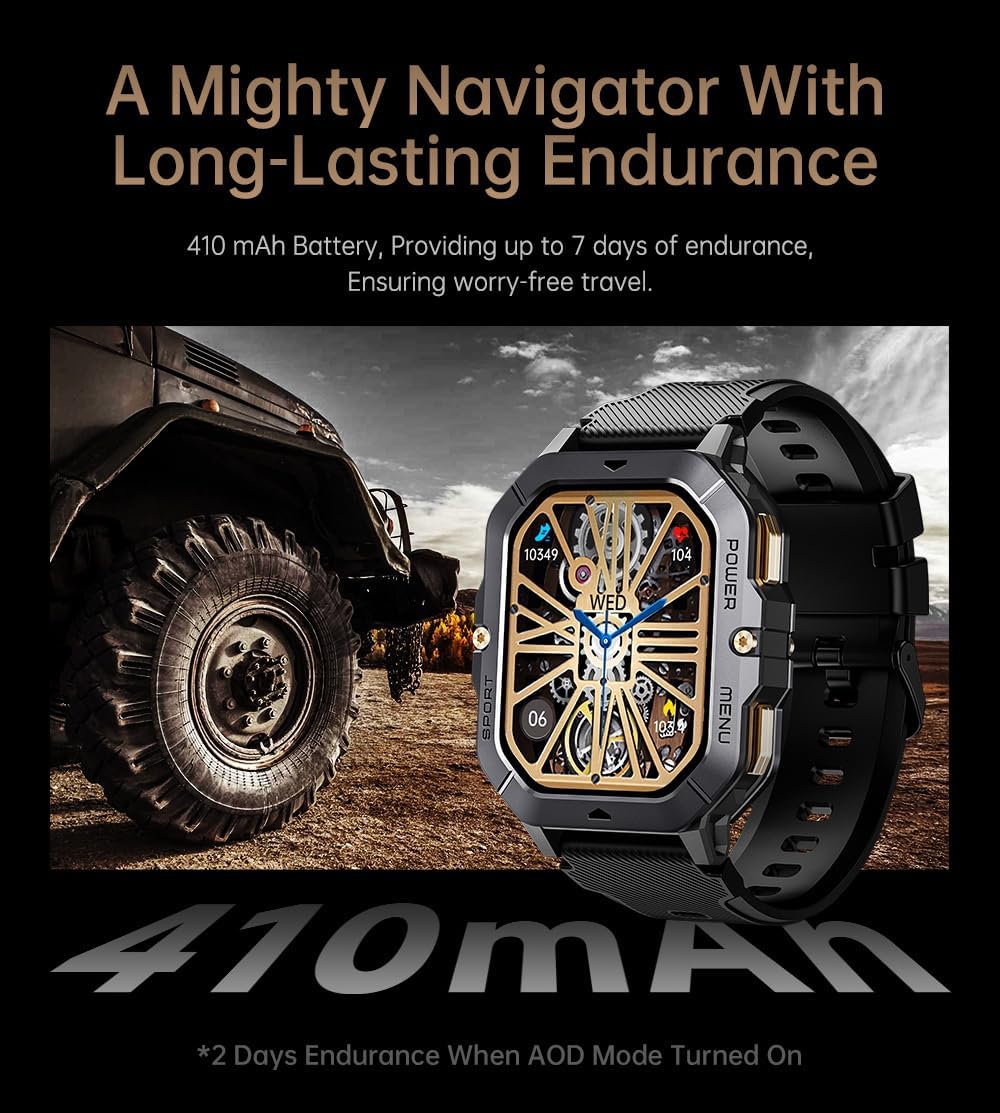
Image: The smartwatch displayed next to a large tire, emphasizing its ruggedness and long-lasting 410 mAh battery, providing up to 7 days of endurance (2 days with AOD mode).
Zvinotsanangurwa
| Feature | Detail |
|---|---|
| Model Number | W4-C28 |
| Kukura Kwekuratidza | 2.02 Inches TFT |
| Battery Capacity | 410 mAh |
| Operating System | Android OS (compatible with Android & iOS via Da Fit app) |
| Kubatana | Bluetooth |
| Kuramba Mvura | 1 ATM |
| Item Weight | 1 Pondo |
| Dimensions | 9 x 4 x 1 inches (Package) |
| Bhatiri Type | Lithium Polymer |
Warranty uye Support
Warranty Information
Warranty details for the Gravity C28 Smartwatch are typically provided with your purchase documentation. Please refer to the warranty card or contact your retailer for specific terms and conditions regarding coverage and duration.
Mutengi Support
For technical assistance, troubleshooting not covered in this manual, or inquiries regarding your device, please contact Gravity customer support through the contact information provided on the product packaging or the official Gravity website.


