Nhanganyaya
Thank you for choosing the Mibro Smartwatch Lite 3. This manual provides essential information for setting up, operating, and maintaining your device. Please read it carefully to ensure proper use and to maximize the performance of your smartwatch.
Package Zviri mukati
Ita shuwa kuti zvinhu zvese zviripo mupakeji:
- Mibro Smartwatch Lite 3 (with strap)
- Magnetic kuchaja Cable
- User Manual
Product Overview
The Mibro Smartwatch Lite 3 features a 1.3-inch AMOLED display, designed for clear visuals and intuitive interaction. It integrates various sensors for health monitoring and supports Bluetooth calling.
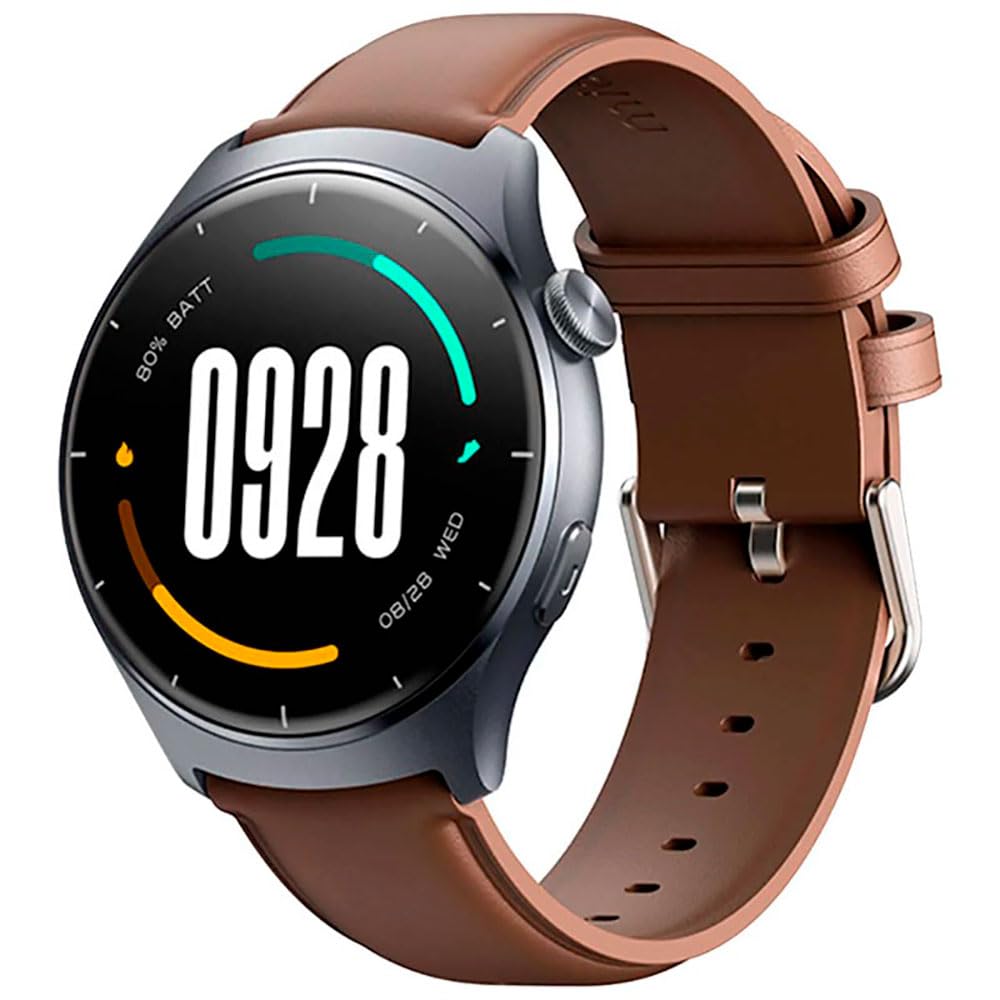
Mufananidzo: Mberi view of the Mibro Smartwatch Lite 3, showcasing its round display and strap.
Gadzirira
1. Kuchaja Smartwatch
- Batanidza tambo yekuchaja ine magineti kune zvinobata zvekuchaja zviri kumashure kwewachi yekuchenjera.
- Batanidza magumo eUSB etambo muadapta yemagetsi yeUSB yakajairika (inokurudzirwa 5V/1A) kana pachiteshi cheUSB chekombuta.
- The watch display will show a charging indicator. Ensure the watch is fully charged before first use.
2. Kuiswa kweApp uye Kubatanidza
- Download the official Mibro Fit application from your smartphone's app store (App Store for iOS, Google Play Store for Android).
- Open the Mibro Fit app and create an account or log in.
- Ita shuwa kuti Bluetooth yakagoneswa pane yako smartphone.
- In the Mibro Fit app, navigate to 'Device' or 'Add Device' and select 'Mibro Lite 3' from the list of available devices.
- Confirm the pairing request on both your smartphone and the smartwatch. A successful connection will be indicated on the watch display.
Kushanda
1. Basic Navigation
- Swipe Pazasi: Access quick settings (e.g., brightness, do not disturb, battery saver).
- Swipe Up: View zviziviso.
- Swipe Kuruboshwe/Kurudyi: Navigate through widgets (e.g., heart rate, weather, activity data).
- Dzvanya Side Bhatani: Return to the watch face or access the main menu.
- Bhatani Rekudzvanya Repadivi Renguva Refu: Power on/off or restart the device.
2. Mitambo Modes
The Mibro Lite 3 supports over 100 sports modes. To start a workout:
- From the main menu, select the 'Workout' or 'Sports' icon.
- Choose your desired activity (e.g., running, cycling, swimming).
- Tap 'Start' to begin tracking. The watch will display real-time data such as duration, heart rate, and calories burned.
- To pause or end a workout, press the side button or swipe on the screen as prompted.
3. Kufona kweBluetooth
Once paired with your smartphone, the Mibro Lite 3 allows you to make and receive calls directly from your wrist.
- Kutambira mafoni: Kana foni yapinda, wachi yacho inoratidza kuti munhu ari kufona ane ruzivo rwekufona. Dzvanya chiratidzo chegirini kuti upindure kana chiratidzo chitsvuku kuti urambe.
- Kufona: Access the 'Phone' or 'Dialer' function on the watch, then select a contact or dial a number.
4. Kuongorora Utano
- Chiyero chemoyo: Iyo wachi inogara ichitarisa kurova kwemoyo wako. View real-time data by swiping to the heart rate widget or accessing the 'Heart Rate' app.
- SpO2 (Okisijeni Yeropa): Measure your blood oxygen levels through the 'SpO2' app on the watch. Ensure the watch is snug on your wrist for accurate readings.
- Kutsvaga Kurara: Wear the watch to bed for automatic sleep monitoring. Data on sleep stages and duration can be viewed in the Mibro Fit app.
- Stress Monitoring & Breath Training: Utilize these features to manage stress and improve relaxation.
5. Zvimwe Zvimiro
- Kudzora Mumhanzi: Dzora kurira kwemimhanzi panharembozha yako zvakananga kubva pawachi.
- App Message Reminders: Receive notifications from various apps on your watch.
- Mamiriro ekunze: Wana real-time mamiriro ekunze.
- Alarm, Timer, Stopwatch: Standard utility functions.
- Tsvaga Foni Yako: Tsvaga foni yako yakabatana nekutanga ruzha rwekunyevera.
- Utano hwevakadzi: Track menstrual cycles and related data.
Maintenance
1. Kuchenesa
- Gara uchichenesa muviri wewachi uye tambo ine yakapfava, damp jira.
- Ensure the charging contacts are free from dust and debris to maintain efficient charging.
- Dzivisa kushandisa makemikari ane hasha kana abrasive zvinhu pakuchenesa.
2. Kuramba Mvura
The Mibro Lite 3 is 2ATM waterproof, meaning it can withstand splashes, rain, and brief immersion in shallow water. It is suitable for activities like swimming in pools. However, it is not recommended for hot showers, saunas, or diving, as steam and high-pressure water jets may compromise the seal.
Kugadzirisa matambudziko
- Watch not kubatidza: Ita shuwa kuti wachi yachajiwa zvizere. Isungirire pachaja kweinenge maminitsi makumi matatu.
- Tatadza kuibatanidza nefoni:
- Tarisa kana Bluetooth yakagoneswa pafoni yako.
- Ensure the watch is within the Bluetooth range of your phone.
- Tangazve wachi nefoni yako, wobva waedza kubatanidza zvakare.
- Make sure the Mibro Fit app is updated to the latest version.
- Mashoko ehutano asina kururama: Ensure the watch is worn snugly on your wrist, about one finger's width from the wrist bone. Avoid excessive movement during measurements.
- Zviziviso hazvina kugamuchirwa:
- Check notification permissions for the Mibro Fit app in your phone settings.
- Ensure 'Do Not Disturb' mode is not active on either the watch or the phone.
- Verify that the app is running in the background on your phone.
- Upfupi bhatiri hupenyu: Reduce screen brightness, disable continuous heart rate monitoring if not needed, and limit background app refresh.
Zvinotsanangurwa
| Feature | Tsanangudzo |
|---|---|
| Model Name | Mibro Watch Lite 3 |
| Dimensions | φ44.8mm, T=11.2mm (Without HR protrusion) |
| Kurema | 53.2g (with leather strap), 56g (with rubber strap) |
| Display | 1.3-inch AMOLED, 360*360 resolution, AOD, PPI 277 |
| Kubatana | Bluetooth V5.3 |
| Sensors | PPG Heart Rate/SpO2 Sensor/Accelerometer |
| Waterproof Rating | 2ATM |
| Battery Life (Daily Mode) | Kusvikira kumazuva makumi manomwe |
| Battery Life (Standby Mode) | Kusvikira kumazuva makumi manomwe |
| Battery Life (Music Mode) | Kusvikira kumaawa makumi maviri nemashanu |
| Battery Life (BT-Calling Mode) | Kusvikira kumaawa makumi maviri nemashanu |
| Operating Temperature | 0°C ~ 45°C |
Warranty uye Support
The Mibro Smartwatch Lite 3 comes with a 12-month warranty from the date of purchase. This warranty covers manufacturing defects under normal use. It does not cover damage caused by misuse, accidents, unauthorized modifications, or normal wear and tear.
For technical support, warranty claims, or further assistance, please contact Mibro customer service through the official Mibro websaiti kana ruzivo rwekusangana rwunopihwa mumagwaro ekutenga kwako.