Nhanganyaya
Thank you for choosing the hOmeLabs 25 Pint Wi-Fi Dehumidifier. This manual provides essential information for the safe operation, maintenance, and troubleshooting of your new appliance. Designed for efficient moisture removal in spaces up to 3,500 sq ft, this dehumidifier features Wi-Fi smart control, quiet operation, and flexible drainage options to enhance your indoor environment.
Yakakosha Mirayiridzo Yekuchengetedza
Please read all instructions carefully before using the dehumidifier. Failure to follow these instructions may result in electric shock, fire, or serious injury.
- Gara uchibatanidza mudziyo wekubvisa hunyoro mugomba remagetsi risina kuvharwa.
- Usashandise chikwata kana tambo yemagetsi kana plug yakanganiswa.
- Ensure the unit is placed on a level, stable surface to prevent tipping.
- Usavhare nzvimbo dzinopinda mweya kana nzira dzinobuda nadzo. Chengeta nzvimbo iri pakati pechinhu ichi neavhareji yemasendimita maviri.
- Bvisa chidziviriro chemvura usati wachenesa, wabvisa, kana kuita chero kugadzirisa.
- Usashandise mudziyo uyu munzvimbo dzinochengeterwa mvura kana magasi anobvira moto.
- Mudziyo uyu ndewekushandisa pekugara chete.
- Chengetedza vana uye mhuka dzinovaraidza kure neyuniti panguva yekushanda.
Product Overview
Familiarize yourself with the components of your hOmeLabs dehumidifier.

The hOmeLabs 25 Pint Wi-Fi Dehumidifier shown alongside its blue and white product packaging, highlighting its compact design and brand.

An illustration showing the dimensions of the dehumidifier: 19.6 inches high, 12.2 inches wide, and 8.2 inches deep, emphasizing its compact form factor.

A close-up of the dehumidifier's control panel, displaying buttons for Wi-Fi, fan speed, timer, comfort mode, and indicators for tank full and filter status.

The dehumidifier positioned in a gym setting next to a yoga mat, illustrating its compact design and emphasizing its ultra-quiet operation at 47 dB.
Zvikamu Zvikuru:
- Control Panel: Digital kuratidza uye mabhatani ezvirongwa.
- Air Inlet/Outlet: Where air enters and exits the unit.
- Tangi Yemvura: Removable bucket for collected moisture.
- Continuous Drain Outlet: Port for connecting a drain hose for continuous operation.
- Caster Wheels & Handle: Kuti zvive nyore kutakura.
- Sefa Inowachika: Located at the back for air purification.
Setup Instructions
- Kuburitsa: Nyatsobvisa dehumidifier kubva pakurongedzerwa kwayo. Chengetedza zvinhu zvekurongedza kuitira kuchengetedza ramangwana kana kutakura.
- Kuiswa: Place the unit upright on a firm, level surface in the area where dehumidification is desired. Ensure there is at least 8 inches (20 cm) of space around all sides of the unit for proper airflow. Avoid placing it near heat sources or in direct sunlight.
- Power Connection: Plug the power cord into a grounded 110-120V/60Hz electrical outlet. The unit will beep once, and the display will light up.
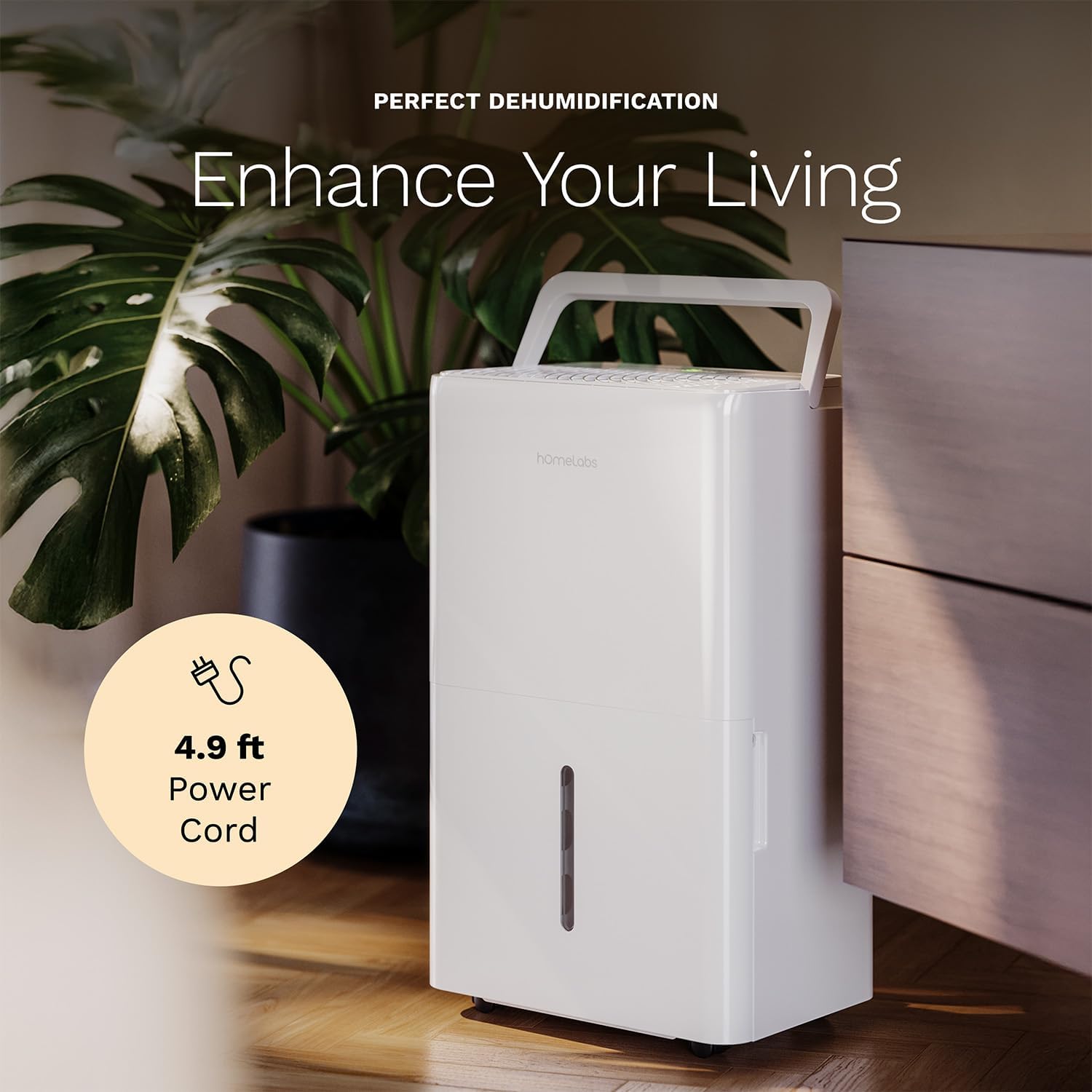
The dehumidifier positioned in a room, highlighting its 4.9 ft power cord for flexible placement.
- Sarudzo yekubvisa mvura (Sarudzo):

An image illustrating the two drainage options: using the built-in tank (manual emptying) or connecting a gravity drain hose for continuous drainage.
- Manual Drainage: The unit will collect water in the internal tank. When the tank is full, the unit will automatically shut off and indicate "Tank Full". Empty the tank as described in the Maintenance section.
- Continuous Drainage: For continuous operation without emptying the tank, attach the included drain hose to the continuous drain outlet. Ensure the hose is sloped downwards to a suitable drain (e.g., floor drain, large bucket) to allow gravity drainage.
Operating Instruction
Control Panel Mabasa:
- Bhatani reSimba: Dzvanya kuti ubatidze iyo unit ON or OFF.
- Humidity Setting Mabhatani (+/-): Adjust the desired humidity level from 35% to 85% relative humidity (RH) in 5% increments.
- Bhatani rekumhanya kweFan: Cycle through High, Medium, and Low fan speeds.
- Bhatani reTimer: Set a timer for automatic ON/OFF operation (1-24 hours).
- Comfort Mode Button: Activates a preset humidity level for optimal comfort.
- Bhatani reWi-Fi: Activates Wi-Fi pairing mode.
Kudzora Wi-Fi Kwakangwara:
Your dehumidifier can be controlled remotely via Wi-Fi using a smartphone app, Google Assistant, or Alexa.

The dehumidifier shown with icons indicating compatibility with Google Home and Alexa, along with a smartphone icon representing app control for remote operation.
- Dhaunirodha App: Download the hOmeLabs app from your smartphone's app store (iOS or Android).
- Kubatanidza: Follow the in-app instructions to pair your dehumidifier with your home Wi-Fi network. This typically involves pressing and holding the Wi-Fi button on the control panel until the indicator light flashes.
- Remote Control: Once paired, you can adjust settings, monitor humidity levels, and set schedules from anywhere using your smartphone.
Maintenance
Kugara kugadziridza kunovimbisa kuita kwakaringana uye kunowedzera hupenyu hwe dehumidifier yako.
Kubvisa Tangi Yemvura:
- When the water tank is full, the "Tank Full" indicator will illuminate, and the unit will stop operating.
- Bvisa tangi remvura nokungwarira kubva pamberi pechigadzirwa.
- Durura mvura yaunganidzwa mudhishi kana mudhiraini.
- Dhonza tangi risina chinhu ridzokere muyuniti kusvika rapinda panzvimbo yaro. Yuniti yacho ichatanga kushanda zvakare.
Kuchenesa Mhepo Sefa:
The "Filter" indicator light will illuminate after 250 hours of operation, reminding you to clean the filter. Clean the filter every two weeks or more frequently depending on usage and air quality.
- Dzima dehumidifier uye uibudise kubva pamagetsi.
- Bvisa sefa yemhepo kubva kumashure kweyuniti.
- Geza sefa nemvura inodziya, ine sipo. Sukurudza zvakakwana.
- Bvumira sefa kuti iome zvachose usati waisazve. Usashandise dryer kana kupisa kwakananga.
- Once the filter is reinstalled, press and hold the "Filter" button for 3 seconds to reset the filter timer.
General Cleaning:
- Pukuta kunze kweyuniti nekanyoro, damp jira.
- Usashandise makemikari ane hasha, abrasives, kana zvinonyungudutsa.
- Chenesa tangi remvura nguva dzose kudzivirira kukura kwefungus nefungus.
Kugadzirisa matambudziko
Tarisa kuchikamu chino kune zvinowanzoitika uye mhinduro dzadzo.
| Dambudziko | Zvinogona Kukonzera | Solution |
|---|---|---|
| Dehumidifier haibatike. | Hapana simba; Tambo yemagetsi haina kuvharirwa mukati; Tangi yakazara. | Check power supply; Plug in power cord securely; Empty water tank. |
| Unit iri kushanda asi isiri kuchera mvura. | Humidity setting too high; Room temperature too low; Air filter clogged. | Lower desired humidity setting; Ensure room temperature is above 41°F (5°C); Clean air filter. |
| Chikwata chine ruzha. | Unit kwete level; Sefa yemhepo yakavharwa; Kuvhiringidza fani. | Isa panzvimbo yakati sandara; Chenesa sefa yemhepo; Tarisa kana paine zvipingamupinyi munzvimbo yefeni. |
| Wi-Fi nyaya dzekubatanidza. | password yeWi-Fi isiriyo; Router yakanyanyisa kureba; App nyaya. | Verify Wi-Fi password; Move unit closer to router; Restart app/unit. |
Zvinotsanangurwa
| Feature | Detail |
|---|---|
| Brand | hOmeLabs |
| Model Name | hOmelabs - Dehumidifier - 25 Pint - WIFI (HME0088) |
| Dehumidification Kugona | 25 Pints per Day (at 80°F, 60%RH) / MAX 64 Pints (at 95°F, 90%RH) |
| Nzvimbo yekuvhara | Kusvika ku3,500 Sq Ft |
| Tank Volume | 1 Gallon |
| Zviyero zveChigadzirwa (D x W x H) | 8.2"D x 12.2"W x 19.6"H |
| Item Weight | 27.1 Pondo |
| Operation Mode | Automatic |
| Special Features | Adjustable Humidity Control, Automatic Defrost, Automatic Moisture Removal, Automatic Shutoff, Bucket Storage, Digital Display, Portable, Quiet Operation, Removable Tank, Timer, Washable Filter, Wi-Fi Enabled |
| Kushanda Kwesimba | Energy Star Most Efficient 2024 Certified |
Warranty uye Support
Your hOmeLabs 25 Pint Wi-Fi Dehumidifier comes with a standard manufacturer's warranty. For detailed warranty information, please refer to the official warranty document provided with your purchase or visit the hOmeLabs website.
Gwaro reWaranti: Dhaunirodha Waranti (PDF)
For technical support, troubleshooting assistance, or to inquire about replacement parts, please contact hOmeLabs customer service. Contact information can typically be found on the hOmeLabs websaiti kana mune yako chigadzirwa kurongedza.


