1. Nhanganyaya
This manual provides comprehensive instructions for the installation, operation, maintenance, and troubleshooting of your NIVIAN Professional WiFi SuperHD Surveillance Camera Kit. This system is designed to provide reliable and efficient security monitoring for your home or business.
Please read this manual carefully before using the product to ensure proper setup and optimal performance. Keep this manual for future reference.
2. Chigadzirwa Pamusoroview
The NIVIAN CCTV Kit is a professional 2K SuperHD WiFi surveillance system featuring 6 IP cameras and a 10-channel Network Video Recorder (NVR) with a pre-installed 1TB hard drive. Key features include:
- 2K SuperHD Image Resolution: Inopa yakajeka uye yakadzama vhidhiyo footage (3MP).
- AI Kuonekwa kwevanhu: Intelligent motion detection to reduce false alarms.
- Mbiri-Nzira Audio: Maikorofoni nespika zvakavakirwa mukati kuti zvikwanise kutaurirana panguva chaiyo.
- Dual Night Vision: Infrared mode for discreet monitoring and white LED mode for full-color night vision activated by motion.
- WiFi-6 Long Range Connectivity: Stable wireless connection up to 250 meters with repeater function.
- Makamera Anodzivirira Mamiriro Ekunze eIP66: Simbi yakasimba casing suitable for outdoor use.
- Professional Recording: Continuous or event-based recording to the included 1TB hard drive.
- HDMI Output: Connect to a monitor or TV for live viewing.
- EseeCloud App: Remote access and control from mobile devices.
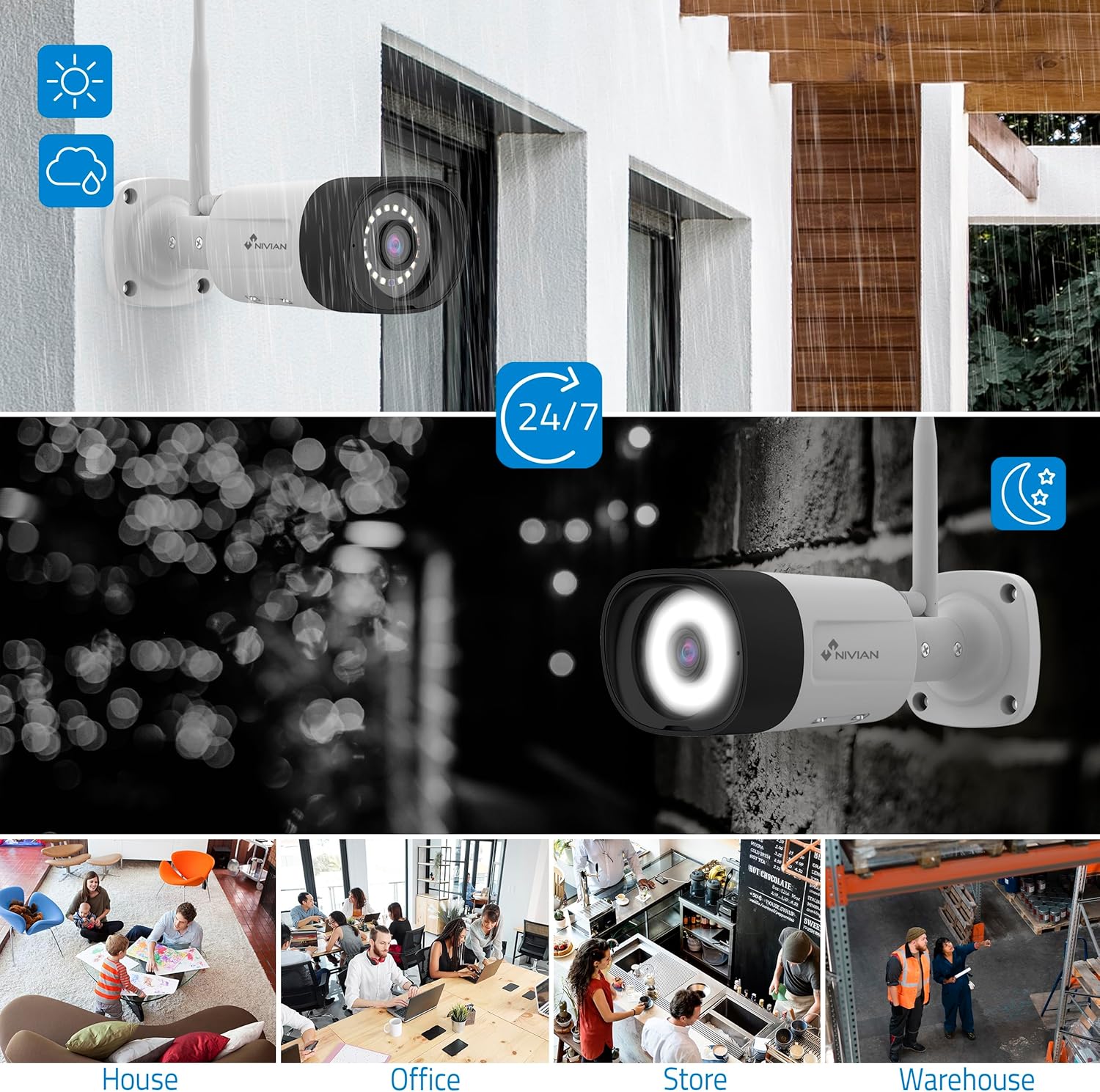
Image: NIVIAN CCTV Camera with day and night vision capabilities, showing weatherproof design and application in various environments like house, office, store, and warehouse.

Image: Comparison of 1080p Full HD video quality versus 2K Super HD video quality, demonstrating enhanced detail with 2K resolution.
3. Package Zviri mukati
Ona kuti zvinhu zvese zviripo mupasuru yako:
- 1x 10-Channel NVR (Network Video Recorder) with 1TB Hard Drive
- 6x NIVIAN 2K SuperHD WiFi IP Cameras
- Maadapta emagetsi eNVR nemakamera
- USB Mouse
- Ethernet Cable
- Zvikuruu zveKuisa uye Mapulagi
- Quick Start Guide (ona bhuku rino kuti uwane mirairo yakadzama)
4. Setup
4.1. NVR Installation
- Batanidza iyo NVR:
- Connect the NVR to a power outlet using the provided power adapter.
- Connect the NVR to a monitor or TV via the HDMI port for local viewing.
- Batanidza mbeva yeUSB kune NVR's USB port.
- For internet access, connect the NVR to your router using the Ethernet cable.
- Power On: Turn on the NVR. Follow the on-screen prompts for initial setup, including language selection and network configuration.
4.2. Kamera Kuiswa
- Nzvimbo yekukwirisa: Choose suitable locations for your cameras, ensuring they have a clear field of view and are within range of the NVR's WiFi signal. The IP66 rating allows for outdoor installation.
- Simbisa Makamera: Connect each camera to a power outlet using its dedicated power adapter.
- Kubatanidza (Otomatiki): The cameras are pre-paired with the NVR. Once powered on, they should automatically connect to the NVR's WiFi network. You will see the camera feeds appear on the connected monitor.
- Signal Repetition Function: If a camera is too far from the NVR, you can use another camera as a repeater to extend the WiFi range up to 250m. Refer to the NVR's on-screen menu for configuring this feature.

Image: Diagram illustrating various connection options for the NIVIAN CCTV system, including direct WiFi-6 connection to NVR, HDMI output to a monitor, and NVR connection to a router via LAN for remote access via Eseecloud app. Also shows signal repetition function.
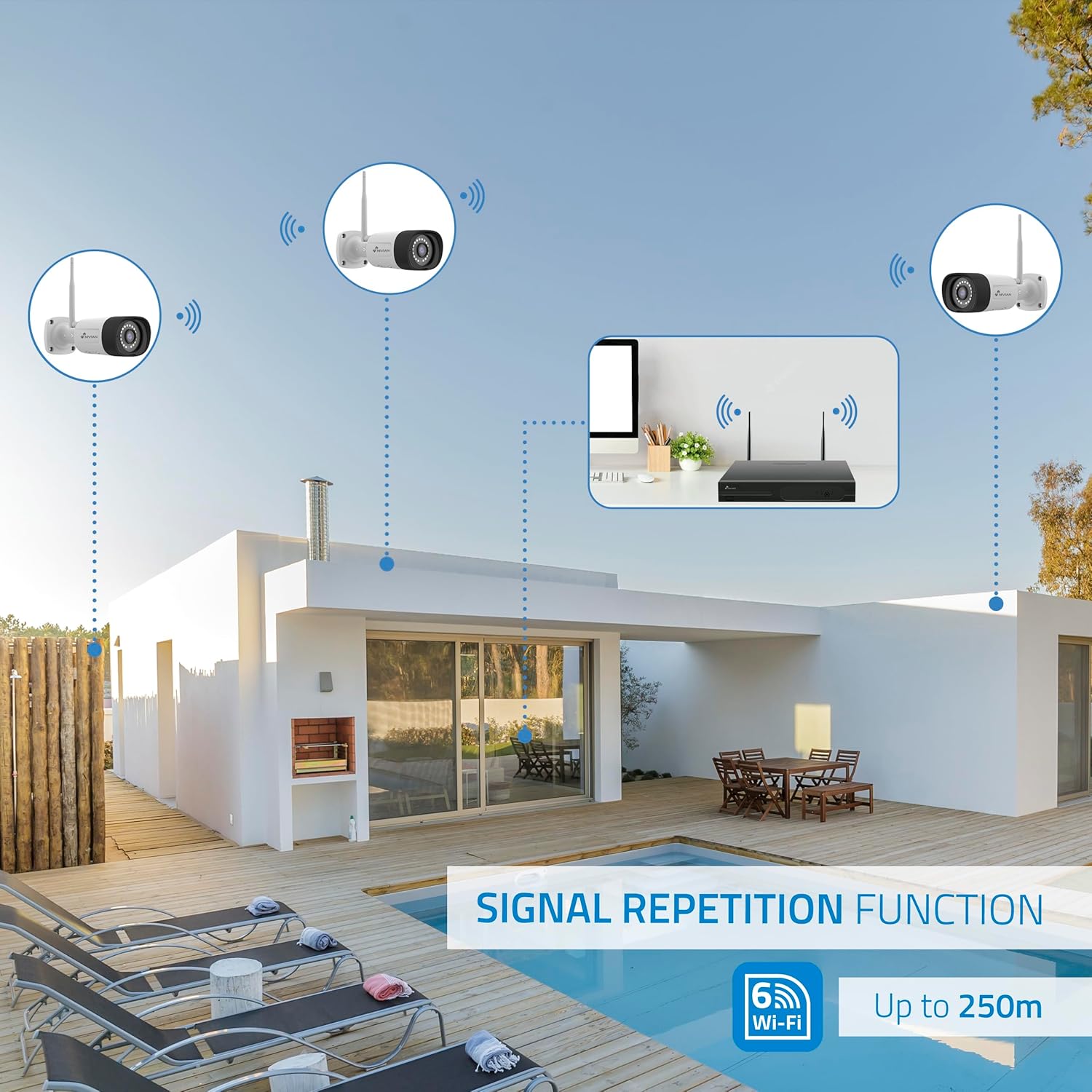
Image: Diagram showing the signal repetition function of the NIVIAN WiFi CCTV system, where cameras can extend the WiFi range up to 250 meters from the NVR.
4.3. EseeCloud App Setup
- Dhaunirodha App: Download the "EseeCloud" app from your mobile device's app store (available for iOS, Android).
- Bhalisa Akaundi: Vhura iyo app uye nyoresa account nyowani kana kupinda kana iwe uchitova nayo.
- Wedzera Mudziyo: Follow the in-app instructions to add your NVR system. This typically involves scanning a QR code displayed on the NVR's monitor or entering the device ID manually.
- Remote Viewing: Kana wawedzera, unogona view live feeds, access recordings, and configure settings remotely.

Image: Smartphone screen displaying the EseeCloud app interface for managing the security system, showing live camera feeds and control options, with NIVIAN cameras and a laptop in the background.
5. Operating Instructions
5.1. Rarama View
Access live camera feeds through the NVR connected to a monitor or via the EseeCloud mobile app. The NVR interface allows you to switch between single-camera view uye grid yemakamera akawanda view.
5.2. Kurekodha
- Kuenderera Kurekodha: The system is configured for continuous recording by default to the 1TB hard drive.
- Motion Yekuona Kurekodha: Configure cameras to record only when motion is detected. This can be scheduled via the NVR settings or EseeCloud app.
- H.265+ Codec: The system uses H.265+ video compression to optimize storage space while maintaining video quality.
5.3. Kutamba
Svika yakanyorwa footage through the NVR's playback menu or the EseeCloud app. You can search recordings by date, time, and event type (e.g., motion detection).
5.4. AI Human Detection
The cameras feature advanced AI human detection to differentiate human movement from other objects, significantly reducing false alarms. When human motion is detected, the system can trigger recordings, send notifications, and activate the white LED night vision for color footage.

Image: NIVIAN camera detecting a person at night, with the white LED light activated for color night vision, and a mobile notification indicating motion detection.
5.5. Ruzha rwenzira mbiri
Use the EseeCloud app to utilize the two-way audio feature. This allows you to listen to audio from the camera's location and speak through the camera's built-in speaker.
5.6. Maitiro Ekuona Husiku
- Infrared (IR) Mode: Provides black and white video in low-light conditions for discreet surveillance.
- White LED Mode: When motion is detected in low light, the camera's white LEDs activate, providing full-color video and acting as a deterrent.
6. Kuchengeta
- Kuchenesa Kamera: Regularly clean the camera lenses with a soft, damp jira kuti mufananidzo uve wemhando yepamusoro. Usashandise makemikari ane simba.
- Firmware Dzokorora: Check for firmware updates for the NVR and cameras through the EseeCloud app or NVR settings. Keep your system updated for optimal performance and security.
- Kutarisira Hard Drive: The 1TB hard drive will automatically overwrite the oldest recordings when full. If you need to preserve specific footage, back it up to an external device.
- Power Supply Check: Ensure all power adapters are securely connected and free from damage.
7. Kugadzirisa matambudziko
7.1. No Camera Feed
- Tarisa Simba: Ensure the camera is powered on and its adapter is working.
- WiFi Signal: Verify the camera is within the NVR's WiFi range. Use the signal repetition function if necessary.
- Batanidza Kamera Patsva: If issues persist, try re-pairing the camera with the NVR through the NVR's menu.
7.2. Hunhu Husina Kunaka hweMufananidzo
- Chenesa Lenzi: Clean the camera lens for any dirt or smudges.
- Lighting: Ensure adequate lighting for optimal image quality, especially at night.
- Kupindira kweWiFi: Reduce potential WiFi interference by moving the camera or NVR, or by using the signal repetition function.
7.3. Remote Access Issues (EseeCloud App)
- Kubatana kweInternet: Ensure both your NVR and mobile device have a stable internet connection.
- Magadzirirwo eNetwork yeNVR: Verify the NVR is correctly connected to your router and has internet access.
- Shanduro yeApp: Ensure your EseeCloud app is updated to the latest version.
7.4. Hard Drive Full / Recording Issues
- Tarisa Kuchengetera: Verify the hard drive status in the NVR settings.
- Kurekodha Chirongwa: Ensure recording schedules are correctly configured.
- Hard Drive Hutano: If issues persist, the hard drive may need to be checked or replaced.
8. Zvinotsanangurwa
| Brand | NIVIAN |
| Model Number | NV-KIT830W-8CAM |
| Zviyero zveChigadzirwa (L x W x H) | 23 x 12 x 8 cm; 6.2 makirogiramu |
| Kubatana Technology | Wireless (WiFi-6) |
| Vhidhiyo Kurekodha Resolution | 2K (3MP) |
| Nhamba yeChannels | 10 (NVR) |
| Nhamba yeMakamera | 6 |
| Storage Capacity | 1 TB Hard Drive (included) |
| Camera Features | IP Cameras SuperHD with PTZ, Night Vision, AI Human Detection, Two-Way Audio |
| Frame Rate | 15 fps, 24 fps, 30 fps |
| Inowirirana Devices | Television (via HDMI) |
| Power Plug Type | Gomo reMasvingo |
| Nyika Yekwakabva | China |
9. Warranty uye Tsigiro
NIVIAN offers technical support to all customers. If you have any questions, suggestions, or encounter any issues with your WiFi surveillance camera kit, please do not hesitate to contact us.
You can reach us through Amazon messages or via any official NIVIAN brand channel. Please refer to your purchase documentation for specific warranty terms and contact details.


