1. Chigadzirwa Pamusoroview
The Teslong Two-Way Articulating Borescope is a versatile inspection camera designed for detailed visual examination in hard-to-reach areas. It features a flexible probe with a camera tip that can articulate up to 210° in two directions, providing comprehensive viewing angles. The device connects directly to compatible USB-C mobile devices (iPhone 15/16, USB-C iPads, Android 8.0+ phones with OTG) for real-time viewing and recording via a dedicated app. Equipped with 1.0MP 1080p resolution and 8 adjustable LED lights, it delivers clear imaging in various environments. The 5-foot semi-rigid gooseneck cable offers both flexibility and stability for precise positioning. This tool is suitable for home repair, automotive diagnostics, HVAC, plumbing, and other professional or DIY inspection tasks.
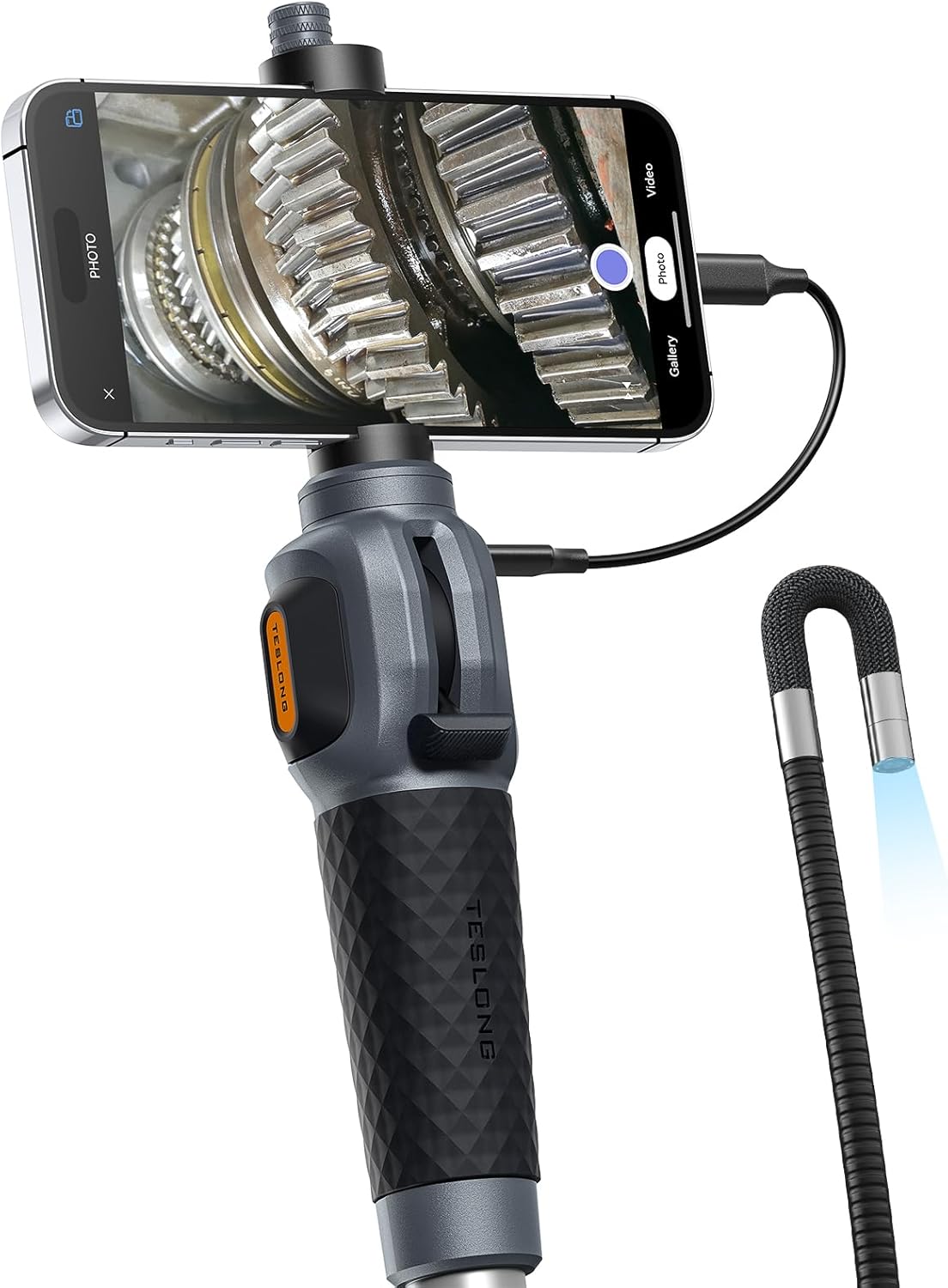
Figure 1: Teslong Two-Way Articulating Borescope connected to a smartphone.
Video 1: Official product demonstration of the Teslong USB-C Two-Way Articulating Borescope with Light, showcasing maficha ayo uye nyore kushandisa.
2. Setup Guide
2.1 Chishandiso Kuenderana
The Teslong Two-Way Articulating Borescope is designed for direct connection to USB-C mobile devices. Ensure your device meets the following requirements:
- iPhone: iPhone 15/16 series and above.
- iPad: USB-C enabled iPad models.
- Android: Android 8.0+ phones with OTG (On-The-Go) functionality enabled.
Important: This device is NOT compatible with Lightning port-based iPhones/iPads, Windows PCs, or MacBooks.

Figure 2: Visual guide to USB-C device compatibility for the borescope.
2.2 Kuisirwa App
- Dhaunirodha App: Tsvaga "Smart Endoscope" by Grus IoT in your device's app store (App Store for iOS, Google Play Store for Android) or scan the QR code provided in the product packaging.
- Isa: Tevedza mirairo yepa-screen kuti uise application.

Figure 3: Step-by-step guide for app download and initial connection. For direct download, visit gto.so/smart-endoscope.
2.3 Connecting the Borescope
- Mount Phone: Securely place your USB-C compatible smartphone into the adjustable phone holder on the borescope handle.
- Batanidza Cable: Use the provided USB-C adapter cable to connect the borescope handle to your smartphone's USB-C port.
- Tanga App: Open the "Smart Endoscope" app.
- Grant Mvumo: If prompted, allow the app to access your device's camera and storage. Select "TD300" from the app's device list to establish the connection.

Figure 4: The borescope handle with a smartphone mounted and connected via USB-C, ready for use.
3. Operating Instructions
3.1 Articulating Probe Control
The borescope features a two-way articulating probe that allows for precise navigation and viewing. Use the joystick on the handle to control the direction of the camera tip. The tip can bend up to 210° in two directions, enabling inspection around corners and in confined spaces.

Figure 5: Illustration of the borescope's 2-way articulation capability, allowing the probe tip to bend up to 210 degrees for comprehensive inspection.

Figure 6: The articulating probe navigating within a confined space, demonstrating its flexibility.
3.2 Adjustable Lighting
The camera tip is equipped with 8 brightness-adjustable LED lights to illuminate dark inspection areas. To adjust the brightness, long-press the shutter button on the handle. This action cycles through three brightness levels and an off state.

Figure 7: The borescope's camera tip showing the 8 adjustable LED lights and the IP67 waterproof rating.
3.3 Kutora Mifananidzo neMavhidhiyo
Once the borescope is connected and the app is running, you can capture high-definition photos and videos directly to your connected smartphone. Press the photo button on the handle to take a still image. Use the video recording function within the app to capture live footage.

Figure 8: User operating the borescope, with the smartphone displaying a clear image from the camera tip.
3.4 Zvikumbiro
The Teslong borescope is suitable for a variety of inspection tasks:
- Kugadzirisa mota: Inspect engine cylinders, fuel tanks, and other vehicle components for wear, damage, or blockages.
- Kuongorora Kwemhepo Inotonhodza: Examine evaporators, condensers, and ducts for refrigerant leaks or dust buildup.
- Kuongorora Kwemadziro: Check behind walls for wiring, plumbing, pests, or structural issues without invasive procedures.
- Kugadzirisa Musha: Troubleshoot plumbing clogs, inspect HVAC systems, or locate lost items in inaccessible areas.

Figure 9: Borescope in use for automotive engine inspection.

Figure 10: Borescope in use for air conditioning system inspection.

Figure 11: Borescope in use for inspecting pipes and drainage systems.
4. Kuchengeta
4.1 Kuchenesa Probe
The borescope probe is IP67 waterproof, allowing it to be used in wet environments. After use, especially in dirty or oily conditions, gently wipe the camera lens and probe with a soft, damp cloth. Avoid using abrasive cleaners or solvents that could damage the lens or cable material.

Figure 12: The borescope's waterproof camera tip in a wet environment.
4.2 Kuchengeta
Store the borescope in a clean, dry place away from extreme temperatures and direct sunlight. Ensure the probe is coiled loosely to prevent kinking or damage to the internal wiring.
4.3 Zvishandiso
The borescope includes useful accessories such as a magnet and a hook, which can be attached to the camera tip for retrieving small metallic objects or navigating obstacles.

Figure 13: The magnet and hook accessories for the borescope, useful for various tasks.
5. Kugadzirisa matambudziko
| Dambudziko | Zvinogona Kukonzera | Solution |
|---|---|---|
| No image on screen / Device not recognized. |
|
|
| Image is dark or unclear. |
|
|
| Kutaurwa kweprobe kwakaomarara kana kuti hakugamuchirwi. |
|
|
6. Zvigadzirwa zveChigadzirwa
| Feature | Detail |
|---|---|
| Model Number | TD300-8.5mm-1.5m |
| Vachiongorora dhayamita | 8.5mm (0.33 inches) |
| Ongorora Length | 5 tsoka (1.5 m) |
| Angle yekutaura | Up to 210° (Two-Way) |
| Kamera Resolution | 1.0 Megapixel (1080p HD) |
| Kudzika Kwemunda | 0.60 - 4.0 inches |
| Lighting | 8 Inogadziriswa Mwenje ye LED |
| Waterproof Rating | IP67 (Chinoongorora) |
| Kubatana | USB-C Direct Connection |
| Inowirirana Devices | iPhone 15/16 series, USB-C iPads, Android 8.0+ with OTG |
| Item Weight | 1.98 makirogiramu |
| Color | Nhema |
7. Warranty uye Tsigiro
7.1 Ruzivo rweWaranti
Teslong products are designed for durability and performance. For specific warranty details, please refer to the warranty card included with your product or visit the official Teslong website. Chengetedza risiti yako yekutenga sehumbowo hwekutenga kune chero vimbiso yewaranti.
7.2 Mutengi Tsigiro
If you encounter any issues or have questions regarding your Teslong Two-Way Articulating Borescope, please contact Teslong customer support. You can find contact information on the official Teslong websaiti kana kuburikidza nemutengesi kwawakatenga chigadzirwa.
Kuti uwane rumwe ruzivo nezvekushandisa, shanyirai Teslong Store on Amazon.