1. Nhanganyaya
This manual provides essential information for the safe and efficient use of your Philips B4000 Soundbar. Please read these instructions carefully before using the product and retain them for future reference. The Philips B4000 Soundbar is designed to enhance your television's audio experience with clear 2.0 channel sound and versatile connectivity options.

Image: The Philips B4000 Soundbar, its remote control, and a television displaying colorful content, illustrating the product in use.
2. Package Zviri mukati
Ona kuti zvinhu zvese zviripo mupasuru yako:
- Philips B4000 Soundbar
- Remote Control
- Mabhatiri maviri eAAA (ekudzora kure)
- Wall Mount Mabhureki
- Quick Start Guide
- Warranty Card
3. Chigadzirwa Pamusoroview
The Philips B4000 Soundbar features a compact design with integrated speakers and various input options for seamless integration with your home entertainment system.

Image: The Philips B4000 Soundbar positioned below a television in a living room, emphasizing its 2.0 channel audio, 60W maximum output power, and dual full-range speakers.
4. Setup uye Kuiswa
4.1 Sarudzo dzeKuisa
The soundbar offers flexible placement to suit your setup:
- TV Stand Placement: Place the soundbar on a flat surface directly in front of your TV. Ensure it does not obstruct the TV's remote sensor.
- Wall Mount: Use the included wall mount brackets to attach the soundbar to the wall below your TV. Refer to the Quick Start Guide for detailed wall mounting instructions.
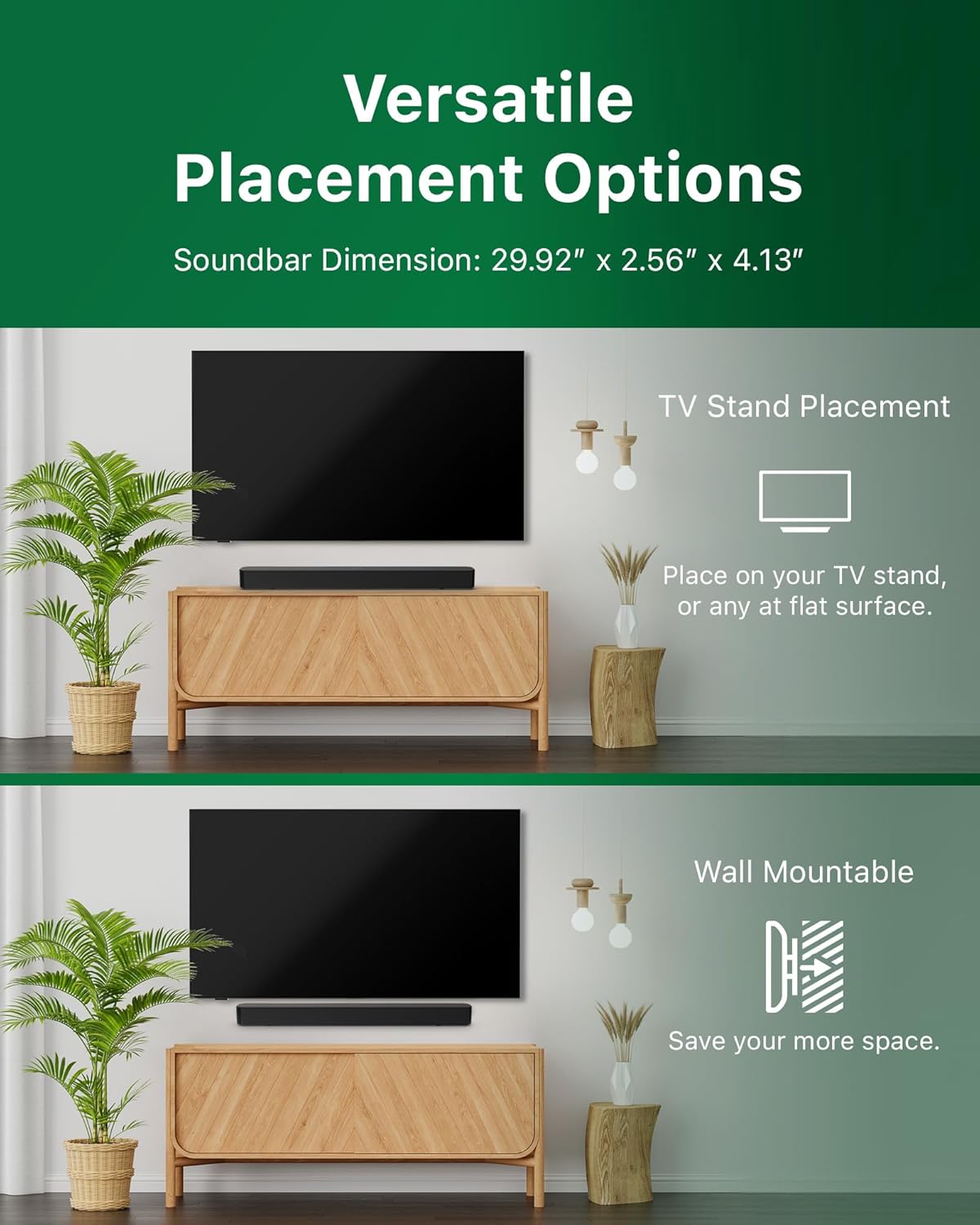
Image: Illustrations demonstrating the two primary placement methods for the soundbar: resting on a TV stand and securely mounted on a wall.
4.2 Kubatanidza neTV yako
The soundbar supports multiple connection types:
- HDMI ARC (Inokurudzirwa): Connect an HDMI cable (not included) from the HDMI ARC port on your TV to the HDMI ARC port on the soundbar. This allows for audio return and control via your TV remote.
- Bluetooth: For wireless audio streaming, pair your soundbar with a Bluetooth-enabled device.
- USB: Connect a USB device for audio playback.
- DC IN: Connect the power adapter to the DC IN port.

Image: A visual representation of the soundbar's available audio input ports, including HDMI (ARC), USB, Bluetooth, and DC IN for power.
4.3 Roku TV Ready Setup
The Philips B4000 Soundbar is Roku TV Ready certified, simplifying setup and control when paired with a Roku TV.
- Connect the soundbar to your Roku TV via HDMI ARC.
- Your Roku TV should automatically detect and configure the soundbar.
- Use your Roku TV remote to control the soundbar's power and volume.

Image: The Philips B4000 Soundbar seamlessly integrated with a television, illustrating its 'Roku TV Ready' certification for simplified setup and control.
4.4 Remote Kudzora Setup
Insert the two included AAA batteries into the remote control, ensuring correct polarity.
5. Kushanda
5.1 Simba On/Kudzima
Press the power button on the soundbar or the remote control to turn the unit on or off.
5.2 Sarudzo yekupinda
Press the 'Source' button on the remote control to cycle through available input sources (HDMI ARC, Bluetooth, USB).
5.3 Kudzora Inzwi
Use the 'Volume Up' and 'Volume Down' buttons on the remote control to adjust the audio level. If connected via HDMI ARC to a Roku TV, your TV remote may also control the volume.
5.4 Bluetooth Pairing
- Press the 'Bluetooth' button on the remote control to enter Bluetooth pairing mode. The indicator light on the soundbar will flash.
- On your mobile device, search for Bluetooth devices and select 'Philips B4000'.
- Kana yabatanidzwa, chiedza chechiratidzo chichava chakasimba, uye unogona kuridza ruzha pasina waya.
5.5 Sound Modes and Equalizer
The soundbar may offer various sound modes or equalizer settings to optimize audio for different content types (e.g., Movie, Music, News). Use the remote control to access and adjust these settings. While specific equalizer details are not extensively documented, experimentation with available settings is encouraged to find your preferred audio profile.

Image: The Philips soundbar remote control in the foreground, with a television screen in the background displaying the EasyLink 2.0 menu for adjusting sound styles, including Bass, Treble, and Custom Equalize options.
6. Kuchengeta
Kuti uve nechokwadi chehupenyu hurefu uye kushanda kwakakwana kwebhari yako yekurira, tevera iyi nhungamiro yekugadzirisa:
- Kuchenesa: Shandisa jira rakapfava, rakaoma kuchenesa pamusoro pegudzanzwi. Usashandise zvinhu zvinochenesa mvura kana zvinhu zvinogumbura, sezvo zvinogona kukuvadza magumo.
- Kufefetedza Ensure the soundbar's ventilation openings are not blocked. Proper airflow prevents overheating.
- Kuchengeta: Kana ukachengeta soundbar kwenguva yakareba, bvisa kubva pamagetsi woichengeta munzvimbo inotonhorera, yakaoma.
7. Kugadzirisa matambudziko
If you encounter issues with your Philips B4000 Soundbar, refer to the following common problems and solutions:
| Dambudziko | Zvinogona Kukonzera | Solution |
|---|---|---|
| Hapana ruzha kubva kusoundbar |
|
|
| Static or distorted sound |
|
|
| Bluetooth pairing nyaya |
|
|
| Remote control haisi kushanda |
|
|
8. Zvinotsanangurwa
| Feature | Detail |
|---|---|
| Model Name | TAB4000 / 37 |
| Mutauri Rudzi | Soundbar |
| Kutenderedza Inzwi Channel Configuration | 2.0 |
| Mutauri Mukuru Wekubuda Simba | 60 Watts |
| Kubatana Technology | Bluetooth (5.4), HDMI ARC, USB |
| Special Features | Advanced Bluetooth 5.4 Connectivity, Bass Boost, Roku TV Ready™ Certification, Wall mountable |
| Product Dimensions | 4.1"D x 30"W x 2.56"H |
| Item Weight | 4.89 pounds (2.22 Makirogiramu) |
| Simba Source | Battery Powered (for remote), AC Power (for soundbar) |
| Chiyamuro Voltage | 120 Volts |
| Inosanganisirwa Zvikamu | Battery, Quick Start Guide, Remote, Wall Mount Bracket, Warranty Card |
9. Warranty uye Tsigiro
9.1 Ruzivo rweWaranti
The Philips B4000 Soundbar comes with a Limited Warranty. Please refer to the included Warranty Card for specific terms, conditions, and duration of coverage. Retain your proof of purchase for warranty claims.
9.2 Mutengi Tsigiro
Kuti uwane rumwe rubatsiro, rutsigiro rwehunyanzvi, kana mibvunzo yebasa, ndapota shanyira rutsigiro rwepamutemo rwePhilips webtaura nevatengi vavo pawebhusaiti kana kuti taurai nevatengi vavo. Ruzivo rwekuonana navo runowanzo kuwanikwa paPhilips websaiti kana mu Quick Start Guide.


