Nhanganyaya
Thank you for choosing the IRRADIO IR-GT710V Portable Speaker. This manual provides essential information for the safe and efficient operation of your device. Please read it carefully before use and retain it for future reference.
Safety Information
- Usaisa mutauri panzvimbo inopisa zvakanyanya, pachiedza chezuva chakananga, kana pamoto wakavhurika.
- Dzivisa kudonhedza kana kuita kuti mukurukuri apedzisire akasimba.
- Usabvisa, kugadzirisa, kana kugadzirisa sipika wega. Bata vashandi vane hunyanzvi kana paine kugadzirisa.
- Chengeta sipika kure nemidziyo yekurapa.
- Ensure the charging port is dry before connecting the charger.
- This speaker has an IPX6 water resistance rating, meaning it is protected against high-pressure water jets from any direction. It is not designed for submersion.
Package Zviri mukati
- IRRADIO IR-GT710V Portable Speaker
- Charger
- User Manual
Product Overview
Familiarize yourself with the various parts and controls of your IRRADIO IR-GT710V speaker.

Mufananidzo 1: Mberi view of the IRRADIO IR-GT710V speaker. The speaker features a black mesh grille covering the front, with the IRRADIO logo illuminated by RGB lights on the left side. A sturdy handle is visible on top.

Mufananidzo 2: Top view of the IRRADIO IR-GT710V speaker. This image highlights the integrated carrying handle and the control panel located on the top surface. The control panel includes buttons for power, Bluetooth pairing, volume control, play/pause, and LED light modes.
Control Panel Mabasa
- Bhatani reSimba (⏻): Dzvanya uye ubate kuti ubatisise/kudzima.
- Bluetooth Pairing Button (🔂): Dzvanya kuti uise Bluetooth pairing mode.
- Volume Down (−): Deredza inzwi.
- Volume Up (+): Wedzera inzwi.
- Bhatani rekutamba/kumbomira (▶): Ridza kana kumbomira kutamba odhiyo.
- LED Light Mode Button (✴): Cycle through different RGB LED light modes.
- Bhatani reBass Booster: Activate or deactivate enhanced bass.
Ports uye Connections
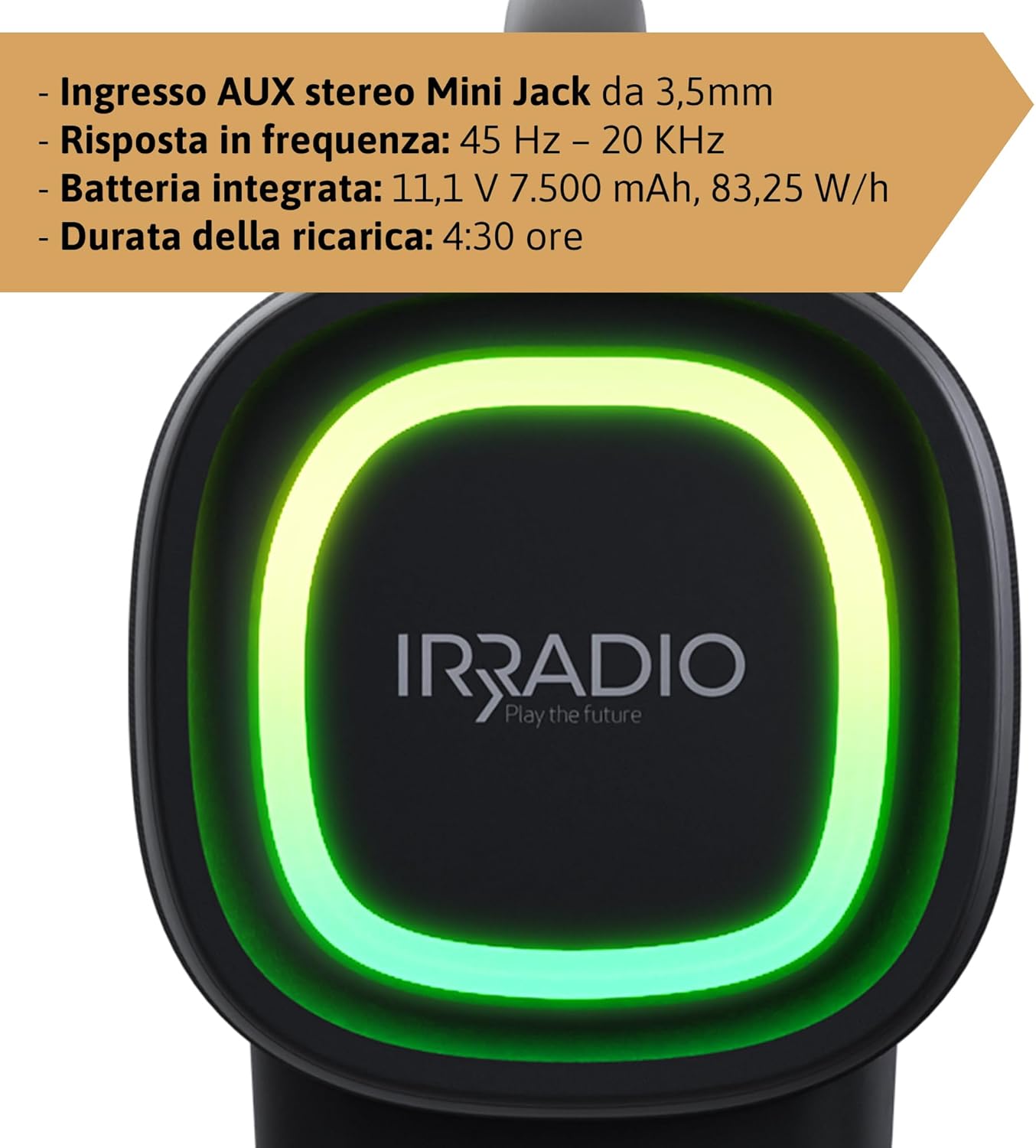
Mufananidzo 3: Rear panel of the IRRADIO IR-GT710V speaker. This image shows the various input ports, including a 3.5mm AUX input, a USB port for media playback, and the DC 5V 3A charging port.
- DC 5V 3A Charging Port: For connecting the power adapter to charge the speaker.
- USB Port: Yekuridza odhiyo files zvakananga kubva pa USB drive.
- AUX 3.5mm Inopinda: Yekubatanidza ekunze maodhiyo midziyo kuburikidza ne3.5mm yekuteerera tambo.
Gadzirira
Kuchaja Mutauriri
- Connect the provided charger to the DC 5V 3A charging port on the speaker.
- Batanidza charger mudura remagetsi.
- Chiedza chechiratidzo chekuchaja chichavhenekera.
- Kuchaja kwakazara kunotora anenge maawa maviri. Chiedza chechiratidzo chichachinja kana kudzima kana kuchaja kwapera.
The integrated 7500 mAh battery provides up to 12 hours of continuous playback at 50% volume.
Simba On/Kudzima
- To power on, press and hold the Power button (⏻) for a few seconds until you hear an audible prompt or see the indicator lights activate.
- To power off, press and hold the Power button (⏻) again for a few seconds until the speaker powers down.
Operating Instruction
Bluetooth Kubatanidza
- Iva nechokwadi chekuti sipika yakabatidzwa uye iri mukati memamita gumi kubva paBluetooth device yako.
- The speaker will automatically enter Bluetooth pairing mode, indicated by a flashing Bluetooth indicator light. If not, press the Bluetooth Pairing button (🔂).
- Bvumira Bluetooth pamudziyo wako (smartphone, tablet, nezvimwewo) uye tsvaga michina iripo.
- Select "IRRADIO IR-GT710V" from the list of devices.
- Once paired, the Bluetooth indicator light will stop flashing and remain solid, and you will hear a confirmation sound.
Chokwadi Wireless Stereo (TWS) Kubatana
The TWS function allows you to connect two IRRADIO IR-GT710V speakers for a more immersive stereo sound experience.
- Ensure both IR-GT710V speakers are powered on and not connected to any Bluetooth device.
- On one of the speakers (this will be the primary speaker), press and hold the Bluetooth Pairing button (🔂) for a few seconds until you hear a TWS pairing prompt.
- The primary speaker will automatically search for the secondary speaker.
- Once successfully paired, you will hear a confirmation sound, and the Bluetooth indicator lights on both speakers will synchronize.
- Now, connect your Bluetooth device to the primary speaker as described in the "Bluetooth Pairing" section. Both speakers will play audio in stereo.
Audio Playback (USB & AUX)
USB Playback
- Isa USB flash drive ine MP3 kana WAV odhiyo files kupinda mu USB port.
- The speaker will automatically detect the USB drive and begin playing audio.
- Use the Play/Pause and Volume buttons on the speaker to control playback.
AUX Playback
- Connect one end of a 3.5mm audio cable to the AUX input port on the speaker.
- Connect the other end of the cable to the audio output jack of your external device (e.g., MP3 player, computer).
- Mutauri anozochinja otomatiki kuenda kuAUX mode.
- Control playback and volume primarily from your external device.
LED Mwenje Modes
The IR-GT710V features dynamic RGB LED lighting. Press the LED Light Mode button (✴) to cycle through various lighting effects. The lights can synchronize with the music or display ambient patterns.

Mufananidzo 4: The IRRADIO IR-GT710V speaker shown outdoors, emphasizing its key features. These include True Wireless Stereo functionality, IPX6 water resistance, vibrant RGB LED lighting, and a powerful 100W audio output.
Bass Booster Function
Press the Bass Booster button to enhance the bass output for a deeper, more impactful sound. Press it again to deactivate the function.
Maintenance
- Geza mutauri nejira rakapfava, rakaoma. Usashandise abrasive cleaners kana solvents.
- If the speaker gets wet, wipe it dry thoroughly before charging or using it again.
- Chengeta mukurukuri munzvimbo inotonhorera, yakaoma asi isingashandiswi kwenguva yakareba.
- Charge the battery at least once every three months to maintain its lifespan.
Kugadzirisa matambudziko
| Dambudziko | Zvinogona Kukonzera | Solution |
|---|---|---|
| Mutauri haabati simba. | Bhatiri rapera. | Chaja sipika kwemaminitsi makumi matatu. |
| Haikwanise kubatanidza kuburikidza neBluetooth. | Chipika hachisi muchimiro chekupairing kana kuti chatobatanidzwa kune chimwe chishandiso. | Ensure the speaker is in pairing mode (flashing indicator). Disconnect from other devices. Restart both speaker and Bluetooth device. |
| Hapana ruzha panguva yekutamba. | Volume is too low or muted. Incorrect input source. | Increase volume on both the speaker and the connected device. Ensure the correct input mode (Bluetooth, USB, AUX) is selected. |
| TWS pairing inotadza. | Speakers are too far apart or already paired. | Ensure both speakers are close to each other and not connected to any other Bluetooth device. Try resetting both speakers. |
| Kutamba kwe USB hakusi kushanda. | Haisi kutsigirwa file format or corrupted USB drive. | Iva nechokwadi files are MP3 or WAV format. Try a different USB drive or reformat the current one. |
Zvinotsanangurwa
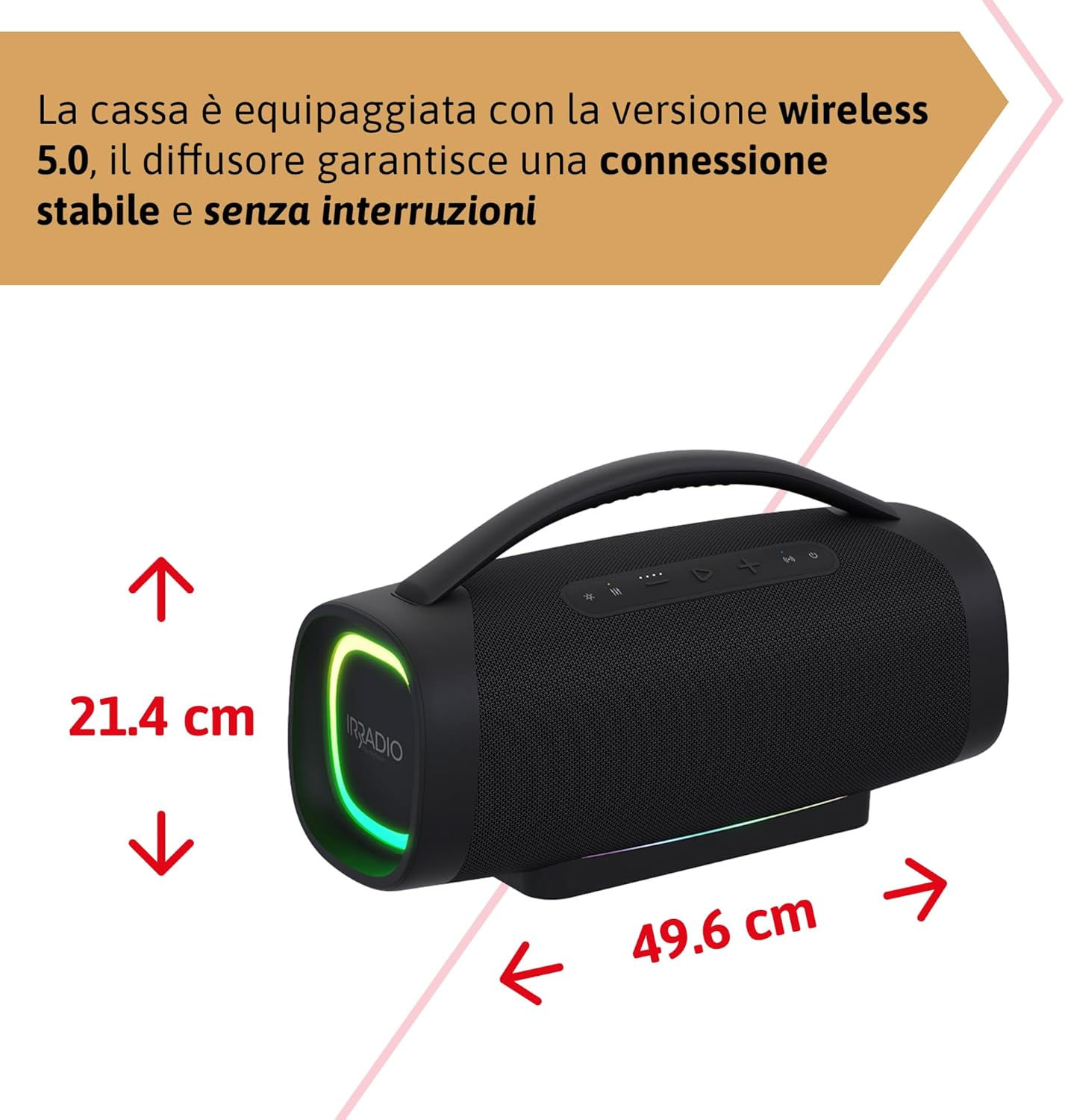
Mufananidzo 5: Dimensions of the IRRADIO IR-GT710V speaker. The speaker measures 49.6 cm in width and 21.4 cm in height.
| Feature | Tsanangudzo |
|---|---|
| Brand | IRRADIO |
| Model | IR-GT710V |
| Mutauri Rudzi | Boombox |
| Power Output | 100W RMS |
| Kubatana | Bluetooth 5.0, USB, AUX 3.5mm |
| Bluetooth Range | Kusvika kumamita gumi (10 tsoka) |
| Kuramba Mvura | IPX6 |
| Battery Capacity | 11.1V 7500 mAh (83.25 Wh) |
| Playback Time | Kusvika kumaawa 12 (pa50% vhoriyamu) |
| Kuchaja Nguva | Anenge maawa maviri |
| Frequency Response | 45 Hz - 20 KHz |
| Inotsigirwa Audio Formats | MP3, WAV |
| Zviyero zveChigadzirwa (L x W x H) | 49.6 x 21.4 x 21.4 masendimita (19.5 x 8.4 x 8.4 inches) |
| Net Weight | 6.22 kg (13.7 lbs) |
| Inosanganisirwa Zvikamu | Charger |
| Power Plug Type | Type D – 3-pin (India) |
Warranty uye Support
IRRADIO products are designed and manufactured to the highest quality standards. For warranty information, technical support, or service inquiries, please refer to the warranty card included with your product or visit the official IRRADIO website. Ndapota chengetedza humbowo hwako hwekutenga kwezvichemo zvewaranti.


