Nhanganyaya
The Innova SDS43 is a professional-grade OBD2 scanner diagnostic tool designed for comprehensive vehicle coverage. It provides accurate and fast diagnostic results without requiring subscriptions. This tablet scanner supports all system diagnostics with bidirectional control, allowing users to scan and clear trouble codes from various vehicle systems including engine, ABS, SRS, and transmission. It also enables active tests and component activations for real-time repair verification. The SDS43 offers lifetime access to essential functions with no hidden fees and includes built-in AutoAuth support for FCA vehicles. It is compatible with most 1996 and newer vehicles, making it a versatile tool for both DIY enthusiasts and professional mechanics.
Key Features
- Powerful OBD2 Diagnostics: Professional-grade tool for full-vehicle coverage, delivering accurate results fast.
- All System Diagnostics with Bidirectional Control: Scan and clear codes from engine, ABS, SRS, transmission, and more. Perform active tests and component activations. (Note: Bidirectional features support ECM/PCM & TCM).
- Hapana Mari Yakavigwa: Lifetime access to essential functions without subscriptions or surprise charges.
- FCA Vehicle Access: Built-in AutoAuth support for advanced access and control on FCA vehicles.
- Wide Vehicle Compatibility: Works with most 1996 & newer vehicles including Ford, Toyota, Honda, GM, Nissan, and more.

Image: Comparison of Innova SDS43 diagnostic speed and features against other scanner brands.
Chii chiri muBhokisi
- Innova SDS43 Diagnostic Tablet
- OBD2 Cable
- Quick Start Guide
- Kutakura Nyaya

Image: The Innova SDS43 scanner, OBD2 cable, quick start guide, and carrying case.
Gadzirira
- Chaja Chishandiso: Ensure the Innova SDS43 tablet is fully charged before first use.
- Batanidza kuMota: Locate your vehicle's OBD2 port (typically under the dashboard). Connect the provided OBD2 cable to the scanner and then to the vehicle's OBD2 port.
- Power On: The device will automatically power on once connected to the vehicle.
- Kutarisa Kuenderana Kwemotokari: For specific feature compatibility with your vehicle, use Innova's online Coverage Checker.
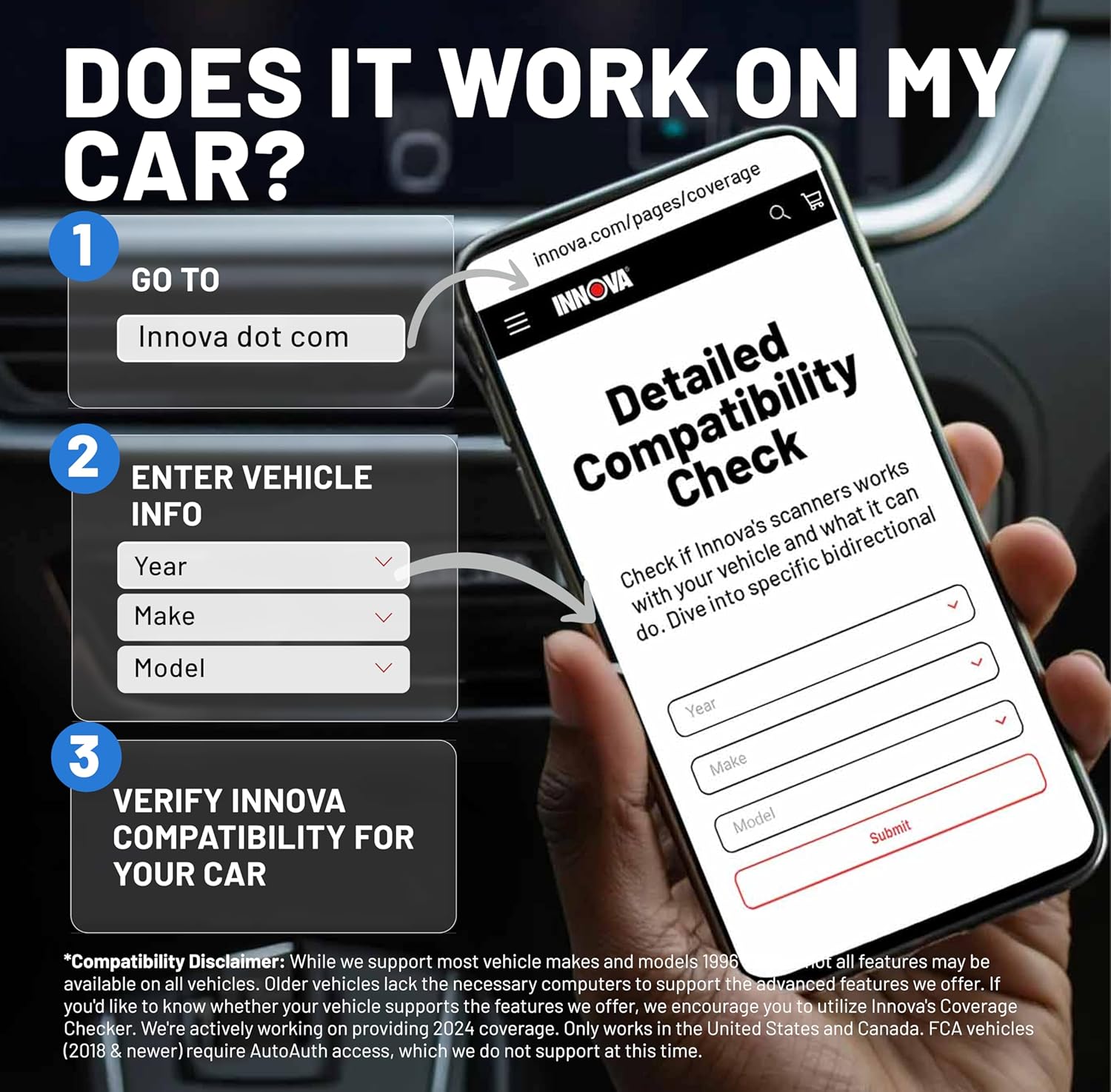
Image: A smartphone screen showing the Innova website's compatibility checker, with steps to enter vehicle information.
Video: A mechanic explains how to check vehicle compatibility for Innova OBD2 scanners, emphasizing that features depend on the vehicle's year, make, and model.
Operating Instruction
The Innova SDS43 features an intuitive tablet design for ease of use. Navigate through the menus using the touchscreen interface. Key diagnostic functions include:
- OBD2 Diagnostics: Access standard OBD2 functions to read and clear diagnostic trouble codes (DTCs), view freeze frame data, and perform I/M readiness tests.
- OEM Diagnostics: Access manufacturer-specific diagnostic functions for deeper analysis.
- Workshop Tools: Utilize various tools for specific tasks.
- Previous Vehicles: Review diagnostic reports from previously scanned vehicles.
- Tool Library: Access a comprehensive library of automotive information.

Image: The main menu of the Innova SDS43 scanner, showing options like OBD2 Diagnostics, OEM Diagnostics, and Settings.
Bidirectional Control and FCA Access
The SDS43 offers bidirectional control for active tests and component activations, primarily supporting ECM/PCM & TCM. For FCA vehicles (1996 & newer), the built-in AutoAuth support allows for advanced access and control, streamlining troubleshooting and repairs.
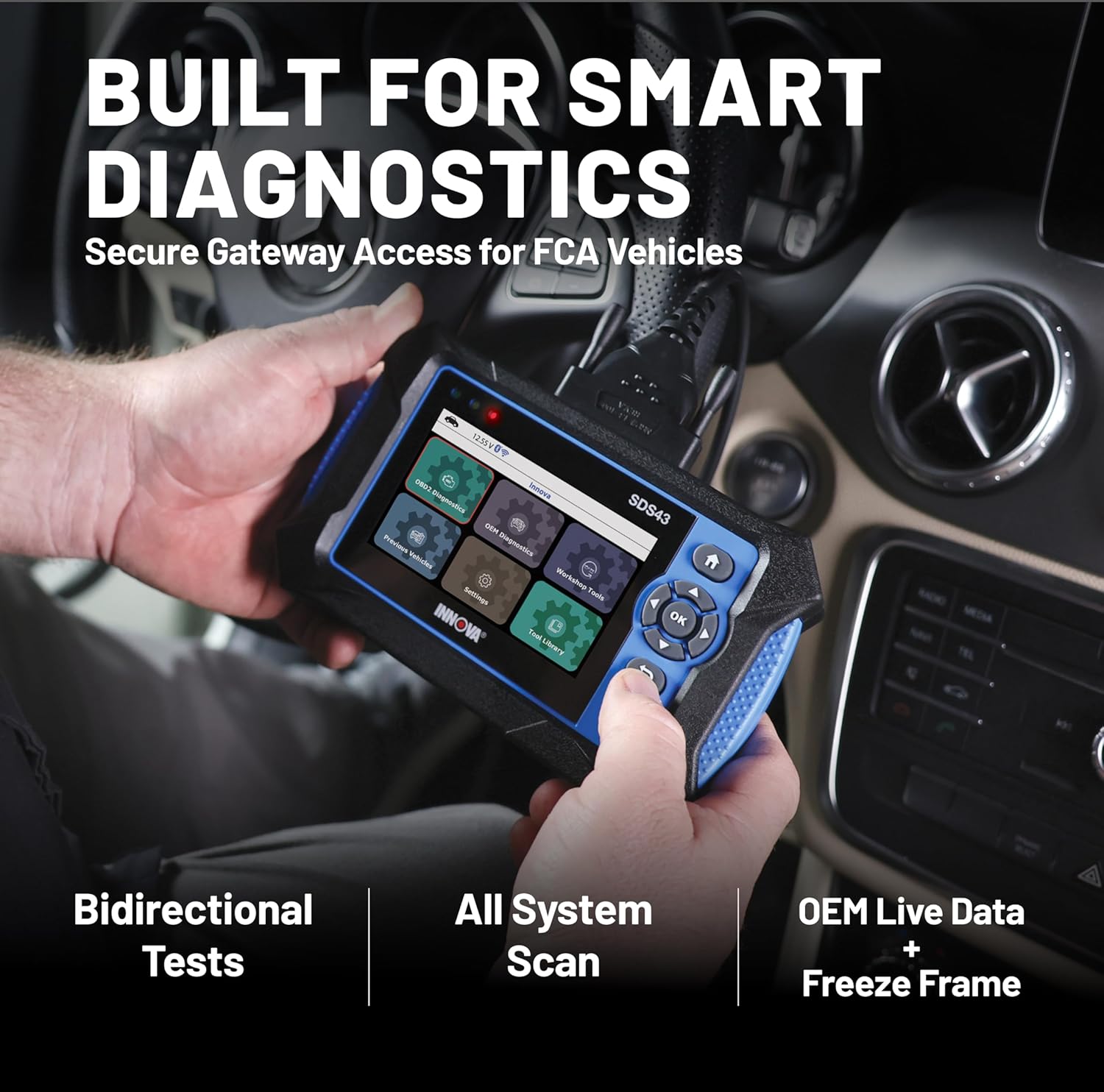
Image: A person using the Innova SDS43 scanner inside a car, demonstrating its in-car diagnostic capabilities.
Maintenance
The Innova SDS43 is designed for long-term use with lifetime access to essential functions and no hidden fees. Firmware updates are provided annually for free to ensure your tool remains current with the latest vehicle data and features.
Software Updates
Regularly check for and install software updates to ensure optimal diagnostic performance and compatibility with new vehicle models. Updates are typically managed through the device's interface when connected to Wi-Fi.

Image: The Innova SDS43 scanner highlighting its no-subscription, no-extra-fees policy for firmware and app updates.
Kugadzirisa matambudziko
Kugarisana Nyaya
While the SDS43 is compatible with most 1996 and newer vehicles, not all features may be available on all vehicles. Older vehicles may lack the necessary computer systems to support advanced features. Always use Innova's Coverage Checker online to verify feature support for your specific vehicle (year, make, and model).
General Issues
If you encounter any issues not covered in this manual, please refer to the comprehensive user manual or contact customer support.
Zvinotsanangurwa
| Feature | Detail |
|---|---|
| Brand | Innova |
| Model | SDS43 |
| Item Weight | 2.07 makirogiramu |
| Product Dimensions | 10.5 x 8.5 x 3 inches |
| Simba Source | Corded Electric |
| Operating System | iOS uye Android |
| Screen Size | 4.3 inches |
| Automotive Fit Type | Universal Fit |
Warranty & Support
For any questions or assistance with your Innova SDS43, please do not hesitate to reach out to our customer service team. We are a proud American company that values our customers and stands behind our devices.
- Mutengesi: DereksAuto (Fulfilled by Amazon)
- Nguva Yebasa reVatengi: Monday through Friday, 6 AM to 6 PM Pacific Standard Time.


