1. Yakakosha Mirayiridzo Yekuchengetedza
Please read these instructions carefully before using the Audizio Canzo DAB+ Internet Radio. Keep this manual for future reference.
- Usaise mudziyo pamvura kana hunyoro kudzivirira moto kana kuvhundutswa nemagetsi.
- Usavhura casing. Iko hakuna zvikamu zvinoshandisika mushandisi mukati. Tumira masevhisi ese kuvashandi vanokwanisa.
- Shandisa chete adapta yemagetsi inopihwa nemudziyo.
- Iva nechokwadi chekuti mhepo inofema zvakanaka yakatenderedza mudziyo. Usavhare maburi emhepo.
- Dzivisa kuisa chikwata pedyo nezvinopisa kana muzuva rakananga.
- Clean the unit only with a dry, soft cloth. Do not use liquid cleaners.
2. Chigadzirwa Pamusoroview
The Audizio Canzo is a versatile DAB+ Internet Radio designed for high-quality audio reception and playback. It features multiple connectivity options including Wi-Fi, Bluetooth 5.3, AUX, and USB, along with a remote control for convenient operation. The elegant wooden finish and clear display make it suitable for various home environments.
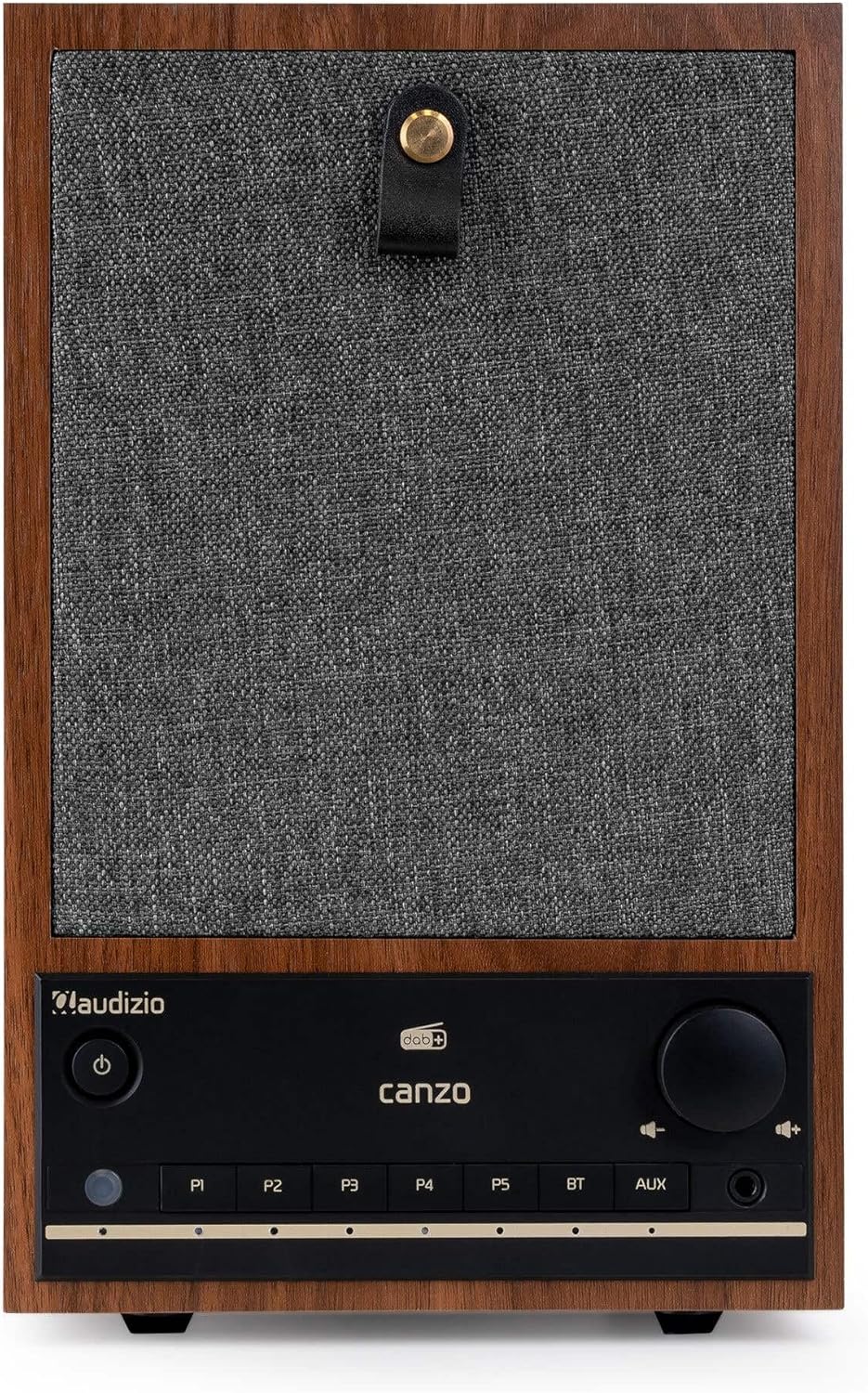
Mufananidzo 2.1: Mberi view of the Audizio Canzo DAB+ Internet Radio in walnut finish.

Mufananidzo 2.2: Mberi view with speaker grille removed, highlighting the speaker, display, and control panel.
3. Chii chiri muBhokisi
Bvisa bhokisi nokungwarira uye iva nechokwadi chekuti zvinhu zvese zviripo:
- Audizio Canzo DAB+ Internet Radio
- Power Adapter
- Remote Control
- Quick Start Guide
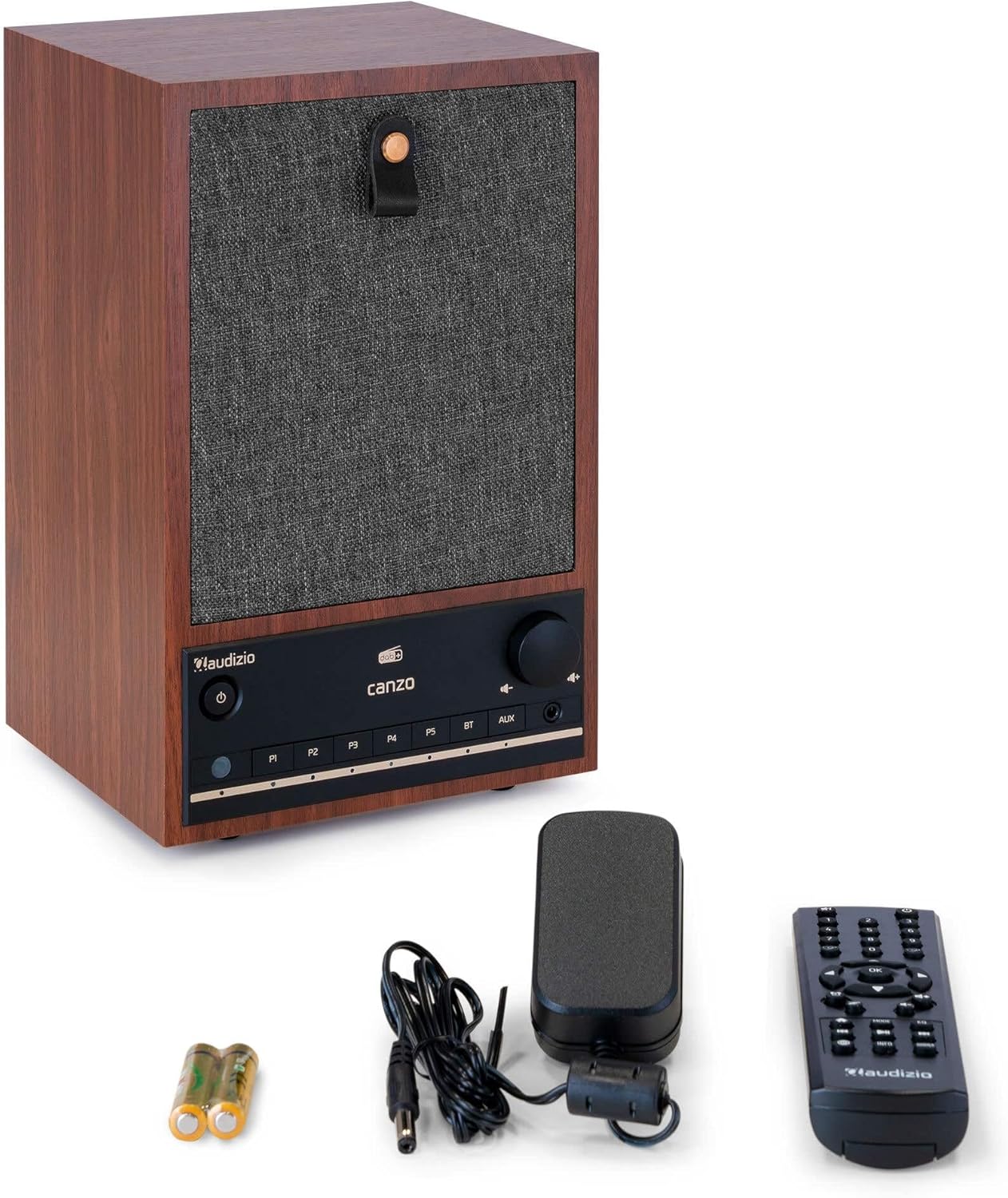
Figure 3.1: Audizio Canzo radio with its accessories.
4. Setup
4.1 Kubatanidza Simba
- Insert the DC plug of the power adapter into the DC IN port on the back of the radio.
- Plug the power adapter into a standard wall outlet (220V).
- Flip the ON/OFF switch on the back of the unit to the ON chinzvimbo.
4.2 Antenna Connection
For optimal DAB+ and FM reception, extend the telescopic antenna located on the back of the unit. Adjust its position for the best signal.

Figure 4.1: Rear panel with power input, audio ports, USB, LAN, and antenna.
4.3 Yekutanga Power On uye Network Setup
- Press the Simba button on the front panel or remote control to turn on the radio.
- The display will show the Audizio logo and then guide you through the initial setup wizard.
- Sarudza mutauro waunoda.
- The radio will prompt you to connect to a network. Choose Wi-Fi or LAN.
- ZveWi-Fi: Select your Wi-Fi network from the list and enter the password using the navigation buttons and OK bhatani.
- For LAN: Connect an Ethernet cable from your router to the LAN port on the back of the radio. The connection should be established automatically.
- Once connected, the radio will update the time and date automatically.
5. Operating Instructions
5.1 Basic Controls
The front panel features a power button, preset buttons (P1-P5), Bluetooth (BT) and AUX input buttons, a volume knob, and navigation controls. The remote control provides full access to all functions.
5.2 Mode Sarudzo
Press the MODE button on the radio or remote control to cycle through available modes: Internet Radio, DAB+, FM, Bluetooth, AUX, and USB Playback.
5.3 Internet Radio
- Sarudza Internet Radio mode.
- Use the navigation buttons to browse stations by location, genre, or search.
- Press OK kusarudza chiteshi.
- To save a station as a preset, press and hold one of the P1-P5 buttons until the display confirms.
5.4 DAB+ Radio
- Sarudza DAB+ mode.
- Redhiyo inozotsvaga otomatiki zviteshi zveDAB+ zviripo.
- Use the navigation buttons to scroll through the list of found stations.
- Press OK kusarudza chiteshi.
- To save a station as a preset, press and hold one of the P1-P5 mabhatani.
5.5 FM Radio
- Sarudza FM mode.
- Dzvanya uye ubate iyo Scan button (usually on the remote or via menu) to auto-scan for FM stations.
- Use the navigation buttons to tune manually or select from scanned stations.
- To save a station as a preset, press and hold one of the P1-P5 mabhatani.
5.6 Kutamba kweBluetooth
- Sarudza Bluetooth mode. The radio will enter pairing mode, indicated on the display.
- Pane yako smartphone kana piritsi, gonesa Bluetooth uye tsvaga zvishandiso zviripo.
- Select "Audizio Canzo" from the list to pair.
- Once paired, you can play audio from your device through the radio.
5.7 AUX Input
- Batanidza mudziyo wekunze wekuteerera (semuenzaniso, MP3 inoridza) kune iyo AUX IN port on the back of the radio using a 3.5mm audio cable.
- Sarudza AUX mode.
- Audio from the connected device will now play through the radio.
5.8 USB Playback
- Isa USB flash drive ine audio files mu USB PLAYBACK port on the back of the radio.
- Sarudza USB mode.
- Use the navigation buttons to browse and select audio files yekutamba.
5.9 Alarm Clock uye Hope Timer
- Alamu: Access the Alarm settings via the menu. Set up to two alarms with desired time, source (buzzer, radio), and volume.
- Kurara Nguva: Access the Sleep Timer settings via the menu. Set a duration (e.g., 15, 30, 60 minutes) after which the radio will automatically turn off.
- Zivai: Kana alarm yarira, tinya iyo Snooze button on the remote or radio to temporarily silence it.
6. Kuchengeta
6.1 Kuchenesa
To clean the radio, use a soft, dry, lint-free cloth. Do not use abrasive cleaners, waxes, or solvents as they may damage the finish or internal components.
6.2 Kuchengeta
If storing the unit for an extended period, disconnect it from the power outlet and store it in a cool, dry place away from direct sunlight and extreme temperatures.
7. Kugadzirisa matambudziko
| Dambudziko | Zvinogona Kukonzera | Solution |
|---|---|---|
| Hapana simba | Adapta yemagetsi haina kubatana; Swichi yeON/OFF yadzima. | Ensure power adapter is securely connected and ON/OFF switch is ON. |
| Hapana ruzha | Volume too low; incorrect source selected; headphones connected. | Increase volume; select correct input mode; disconnect headphones. |
| Haikwanisi kubatana neWi-Fi | Incorrect password; router too far; network issue. | Verify Wi-Fi password; move radio closer to router; restart router. |
| Kusagamuchirwa zvakanaka kweDAB+/FM | Antena haina kuwedzerwa; nzvimbo isina simba yechiratidzo. | Fully extend and adjust the telescopic antenna; try repositioning the radio. |
| Remote control haisi kushanda | Batteries depleted; obstruction between remote and radio. | Replace remote control batteries; ensure clear line of sight to the radio's sensor. |
8. Zvinotsanangurwa
| Feature | Tsanangudzo |
|---|---|
| Model Number | Canzo |
| Product Dimensions | 22.5 x 20.5 x 34 cm |
| Item Weight | 2.9 makirogiramu |
| Color | Walnut |
| Screen Size | 2.4 inches |
| Kubatana Technology | Aux, Bluetooth, Wi-Fi, LAN |
| Bluetooth Version | 5.3 |
| Mabhendi eRedhiyo Anotsigirwa | DAB+, FM, Redhiyo yeInternet |
| Simba Source | Corded Electric (220 Volt) |
| Special Features | Integrated Clock, Sleep Timer, Alarm, Remote Control, Preset Stations |
| Inowirirana Devices | Smartphone, Tablet, Headphones, MP3 Player, USB Storage Device |
9. Warranty uye Tsigiro
For warranty information and technical support, please refer to the warranty card included with your product or contact your retailer. Keep your proof of purchase for any warranty claims.


