1. Nhanganyaya
This manual provides detailed instructions for the safe and efficient use of your ThruNite Ti Mini Keychain Flashlight. Designed for everyday carry, this compact and powerful USB-C rechargeable flashlight offers multiple lighting modes and a magnetic tailcap for versatile use in various indoor and outdoor scenarios.

Image: The ThruNite Ti Mini Keychain Flashlight, demonstrating its small form factor when held in a hand.
2. Chii chiri muBhokisi
Ndokumbira utarise zvirimo pasuru pawatambira:
- ThruNite Ti Mini Flashlight (with built-in battery)
- USB-C Kuchaja Cable
- Pocket Clip (pre-installed or included separately)
- Keychain Ring
- Spare USB-C Port Cover
- User Manual
3. Chigadzirwa Pamusoroview

Mufananidzo: Yakaputika view diagram of the ThruNite Ti Mini, highlighting its key components such as the switch button, charging indicator, keychain, LED, magnetic cap, USB-C port, and two-way clip.
- Bhatani rekuchinja: Inodzora simba uye sarudzo yemodhi.
- Charge Indicator: Displays charging status (red for charging, green for fully charged).
- Keychain: Attachment point for keys or lanyards.
- High Performance LED: Inopa chiedza.
- Magnetic Cap: Allows attachment to metal surfaces for hands-free use.
- USB-C Charging Interface: For recharging the built-in battery.
- Two-way Clip: For securing the flashlight to pockets, hats, or gear.
4. Zvinotsanangurwa
| Feature | Detail |
|---|---|
| Max Output | 650 Lumens |
| Max Kanda | 105 mamita |
| Max Runtime | 51 days (Firefly mode) |
| Simba Source | Built-in 350mAh Lithium-Ion Battery |
| Kuchaja | USB-C Rechargeable |
| Material | Aerospace-grade 6061-T6 Aluminum |
| Finish | Type III Hard-Anodized |
| Kuramba Mvura | IPX-8 (Waterproof to 2 meters) |
| Impact Resistance | 1.5 mamita |
| Dimensions | 60.8mm (Kureba) x 16.5mm (Diameter) |
| Kurema | 26.5g (0.93 oz) |

Image: Dimensions of the ThruNite Ti Mini, illustrating its compact size relative to a common earbud case.
5. Setup
5.1 Kutanga Kuchaja
Before first use, fully charge the flashlight. Open the USB-C port cover and connect the included USB-C cable to the flashlight and a power source (e.g., computer, USB wall adapter).
- The charging indicator will glow tsvuku panguva yekuchaja.
- The indicator will turn girinhi kana kuchaja kwapera.
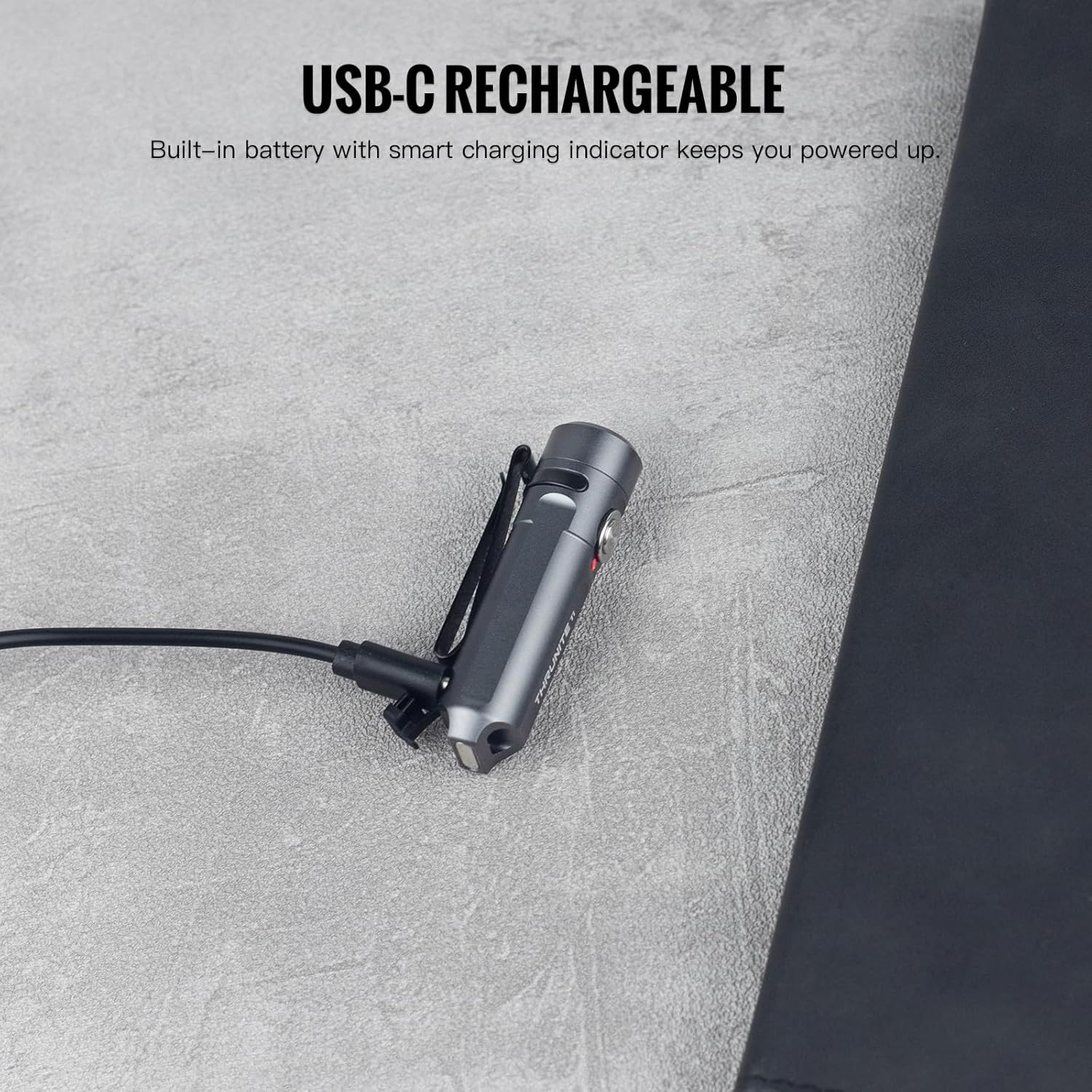
Image: The ThruNite Ti Mini connected to its USB-C charging cable, showing the charging port and indicator light.
5.2 Kubatanidza Zvishandiso
The flashlight comes with a keychain ring and a two-way pocket clip for various carrying options.
- Keychain: Attach the included keychain ring to the designated loop at the tail of the flashlight.
- Pocket Clip: The two-way clip can be used to secure the flashlight to a pocket, belt, or the brim of a hat. It can be reversed for different carrying preferences.

Mufananidzo: Eksamples of the ThruNite Ti Mini being used as an EDC companion, clipped to a backpack and attached to a keychain.
6. Operating Instructions
6.1 Basic Operation
- Batidza/Kudzima: Double-click the side switch to turn the light ON. Press and hold the switch to turn it OFF.
- Shandura Mamodhi: When the light is ON, single-click the switch to cycle through Firefly, Low, Medium, and High modes. The light will remember the last used mode (except Strobe).
- Kukwidziridzwa Kwenguva Pfupi: From OFF, press and hold the switch to activate the highest mode (650 lumens) temporarily. Release the switch to turn OFF.
- Strobe Mode: Triple-click the switch from any state (ON or OFF) to activate Strobe mode. Single-click to return to the previously used mode.
6.2 Mode Details and Runtimes
| Mode | Output | Runtime |
|---|---|---|
| High | 650 lumens | 1 awa 35 mins |
| Pakati | 200 lumens | 2 maawa 20 maminitsi |
| Low | 30 lumens | 9.5 maawa |
| Firefly | 0.2 lumens | 51 maawa |
| Strobe | 650 lumens | - |

Image: Detailed table outlining the output and runtime for each lighting mode of the ThruNite Ti Mini.
6.3 Kushanda Pasina Maoko
The magnetic tailcap allows the flashlight to be securely attached to most metal surfaces, providing convenient hands-free illumination. This is ideal for tasks requiring both hands, such as vehicle maintenance or working in dimly lit areas.

Image: The ThruNite Ti Mini utilizing its magnetic tailcap for hands-free lighting, attached to different metal objects.
7. Kuchengeta
- Kuchenesa: Gara uchichenesa muviri wetochi nejira rakapfava, damp jira. Dzivisa kushandisa makemikari ane hasha kana abrasive zvinhu.
- USB-C Chiteshi: Ensure the USB-C charging port cover is properly sealed when not charging to maintain its waterproof rating. If the cover is damaged or lost, use the provided spare.
- Kuchengeta: Chengetedza tochi munzvimbo inotonhorera, yakaoma kana isiri kushandiswa kwenguva yakareba.
8. Kugadzirisa matambudziko
8.1 Chiedza chisingabatike
- Battery Charge: Ensure the battery is sufficiently charged. Connect the flashlight to a USB-C power source and check the charging indicator.
- Operation Sequence: Confirm you are using the correct operation sequence: double-click to turn ON, press and hold to turn OFF.
8.2 Nyaya dzekuchaja
- Cable Connection: Verify the USB-C cable is securely connected to both the flashlight and the power source.
- Port Condition: Check the USB-C port for any debris or damage. Clean gently if necessary.
- Kunobva Simba: Try a different USB power source or cable to rule out issues with the charging equipment.
9. Warranty uye Tsigiro
9.1 Ruzivo rweWaranti
The ThruNite Ti Mini Keychain Flashlight comes with a limited warranty. Please refer to the warranty card included in your package for specific terms and conditions. This typically covers manufacturing defects under normal use.
9.2 Mutengi Tsigiro
For further assistance, technical support, or warranty claims, please contact ThruNite customer service. You can usually find contact information on the official ThruNite websaiti kana kuburikidza nepuratifomu yako yekutenga.
Note: Always refer to the official ThruNite website or your product packaging for the most up-to-date support information.


