1. Nhanganyaya
This manual provides essential information for setting up, operating, maintaining, and troubleshooting your Roku Smart TV 2025 – 24-Inch Select Series 720p HD TV. Please read these instructions carefully before using your television.
The Roku Select Series HD TV offers a streamlined entertainment experience. It features bright HD picture quality, auto speech clarity, and a night mode. Access free live television directly from the home screen and utilize the voice remote for content discovery across various applications. This television is suitable for various rooms including bedrooms, living rooms, kitchens, or children's rooms.
2. Chii chiri muBhokisi
Iva nechokwadi chekuti zvikamu zvese zviripo mupakeji:
- Roku Select Series 24" HD TV
- Zvigadziko nezvikushi
- Roku Voice Remote with batteries
- Quick Start Guide

Image: The Roku Select Series TV box contents, showing the television, remote, and stand components.
3. Setup
3.1 Kubatanidza maTV Stand
- Isa skrini yeTV pasi zvinyoro nyoro panzvimbo yakachena uye yakapfava kuti isakwenya.
- Gadzirisa chigadziko chimwe nechimwe nemaburi anoenderana nesikuruu ari pasi peTV.
- Chengetedza zvigadziko uchishandisa screws dzakapihwa. Iva nechokwadi chokuti dzakasimbiswa zvakasimba.
3.2 Kubatanidza Peripherals
Your Roku TV includes multiple ports for connecting external devices:
- HDMI Ports: Connect devices such as cable boxes, gaming consoles, or Blu-ray players. The HDMI 1 (ARC) port supports Audio Return Channel for simplified audio connections.
- USB Port: For media playback from a USB drive or powering compatible devices.
- Antenna/Cable Input: Batanidza antenna yekuparadzira mashoko ari mumhepo kana kuti kubatanidza TV yetambo.
- Optical Audio Output: Zvekubatanidza kune soundbar kana audio receiver.
- AV Input: Kubatanidza zvishandiso zvekare uchishandisa tambo dzevhidhiyo dzakasanganiswa uye dze stereo audio.

Image: Close-up of the back of the Roku TV, highlighting the HDMI, USB, optical, and AV input ports.
3.3 Kutanga Kubatidza Netiweki uye Kubatanidza Netiweki
- Batanidza tambo yemagetsi muTV wobva waisa mudura repamadziro.
- Insert the included AAA batteries into the voice remote.
- Dzvanya bhatani rekudzima remote kuti uvhure TV.
- Tevedzera mirayiridzo iri pachikirini kuti usarudze mutauro wako, ubatanidze kune network yako yeWi-Fi, uye uvhure account yako yeRoku.
4. Operating Your Roku TV
4.1 Using the Voice Remote
The Roku Voice Remote simplifies navigation and content search. It features dedicated buttons for popular streaming services and voice control capabilities.
- Bhatani rezwi: Press and hold to speak commands for searching content, launching apps, or controlling playback.
- Navigation Pad: Use the directional arrows and OK button to move through menus and select items.
- App Shortcuts: Dedicated buttons provide quick access to services like Netflix, Disney+, and Prime Video.
- Kudzora Kwevhoriyamu: Adjust TV volume directly from the remote.
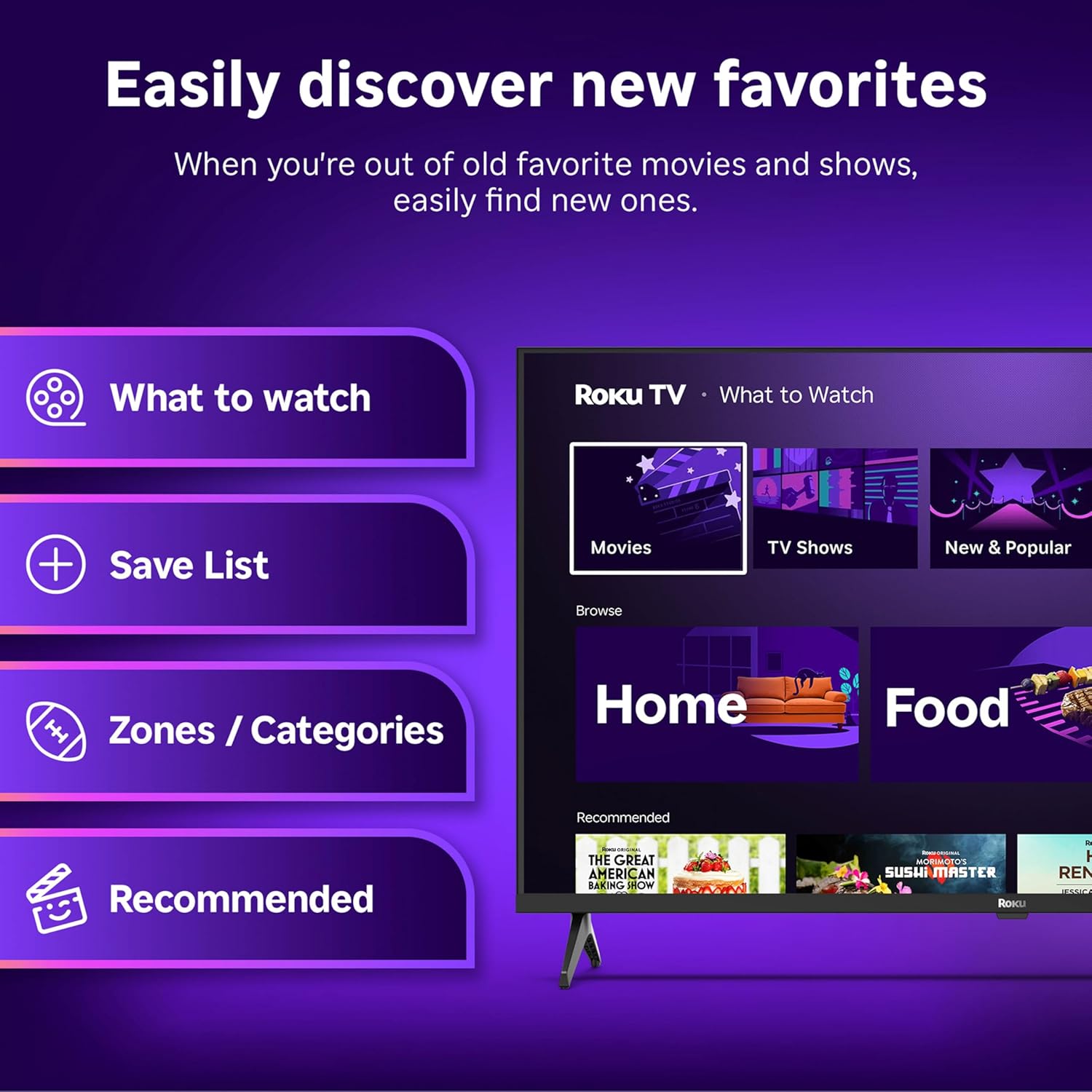
Image: The Roku Voice Remote, showing its layout and key functions.
4.2 Streaming and App Navigation
The Roku TV home screen provides quick access to all your streaming channels and inputs. You can customize the order of your apps for personalized access.
- Sikirini Yemba: Displays your installed apps, recommended content, and TV inputs.
- Chitoro cheKuteerera: Browse and add new streaming channels.
- Live TV: Access free live television channels directly from the home screen.
- Tsvaga: Use the search function or voice remote to find movies, shows, actors, or directors across various services.

Image: The Roku TV user interface, showing the home screen with app tiles and menu options.
4.3 Mufananidzo uye Inzwi Zvirongwa
Your Roku TV features Smart Picture technology to optimize viewing and offers enhanced audio features.
- Smart Picture: Automatically adjusts picture settings based on the content being viewed (e.g., movie, sports, vivid, standard).
- Audio Clarity: Designed for clear speech and louder sound.
- Bluetooth Headphone Mode: Connect your wireless headphones for private listening.

Image: A vibrant nature scene displayed on the Roku TV, demonstrating the clear picture quality.
4.4 Smart Home Kubatanidzwa
The Roku TV integrates with various smart home ecosystems for convenient voice control and content sharing.
- Voice Control: Compatible with Roku Voice, Siri, Alexa, and Google Assistant for hands-free operation.
- Apple AirPlay: Effortlessly share videos, photos, and music from your Apple devices to your TV.

Image: A Roku TV screen with a smart speaker nearby, illustrating voice control integration with smart home systems.
5. Kuchengeta
5.1 Kuchenesa TV yako
- Gara uchisunungura TV usati wachenesa.
- Shandisa jira rakapfava, risina lint kupukuta zvinyoro nyoro skrini nekabhati.
- Pazvibodzwa zvakasindimara, zvishoma dampIsa jira nemvura kana muchina wekuchenesa sikirini usina kunyorova. Usambofa wapfapfaidza muchina wekuchenesa sikirini zvakananga pa sikirini.
- Avoid using harsh chemicals, abrasive pads, or solvents.
5.2 Zvigadziriso zveSoftware
Your Roku TV receives automatic software updates to provide new features and improve performance. Ensure your TV is connected to the internet to receive these updates.
6. Kugadzirisa matambudziko
If you encounter issues with your Roku TV, try the following basic troubleshooting steps:
- Hapana Simba: Ita shuwa kuti tambo yemagetsi yakanamirwa zvakachengetedzeka muTV uye nemagetsi anoshanda. Edza imwe nzira.
- Hapana Mufananidzo/Ruzha: Verify that the correct input source is selected. Check all cable connections (HDMI, AV, etc.) are secure.
- Remote Kwete Kupindura: Dzorera mabhatiri ari kure. Ita shuwa kuti hapana zvipinganidzo pakati peremote neTV.
- Network Connection Matambudziko: Restart your Wi-Fi router. Go to the TV's network settings to reconnect to your Wi-Fi.
- App Not Loading: Try restarting the app. If the issue persists, remove the app and reinstall it from the Streaming Store.
- Kudzosera zvazvanga zviri kubva kufakitori: As a last resort, a factory reset can resolve many software issues. This will erase all personal settings and installed apps. Access this option through the TV's Settings menu.
7. Zvinotsanangurwa
| Feature | Tsanangudzo |
|---|---|
| Brand | Roku |
| Model Number | 24R2D5 |
| Screen Size | 24 inches |
| Display Technology | LED |
| Resolution | 720p |
| Refresh Rate | 60 Hz |
| Aspect ratio | 16:9 |
| Kubatana Technology | Makaralı, Wi-Fi |
| Special Features | Bluetooth Headphone Mode, Dolby Audio, Voice Remote |
| Item Weight | 5.7 Pondo |
| Product Dimensions | 7 x 21.1 x 14.3 inches |
| Mabhatiri Anodiwa | 2 AAA mabhatiri (ekure) |
8. Warranty uye Tsigiro
For warranty information and technical support, please refer to the documentation included with your product or visit the official Roku support website. Chengeta risiti yako yekutenga yezvichemo zvewaranti.
Roku offers various support resources, including online FAQs, troubleshooting guides, and customer service contact options.


