1. Nhanganyaya
This manual provides essential information for the proper use and maintenance of your Picun F5 Active Noise Cancelling Headphones. Please read it thoroughly before operating the device.
2. Package Zviri mukati
Ona kuti zvinhu zvese zviripo mupasuru yako:
- 1 x Picun F5 Headphone
- 1 x 3.5mm Audio Cable
- 1 x USB yekuchaja Cable
- 1 x Chinyorwa cheMushandisi

3. Zvigadzirwa zveChigadzirwa
- Active Noise Kanzura (ANC): Advanced technology to reduce ambient noise for an immersive audio experience.
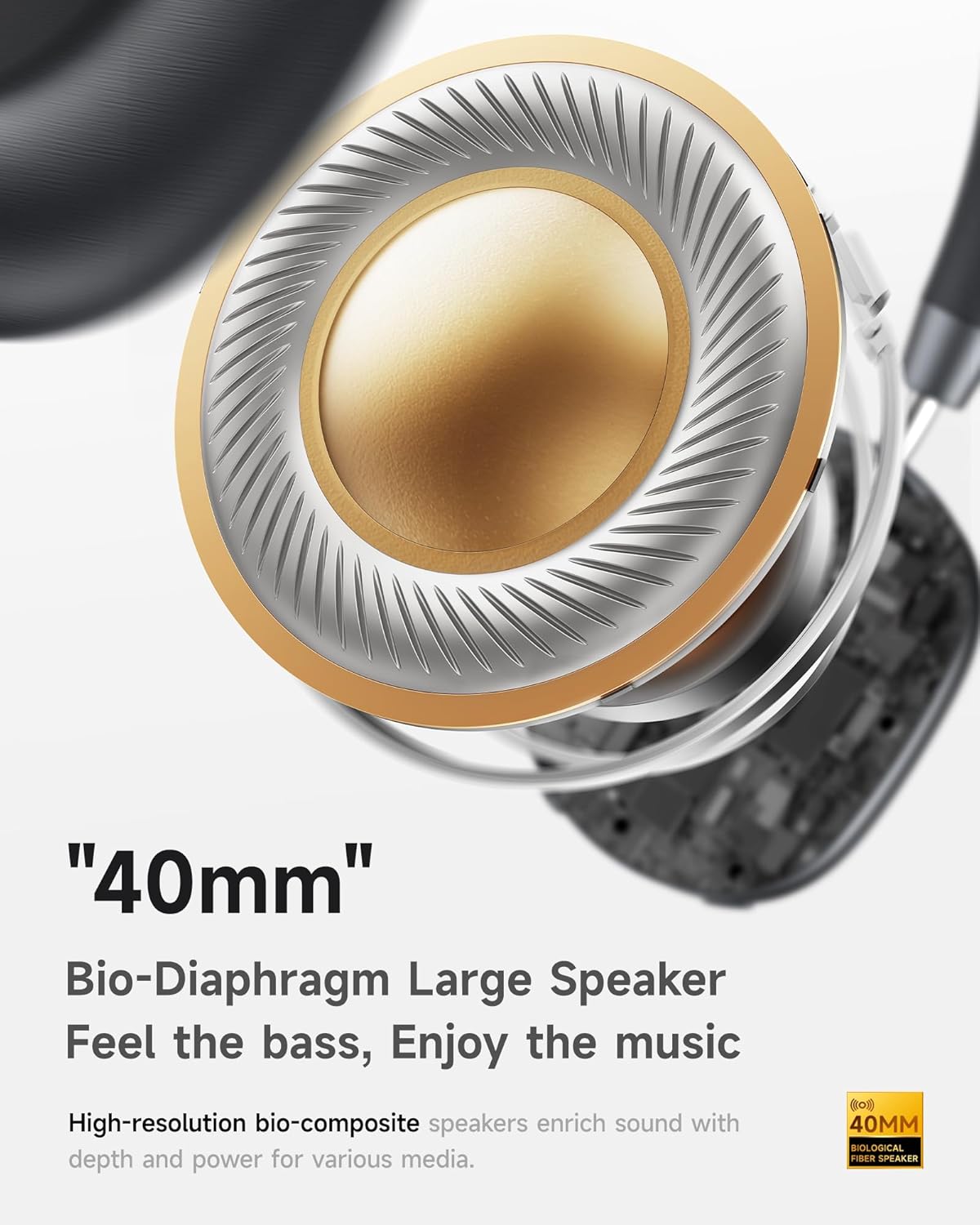
- Hi-Fi Audio ine Deep Bass: Delivers clear sound with enhanced bass.
- App-Controlled EQ: Customize audio settings via a dedicated companion application.
- Yakavakirwa-mukati Maikorofoni: Ensures clear voice calls.
- Multi-Point Connection: Allows seamless switching between two connected Bluetooth devices.
- Ergonomic Dhizaini: Lightweight build with soft memory-foam earcups for extended comfort.
- Long Playtime & Fast Charging: Up to 30 hours of playback on a single charge, with quick recharge capabilities.



4. Setup
4.1 Kuchaja mahedhifoni
Before first use, fully charge your Picun F5 headphones. Connect the provided USB charging cable to the headphone's charging port and a compatible USB power source. The charging indicator light will show the charging status.
4.2 Bluetooth Pairing
- Ita shuwa kuti mahedhifoni akadzimwa.
- Dzvanya wobata bhatani rePower kusvika rambi rechiratidzo rapenya, zvichiratidza kuti pairing mode.
- Pamudziyo wako (smartphone, piritsi, komputa), gonesa Bluetooth uye tsvaga zvishandiso zviripo.
- Select "Picun F5" from the list of devices to connect.
- Once connected, the indicator light will change to a steady blue or turn off, depending on the model.
4.3 Multi-Point Connection
The Picun F5 supports connecting to two Bluetooth devices simultaneously. After pairing with the first device, disable Bluetooth on that device. Pair the headphones with the second device. Then, re-enable Bluetooth on the first device. The headphones should now be connected to both devices, allowing seamless audio switching.

5. Kushanda
5.1 Basic Controls
The headphones feature intuitive controls for managing audio and calls:
- Batidza/Kudzima: Dzvanya uye bata bhatani reMasimba.
- Kugadziridza Vhoriyamu: Use the dedicated volume knob/buttons on the earcup.
- Tamba/Kumbomira: Dzvanya bhatani reMulti-function kamwe chete.
- Next Track: Dzvanya kaviri bhatani reMulti-function.
- Previous Track: Dzvanya katatu bhatani reMulti-function.
- Pindura/Pedzisa Kufona: Single press the Multi-function button during an incoming call.
- Ramba Kufona: Dzvanya wobata bhatani reMulti-function panguva yekufona kuri kuuya.
5.2 Active Noise Cancelling (ANC) Modes
The ANC feature can be toggled or adjusted using a dedicated button on the headphones. Refer to the specific button layout on your device for exact functionality. Some models may offer different ANC levels or transparency modes.
5.3 App Control and Custom EQ
Download the companion app for your Picun F5 headphones to unlock personalized features. The app allows you to:
- Customize Equalizer (EQ) settings to match your audio preferences.
- Adjust ANC levels or switch between different noise control modes.
- Access additional smart features and settings.


6. Kuchengeta
To ensure the longevity and optimal performance of your Picun F5 headphones, follow these maintenance guidelines:
- Kuchenesa: Shandisa jira rakapfava, rakaoma kuchenesa nzeve nebhandi remusoro. Dzivisa kushandisa makemikari akasimba kana zvinhu zvinokwesha.
- Kuchengeta: Store the headphones in a cool, dry place, away from direct sunlight and extreme temperatures. When not in use, consider storing them in a protective case.
- Dzivisa Unyoro: Usaise mahedhifoni mumvura kana muhunyoro hwakawandisa.
- Bata Nekungwarira: Dzivisa kudonhedza kana kuisa mahedhifoni pasi kune akasimba maitiro.

7. Kugadzirisa matambudziko
If you encounter issues with your Picun F5 headphones, refer to the following common solutions:
- Hapana Simba: Ita shuwa kuti mahedhifoni akachajwa zvizere. Vabatanidza kune simba sosi uye tarisa chiratidzo chekuchaja.
- Haikwanise Kubatanidza: Make sure the headphones are in pairing mode (indicator flashing). Disable and re-enable Bluetooth on your device, then try pairing again. Ensure the headphones are not already connected to another device.
- Hapana Inzwi: Check the volume levels on both the headphones and your connected device. Ensure the headphones are properly paired. If using a wired connection, ensure the 3.5mm audio cable is securely plugged in.
- Hunhu Husina kunaka: Move closer to your connected device to avoid interference. Check for any obstructions between the headphones and the device. Ensure the audio source is of good quality.
- ANC Haisi Kushanda: Ensure the ANC feature is activated. Check for any physical obstructions around the microphones.
If the issue persists, try resetting the headphones (refer to the full user manual for specific reset instructions) or contact customer support.
8. Zvinotsanangurwa
| Brand | Picun |
| Model Name | F5 |
| Kubatana Technology | Wireless (Bluetooth 4.0) |
| Noise Control | Sound Isolation (Active Noise Cancelling) |
| Frequency Response | 20 KHz |
| Sensitivity | 42 dB |
| Maheadphone Jack | 3.5 mm Jack |
| Hupenyu hwebhatiri | 30 Maawa |
| Audio Driver Type | Dynamic Driver |
| Earpiece Shape | Round |
| Impedance | 32 Ohm |
| Item Weight | 14 ounces (0.4 Makirogiramu) |
| Material | Acrylonitrile Butadiene Styrene (ABS) |
9. Warranty uye Tsigiro
Picun products are designed for reliability and performance. For warranty information, product support, or technical assistance, please refer to the warranty card included in your package or visit the official Picun website. Chengeta risiti yako yekutenga yezvichemo zvewaranti.