1. Kutanga Setup
This section guides you through the initial steps to set up your TCL 65C69K Smart TV, from unpacking to the first power-on.
1.1 Kuburitsa TV
Carefully remove the TV and all accessories from the packaging. Retain the packaging materials for future transport or service needs. Ensure all components listed in the packing list are present.
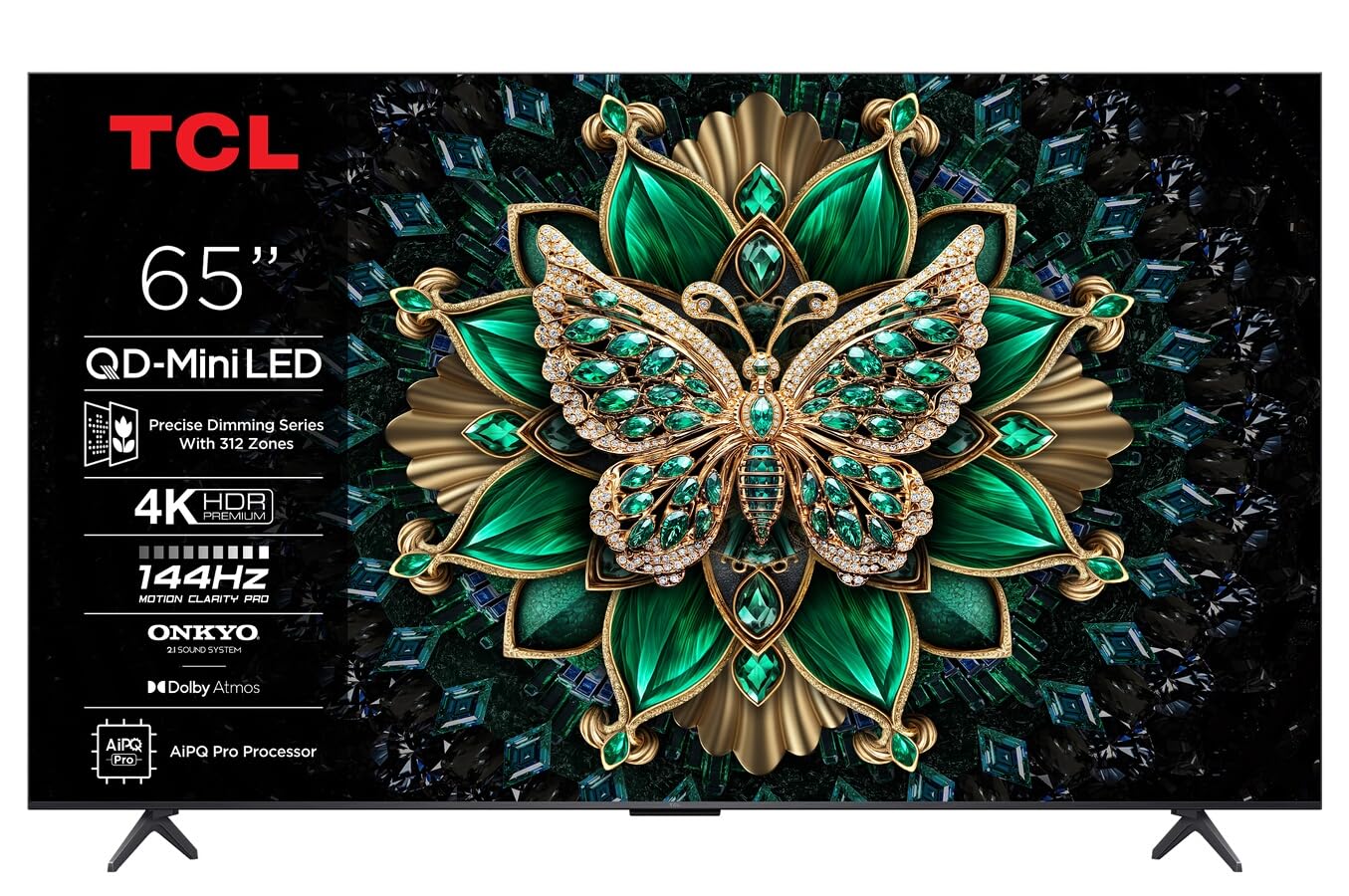
Mufananidzo: Mberi view of the TCL 65C69K QD-MiniLED 4K Smart TV. The TV features a slim bezel and a central stand, showcasing kuratidzwa kwayo uye dhizaini.
1.2 Kuisa Chigadziko kana Kuisa Madziro
Kuisa Stand: Place the TV screen-down on a soft, flat surface. Align the stand with the designated slots on the bottom of the TV and secure it using the provided screws. Ensure the stand is firmly attached before placing the TV upright.
Zvekukwirisa Wall: Refer to the wall mount kit instructions (sold separately) for proper installation. Ensure the wall mount is compatible with VESA standards for your TV model. Always seek professional assistance for wall mounting to prevent damage or injury.
1.3 Kubatanidza Peripherals
- Simba Cable: Batanidza tambo yemagetsi kune yekupinza magetsi eTV wobva wabatanidza kumadziro.
- HDMI Zvishandiso: Connect external devices such as Blu-ray players, game consoles, or set-top boxes to the HDMI ports. This TV supports 4K resolution via HDMI.
- Antenna/Cable: Connect an antenna or cable TV coaxial cable to the "ANT/CABLE IN" port for broadcast television.
- Network Connection: For internet access, connect an Ethernet cable to the LAN port or use the built-in Wi-Fi connectivity.
- Zvishandiso zvekuteerera: For external audio systems, use the optical digital audio output or HDMI ARC/eARC port. The TV features Onkyo 2.1 audio.
1.4 First Power On and Initial Configuration
After connecting all necessary cables, press the power button on the TV or remote control. The TV will guide you through the initial setup process, which includes:
- Sarudzo yeMutauro: Sarudza mutauro waunofarira.
- Network Setup: Connect to your Wi-Fi network or confirm the Ethernet connection.
- Google TV Account: Sign in with your Google account to access smart features, apps, and personalized recommendations.
- Channel Scan: Skena kana paine nzira dzekutepfenyura dziripo kana antenna kana tambo yakabatana.
- Zvakavanzika Settings: Review uye gadzirisa marongero ekuchengetedza zvakavanzika sezvaunoda.
2. Kushandisa TV
This section details the basic operation of your TCL 65C69K Smart TV, including remote control functions and smart features.
2.1 Remote Kudzora Pamusoroview
The remote control allows you to navigate the TV's interface, adjust settings, and access smart features. Familiarize yourself with buttons for power, volume, channel, input selection, home, back, and dedicated app buttons (if present).
2.2 Basic Mabasa
- Batidza/Kudzima: Press the Simba button on the remote or TV.
- Kugadziridza Vhoriyamu: Shandisa iyo Volume Up/Down mabhatani.
- Kusarudzwa kweChannel: Shandisa iyo Channel Kumusoro/Kudzika mabhatani kana padhi renhamba.
- Sarudzo yezvinopinza: Press the Input button to switch between connected devices (HDMI 1, HDMI 2, TV, etc.).
2.3 Zvinhu zveTV Yakangwara (Google TV)
Your TCL 65C69K runs on Google TV, providing access to a vast library of apps and streaming services. Press the Kumba bhatani rekushandisa Google TV interface. Kubva pano, unogona:
- Browse and launch pre-installed apps like Netflix, Amazon Prime Video, and Hulu.
- Download new apps from the Google Play Store.
- Access personalized content recommendations.
- Use Google Assistant for voice commands (if supported by your remote).
2.4 Mufananidzo uye Inzwi Zvirongwa
Pinda menyu yezvigadziriso zveTV kuti ugadzirise yako viewing and listening experience. Navigate to Settings > Display & Sound.
- Mifananidzo Modes: Select from various picture modes (e.g., Standard, Movie, Game, Vivid) or customize settings like brightness, contrast, color, and sharpness. The QD-MiniLED panel and 4K resolution deliver exceptional clarity.
- Yepamberi Mifananidzo Settings: Adjust settings related to Dolby Vision IQ for optimized picture quality based on ambient light. The TV supports a 120Hz refresh rate for smooth motion.
- Manzwi modes: Choose sound modes (e.g., Standard, Music, Movie) or adjust equalizer settings. The integrated Onkyo 2.1 audio system with Dolby Atmos provides immersive sound.
3. Kuchengeta
Proper maintenance ensures the longevity and optimal performance of your TCL 65C69K Smart TV.
3.1 Cleaning the Screen and Frame
- Gara uchisunungura TV usati wachenesa.
- Use a soft, lint-free cloth (e.g., microfiber) to gently wipe the screen. For stubborn marks, lightly dampIsa jira nemvura kana muchina wekuchenesa sikirini wakasarudzika. Usambofa wapfapfaidza muchina wekuchenesa sikirini zvakananga pa sikirini.
- Wipe the TV frame and stand with a dry, soft cloth. Avoid abrasive cleaners or solvents.
3.2 Zvigadziriso zveSoftware
Regular software updates provide new features, performance improvements, and security enhancements. To check for updates, navigate to Zvirongwa > Sisitimu > Nezve > Kugadziridza sisitimu. Follow the on-screen prompts to download and install any available updates. Ensure your TV is connected to the internet during this process.
4. Kugadzirisa matambudziko
This section addresses common issues you might encounter with your TCL 65C69K Smart TV and provides solutions.
- Hapana Simba:
- Ensure the power cable is securely connected to both the TV and a working wall outlet.
- Tarisa uone kana madziro emadziro ari kushanda nekuisa imwe mudziyo.
- Edza kudzvanya bhatani remagetsi paTV pachayo, kwete chete remote.
- Hapana Mufananidzo, Asi Ruzha Ruripo:
- Tarisa kuti panobva papi pacho pakasarudzwa (semuenzaniso, HDMI 1, TV).
- Check the HDMI cable connection to both the TV and the external device. Try a different HDMI port or cable.
- Restart the connected external device.
- Hapana Ruzha, Asi Mufananidzo Uripo:
- Increase the volume on the TV and ensure it is not muted.
- Check audio output settings in the TV menu (e.g., internal speakers, external audio system).
- Kana uchishandisa masipika ekunze, iva nechokwadi chekuti akashanda uye akabatana nemazvo.
- Network Connection Matambudziko:
- Tangazve yako Wi-Fi router uye modem.
- Enda ku Zvirongwa> Network & Internet and re-establish the connection.
- If using Wi-Fi, try moving the TV closer to the router or using an Ethernet cable for a more stable connection.
- Remote Control Haisi Kupindura:
- Dzorera mabhatiri muremote control.
- Ita shuwa kuti hapana zvipinganidzo pakati peremote neTV's IR sensor.
- If it's a Bluetooth remote, try re-pairing it with the TV (refer to the TV's on-screen help for pairing instructions).
If problems persist after trying these solutions, please contact TCL customer support for further assistance.
5. Zvinyorwa zveUnyanzvi
Below are the key technical specifications for the TCL 65C69K Smart TV.
| Model Name | 65C69K |
| Brand | TCL |
| Screen Size | 65 inches |
| Display Technology | Mini LED |
| Resolution | 4K UHD (3840 x 2160) |
| Refresh Rate | 120Hz (Native) |
| Special Features | Mini LED, 4K UHD, Premium Design, Smart Functions, Dolby Vision IQ |
| Kubatana Technology | Wi-Fi, HDMI, USB, Ethernet |
| Aspect ratio | 16:9 |
| Inotsigirwa Internet Services | Netflix, Amazon Prime Video, Hulu, Google TV ecosystem |
| Audio System | Onkyo 2.1, Dolby Atmos |


