Nhanganyaya
The Xech Eon Max is a multi-functional device designed to serve as a digital alarm clock, Bluetooth speaker, and a comprehensive charging station. It features a retro design and integrates several modern functionalities including dual alarms, adjustable display brightness, multiple audio playback options, and wireless charging capabilities. This manual provides detailed instructions for setting up, operating, and maintaining your Xech Eon Max.

Image: The Xech Eon Max functions as a fast wireless charger, a wireless speaker, and a digital alarm clock. The image displays these three primary features in a collage format.
Product Overview
Familiarize yourself with the components and controls of your Xech Eon Max.

Image: Detailed diagrams illustrating the display panel, button functions, and various ports located on the back and side of the Xech Eon Max.
Display Panel (Front)
- AM Chiratidzo: Lights up when time is AM.
- PM Indicator: Lights up when time is PM.
- BT Mode Indicator: Lights up when Bluetooth mode is active.
- FM Mode Indicator: Lights up when FM radio mode is active.
- TF Mode Indicator: Lights up when TF card playback mode is active.
- AUX Mode Indicator: Lights up when AUX input mode is active.
- Alarm Clock 1 Indicator: Lights up when Alarm 1 is set.
- Alarm Clock 2 Indicator: Lights up when Alarm 2 is set.
- HH:MM Display: Shows current time in hours and minutes.
- Wireless Charging Pad: Area for wireless charging compatible devices.
- Bhatani Gwara: Refers to the control buttons below the display.
- Antenna: Extendable antenna for FM radio reception.
- Bluetooth Mutauri: Integrated speaker for audio output.
Kudzora Mabhatani
- Volume Knob (A): Rotate to adjust volume. Press to confirm settings.
- SET / Brightness Button (B): Press to enter time/alarm setting mode. Long press to adjust display brightness.
- On/Off / Mode Button (C): Long press to power on/off. Short press to cycle through modes (Bluetooth, FM, TF, AUX).
- Next / FM Radio Button (D): Short press for next track/station. Long press to auto-scan FM stations.
- Previous / Bluetooth Pairing Button (E): Short press for previous track/station. Long press to enter Bluetooth pairing mode.
Back and Side Ports
- USB-C Charging Port (a): For connecting the power adapter to charge the device.
- USB-C Output Port (b): For charging external devices via USB-C cable.
- TF Card Slot (c): For inserting a TF (MicroSD) card for audio playback.
- AUX Port / Antenna Port (d): For connecting external audio devices via AUX cable or for external antenna.
- USB-A Output Port (e): For charging external devices via USB-A cable.
- Lanyard Slot (f): For attaching a lanyard.
Gadzirira
1. Powering On and Initial Charge
- Connect the provided USB-C cable to the USB-C Charging Port (a) kuseri kwemudziyo.
- Plug the other end of the USB-C cable into a power adapter (not included). For optimal performance, especially for fast wireless charging, use a 20W/18W (5V4A / 9V2A) adapter or higher.
- Long press the On/Off / Mode Button (C) kuisa simba pachigadzirwa.
2. Kugadza Nguva uye Zuva
- Press the SET / Brightness Button (B) once. The hour digits will start flashing.
- Rotate the Volume Knob (A) to adjust the hour. Press the Volume Knob (A) kusimbisa.
- The minute digits will start flashing. Rotate the Volume Knob (A) to adjust the minutes. Press the Volume Knob (A) kusimbisa.
- Ramba uchiita izvi kuti usarudze gore, mwedzi, nezuva.
- After setting the date, you can select 12-hour or 24-hour format. Rotate the Volume Knob (A) to choose and press to confirm.
3. Kuisa maaramu
The Xech Eon Max supports two independent alarms.
- Press the SET / Brightness Button (B) repeatedly until the Alarm 1 indicator (7) or Alarm 2 indicator (8) starts flashing.
- The hour digits for the selected alarm will flash. Rotate the Volume Knob (A) to set the hour and press to confirm.
- Maminiti madiki achapenya. Tenderedza Volume Knob (A) kuseta maminetsi uye wodzvanya kuti usimbise.
- After setting the time, you can choose the alarm sound (if applicable) or enable/disable the alarm. Rotate the Volume Knob (A) to select and press to confirm.
- To activate or deactivate an alarm, ensure its respective indicator (7 or 8) is lit on the display.
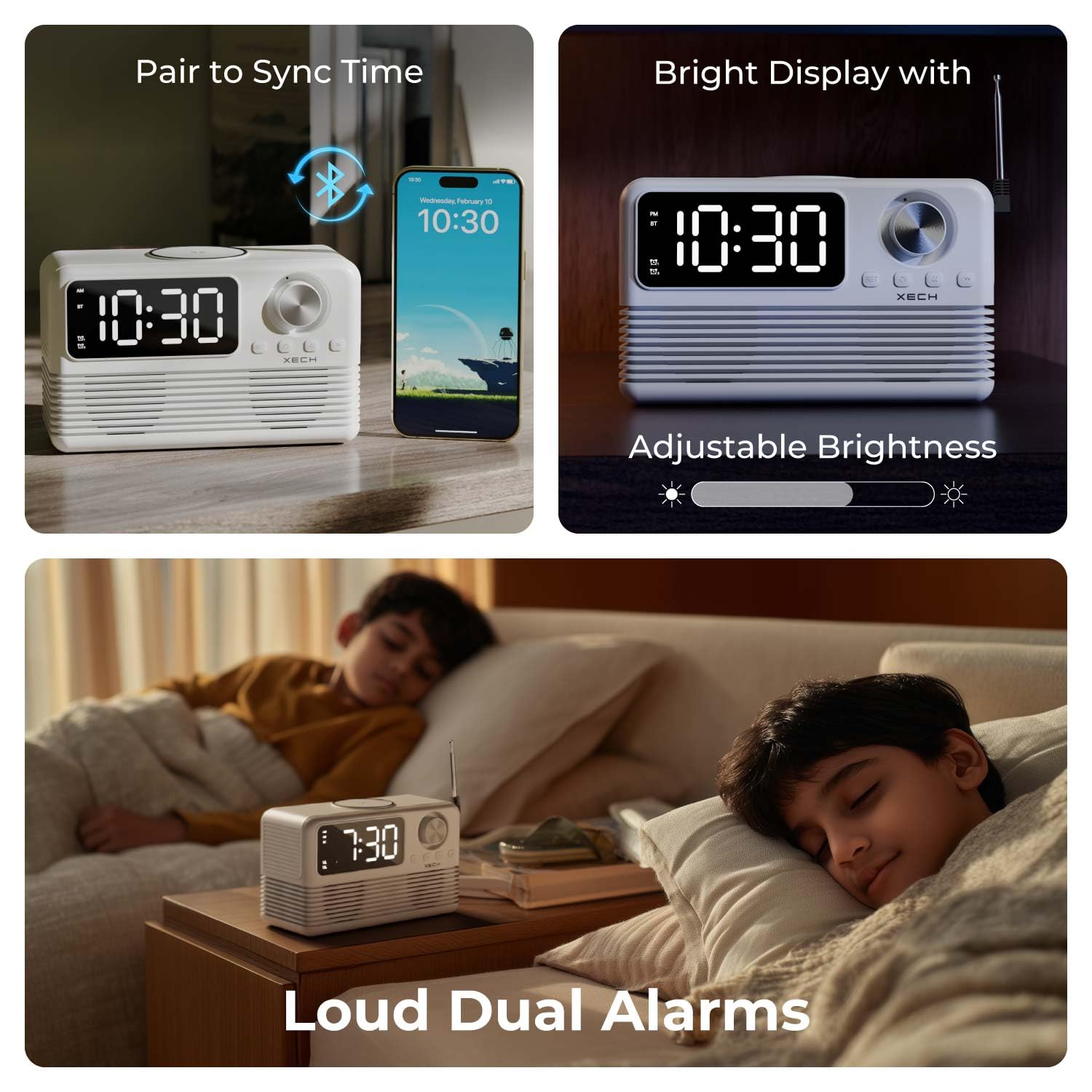
Image: The Xech Eon Max can sync time with a phone, features adjustable display brightness, and supports loud dual alarms for effective waking.
Operating Instruction
1. Mabasa eWachi neAlarm
- Nguva Ratidza: The current time is shown on the HH:MM Display (9).
- Snooze Basa: When an alarm sounds, press any button (except the On/Off button) to activate snooze. The alarm will sound again after 5 minutes.
- Kugadzirisa Kupenya Kwekuratidzwa: Yakareba dzvanya iyo SET / Brightness Button (B) to cycle through different brightness levels for the display.
2. Audio Playback Functions
Press the On/Off / Mode Button (C) to cycle through available audio modes: Bluetooth, FM Radio, TF Card, and AUX.
- Makaralı Mode:
- Sarudza Bluetooth mode uchishandisa Bhatani reModhi (C). The BT Mode Indicator (3) will light up and flash, indicating pairing mode.
- On your mobile device, search for "Xech Eon Max" in the Bluetooth settings and pair.
- Once paired, the BT Mode Indicator (3) will stop flashing. You can now play audio wirelessly.
- Shandisa iyo Previous / Bluetooth Pairing Button (E) uye Next / FM Radio Button (D) to skip tracks. Rotate the Volume Knob (A) kugadzirisa vhoriyamu.
- FM Radio Mamiriro:
- Select FM Radio mode using the Bhatani reModhi (C). The FM Mode Indicator (4) will light up.
- Extend the Antenna (12) kuitira kugamuchirwa kuri nani.
- Long press the Next / FM Radio Button (D) to auto-scan and save available FM stations.
- Short Press the Previous / Bluetooth Pairing Button (E) or Next / FM Radio Button (D) to navigate through saved stations.
- TF Kadhi Mode:
- Isa kadhi reTF (MicroSD) rine odhiyo files mu TF Card Slot (c).
- Select TF Card mode using the Bhatani reModhi (C). The TF Mode Indicator (5) will light up. Playback will begin automatically.
- Shandisa iyo Previous / Bluetooth Pairing Button (E) uye Next / FM Radio Button (D) kusvetuka makwara.
- AUX Maitiro:
- Batanidza mudziyo wekuteerera wekunze (semuenzaniso, MP3 player, smartphone) kune AUX Port (d) uchishandisa 3.5mm audio tambo (isina kuisirwa).
- Sarudza AUX mode uchishandisa Bhatani reModhi (C). The AUX Mode Indicator (6) will light up.
- Control playback from your external device. Volume can be adjusted using the Volume Knob (A).

Image: An exploded diagram of the Xech Eon Max speaker system, highlighting its internal components designed for powerful bass and dual dynamic drivers.
3. Kuchaja Mabasa

Image: The Xech Eon Max supports 15W fast wireless charging with auto device detection and can charge up to three devices simultaneously using its wireless pad, USB-A, and USB-C ports.
- Wireless Charging:
- Place your Qi-enabled smartphone or other compatible device on the Wireless Charging Pad (10) on top of the Xech Eon Max.
- Ensure the device is centered on the pad for optimal charging. The display may show a charging indicator.
- Note: For 15W fast wireless charging, a 20W/18W (5V4A / 9V2A) power adapter or higher is required for the Xech Eon Max itself.
- Wired Charging (Multi-Device):
- Batanidza zvishandiso zvako kune USB-A Output Port (e) or USB-C Output Port (b) on the back of the Xech Eon Max using appropriate charging cables.
- You can charge multiple devices simultaneously (e.g., one wirelessly, two via USB ports).
4. Yakavakwa-mukati Maikorofoni

Image: The Xech Eon Max features an infinity knob for control, a USB-C port for recharging its internal battery, and a built-in microphone for hands-free communication.
The Xech Eon Max includes a built-in microphone, allowing for hands-free calls when connected to a smartphone via Bluetooth. When a call comes in, you can answer/end it using the device's controls (refer to specific button functions in the Product Overview kana iripo).
Maintenance
- Kuchenesa: Use a soft, dry cloth to clean the surface of the device. Do not use abrasive cleaners or solvents.
- Storage: Chengetedza mudziyo munzvimbo inotonhorera, yakaoma kure nechiedza chezuva uye tembiricha yakanyanyisa.
- Battery Care: The device contains a Lithium Ion battery. For optimal battery life, avoid fully discharging the battery frequently and recharge it regularly.
- Kuratidzwa kweMvura: This device is not waterproof. Avoid exposure to water or high humidity.
Kugadzirisa matambudziko
- Mudziyo hausi kubatika: Ensure the USB-C charging cable is securely connected to both the device and a working power adapter. Check if the power outlet is functional.
- Wireless charging is slow or not working: Ensure your device is Qi-enabled and correctly centered on the wireless charging pad. Verify that the Xech Eon Max is powered by a 20W/18W (5V4A / 9V2A) adapter or higher for fast wireless charging.
- Kugamuchirwa kweredhiyo kweFM kusina kunaka: Fully extend the antenna (12) on the back of the device. Try repositioning the device for better signal.
- Alarm haisi kurira kana kuti yakanyarara zvakanyanya: Check if the alarm is activated (Alarm 1/2 indicator lit). Ensure the volume is not set to minimum.
- Chishandiso cheBluetooth hachina kubatanidza: Ensure the Xech Eon Max is in Bluetooth pairing mode (BT Mode Indicator flashing). Make sure your mobile device's Bluetooth is enabled and within range (typically 10 meters). Try restarting both devices.
- Hapana ruzha kubva kumutauri: Check the volume level on both the Xech Eon Max and the connected audio source. Ensure the correct mode (Bluetooth, FM, TF, AUX) is selected.
Zvinotsanangurwa
| Feature | Detail |
|---|---|
| Brand | Xech |
| Model Number | X-605 |
| Display Type | Digital LED |
| Style | Retro |
| Product Dimensions | Masendimita 18W x 8.4H |
| Item Weight | 0.86 Makirogiramu (860 g) |
| Simba Source | Battery Powered (1 Lithium Ion battery included), Electrical (via USB-C) |
| Kubatana Technology | Bluetooth 5.3, AUX, USB-C, TF Card |
| Special Features | Bluetooth, Charging Station (15W Wireless, USB-A, USB-C), LED Display, Large Display, Loud Dual Alarms, FM Radio, Built-in Mic |
| Material | Acrylonitrile Butadiene Styrene (ABS) |
| Indoor / Outdoor Kushandiswa | Indoor, Kunze |
Warranty Information
The Xech Eon Max comes with a Yakakwana Warranty. For specific details regarding the warranty period, coverage, and terms and conditions, please refer to the warranty card included with your product packaging or visit the official Xech website. Chengetedza risiti yako yekutenga sehumbowo hwekutenga kune chero vimbiso yewaranti.
Mutengi Support
For further assistance, technical support, or inquiries regarding your Xech Eon Max, please contact the manufacturer:
Mugadziri: XECH Technologies Pvt Ltd
Kero: MIDC, Andheri East, Mumbai
Please visit the official Xech websaiti yeruzivo rwepamusoro-soro uye zviwanikwa zvekutsigira.


