1. Nhanganyaya
This manual provides essential information for setting up, operating, and maintaining your NIMO 15.6-inch FHD Laptop Nimo N155. Please read this manual thoroughly before using your device to ensure proper function and longevity.

Figure 1: NIMO 15.6-inch FHD Laptop Nimo N155 Overview
The NIMO N155 laptop is equipped with an AMD Ryzen 7 6800H processor, 32GB DDR5 RAM, and a 1TB PCIe 4.0 SSD, designed for efficient performance in various computing tasks. It features a 15.6-inch Full HD IPS anti-glare display, a backlit keyboard, and an integrated fingerprint sensor for enhanced security and user experience.
2. Chii chiri muBhokisi
Tarisa uone kuti zvinhu zvese zviripo mupakeji:
- Laptop yeNimo N155 1 x
- 1 x Type-C 100W PD Inochaja Inokurumidza
- 1 x Chinyorwa cheMushandisi (gwaro iri)
- Sisitimu Yekushanda Yepamba yeWindows 11 (yakaiswa kare)
3. Kutanga Setup
3.1. Charging the Laptop
Before first use, connect the laptop to the power adapter and charge it fully. The Type-C 100W PD Fast Charger provides rapid charging capabilities.
- Connect the Type-C charger to a power outlet.
- Plug the Type-C connector into one of the Type-C ports on your laptop.
- The charge LED indicator will illuminate, indicating that the laptop is charging.

Figure 2: Connecting the Type-C 100W PD Fast Charger
3.2. Powering On
Press the power button located on the keyboard to turn on the laptop. Follow the on-screen instructions to complete the initial Windows 11 setup, including language selection, network connection, and user account creation.
4. Laptop Components and Ports
Familiarize yourself with the various components and ports of your NIMO N155 laptop.

Mufananidzo 3: Laptop Ports uye Connectors
4.1. Left Side Ports
- USB 2.0 Chiteshi: Zvekubatanidza midziyo yekare USB.
- USB 3.0 Chiteshi: Yekubatanidza yakakwirira-kumhanya USB zvishandiso.
- Micro SD Kadhi Slot: Zvekuverenga nekunyora kune Micro SD makadhi.
- Headphone Jack: Yekubatanidza mahedhifoni kana vatauri vekunze.
- Kensington Lock Slot: For securing your laptop with a compatible lock.
4.2. Machiteshi eKurudyi
- Kubhadharisa LED: Inoratidza mamiriro ekuchaja.
- Type-C (PD/Charging) Port: Primarily for power delivery and charging.
- Type-C (Multifunction) Port: Supports data transfer and display output.
- USB 3.0 Zvidhori (x2): Yekubatanidza yakakwirira-kumhanya USB zvishandiso.
- HDMI Port: Zvekubatanidza kune zvekunze zviratidziro kana mapurojekita.
4.3. Internal Components
- processor: AMD Ryzen 7 6800H (8 Cores, 16 Threads, up to 4.7 GHz).
- Mifananidzo: Integrated AMD Radeon 680M GPU.
- RAM: 32GB DDR5 (upgradeable).
- Kuchengeta: 1TB PCIe 4.0 SSD (upgradeable).
- Ratidza: 15.6-inch FHD (1920x1080) IPS Anti-Glare Display.
- Webcam 2.0 MP with privacy shield.
- Wireless: 802.11a/b/g/n/ac (Wi-Fi 5) and Bluetooth 5.2.

Figure 4: AMD Ryzen 7 6800H Processor Details

Figure 5: High-Speed RAM and PCIe SSD
5. Kushandisa Laptop Yako
5.1. Ratidza
The 15.6-inch Full HD IPS display offers a resolution of 1920x1080 pixels. Adjust brightness and display settings through Windows settings (Right-click on desktop > Display settings).
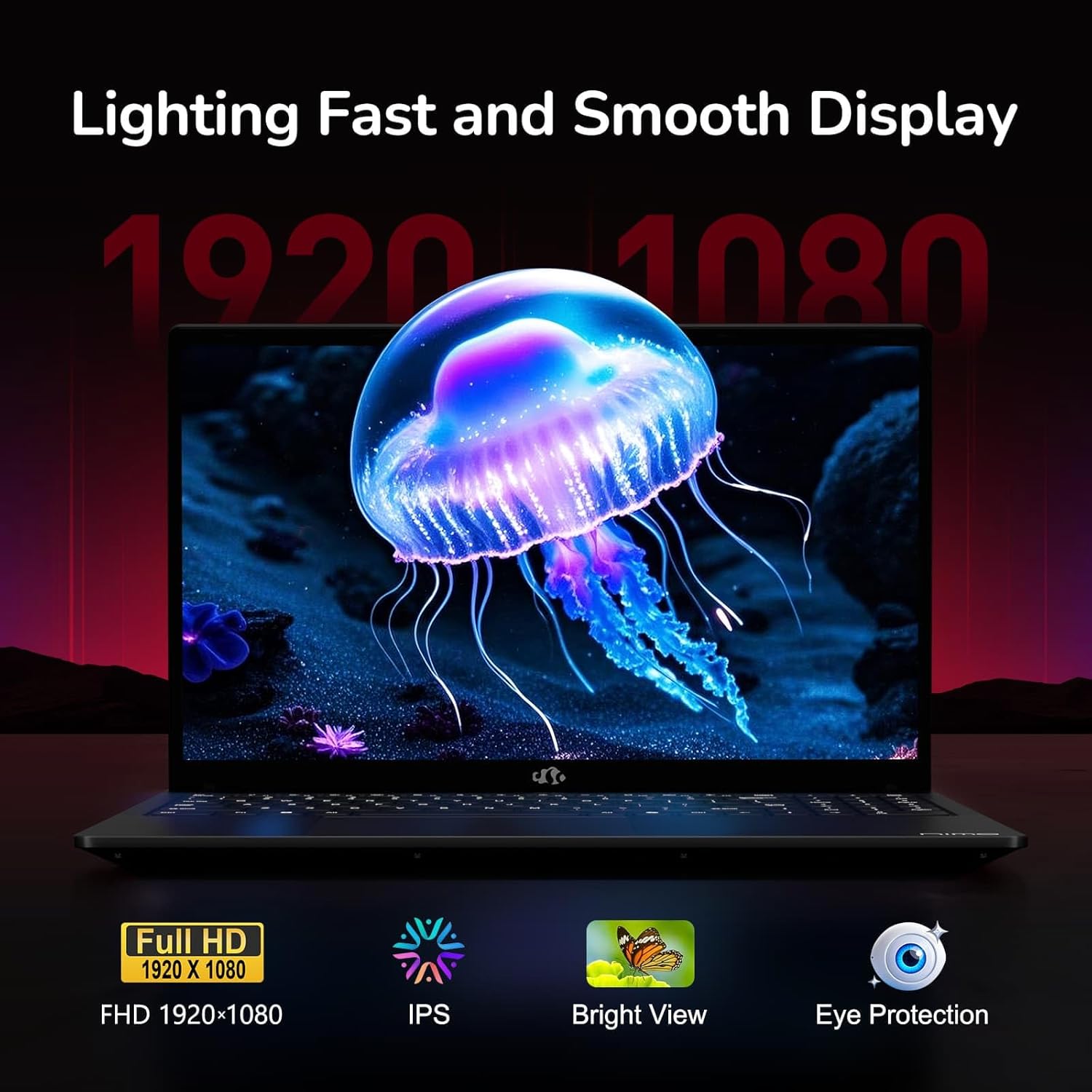
Figure 6: Laptop Display Features
5.2. Keyboard uye Touchpad
The laptop features a backlit keyboard and a responsive touchpad with multi-touch gesture support. The integrated fingerprint sensor is located on the touchpad for secure login.
- Backlit Keyboard: Press Fn + Fx (where Fx is the backlight key, typically F3 or F4) to adjust keyboard backlight brightness.
- Fingerprint sensor: Enroll your fingerprints via Windows Settings > Accounts > Sign-in options for quick and secure access.
- Webcam Privacy Shield: Slide the physical cover over the webcam for privacy when not in use.

Figure 7: Keyboard and Input Features

Figure 8: Seamless Security Integration (Fingerprint and Webcam Shield)
5.3. Power Management
The laptop is equipped with a 4700mAh (53.58Wh) Lithium Polymer battery. Battery life can vary based on usage. To optimize battery life, adjust power settings in Windows and close unnecessary applications.

Mufananidzo 9: Magadzirirwo eBhatiri
6. Kuchengeta uye Kuchengeta
6.1. Kuchenesa
- Shandisa jira rakapfava, risina lint kuchenesa skrini nekunze.
- Nokuda kwemavara akasindimara, dampsn jira nemvura kana screen cleaner. Dzivisa makemikari ane hasha.
- Ita shuwa kuti Laptop yakadzimwa uye kuburitswa isati yachenesa.
6.2. Kuchengeta uye Kubata
- Chengetedza laptop munzvimbo inotonhorera, yakaoma kure nechiedza chezuva uye tembiricha yakanyanyisa.
- Dzivisa kuisa zvinhu zvinorema palaptop.
- Do not expose the laptop to liquids.
6.3. Upgrades
The NIMO N155 laptop supports detachable RAM and SSD, allowing for user upgrades. Refer to the official NIMO support website or contact customer service for detailed upgrade instructions to avoid voiding your warranty.
7. Kugadzirisa matambudziko
This section addresses common issues you might encounter with your NIMO N155 laptop.
| Dambudziko | Possible Solution |
|---|---|
| Laptop haibatike. | Ensure the charger is properly connected and the battery has sufficient charge. Try a different power outlet. |
| Screen haina chinhu. | Check if the laptop is powered on. Adjust screen brightness. Connect to an external monitor to check if the issue is with the laptop's display. |
| Wi-Fi nyaya dzekubatanidza. | Ensure Wi-Fi is enabled in Windows settings. Restart your router and the laptop. Update Wi-Fi drivers. |
| Keyboard backlight haisi kushanda. | Press the Fn key combined with the appropriate function key (e.g., F3 or F4) to toggle or adjust the backlight. |
| Fingerprint sensor not responding. | Ensure your finger is clean and dry. Re-enroll your fingerprints in Windows settings. Update fingerprint sensor drivers. |
If you encounter issues not listed here or require further assistance, please contact NIMO customer support.
8. Zvinyorwa zveUnyanzvi
| Feature | Tsanangudzo |
|---|---|
| Model Name | Nimo N155 |
| Display | 15.6-inch FHD (1920x1080) IPS Inodzivirira Kupenya |
| processor | AMD Ryzen 7 6800H (8 Cores, 16 Threads, up to 4.7 GHz) |
| Graphics | Yakabatanidzwa AMD Radeon 680M |
| RAM | 32GB DDR5 4800 MHz (Dual-channel, upgradeable) |
| Storage | 1TB PCIe 4.0 SSD (upgradeable) |
| Operating System | Windows 11 Home |
| Wireless Kubatana | Wi-Fi 5 (802.11a/b/g/n/ac), Bluetooth 5.2 |
| Ports | 1x USB 2.0, 3x USB 3.0, 2x Type-C (1x PD, 1x Multifunction), 1x HDMI, 1x Micro SD, 1x Headphone Jack, 1x Kensington Lock |
| Webcam | 2.0 MP (with privacy shield) |
| Bhatiri | 4700mAh / 53.58Wh Lithium Polymer |
| Power Adapter | Type-C 100W PD Fast Charger |
| Dimensions (LxWxH) | 14.07 x 8.98 x 0.76 inches (357.4 x 228 x 19.2 mm) |
| Kurema | 3.8 makirogiramu (1.7 kg) |
| Special Features | Kiyibhodhi ine mwenje wekumashure, Muverengi weminwe, HD Audio, Keypad yenhamba |
9. Warranty uye Tsigiro
9.1. Warranty yemugadziri
Laptop yako yeNIMO N155 inouya ne 2-year mugadziri waranti. Iyi waranti inovhara kukanganisa mune zvigadzirwa uye magadzirirwo pasi pekushandiswa kwakajairwa. Ndapota chengetedza humbowo hwako hwekutenga kwezvichemo zvewaranti.
9.2. Mutemo weKudzosa Mari
NIMO inopa Mutemo wemazuva makumi mapfumbamwe wekudzorera zvinhu pasina matambudziko from the date of purchase. For details on eligibility and the return process, please refer to your purchase documentation or contact customer support.
9.3. Mutengi Tsigiro
For technical assistance, warranty claims, or any other inquiries, please visit the official NIMO support website or contact their customer service team. Contact information can typically be found on the NIMO brand store page or included documentation.
NIMO Brand Store: Visit NIMO Store on Amazon


