1. Nhanganyaya
This manual provides detailed instructions for the safe and effective use of your AFEXOA DY20 Night Light Bluetooth Speaker Alarm Clock. Please read this manual thoroughly before operating the device and retain it for future reference.
2. Zvigadzirwa zveChigadzirwa
- Multi-functional Device: Integrates a 20W Hi-Fi speaker, white noise machine, sleep sound machine with timer, multi-color touch control LED lamp, night light, and bedside alarm clock.
- High-Fidelity Stereo Inzwi: Delivers clear, undistorted sound with powerful bass, compatible with all Bluetooth devices.
- Wachi yeAlarm yeDigital: Features 7 selectable alarm sounds (soft music, natural sounds), 30 adjustable volume levels (up to 110 dB), and an unlimited 9-minute snooze function.
- Sensitive Touch Activated Lamp: Offers 8 RGB color options (Red, Green, Blue, Yellow, Purple, Indigo, White, Color cycle) and 3 levels of warm white light for various moods and occasions.
- 30 Soothing Sounds & Sleep Timer: Includes 5 white noise, 5 fan sounds, 6 lullaby sounds, and 14 natural sounds. Features a 15, 30, 60, or 90-minute sleep timer for automatic sound and light shut-off.
- MP3 Player Support: Supports music playback via USB Flash Drive and Micro SD/TF Card input.
3. Package Zviri mukati
- 1 x AFEXOA DY20 Night Light Bluetooth Speaker Alarm Clock
- 1 x USB yekuchaja Cable
- 1 x Chinyorwa cheMushandisi
4. Chigadzirwa Pamusoroview
Ziva zvinhu zviri mumudziyo uye zvinodzora:
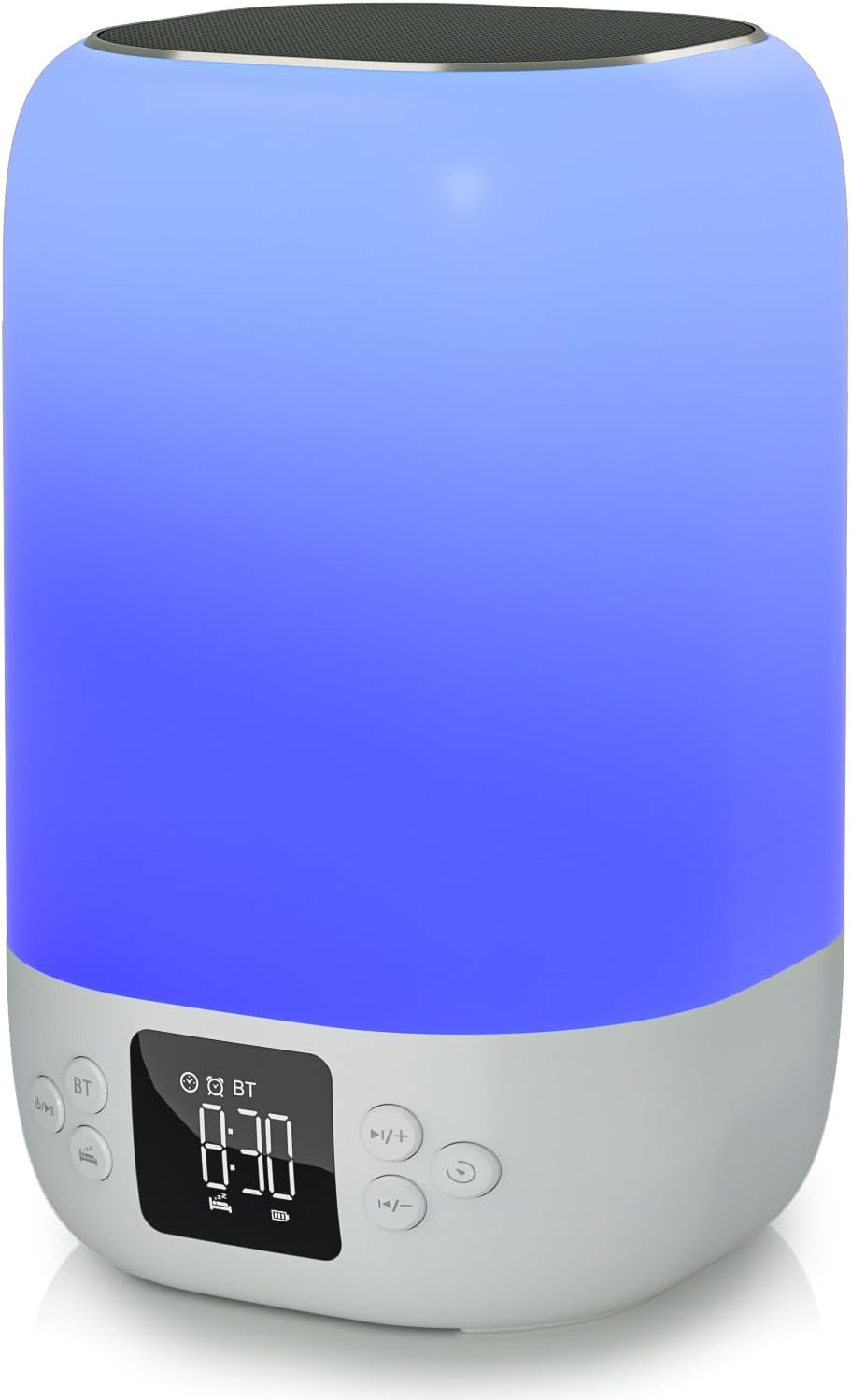
Mberi view of the AFEXOA DY20 device, showcasing the digital time display and control buttons.

An illustrative image detailing the five primary functions of the AFEXOA DY20: sound machine, MP3 player, night light, alarm clock, and Bluetooth speaker.

The device connected via Bluetooth to a smartphone playing music, with an inset showing the USB and Micro SD card input ports for MP3 playback.
Zvinodzora:
- Simba / Mode Bhatani: Turns the device on/off and switches between modes (Bluetooth, Sound Machine, MP3).
- Bhatani reBluetooth (BT): Inoshanda paBluetooth pairing mode.
- Bhatani reKukwidza Vhoriyamu (+)/Rinotevera: Increases volume or skips to the next track/sound.
- Bhatani rekuti Vhoriyamu Idzike (-)/Rwiyo Rwakapfuura: Decreases volume or goes to the previous track/sound.
- Snooze/Chiedza Bhatani: Activates snooze during an alarm or changes light modes.
- Nguva Ratidza: Digital display for time and settings.
Zviteshi:
- USB Host Port: For connecting a USB flash drive for MP3 playback.
- Nzvimbo yeMicro SD/TF Card: For inserting a Micro SD/TF card for MP3 playback.
- Type-C yekuchaja Port: For connecting the USB charging cable to power the device.
5. Setup
5.1 Kutanga Kuchaja
- Connect the provided USB charging cable to the Type-C port on the device.
- Batanidza rimwe divi retambo muadapta yemagetsi yeUSB inoenderana nayo (isina kuiswa) kana pachiteshi cheUSB chekombuta.
- Allow the device to fully charge before first use. The battery indicator on the display will show charging status.
5.2 Kubatidza/Kudzima
- To power on, press and hold the Power/Mode button.
- To power off, press and hold the Power/Mode button again.
6. Operating Instructions
6.1 Nguva Setting
- In normal time display mode, press the 'Time Set' button (often labeled with a clock icon) to enter time setting mode. The hour digits will flash.
- Shandisa mabhatani ekuti '+' uye '-' kugadzirisa awa.
- Press 'Time Set' again to move to minute setting. Use '+' and '-' to adjust minutes.
- Press 'Time Set' a third time to confirm and exit time setting.
- To switch between 12-hour and 24-hour format, short press the 'Time Set' button.
6.2 Alarm Setting

The device displaying the time in alarm clock mode, with text indicating 7 wake-up ringtones, 1-30 level volume, and 9-minute snooze.
- Press the 'Alarm 1 Set' button (often labeled with an alarm clock icon) to set the first alarm. The hour digits will flash.
- Shandisa mabhatani ekuti '+' uye '-' kugadzirisa nguva yekuridza alarm.
- Press 'Alarm 1 Set' again to set the alarm minutes. Use '+' and '-' to adjust minutes.
- Press 'Alarm 1 Set' a third time to select the alarm sound (7 options available). Use '+' and '-' to cycle through sounds.
- Press 'Alarm 1 Set' again to confirm.
- To activate/deactivate Alarm 1, use the dedicated 'Alarm 1 ON/OFF' switch or button. Repeat for Alarm 2 if available.
- When the alarm sounds, press the 'Snooze/Light' button to activate snooze for 9 minutes. Press any other button to turn off the alarm.
6.3 Bluetooth Mutauri Modhi
- Turn on the device. Press the Power/Mode button until 'BT' appears on the display, indicating Bluetooth mode.
- On your smartphone or other Bluetooth-enabled device, enable Bluetooth and search for 'AFEXOA DY20' (or similar name).
- Sarudza mudziyo wekubatanidza. Ruzha rwekusimbisa runoratidza kufambidzana kwakabudirira.
- You can now play audio from your connected device through the speaker. Use the '+/-' buttons on the speaker or your phone to adjust volume.
6.4 Sound Machine Mode (White Noise)

A person relaxing in bed with the AFEXOA DY20 emitting a warm light and soothing sounds, illustrating its sound machine capabilities.
- If not already in Sound Machine mode, press the Power/Mode button until the sound machine icon or 'FO' (for sound files) appears.
- Use the '+' and '-' buttons to cycle through the 30 available soothing sounds (white noise, fan sounds, lullabies, natural sounds).
- Gadzirisa vhoriyamu uchishandisa '+' uye '-' mabhatani.
- To set a sleep timer, press the 'Timer' button (if available) and select 15, 30, 60, or 90 minutes. The device will automatically turn off sound and light after the set time.
6.5 Night Light Mode
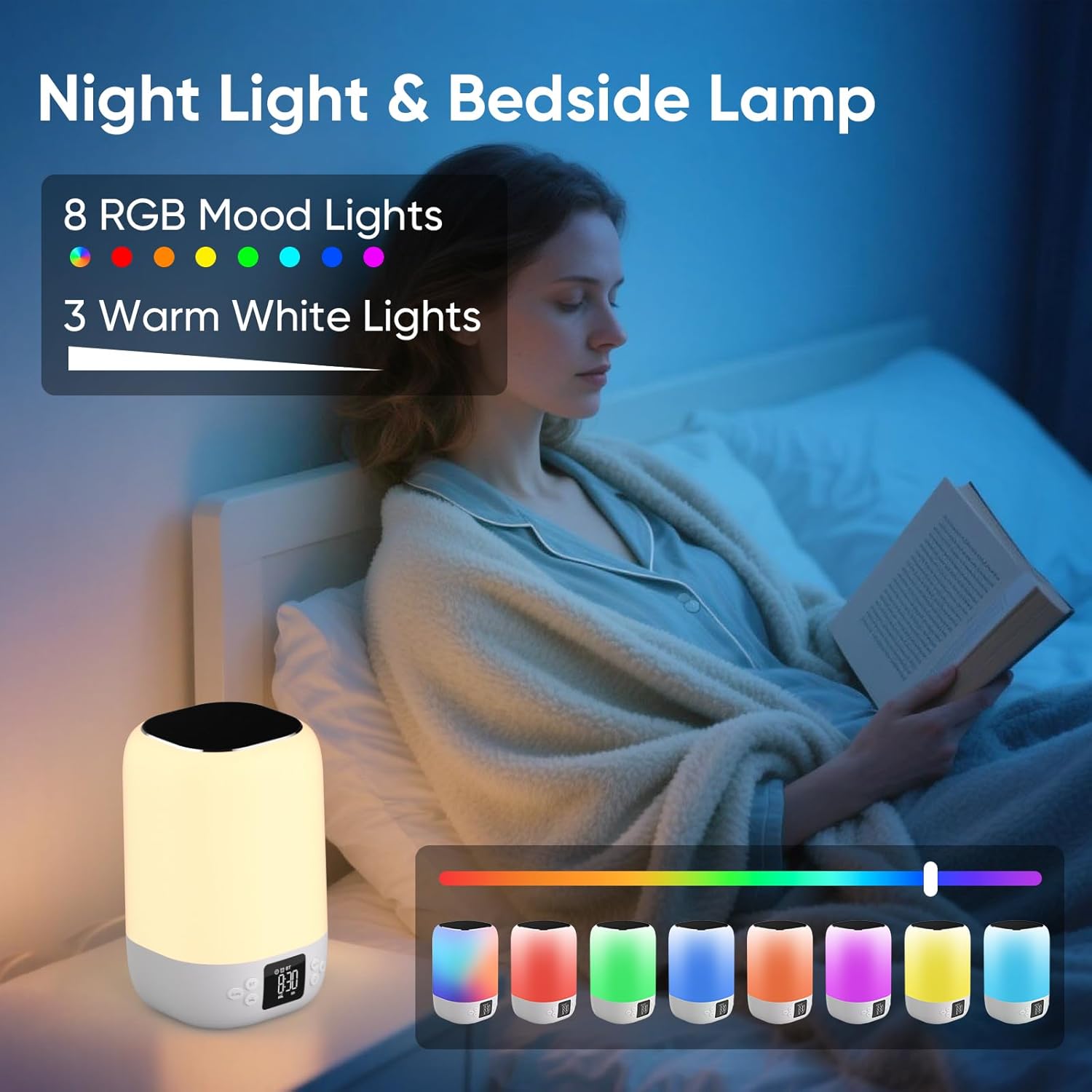
A person reading in bed with the AFEXOA DY20 displaying various light colors, highlighting its 8 RGB mood lights and 3 warm white light options.

A child sleeping peacefully with the AFEXOA DY20 emitting a soft blue light, demonstrating its sleep aid function with an adjustable auto-off timer.
- Chiedza Chichena Chinodziya: Short press the 'Snooze/Light' button to cycle through 3 levels of warm white light (low, medium, high).
- RGB Ruvara Kuchinja: Long press the 'Snooze/Light' button to activate the 8 RGB color changing mode. Short press again to pause on a specific color. Long press again to turn off the light.
6.6 MP3 Player Mode (USB/Micro SD)
- Insert a USB flash drive into the USB Host port or a Micro SD/TF card into its dedicated slot.
- The device should automatically switch to MP3 player mode and begin playback. If not, press the Power/Mode button to cycle to this mode.
- Use the '+' and '-' buttons to skip tracks.
- Use the Power/Mode button (short press) to play/pause.
6.7 Charging Other Devices (if applicable)
The product specifications do not explicitly list external device charging capabilities. Please refer to the product packaging or manufacturer's website for confirmation if this feature is desired.
7. Kuchengeta
- Kuchenesa: Pukuta chigadziro nemucheka wakapfava, wakaoma. Usashandise abrasive cleaners kana solvents.
- Kuchengeta: Chengetedza mudziyo munzvimbo inotonhorera, yakaoma kure nechiedza chezuva uye tembiricha yakanyanyisa.
- Battery Care: To prolong battery life, avoid fully discharging the device frequently. Charge regularly, even if not in use for extended periods.
8. Kugadzirisa matambudziko
| Nyaya | Possible Solution |
|---|---|
| Mudziyo haubatike. | Ensure the device is charged. Connect to power and try again. |
| Bluetooth haina kubatana. | Ensure the device is in Bluetooth pairing mode. Check your phone's Bluetooth settings and try re-pairing. Ensure no other devices are connected. |
| Hapana ruzha kubva kumutauri. | Check volume levels on both the device and your connected source. Ensure the correct mode (Bluetooth/MP3/Sound Machine) is selected. |
| Chiedza chisingashande. | Ensure the device is powered on. Press the 'Snooze/Light' button to activate or cycle through light modes. |
| Alarm haisi kurira. | Verify alarm time and ensure the alarm is activated (ON). Check alarm volume settings. |
| MP3 playback issues. | Ensure USB drive or Micro SD card is inserted correctly and contains compatible MP3 files. Try re-inserting or using a different storage device. |
| Mudziyo haudaire. | Locate the 'RESET' button (often a small pinhole) and use a thin object (like a paperclip) to press it. This will restart the device. |
9. Zvinotsanangurwa
- Brand: AFEXOA
- Muenzaniso: DY20
- Ruvara: Chena
- Ratidza Rudzi: Digital
- Kunobva Simba: Battery Powered (1 Lithium Ion bhatiri inosanganisirwa)
- Zviyero zvechigadzirwa: 3.93"W x 7.87"H
- Chinhu Weight: 1.32 pounds (600 Grams)
- Frame Material: Plastiki
- Special Feature: Loud Alarm
- Rudzi rwekamuri: Bedroom
10. Warranty uye Tsigiro
For warranty information or technical support, please refer to the documentation included with your purchase or contact AFEXOA customer service directly. Contact details can typically be found on the product packaging or the official AFEXOA website.


