1. Nhanganyaya uye Pamusoroview
Thank you for choosing the OHAYO A7 Clip-On Open Ear Headphones. These headphones are designed to provide a comfortable and immersive audio experience while keeping you aware of your surroundings. Featuring Bluetooth 5.4 connectivity, a lightweight clip-on design, and extended battery life, the A7 is suitable for various activities, from daily commutes to workouts.
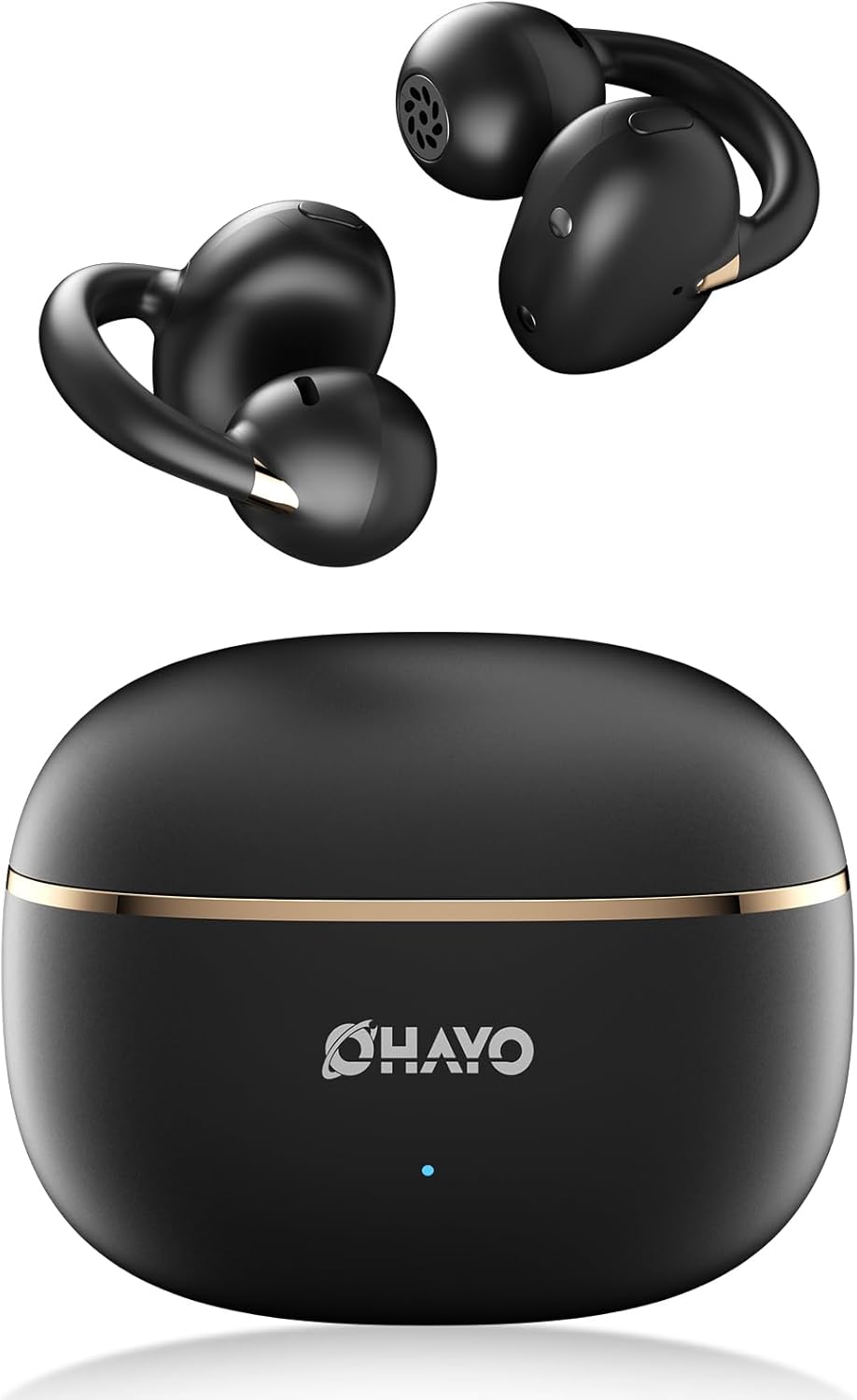
Image 1.1: The OHAYO A7 Clip-On Open Ear Headphones and their charging case. The earbuds feature a black finish with gold accents, designed for an open-ear fit. The compact charging case is also black with a gold stripe and the OHAYO logo.
Zvinhu zvakakosha zvinosanganisira:
- Dhizaini Yenzeve Yakavhurika: Allows you to hear your audio while remaining aware of ambient sounds.
- Ultra-Lightweight: Each earbud weighs approximately 4.7g for comfortable, extended wear.
- Makaralı 5.4: Provides stable and efficient wireless connectivity with low latency.
- 12mm Dynamic Driver: Inopa ruzha rwakajeka nebass yakawedzerwa.
- Yakawedzerwa Nguva Yekutamba: Up to 6.5 hours on a single charge, with a total of 40 hours using the charging case.
- IPX6 Kuramba Mvura: Protects against sweat and splashes, suitable for active use.
2. Chii chiri muBhokisi
Ndokumbira utarise zvirimo pasuru kuti uone kuti zvinhu zvese zviripo:
- OHAYO A7 Clip-On Open Ear Headphones (Left and Right)
- Wireless Charging Case
- USB-C Kuchaja Cable
- User Manual

Image 2.1: The package contents for the OHAYO A7 headphones, including the earbuds, charging case, USB-C cable, and user manual.
3. Chigadzirwa Dhidhiyo
Familiarize yourself with the components of your OHAYO A7 headphones:

Mufananidzo 3.1: A pedyo-up view of a single OHAYO A7 earbud, highlighting its clip-on design and speaker grille.

Image 3.2: The OHAYO A7 earbuds placed inside their open charging case, showing the charging contacts and the compact design.
4. Setup
4.1 Kuchaja mahedhifoni
Usati washandisa kekutanga, chaja mahedhifoni zvizere nebhokisi rekuchaja.
- Connect the provided USB-C charging cable to the charging port on the case and to a USB power source.
- Chiratidzo chekesi chicharatidza mamiriro ekuchaja. Kuchaja kwakazara kwekesi kunotora anenge maawa 1.5.
- Isa maearbuds muchesi yekuchaja. Vanozotanga kuchaja otomatiki.

Image 4.1: The OHAYO A7 charging case with a USB-C cable inserted, indicating the charging process. The image also shows the earbuds and charging times.
A 10-minute quick charge can provide up to 2 hours of playtime.
4.2 Bluetooth Pairing
To connect your OHAYO A7 headphones to a device:
- Ita shuwa kuti maearbuds akachajwa uye aiswa muchesi yekuchaja.
- Open the charging case. The earbuds will automatically enter pairing mode, indicated by a flashing LED light (if applicable).
- Pamudziyo wako (smartphone, piritsi, laptop), enda kuBluetooth marongero uye batidza Bluetooth.
- Tsvaga available devices and select "OHAYO A7" from the list.
- Once connected, the LED indicator on the earbuds will turn off or show a solid light, and you will hear a confirmation tone.

Image 4.2: A smartphone screen displaying Bluetooth settings, with "OHAYO A7" listed as an available device for pairing.
The OHAYO A7 uses Bluetooth 5.4 for a stable connection up to 20 meters.
5. Kupfeka Mirayiridzo
Kuti ruzha rwuve rwemhando yepamusoro uye runyaradze, iva nechokwadi chekuti mahedhifoni akapfekwa nemazvo.
- Ziva Kuruboshwe (L) uye Kurudyi (R) mahedhifoni.
- Gently clip each earbud onto the corresponding ear, positioning the open-ring joint horizontally.
- Adjust the earbud slightly until it feels secure and comfortable, ensuring the speaker is aligned with your ear canal for the best sound delivery.

Image 5.1: A visual guide demonstrating the correct way to wear the OHAYO A7 clip-on earbuds, contrasting it with unstable, misaligned, and reversed fits.
The ergonomic C-shaped design and lightweight construction (4.7g per earbud) are engineered for comfort and stability, even for users with glasses or sensitive ears.
6. Operating Instructions (Button Controls)
The OHAYO A7 headphones feature physical buttons for easy control of various functions:

Image 6.1: A detailed diagram illustrating the various button controls on the OHAYO A7 earbuds for music playback, calls, and other functions.
| Chiito | Function |
|---|---|
| Single tap (L or R) | Tamba/Misa Mimhanzi, Pindura/ Pedzisa Kufona |
| Press and hold 1.5s (L) | Previous Track |
| Press and hold 1.5s (R) | Next Track |
| Tokonya kaviri (L) | Vhoriyamu - |
| Top kaviri (R) | Vhoriyamu + |
| Triple tap (R) | Activate Voice Assistant |
| Triple tap (L) | Game Mode On/Off |
| Press and hold (L or R) during incoming call | Ramba Kufona |
7. Zvinotsanangurwa
Detailed technical specifications for the OHAYO A7 Clip-On Open Ear Headphones:
| Feature | Detail |
|---|---|
| Model Name | A7 |
| Kubatana Technology | Wireless (Bluetooth 5.4) |
| Bluetooth Range | Kusvika 20 metres |
| Audio Driver Size | 12 mm Dynamic Mutyairi |
| Frequency Response | 20 KHz (Upper limit provided) |
| Sensitivity | 85 dB |
| Impedance | 32 Ohm |
| Sravana Sameeralu Serial XNUMXth Audio Latency | 6 Milliseconds (35ms in pro-gaming mode) |
| Noise Control | Adaptive Noise Cancellation (ENC for calls) |
| Earbud Playtime | 6.5 - 8 Hours (single charge) |
| Yese Yekutamba (nekesi) | Kusvikira kuMaawa mashanu |
| Nguva yekuchaja (Nyaya) | 1.5 Maawa |
| Kuchaja Capacity | 500 mAh |
| Kuramba Mvura | IPX6 (Waterproof/Sweatproof) |
| Kurema kwenzeve | 4.7 gramu (imwe neimwe) |
| Nyaya Dimensions | 2.4 x 1.96 x 1.18 inches |
| Material | ABS, Plastiki |
| Inowirirana Devices | Mafoni, Desktop, Laptops |
8. Kuchengeta
Proper care will extend the lifespan of your OHAYO A7 headphones:
- Kuchenesa: Garai pukuta maearbud nekesi yekuchaja nejira rakapfava, rakaoma, risina lint. Dzivisa kushandisa abrasive zvinhu kana makemikari ane hasha.
- Kuchengeta: Kana usingashandise, chengeta mahedhifoni mubhokisi rawo rekuchaja kuti uadzivirire kubva kuguruva nekukuvadzwa.
- Kuratidzwa kwemvura: While the headphones are IPX6 water-resistant, avoid submerging them in water. Dry them thoroughly if they get wet from sweat or splashes before placing them back in the charging case.

Image 8.1: The OHAYO A7 earbuds shown with water droplets, demonstrating their IPX6 waterproof and splashproof capabilities.
9. Kugadzirisa matambudziko
If you encounter issues with your OHAYO A7 headphones, refer to the following common solutions:
- Hapana Inzwi:
- Ensure the headphones are properly paired and connected to your device.
- Tarisa huwandu hwevhoriyamu pamahedhifoni nemudziyo wako wakabatana.
- Make sure the earbuds are correctly seated in your ears.
- Haikwanise Kubatanidza:
- Ita shuwa kuti Bluetooth yakabatidzwa pane chako kifaa.
- Dzorera maearbud mubhokisi rekuchaja, vhara chivharo, mirira masekondi mashoma, wozovhura zvakare kuti upinde zvakare mumodhi yekuwiriranisa.
- Try forgetting "OHAYO A7" from your device's Bluetooth list and re-pairing.
- Ita shuwa kuti maearbuds akachajwa.
- Nyaya dzekuchaja:
- Tarisa kuti tambo yekuchaja yakabatana zvakachengetedzeka kune ese ari maviri kesi uye sosi yemagetsi.
- Ita shuwa kuti macontacts ekuchaja ari pamaearbuds uye mukati mekesi akachena uye haana tsvina.
- Edza kushandisa USB-C tambo yakasiyana kana adapta yemagetsi.
- Kubatana Kwenguva:
- Reduce the distance between the headphones and your device.
- Avoid environments with significant wireless interference (e.g., near Wi-Fi routers, microwaves).
- Iva nechokwadi chekuti hapana zvipingamupinyi zvemuviri pakati pemahedhifoni nemudziyo wako.
10. Warranty uye Tsigiro
OHAYO provides a 1-Year Care Plan for your A7 Clip-On Open Ear Headphones. This includes:
- Industry-leading 24/7 customer support.
- Lifetime technical updates.
For warranty claims, technical assistance, or any other inquiries, please contact OHAYO customer support through the official channels provided at the time of purchase or on the OHAYO website.
Image 10.1: An illustration highlighting the 1-Year Care Plan offered by OHAYO, alongside the product packaging and accessories.


