1. Nhanganyaya
Thank you for choosing Bluedee BD-SK900 Computer Speakers. This manual provides essential information for the proper setup, operation, and maintenance of your new speakers. Please read this guide thoroughly before use to ensure optimal performance and longevity of your device. These speakers are designed to deliver high-fidelity audio with versatile connectivity and dynamic RGB lighting for an enhanced audio-visual experience.
2. Package Zviri mukati
Ndokumbira utarise kuti zvinhu zvese zvakanyorwa pazasi zvinosanganisirwa mupakeji yako:
- 1x Bluedee Computer Speaker (Pair)
- 1x USB/USB-C Cable
- 1x Kurumidza Kutanga Nongedzo
3. Zvigadzirwa zveChigadzirwa
The Bluedee BD-SK900 speakers are equipped with advanced features for a superior audio experience:
- High-Fidelity Stereo Inzwi: Features 2 tweeters, 2 full-range drivers, and 2 passive radiators for clear highs, rich mids, and powerful bass with a 20W output.
- All-in-One Control Knob: A single, intuitive knob allows for play/pause, volume adjustment, lighting control, and switching between connection modes.
- Bluetooth 5.4 Kubatana: Ensures a stable, low-latency wireless connection for seamless audio streaming. (Note: Requires USB power supply for operation).
- Plug & Play Dhizaini: Connects easily via the included USB/USB-C cable for both audio and power, requiring no additional drivers or software.
- Dynamic RGB Mwenje: Offers 5 distinct RGB lighting modes, including dynamic color-shifting and static single-color glows, controllable via the knob.
- Unique Egg-shaped Acoustic Design: A minimalist and space-saving design (5.1"D x 5"W x 7.2"H) that enhances sound projection.
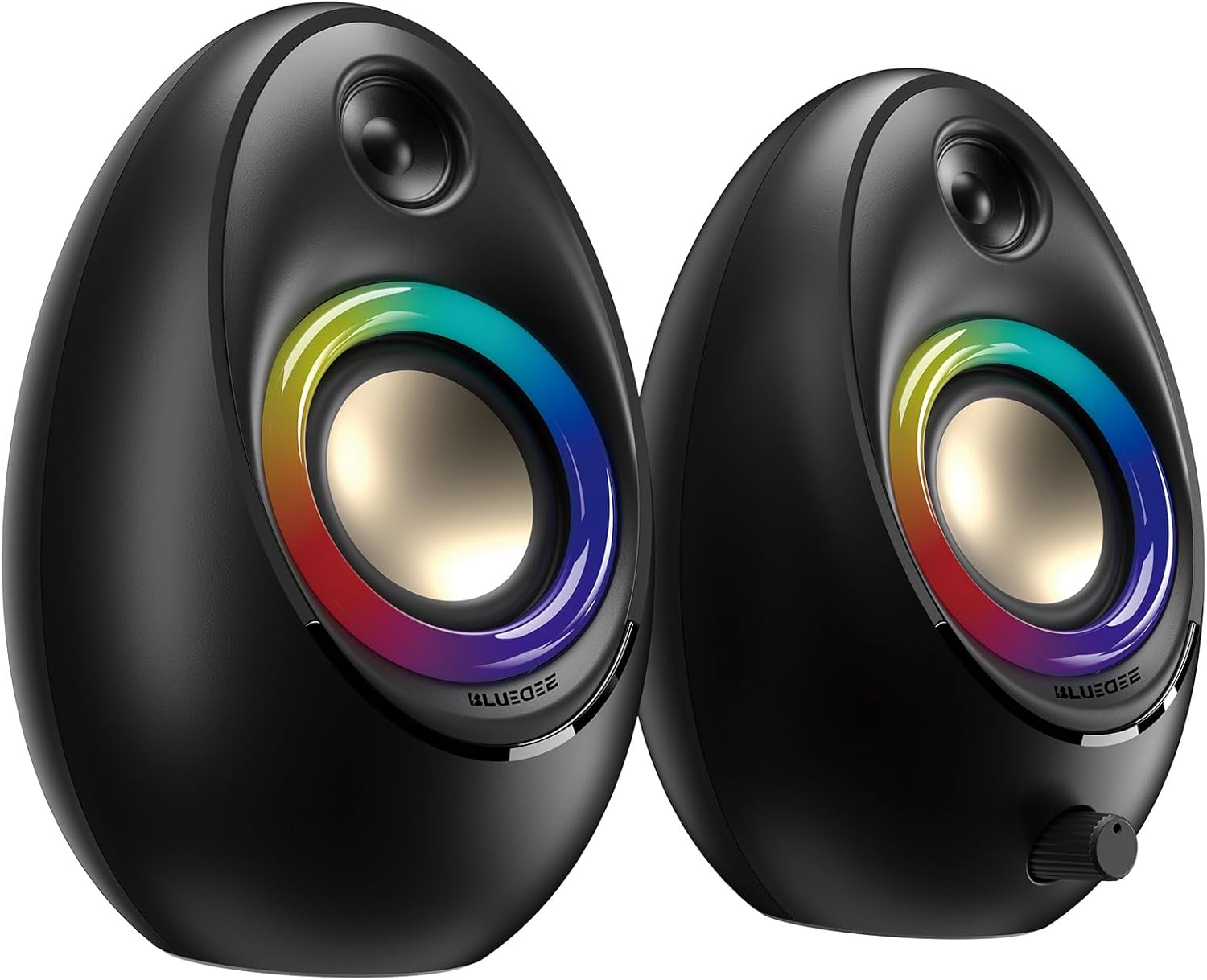
Figure 3.1: Bluedee BD-SK900 Computer Speakers, showcasing their design and RGB lighting.

Figure 3.2: Internal acoustic architecture of the Bluedee BD-SK900 speakers.

Figure 3.3: The multi-functional control knob for easy operation.
4. Setup Instructions
Follow these steps to set up your Bluedee BD-SK900 speakers:
- Kuiswa: Position the two speakers on your desktop or desired surface, ensuring they are spaced appropriately for optimal stereo sound.
- Batanidza Simba uye Audio: Use the provided all-in-one USB/USB-C cable. Connect the USB-A or USB-C end to an available port on your computer (desktop, laptop) or a compatible USB power adapter (not included). The speakers will power on automatically.
- Kutanga Kubatanidza: Upon connecting, the speakers will typically default to USB audio mode. If your computer recognizes the speakers, audio will play directly through them.
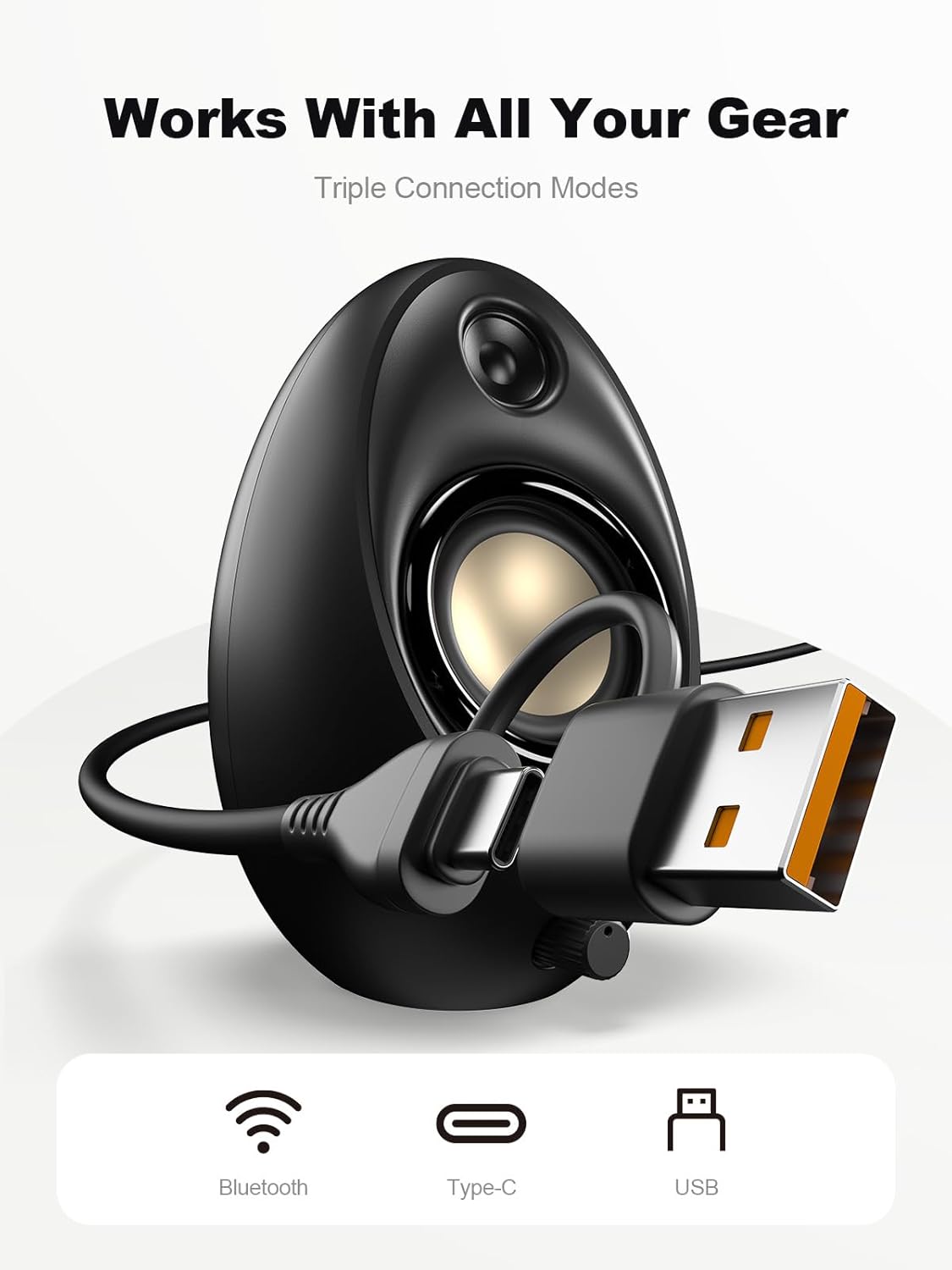
Figure 4.1: Connecting the speakers via USB/USB-C cable.
5. Operating Instructions
5.1 Simba On/Kudzima
The speakers power on automatically when connected to a USB power source. To power off, disconnect the USB cable.
5.2 Kudzora Inzwi
Rotate the multi-functional knob clockwise to increase volume and counter-clockwise to decrease volume.
5.3 Bluetooth Pairing
- Chinja kuBluetooth Mode: Press and hold the multi-functional knob for approximately 2-3 seconds until the speaker indicates Bluetooth mode (e.g., a specific light pattern or audio prompt).
- Vhura Bluetooth paChishandiso: On your smartphone, tablet, or laptop, enable Bluetooth and search for available devices.
- Vaviri: Select "Bluedee BD-SK900" from the list of devices. Once paired, the speakers will confirm the connection.
5.4 USB/Type-C Connection
When connected via the USB/USB-C cable, the speakers will automatically function as an audio output device for your computer. To switch back to USB mode from Bluetooth, press and hold the multi-functional knob again.
5.5 Kudzora Mwenje weRGB
The speakers feature 5 dynamic RGB lighting effects. Briefly press the multi-functional knob to cycle through the available lighting modes. This allows you to customize the ambiance to your preference.

Mufananidzo 5.1: Dynamic RGB yekuvhenekera mhedzisiro.
6. Kugadzirisa matambudziko
If you encounter issues with your Bluedee BD-SK900 speakers, please refer to the following common solutions:
- Hapana Inzwi:
- Ensure the USB/USB-C cable is securely connected to both the speakers and your device/power source.
- Check the volume level on both the speakers (using the knob) and your connected device.
- Verify that the correct audio output device is selected in your computer's sound settings.
- If using Bluetooth, ensure the speakers are in Bluetooth mode and successfully paired.
- Bluetooth Disconnection/Pairing Issues:
- Ensure the speakers are within the 10-meter Bluetooth range of your device.
- Dzima wobva wavhura Bluetooth pamudziyo wako, wobva waedza kuibatanidza zvakare.
- Forget the device from your Bluetooth list and re-pair.
- Ensure the speakers are not connected to another device.
- RGB Mwenje Haisi Kushanda:
- Iva nechokwadi chekuti maspika akashanda.
- Briefly press the multi-functional knob to cycle through lighting modes; the lights might be off or in a static mode.
- Yakakanganiswa Audio:
- Reduce the volume on both the speakers and your connected device.
- Ita shuwa kuti audio source ndeyemhando yakanaka.
- Check for any interference if using Bluetooth.
7. Zvinotsanangurwa
| Model Name | BD-SK900 |
| Mutauri Rudzi | Computer Mutauri |
| Kubatana Technology | Bluetooth, USB |
| Bluetooth Version | 5.4 |
| Bluetooth Range | 10 Mamita |
| Power Output | 20W |
| Chiratidzo-ku-Ruzha Ratio | 70 dB |
| Frequency Response | 20 KHz (Upper limit, typical for full-range) |
| RGB Lighting Modes | 5 |
| Inowirirana Devices | Desktop, Laptop, Smartphone, Tablet |
| Zviyero zvechigadzirwa (mutauri wega wega) | 5.1"D x 5"W x 7.2"H |
| Item Weight | 2.88 makirogiramu |
| Simba Source | Corded Electric (USB/Type-C) |

Figure 7.1: Speaker dimensions and design.
8. Kuchengeta
Kuti uve nechokwadi chekugara kwenguva refu uye kuita kwakaringana kwevatauri vako, tevera iyi nhungamiro yekugadzirisa:
- Kuchenesa: Use a soft, dry cloth to clean the speaker surfaces. Avoid using abrasive cleaners, solvents, or strong chemicals, as they may damage the finish.
- Kuchengeta: Kana usingashandiswe kwenguva yakareba, chengeta masipika munzvimbo inotonhorera, yakaoma kure nezuva rakananga uye tembiricha yakanyanya.
- Kubata: Handle the speakers with care. Avoid dropping them or subjecting them to strong impacts.
- Kufefetedza Ensure proper ventilation around the speakers to prevent overheating. Do not block any vents.
9. Safety Information
Ndokumbira utarise matanho ekuchengetedza anotevera:
- Usaisa masipika mumvura, hunyoro, kana tembiricha yakanyanya.
- Do not attempt to disassemble or modify the speakers. This will void the warranty and may cause damage or injury.
- Keep the speakers away from heat sources, open flames, and direct sunlight.
- Use only the provided USB/USB-C cable for connection.
- Dzivisa kuteerera ruzha rwakanyanya kwenguva yakareba kuti usanyanya kunzwa zvakanaka.
10. Warranty uye Tsigiro
Bluedee provides comprehensive support for your BD-SK900 Computer Speakers:
- Quality Warranty: Your speakers are covered by a 540-day quality warranty from the date of purchase.
- Hupenyu Hwose Rutsigiro: Bluedee offers lifetime customer support for this product.
- Contact: For any questions, technical assistance, or warranty claims, please contact us via Amazon Messages or refer to the contact details provided in your Quick Start Guide.


