Nhanganyaya
This manual provides essential information for setting up, operating, maintaining, and troubleshooting your Nokia C300 TA-1515 smartphone. Please read this guide carefully to ensure optimal performance and longevity of your device.
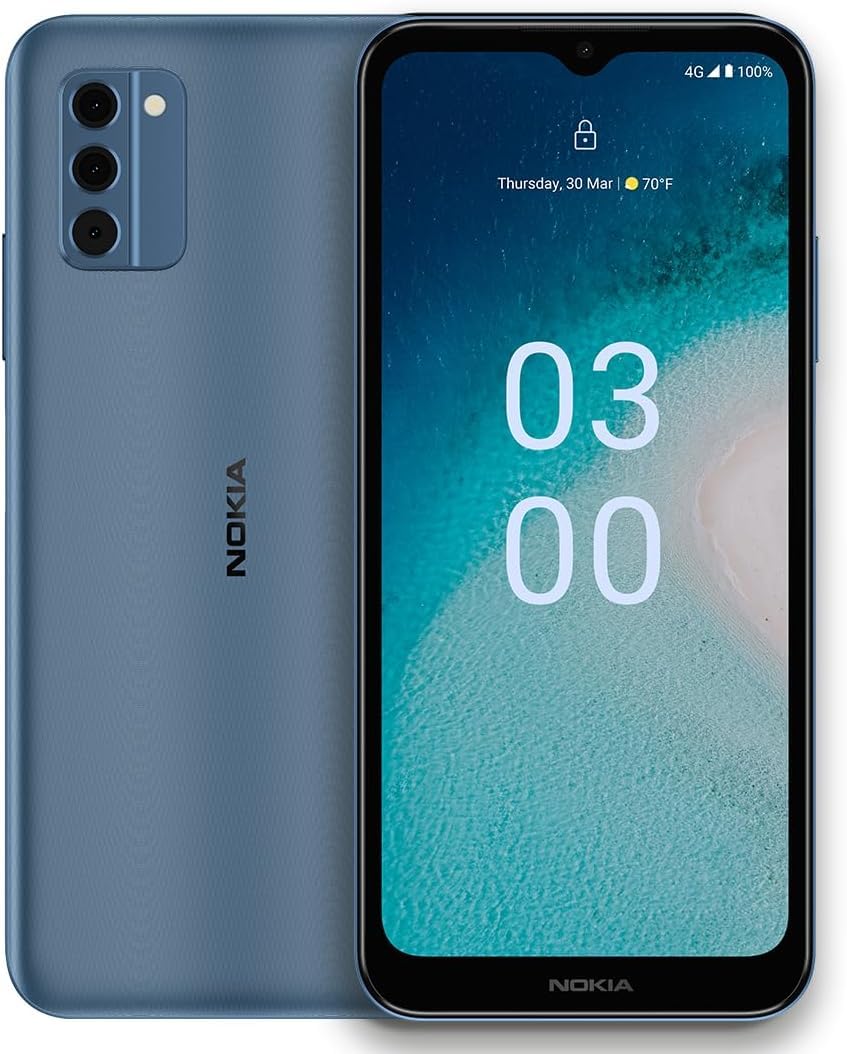
Image: Nokia C300 TA-1515 Smartphone, front view. This image displays the device's sleek design and screen.
Gadzirira
1. Unboxing uye Kutanga Kuongorora
Nyatsobvisa zvinhu zvese kubva pakurongedzerwa. Iva nechokwadi chokuti zvinhu zvinotevera zviripo:
- Nokia C300 TA-1515 Smartphone
- USB-C Cable
- SIM Ejector Tool
Inspect the device for any visible damage. If any components are missing or damaged, contact customer support.
2. Inserting the SIM Card and microSD Card (Optional)
- Tsvaga SIM card tray padivi pefoni.
- Isa iyo SIM ejector chishandiso mugomba diki padivi petireyi wodzvanya zvinyoro nyoro kusvika tireyi yabuda.
- Isa kadhi rako reNano-SIM uye/kana kadhi remicroSD (kana zvichibvira) munzvimbo dzakatarwa dziri patireyi. Iva nechokwadi chekuti matinji egoridhe akatarisa pasi.
- Nyatsosundidzira tireyi mufoni kusvika yadzvanya panzvimbo.
3. Kuchaja Bhatiri
Before first use, fully charge the phone's battery. The Nokia C300 TA-1515 is equipped with a 4000 mAh battery.
- Connect the USB-C cable to the phone's charging port.
- Batanidza rimwe divi retambo yeUSB-C kune adapta yemagetsi yeUSB inoenderana nayo (haisipo) woibatanidza mugomba rekuburitsa magetsi.
- Chiratidzo chekuchaja chichaonekwa pachiratidziro. Rega foni ichaja kusvika chiratidzo chebhatiri charatidza kuti chazara.
4. Powering On uye Initial Configuration
- Press and hold the Power button (usually on the right side) until the Nokia logo appears.
- Tevedzera zviri pa-skrini kuti upedze kuseta kwekutanga, kusanganisira kusarudza mutauro, kubatana kweWi-Fi, kuseta account yeGoogle, uye zvigadziriso zvekuchengetedza.
Kushandisa mudziyo wako
1. Basic Navigation
- Touchscreen Gestures: Tinya kuti usarudze, swipe kupuruzira, tsikirira kuti uwedzere.
- Sikirini Yemba: Svika mapurogiramu, majeti, uye zviziviso.
- Notification Panel: Swipe pasi kubva pamusoro pechidzitiro kuenda view zviziviso uye zvigadziriso zvinokurumidza.
- App Drawer: Swipe kumusoro kubva pasi pechidzitiro kuti uwane ese akaiswa maapplication.
2. Kuita Kufona uye Kutumira Mharidzo
- Kufona: Vhura iyo Phone app, isa nhamba yacho, wobva wadzvanya chiratidzo chekufona.
- Mharidzo: Vhura iyo Mharidzo app, tap "Start chat," enter recipient and message, then send.
3. Kubatanidza kuWi-Fi neData reNharembozha
- Wi-Fi: Enda ku Settings > Network & internet > Wi-Fi. Turn Wi-Fi on, select your network, and enter the password.
- Nharembozha Enda ku Zvirongwa> Network & internet> Mobile network. Ensure "Mobile data" is enabled.
4. Kushandiswa kwekamera
Vhura iyo Kamera app. Tap the shutter button to take photos or the video icon to record videos. Explore different modes and settings within the app.
Maintenance
1. Software Updates
Chengetedza software yemudziyo wako ichivandudzwa kuti ishande zvakanaka uye ive yakachengeteka. Enda ku Settings> System> System update kutarisa uye kuisa zvigadziriso.
2. Kuchenesa Mudziyo Wako
Use a soft, lint-free cloth to clean the screen and body of your phone. Avoid abrasive materials or harsh chemicals. Do not expose the device to excessive moisture.
3. Battery Care
- Dzivisa kupisa kwakanyanya.
- Usarega bhatiri richidonha zvachose nguva dzose.
- Shandisa machaja akatenderwa chete netambo.
4. Kuchengetedza Kuchengetedza
Nguva dzose review uye bvisa zvisina basa files, apps, and media to free up storage space. You can check storage usage in Zvirongwa > Kuchengeta.
Kugadzirisa matambudziko
| Dambudziko | Possible Solution |
|---|---|
| Mudziyo hausi kubatika | Ita shuwa kuti bhatiri rachajwa. Dzvanya uye bata bhatani reMasimba kweanenge masekonzi gumi kumanikidza kutangazve. |
| Zvishandiso zvinoputsika kana kutonhora | Vhara uye vhura zvakare app. Bvisa cache yeapp (Zvirongwa> Zvishandiso> [Zita reApp]> Chengetedza & cache> Bvisa cache) Tangazve foni. |
| Upenyu hwebhatiri husina kunaka | Reduce screen brightness, disable unused features (Wi-Fi, Bluetooth, GPS), close background apps. Check battery usage in Settings > Bhatiri. |
| Haikwanisi kubatana neWi-Fi | Ita shuwa kuti Wi-Fi yakabatidzwa. Tangazve router yako. Kanganwa network uye batanidza zvakare. |
| Hapana data refoni | Ensure mobile data is enabled in settings. Check your SIM card is correctly inserted. Contact your carrier to verify your plan. |
If issues persist, consider performing a factory reset (backup your data first) or contact Nokia support.
Zvinotsanangurwa
| Feature | Detail |
|---|---|
| Model Name | Nokia C300 |
| Model Number | TA-1515 |
| Operating System | Android 12.0 |
| Kukura Kwekuratidza | 6.5 Inches HD+ |
| Resolution | 1520 x 720 |
| RAM | 3 GB |
| Kuchengeta Kwemukati | 32GB (inokwidziridzwa kuburikidza ne microSD) |
| Battery Capacity | 4000 mAh |
| Kubatana | 4G LTE, GSM, HSPA, Wi-Fi, Bluetooth, GPS |
| Chii chiri muBhokisi | Nhare, Cable ye USB-C, Chishandiso che SIM Ejector |
Warranty uye Support
Your Nokia C300 TA-1515 comes with a standard manufacturer's warranty. For detailed warranty terms and conditions, please refer to the warranty card included with your purchase or visit the official Nokia support website.
For technical assistance, troubleshooting, or to find service centers, please visit the official Nokia support portal:
You can also contact your retailer or service provider (e.g., Consumer Cellular) for support related to your specific plan or device purchase.


