1. Nhanganyaya
This manual provides essential information for the safe and efficient use of your new Lenovo Idea Tab ZAFR tablet. Please read this guide thoroughly before operating the device to ensure optimal performance and longevity. Keep this manual for future reference.
2. Chigadzirwa Pamusoroview
The Lenovo Idea Tab ZAFR (Model: ZAFR0405SE) is an 11-inch Android 15 tablet designed for versatile use. It features a high-resolution display, powerful processor, and multiple connectivity options.
2.1 Device Components
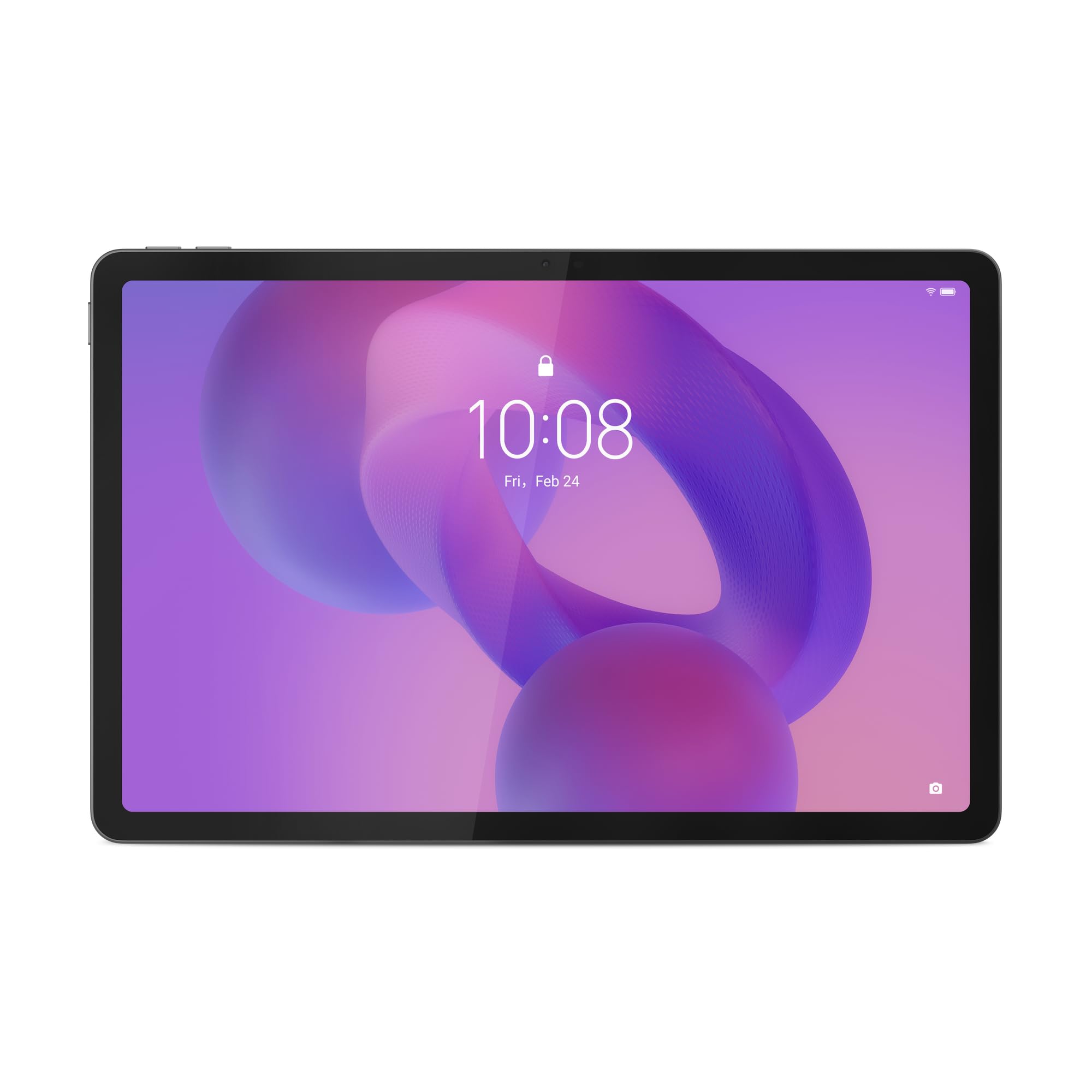
Mufananidzo 1: Mberi view of the Lenovo Idea Tab ZAFR tablet. This image shows the device's sleek design and the large 11-inch display, ideal for media consumption and productivity.
- Ratidza: 11-inch WQXGA (2560 x 1600 pixels) IPS LED screen with a 90 Hz refresh rate and 500 cd/m² brightness.
- Front Camera: 5 MP resolution, located on the bezel for video calls and selfies.
- Rear Camera: 8 MP resolution, positioned on the back for capturing photos and videos.
- USB Type-C Port: One USB 2.0 Type-C port for charging, data transfer, and connecting accessories.
- Vatauri: Four built-in speakers for enhanced audio experience.
- MicroSD Kadhi Slot: Supports MicroSD (TransFlash) memory cards for expandable storage.
- Sensors: Includes accelerometer, ambient light sensor, GPS, and Hall sensor for various functionalities.
3. Setup
3.1 Kuchaja Tablet
- Batanidza tambo ye USB Type-C kuchiteshi che USB-C chehwendefa.
- Connect the other end of the cable to a compatible USB power adapter (not included) and plug it into a power outlet.
- The battery indicator on the screen will show the charging status. Allow the tablet to fully charge before first use.
Cherechedza: The tablet does not include an AC power adapter. Use a certified USB Type-C charger for optimal charging performance.
3.2 Kubatidza/Kudzima
- Kubatidza: Dzvanya uye ubate bhatani reSimba kusvika Lenovo logo yaonekwa pachiratidziri.
- Kudzima: Dzvanya uye ubate bhatani reMasimba kudzamara sarudzo dzemagetsi dzabuda, wobva wasarudza "Simba kudzimwa".
- Kuti utangezve: Dzvanya uye ubate bhatani reMasimba kusvika iyo menyu yesarudzo yemagetsi yaoneka, wobva wasarudza "Restart".
3.3 Initial Setup (Android 15)
Upon first power-on, the tablet will guide you through the initial setup process for Android 15. This includes:
- Kusarudza mutauro nenharaunda yako.
- Connecting to a Wi-Fi network (Wi-Fi 5 (802.11ac) supported).
- Kupinda neakaundi yako yeGoogle kana kugadzira imwe itsva.
- Setting up screen lock (PIN, pattern, or password).
- Reviewkubvuma uye kubvuma mitemo nemamiriro.
4. Operating Instructions
4.1 Basic Navigation
The Lenovo Idea Tab ZAFR uses a touch-sensitive screen for navigation. Common gestures include:
- Top: Kusarudza chinhu kana kuvhura app.
- Rova zvakasimba: Kufamba-famba mumapeji kana mazita.
- Pina-ku-Zoom: Kuswededza mukati kana kunze pamifananidzo uye web mapeji.
- Yakareba Press: Kuti uwane mamenu emukati kana kufambisa zvidhori.
4.2 Kubatanidza kuWi-Fi
- Enda ku Settings > Network & internet > Wi-Fi.
- Toggle Wi-Fi On.
- Sarudza network yako yaunoda kubva pane iyo rondedzero.
- Isa password kana wakurudzirwa, wobva wadzvanya Connect.
4.3 Bluetooth Pairing
The tablet supports Bluetooth 5.2 for connecting wireless accessories.
- Enda ku Settings > Zvishandiso zvakabatana > Bluetooth.
- Batidza Bluetooth On.
- Iva nechokwadi chekuti Bluetooth device yako iri mu pairing mode.
- Select your device from the list of available devices and follow any on-screen prompts.
4.4 Kutarisira Kuchengetera Zvinhu
The tablet comes with 128 GB of internal UFS storage. You can expand this using a MicroSD card.
- Kuisa MicroSD Kadhi: Locate the card slot on the side of the tablet. Gently insert the MicroSD card with the gold contacts facing down until it clicks into place.
- Removing a MicroSD Card: Push the card gently until it pops out, then pull it out completely.
5. Kuchengeta
5.1 Kuchenesa Tablet
- Shandisa jira rakapfava, risina lint kuchenesa skrini uye muviri wehwendefa.
- Pakuoma musoro, zvishoma dampsn jira rine mvura kana chekuchenesa skrini rakagadzirirwa zvemagetsi.
- Avoid using harsh chemicals, abrasive cleaners, or aerosol sprays directly on the tablet.
5.2 Zvigadziriso zveSoftware
Regular software updates provide security enhancements, new features, and performance improvements. Ensure your tablet is connected to Wi-Fi and has sufficient battery charge before performing an update.
- Enda ku Settings > System > System update.
- Tap Tarisa kuti uwane update uye tevera mirairo yepa-screen.
6. Kugadzirisa matambudziko
This section addresses common issues you might encounter with your Lenovo Idea Tab ZAFR tablet.
6.1 Tablet Haibatidzi
- Ensure the battery is charged. Connect the tablet to a power source and allow it to charge for at least 30 minutes before attempting to power it on again.
- Try performing a force restart by holding the Power button for approximately 10-15 seconds.
6.2 Matambudziko eWi-Fi
- Tarisa kuti Wi-Fi yakabatidzwa muZvirongwa.
- Tangazve yako Wi-Fi router uye piritsi.
- Kanganwa nezve network iri mumagadzirirwo etablet wobva wabatanidzazve.
- Ita shuwa kuti uri mukati mehuwandu hweiyo Wi-Fi chiratidzo.
6.3 Mapurogiramu Anoputsika kana Kuomesa nechando
- Vhara uye vhura zvakare app.
- Bvisa cache yeapp uye data mukati Settings > Apps > [Zita reApp] > Kuchengetedza & cache.
- Ita shuwa kuti app yakagadziridzwa kune yazvino vhezheni kubva kuGoogle Play Store.
- Tangazve tablet.
7. Zvinotsanangurwa
Below are the detailed technical specifications for the Lenovo Idea Tab ZAFR (Model: ZAFR0405SE).
| Feature | Detail |
|---|---|
| Model Name | ZAFR0405SE |
| Operating System | Android 15 |
| Kukura Kwekuratidza | 11 inches (27.9 cm) |
| Display Resolution | 2560 x 1600 mapikiseti (WQXGA) |
| Panel Type | IPS |
| Max Refresh Rate | 90 Hz |
| Kupenya | 500 cd/m² |
| processor | MediaTek Dimensity 6300 (8 cores) |
| Graphics Card | ARM Mali-G57 MC2 |
| Internal Memory | 8 GB LPDDR4x-SDRAM |
| Storage Capacity | 128 GB UFS (expandable via MicroSD) |
| Rear Camera | 8 MP |
| Front Camera | 5 MP |
| Wireless Kubatana | Wi-Fi 5 (802.11ac), Bluetooth 5.2 |
| Ports | 1x USB 2.0 Type-C, Combined headphone/microphone connector |
| Battery Capacity | 7040 mAh Lithium-Ion |
| Dimensions (WxDxH) | 254.6 mm x 166.2 mm x 6.99 mm (10.02 x 6.54 x 0.28 inches) |
| Kurema | 480 g (1.06 lbs) |
| Color | Luna Grey |
| Sensors | Accelerometer, Ambient Light Sensor, GPS, Hall Sensor |
8. Warranty uye Tsigiro
Your Lenovo Idea Tab ZAFR tablet comes with a 2-makore mashoma waranti kubva pazuva rawakatenga. Waranti iyi inovhara zvikanganiso zvekugadzira uye hunyanzvi hwekugadzira pasi pekushandiswa kwakajairika.
For detailed warranty terms, technical support, or service inquiries, please visit the official Lenovo support websaiti kana kubata basa ravo revatengi. Chengetedza humbowo hwako hwekutenga kune warranty claim.
Cherechedza: Warranty terms may vary by region. Please refer to the warranty card included with your product or the Lenovo website for specific details applicable to your location.


