1. Nhanganyaya
This manual provides detailed instructions for the safe and efficient use of your boAt Rockerz Plus 550 Bluetooth Headphones. Please read this manual thoroughly before using the product and retain it for future reference.
2. Chii chiri muBhokisi
- boAt Rockerz Plus 550 Headphones
- Chaja Cable
- AUX Cable
- User Manual

Image: boAt Rockerz Plus 550 Bluetooth Headphones, showcasing the Blue Psyche color variant and customizable earcups.
3. Chigadzirwa Pamusoroview uye Zvinodzora
Familiarize yourself with the various parts and controls of your headphones.

Mufananidzo: Zvakadzama view of the headphone's control buttons and ports, including the charging port and AUX input.
Key Controls:
- Bhatani reSimba: Dzvanya uye ubate kuti ubatisise/kudzima.
- Vhoriyamu Kumusoro / Inotevera Track: Kudzvanya kupfupi kukwidza vhoriyamu, dzvanya kwenguva refu kune inotevera track.
- Vhoriyamu Pasi / Yakapfuura Rondedzero: Dzvanya kwenguva pfupi kuti vhoriyamu ideredzwe, tinya kwenguva refu kuti uone rwiyo rwekare.
- Multi-function Bhatani (MFB): Tamba/mira, pindura/gumisa mafoni, shandisa mubatsiri wezwi.
- AUX Port: Zvekubatanidza newaya.
- Kuchaja Port: Zvekuchaja mahedhifoni.
4. Setup
4.1 Kuchaja mahedhifoni
- Batanidza tambo yekuchaja pachiteshi chekuchaja chiri pamahedhifoni.
- Batanidza imwe magumo etambo kune USB magetsi adapta (isina kuisirwa) kana komputa USB port.
- Chiratidzo che LED chicharatidza mamiriro ekuchaja. Chichadzima kana kuchinja ruvara kana chachaja zvizere.
Kuchaja kwakazara kunoita kuti mutambo ugare kwemaawa masere.

Image: The boAt Rockerz Plus 550 headphones highlighting their extended battery life of up to 100 hours.
4.2 Bluetooth Pairing
- Ita shuwa kuti mahedhifoni akachajwa zvizere.
- Dzvanya uye ubate bhatani reSimba kusvika chiratidzo che LED chapenya bhuruu uye tsvuku, zvichiratidza pairing mode.
- Pamudziyo wako (smartphone, piritsi, laptop), shandisa Bluetooth uye tsvaga zvishandiso zviripo.
- Select "boAt Rockerz Plus 550" from the list of devices.
- Kana yangobatana chete, iyo LED chiratidzo ichapenya bhuruu zvishoma nezvishoma.
4.3 Dual Pairing
The headphones support dual pairing, allowing connection to two devices simultaneously.
- Batanidza mahedhifoni nemudziyo wekutanga sezvakatsanangurwa muchikamu 4.2.
- Dzima Bluetooth pamudziyo wekutanga. Mahedhifoni achapinda zvakare mumodhi yekuwiriranisa.
- Batanidza mahedhifoni nemudziyo wechipiri.
- Enable Bluetooth on the first device. The headphones will automatically connect to both devices.
You can now seamlessly switch between audio sources from both connected devices.
Image: Visual representation of the dual pairing functionality, showing a phone and a tablet simultaneously connected to the headphones.
4.4 AUX Kubatana
For a wired connection, use the provided AUX cable.
- Connect one end of the AUX cable to the headphone's AUX port.
- Batanidza rimwe divi kune jeki re3.5mm remuchina wako wekuteerera.
- The headphones will automatically switch to AUX mode.
5. Operating Instructions
5.1 Kuridza Mumhanzi
- Tamba/Kumbomira: Dzvanya iyo MFB kamwe chete.
- Next Track: Dzvanya kwenguva refu bhatani reVolume Up.
- Previous Track: Dzvanya kwenguva refu bhatani reVolume Down.
- Vhoriyamu Kumusoro: Dzvanya pfupi bhatani reVolume Up.
- Vhoriyamu Pasi: Dzvanya pfupi bhatani reVolume Down.
5.2 Call Management
- Pindura/Pedzisa Kufona: Dzvanya iyo MFB kamwe chete.
- Ramba Kufona: Dzvanya uye ubate iyo MFB kwemasekonzi mashanu.
5.3 Izwi Mubatsiri
Activate your device's voice assistant (Siri, Google Assistant) directly from the headphones.
- Shandisa Izwi Mubatsiri: Dzvanya kaviri MFB.
5.4 Customizable Earcups
The boAt Rockerz Plus 550 features customizable earcups, allowing you to change their appearance.
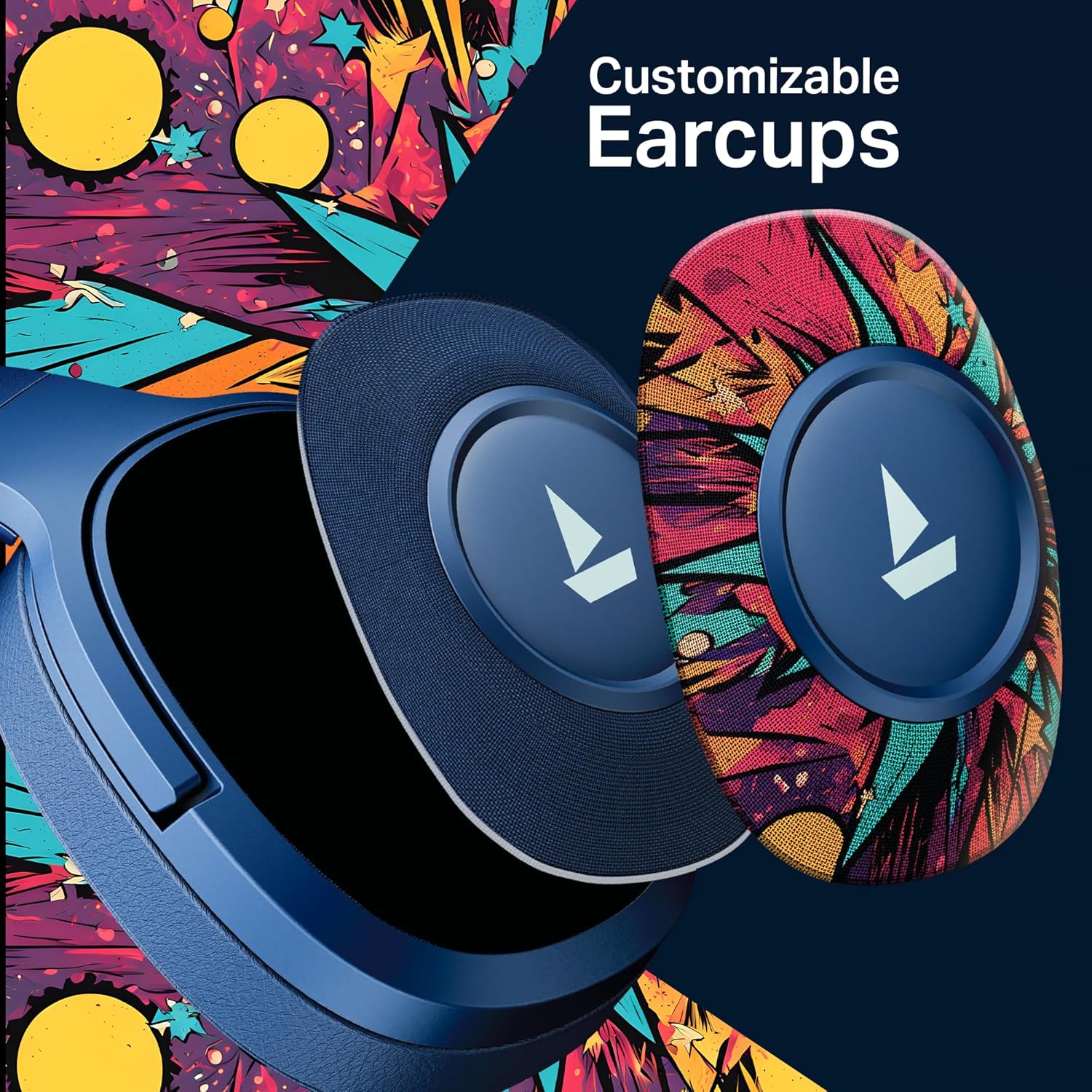
Mufananidzo: Yakadzama view demonstrating how the customizable earcups can be removed and replaced on the headphones.
5.5 boAt Hearables App Support
Enhance your experience by downloading the boAt Hearables App. The app provides additional features and user guides.

Image: A smartphone showing the boAt Hearables App interface, including a QR code for easy access. Scan the QR code or visit https://l.ead.me/bdAX6k kudhawunirodha app.
6. Kuchengeta
- Kuchenesa: Pukuta mahedhifoni nemucheka wakapfava, wakaoma. Usashandise abrasive cleaners kana solvents.
- Kuchengeta: Chengetedza mahedhifoni munzvimbo inotonhorera, yakaoma kure nechiedza chezuva uye tembiricha yakanyanyisa.
- Battery Care: To prolong battery life, charge the headphones regularly, even if not in frequent use. Avoid fully discharging the battery for extended periods.
7. Kugadzirisa matambudziko
| Dambudziko | Zvinogona Kukonzera | Solution |
|---|---|---|
| Mahedhifoni haabatike. | Bhatiri rakaderera. | Chaja mahedhifoni zvizere. |
| Haikwanise kubatanidzwa nemudziyo. | Bluetooth not enabled, headphones not in pairing mode, or device too far. | Ensure Bluetooth is on, headphones are in pairing mode (flashing red/blue), and within range (10 meters). Try restarting both devices. |
| Hapana ruzha kana vhoriyamu yakaderera. | Volume too low on headphones or device, incorrect audio output selected, or loose AUX cable. | Adjust volume on both devices. Check audio output settings. Ensure AUX cable is securely connected. |
| Kubatana kwepakati. | Interference, device too far, or low battery. | Move closer to the device, avoid obstacles, and ensure headphones are charged. Avoid environments with strong Wi-Fi or other Bluetooth signals. |
8. Zvinotsanangurwa
| Feature | Detail |
|---|---|
| Model Name | Rockerz 550 |
| Kubatana Technology | Bluetooth v5.4, 3.5 mm Jack |
| Audio Driver Type | Dynamic Driver |
| Kukura Kwemutyairi | 50mm |
| Hupenyu hwebhatiri | Kusvikira kuMaawa mashanu |
| Earpiece Shape | Over Ear |
| Noise Control | Passive Sound Isolation |
| Kudzora Nzira | Push Bhatani |
| Item Weight | 250 magiramu |
| Product Dimensions | 17 x 9 x 20 cm |
| Bhatiri Type | Lithium Ion (Inogona Kuchajwa) |
| Mugadziri | Imagine Marketing Ltd |
| Nyika Yekwakabva | China |

Mufananidzo: Yemukati view highlighting the 50mm audio drivers, responsible for the boAt Signature Sound.
9. Warranty uye Tsigiro
Your boAt Rockerz Plus 550 headphones come with a standard manufacturer's warranty. Please refer to the warranty card included in your package for specific terms and conditions.
For technical support, service, or warranty claims, please contact boAt customer service:
- Mugadziri: Imagine Marketing Ltd
- Email: info@imaginemarkengindia.com
- Rutsigiro rwepamhepo: Visit the official boAt websaiti ye FAQ uye zviwanikwa zvekutsigira.


