1. Nhanganyaya
The boAt Aavante Prime 7.1.4 7050DA Soundbar system is designed to enhance your home entertainment audio experience. This system features a 7.1.4 channel configuration with Dolby Atmos technology, providing immersive surround sound. It includes a main soundbar unit, a wireless subwoofer, and two satellite speakers, offering multiple connectivity options for various devices.
2. Safety Information
- Verenga mirairo yose usati washandisa chigadzirwa.
- Usaise mudziyo wacho pamvura, hunyoro, kana tembiricha yakanyanya.
- Ita shuwa kufefetera kwakaringana kutenderedza unit kudzivirira kupisa.
- Usavhura casing; endesa masevhisi ese kuvashandi vanokwanisa.
- Chengetedza chikwata kure nemasimba ane magineti.
- Shandisa chete adapta yemagetsi inopihwa neyuniti.
3. Chii chiri muBhokisi
Iva nechokwadi chekuti zvikamu zvese zviripo mupakeji:
- Soundbar Unit
- Subwoofer
- Satellite Speakers (2 units)
- Kudzora Kure (nemabhatiri maviri eAA)
- Aux Cable
- Power Cable(s)
- Mushandisi Chinyorwa (gwaro iri)
Mufananidzo: Pamusoroview of the boAt Aavante Prime 7.1.4 7050DA Soundbar system, showing the soundbar, subwoofer, and two satellite speakers.
4. Setup
4.1 Kuiswa
- Soundbar: Place the soundbar centrally below your television. Ensure it is on a stable, flat surface or mounted securely to a wall.
- Subwoofers: Position the wireless subwoofer on the floor, preferably in the front corner of the room for optimal bass response.
- Satellite Speakers: Place the satellite speakers behind your listening position, one on the left and one on the right, for effective surround sound.

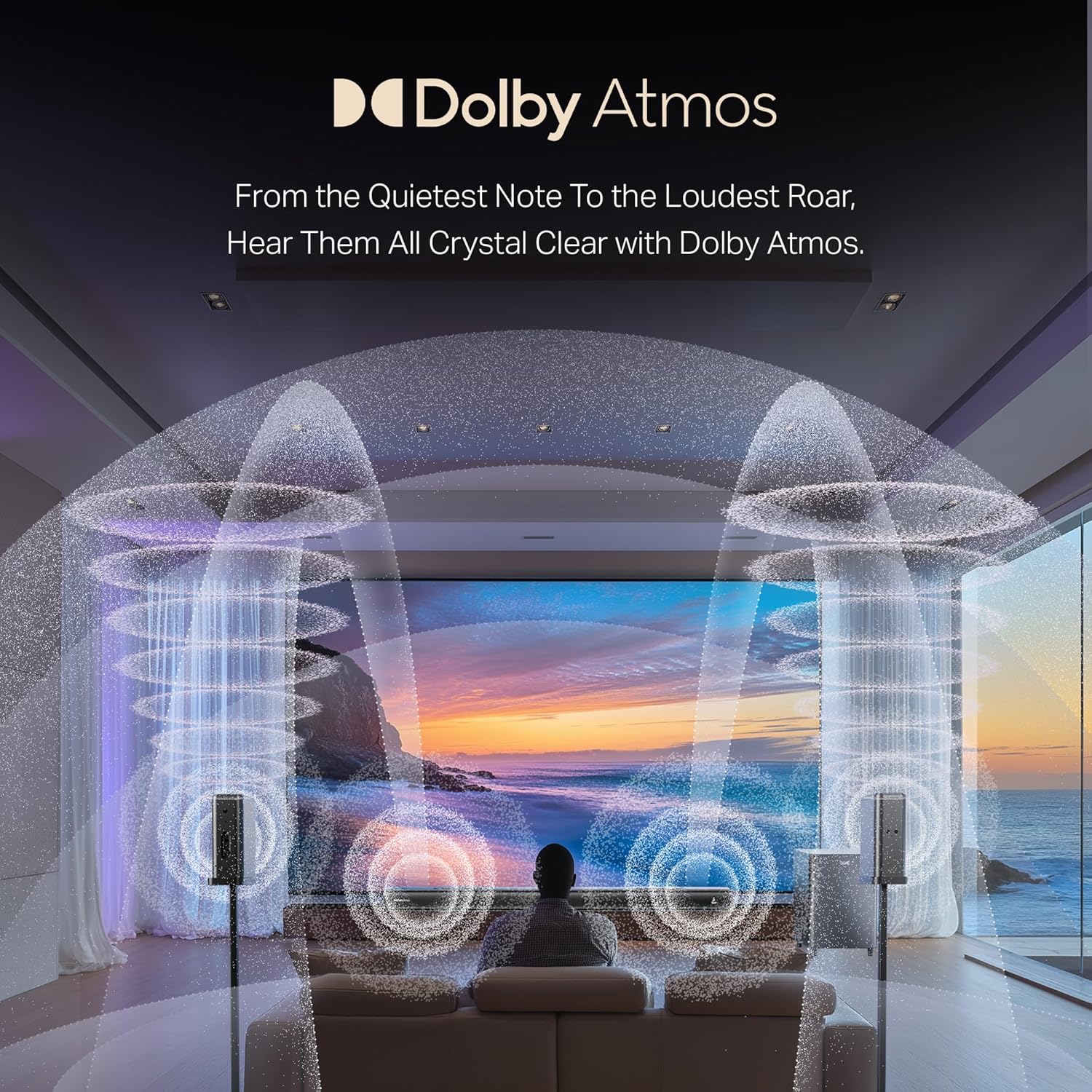
Image: A visual representation of a 7.1.4 channel sound setup, illustrating the placement of the soundbar, subwoofer, and satellite speakers in a room for an immersive audio experience.
4.2 Kubatanidza Simba
- Batanidza tambo yemagetsi kune power input ye soundbar.
- Connect the power cable to the subwoofer's power input.
- Connect the power cables to the satellite speakers' power inputs.
- Plug all power cables into a suitable AC power outlet.
4.3 Connecting to a TV/Source Device
Sarudza imwe yeinotevera nzira dzekubatanidza:
- HDMI e-ARC (Recommended): Connect an HDMI cable from the soundbar's HDMI e-ARC port to your TV's HDMI e-ARC/ARC port. This allows for high-quality audio transmission and TV remote control integration.
- Optical: Batanidza waya ye optical kubva pa OPTICAL IN port ye soundbar kuenda ku optical digital audio output yeTV yako.
- AUX IN: Use the provided AUX cable to connect the soundbar's AUX IN port to your TV's 3.5mm audio output or another audio source.
- Coaxial: Connect a coaxial cable from the soundbar's COAXIAL IN port to your TV's coaxial digital audio output.
- USB: Insert a USB drive into the soundbar's USB port to play audio files zvakananga.
4.4 Wireless Pairing (Subwoofer & Satellites)
The subwoofer and satellite speakers are designed to pair automatically with the soundbar upon power-up. If pairing does not occur automatically:
- Iva nechokwadi chekuti mayuniti ese akashanda.
- Refer to the specific pairing instructions in the full manual if a manual pairing button is present on the units.
5. Operating Instructions
5.1 Simba On/Kudzima
Press the Simba bhatani riri pa soundbar kana remote control kuti ubate kana kudzima system.
5.2 Sarudzo yekupinda
Press the Input/Mabviro button on the soundbar or remote control to cycle through available input modes: HDMI e-ARC, Optical, AUX, USB, Coaxial, and Bluetooth.
5.3 Kudzora Inzwi
Shandisa iyo Kukwidza inzwi (+) uye Vhoriyamu Pasi (-) buttons on the soundbar or remote control to adjust the master volume.
5.4 Bluetooth Pairing
- Select Bluetooth mode on the soundbar. The indicator will flash, indicating pairing mode.
- On your mobile device, enable Bluetooth and search for "boAt Aavante Prime 7050DA".
- Select the device to pair. Once connected, the indicator will stop flashing.
5.5 EQ Modes
The soundbar offers various Equalizer (EQ) modes to optimize audio for different content types. Press the EQ button on the remote control to switch between modes:
- Mafirimu: Inovandudza hurukuro uye mhedzisiro yemafirimu.
- Mumhanzi: Yakagadzirirwa kutamba mimhanzi.
- Nhau: Focuses on vocal clarity.
- Mitambo: Accentuates ambient sounds and commentary.

Image: The soundbar's remote control, displaying buttons for power, volume, input selection, and EQ modes. Below it, icons represent various connectivity options including Optical, Bluetooth v5.3, AUX IN, HDMI e-ARC, USB, and Coaxial.
6. Kuchengeta
- Kuchenesa: Shandisa jira rakapfava, rakaoma kuchenesa nzvimbo dze soundbar, subwoofer, uye satellite speakers. Usashandise mvura inosuka kana zvinhu zvinogumbura.
- Kuchengeta: Kana ukachengeta mudziyo kwenguva yakareba, bvisa simba rawo wouchengeta munzvimbo inotonhorera, yakaoma.
- Kufefetedza Ita shuwa kuti mavhuriro ekufemesa haana kuvharwa kudzivirira kupisa.
7. Kugadzirisa matambudziko
| Dambudziko | Zvinogona Kukonzera | Solution |
|---|---|---|
| Hapana simba | Tambo yemagetsi haina kubatana; Nzvimbo yekubuditsa magetsi haisi kushanda | Tarisa kubatana kwemagetsi; Edza imwe nzira yekubuda nayo |
| Hapana ruzha | Kuisa zvinhu zvisiri izvo kwakasarudzwa; Vhoriyamu yakaderera zvakanyanya; Tambo hadzina kubatana zvakanaka | Sarudza kwakakodzera kunobva zvinhu; Wedzera vhoriyamu; Tarisa zvese zvakabatana netambo dzeruzha |
| Subwoofer/Satellites not pairing | Units too far apart; Interference; Pairing issue | Ensure units are within range; Reduce interference; Power cycle all units |
| Remote control haisi kushanda | Mabhatiri apera; Kuvharika pakati peremote nesoundbar | Replace batteries (2 AA); Remove obstructions; Point remote directly at soundbar |
| Kutsiva odhiyo | Source audio quality is poor; Volume too high; Incorrect EQ mode | Check source audio; Reduce volume; Try a different EQ mode |
8. Zvinotsanangurwa
| Feature | Detail |
|---|---|
| Model Name | Aavante Prime 7.1.4 7050DA |
| Item Model Number | HA0085 |
| Mutauri Rudzi | Soundbar |
| Kutenderedza Inzwi Channel Configuration | 7.1.4 |
| Kubatana Technology | Bluetooth v5.3, HDMI e-ARC, Optical, AUX, USB, Coaxial |
| Kudzora Nzira | Bata, Remote Control |
| Inokurudzirwa Zvishandiso | For Televisions, Home Theater, Home Entertainment Systems |
| Product Dimensions | 111D x 12W x 8H Masendimita |
| Item Weight | 16 kg |
| Mabhatiri Anodiwa | 2 AA batteries (for remote, included) |
| Mugadziri | Imagine Marketing Ltd |
9. Warranty uye Tsigiro
This boAt Aavante Prime 7.1.4 7050DA Soundbar comes with a 1-Yegore Warranty from the date of purchase. For warranty claims, technical support, or service inquiries, please contact the manufacturer, Imagine Marketing Ltd, at info@imaginemarketingindia.com. Please retain your purchase receipt for warranty validation.


