1. Chigadzirwa Pamusoroview
The SLuB HGD T2 Wireless Earbuds feature advanced Bluetooth 5.4 technology, delivering stable connectivity and high-fidelity audio. Designed for comfort and versatility, these ear-hook style earbuds offer ENC noise cancellation for clear calls, IPX6 water resistance, and intuitive touch controls.

Image: SLuB HGD T2 Wireless Earbuds in their charging case, displaying battery levels on an LED screen.
Key Features

Image: Visual representation of the earbuds' key features: Noise Reduction, Bluetooth 5.4, Hi-Fi Sound Quality, Stable Fit, Battery Level Display, and Long Playback Time.
- Bluetooth 5.4 Tekinoroji: Ensures stable connection, reduced audio delay, and efficient power consumption.
- Hunhu hweHi-Fi Audio: Equipped with high-sensitivity dynamic drivers for balanced sound reproduction, enhanced bass, and immersive audio.
- ENC Noise Cancelling: Effectively reduces ambient noise for clear call quality.
- Ergonomic Ear-Hook Design: Provides a secure and comfortable fit, ideal for sports and extended wear, preventing accidental drops.
- IPX6 Kuramba Mvura: Protects against sweat and rain, suitable for outdoor activities and workouts.
- Smart Touch Controls: Manage music playback, calls, volume, and activate voice assistants with simple taps.
- Long Battery Life with LED Display: Up to 7 hours of playback per charge, with the charging case providing multiple recharges. The case features an LED display for battery status.
- Single/Dual Earbud Mode: Use either earbud independently or both together.
Package Zviri mukati

Image: Illustration of the package contents, including earbuds, charging case, USB Type-C cable, and user manual.
- SLuB HGD T2 Wireless Earbuds (Left and Right)
- Kuchaja Case
- USB Type-C Yekuchaja Cable
- User Manual
2. Setup Guide
2.1 Kuchaja maEarbuds uye Case
- Chekutanga Charge: Usati watanga kushandisa, chaja zvizere maearbud nekesi yekuchaja.
- Kuchaja Nyaya: Connect the provided USB Type-C cable to the charging port on the case and to a USB power adapter (not included). The LED display on the case will show the charging progress.
- Kuchaja maEarbuds: Place the earbuds into the charging case. Ensure they are correctly seated. The LED indicators on the earbuds and the case display will show charging status.
- Full Charge Chiratidzo: The LED display will show "100" when the charging case is fully charged. The individual earbud indicators will turn off when fully charged.
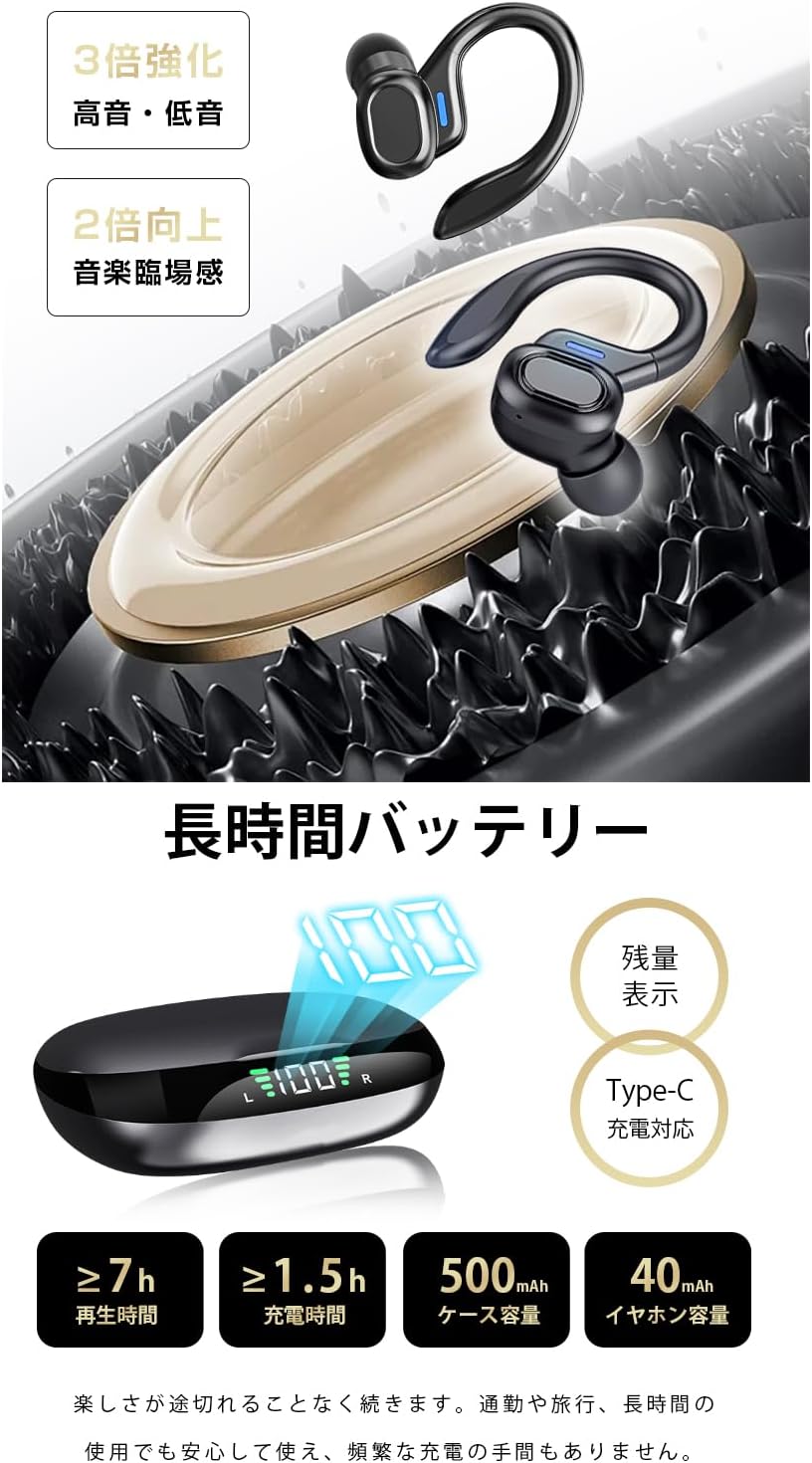
Image: The charging case displaying battery percentage and individual earbud charge status.
2.2 Kubatanidza neChishandiso Chako
- Kubatana Kwekutanga:
- Vhura kesi yekuchaja. Maearbuds anozopinda otomatiki maitiro ekubatanidza.
- Pamudziyo wako (smartphone, piritsi, nezvimwewo), shandisa Bluetooth.
- Tsvaga "HGD T2" in the list of available Bluetooth devices and select it to connect.
- Kana yangobatanidzwa, izwi rekuchimbidza rinosimbisa kubatanidza kwakabudirira.
- Kubatanidzazve otomatiki: After the initial pairing, the earbuds will automatically connect to the last paired device when removed from the charging case and Bluetooth is enabled on the device.
- Imwe Yekunzwa Earbud Mode: You can use either the left or right earbud independently. Simply take one earbud out of the case, and it will connect. The other earbud can remain in the case or be used later.

Image: Illustration showing the automatic connection process when opening the charging case and pairing with a smartphone.
3. Operating Instructions
3.1 Kubata Kudzora
The SLuB HGD T2 earbuds feature intuitive touch controls on each earbud. The functions are as follows:

Image: Visual guide to the touch controls for music playback, calls, volume adjustment, and voice assistant activation.
| Chiito | Left Earbud | Right Earbud |
|---|---|---|
| Ridza/Misa Mimhanzi | Single Tap | Single Tap |
| Next Track | Tap kaviri | Tap kaviri |
| Previous Track | Triple Tap | Triple Tap |
| Volume Up | N/A | Kudhinda kwakareba (1s) |
| Volume Down | Kudhinda kwakareba (1s) | N/A |
| Pindura/Pedzisa Kufona | Single Tap | Single Tap |
| Ramba Kufona | Kudhinda kwakareba (2s) | Kudhinda kwakareba (2s) |
| Activate Voice Assistant (Siri / Google Mubatsiri) | Kudhinda kwakareba (2s) | Kudhinda kwakareba (2s) |
4. Kuchengeta uye Kuchengeta
4.1 Kuchenesa
- Garai kuchenesa maearbud nekesi yekuchaja nejira rakapfava, rakaoma, risina lint.
- Usashandise abrasive cleaners, solvents, kana aerosol sprays.
- Ita shuwa kuti kuchaja ma contacts pamaearbud uye makesi akachena uye haana marara kuti arambe achichaja.
4.2 Kuchengeta
- Kana isiri kushandiswa, chengeta maearbuds mukesi yavo yekuchaja kuti uzvidzivirire uye ugare wakachajwa.
- Chengetedza mudziyo munzvimbo inotonhorera, yakaoma, kure nekupisa kwakanyanya uye zuva rakananga.
4.3 Kuramba Mvura (IPX6)
- The earbuds are rated IPX6, meaning they are resistant to powerful water jets. This makes them suitable for workouts and light rain.
- Zvakakosha: IPX6 rating does not mean they are waterproof for submersion. Do not submerge the earbuds in water.
- Ensure the earbuds are dry before placing them back into the charging case to prevent damage to the charging contacts.
5. Kugadzirisa matambudziko
| Dambudziko | Possible Solution |
|---|---|
| Maearbuds haasi kubatanidza/kubatanidza. |
|
| Imwe chete earbud iri kushanda. |
|
| Hapana ruzha kana vhoriyamu yakaderera. |
|
| Kesi yekuchaja haichaji. |
|
6. Zvinotsanangurwa
| Feature | Detail |
|---|---|
| Brand | SLuB |
| Model Number | HGD T2 |
| Bluetooth Version | 5.4 |
| Yakatsigirwa Profiles | HSP, HFP, A2DP, AVRCP |
| Transmission Distance | Inenge mamita zana nemakumi mashanu (33 tsoka) |
| Operating Frequency Band | 2.402GHz ~ 2.480GHz |
| Earbud Bhatiri Kugona | 40mAh (imwe neimwe) |
| Kuchaja Case Battery Capacity | 500mAh |
| Mumhanzi Nguva Yekutamba | ≥ maawa makumi maviri |
| Nguva yekuchaja (Earbuds) | Approx. 1.5 maawa |
| Kuchaja Port | Type-C |
| Water Resistance Rating | IPX6 |
| Inowirirana Devices | iOS/Android zvishandiso |
7. Warranty uye Tsigiro
For warranty information and customer support, please refer to the documentation included with your purchase or contact SLuB customer service through the retailer where you purchased the product.
SLuB is committed to providing a worry-free experience. If you encounter any issues or have questions regarding your HGD T2 Wireless Earbuds, please do not hesitate to reach out for assistance.


