1. Nhanganyaya
Thank you for choosing the Jesebang S75 Wireless Sport Earbuds. These earbuds are designed to provide a high-quality audio experience with features tailored for active lifestyles. This manual will guide you through the setup, operation, and maintenance of your new earbuds.
Chii chiri muBhokisi:
- S75 Wireless Earbuds (x2)
- Wireless Charging Case
- USB-C Kuchaja Cable
- User Manual
- Eartips (3 sizes: S, M, L)

Image: Contents of the Jesebang S75 package.
2. Chigadzirwa Pamusoroview
The Jesebang S75 earbuds feature advanced technology for superior sound and user convenience.
Zvinokosha:
- Makaralı 5.4: Ensures stable, fast, and low-latency wireless connection up to 15 meters.
- 14.2mm Dynamic Driver: Delivers powerful stereo sound with deep bass, clear mids, and bright highs.
- ENC Noise-Canceling Mic: Reduces up to 80% of background noise for clear calls.
- IPX7 Isingapindi Mvura Chiyero: Protects against sweat and water splashes, ideal for workouts.
- Ergonomic Earhooks: Provides a secure and comfortable fit, preventing slippage during intense activities.
- 50 Maawa Yese Yekutamba: 10 hours on a single charge, with an additional 40 hours from the charging case.
- Dual LED Digital Display: Shows battery levels for both the charging case and individual earbuds.
- Smart Touch Controls: Easy management of music, calls, and voice assistant.
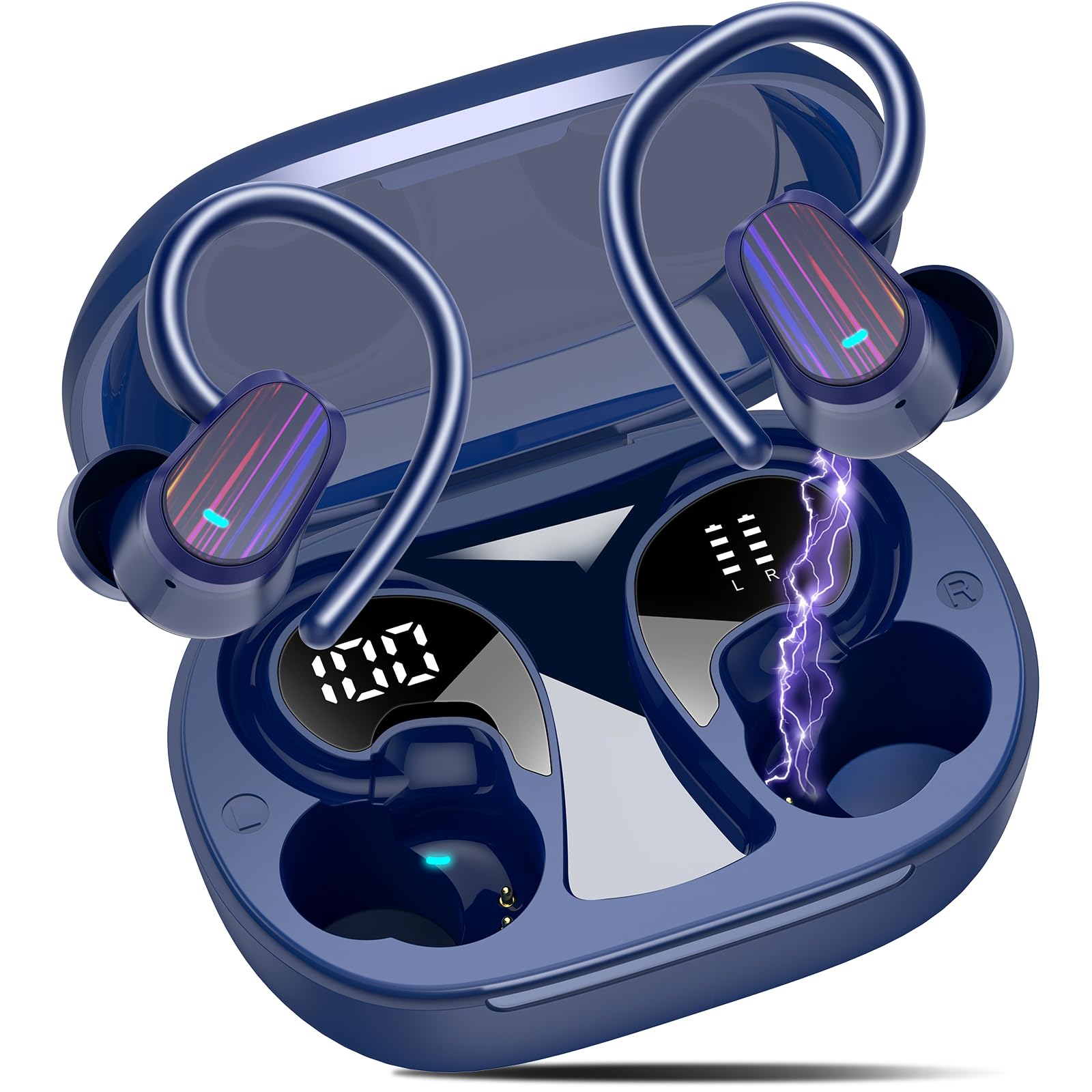
Image: Jesebang S75 Wireless Sport Earbuds and charging case.

Image: Internal structure highlighting the 14.2mm dynamic speaker for powerful stereo sound.

Image: ENC noise reduction technology for clear calls.
3. Setup
3.1 Kuchaja maEarbuds uye Case
Usati watanga kushandisa, chaja zvizere maearbud nekesi yekuchaja.
- Connect the provided USB-C charging cable to the charging port on the back of the case.
- Batanidza imwe magumo etambo kune USB magetsi adapta (isina kuisirwa) kana komputa USB port.
- Chiratidziro che LED chedhijitari chiri pabhokisi rekuchaja chicharatidza huwandu hwebhatiritage of the case and individual earbuds. Ensure both earbuds and the case are fully charged (100%) before initial use.

Image: Charging the earbuds and case with LED display.
3.2 Kubatanidza neChishandiso Chako
The earbuds use Bluetooth 5.4 for a seamless connection.
- Kubatana Kwekutanga: Vhura kesi yekuchaja. Maearbuds anozopinda otomatiki maitiro ekubatanidza.
- On your device (smartphone, tablet, computer), go to Bluetooth settings and turn on Bluetooth.
- Look for "S75" in the list of available devices and select it to connect.
- Once paired, the earbuds will automatically reconnect to the last paired device when you open the charging case.

Image: One-step auto pairing process.

Image: Bluetooth 5.4 Technology.
4. Kushanda
4.1 Kupfeka maEarbuds
The S75 earbuds are designed with soft and elastic earhooks for a secure and comfortable fit.
- Choose the correct size eartips (S, M, L) for the best fit and sound quality.
- Place the earbud into your ear canal.
- Gently adjust the earhook over your ear until it feels secure and comfortable.

Image: Comfortable design with IPX7 waterproof rating and flexible earhooks.

Image: Instructions for easy and stable wearing of the earbuds.
4.2 Kudzora Kubata Kwakangwara
The earbuds feature highly sensitive touch sensors for easy control.
- Tamba/Kumbomira: Topa kamwe chete pane imwe earbud (L/R).
- Pindura mafoni: Short tap on either earbud (L/R).
- Gadzirisa Nhare: Long tap on either earbud (L/R).
- Vhoriyamu Kumusoro: Single tap on the Right earbud.
- Vhoriyamu Pasi: Single tap on the Left earbud.
- Next Track: Long tap (2s) on the Right earbud.
- Previous Track: Long tap (2s) on the Left earbud.
- Shandisa Izwi Mubatsiri: Triple click on either earbud (L/R).

Image: Smart touch control functions.
5. Kuchengeta
Kugadzirisa kwakaringana kunovimbisa hupenyu hurefu uye kuita kwakakwana kwemaearbuds ako.
5.1 Kuchenesa
- Regularly clean the eartips with a soft, dry cloth.
- Wipe the earbuds and charging case with a slightly damp jira, wozoomesa.
- Dzivisa kushandisa makemikari ane hasha kana abrasive zvinhu.
5.2 Kuchengeta
- Chengetedza maearbuds mukesi yavo yekuchaja kana isiri kushandiswa kuadzivirira uye kuti agare aine chaji.
- Keep the earbuds and case in a cool, dry place, away from extreme temperatures and direct sunlight.

Image: IPX7 Waterproof design for daily use.
6. Kugadzirisa matambudziko
Kana ukasangana nematambudziko, ndapota tarisa mhinduro dzinotevera dzinozivikanwa:
6.1 Earbuds Kwete Kubatana
- Ita shuwa kuti maearbuds akachajwa.
- Ita shuwa kuti Bluetooth yakabatidzwa pane chako kifaa.
- Isa maearbuds kumashure mukesi, vhara chivharo, mirira mashoma mashoma, wozovhura zvakare kuti upinde zvakare pairing mode.
- Forget the device "S75" from your device's Bluetooth list and try pairing again.
6.2 Hapana Ruzha kana Yakaderera Vhoriyamu
- Tarisa mazinga evhoriyamu pane zvese mudziyo wako uye munzeve.
- Ensure the earbuds are properly seated in your ears and the eartips provide a good seal.
- Batanidzazve maearbuds kumudziyo wako.
6.3 Nyaya dzekuchaja
- Tarisa kuti tambo yekuchaja yakabatana zvakachengeteka kune ese ari maviri kesi uye sosi yemagetsi.
- Edza imwe USB-C tambo kana adapta yemagetsi.
- Ita shuwa kuti macontacts ekuchaja ari pamaearbuds uye mukati mekesi akachena uye haana tsvina.
7. Zvinotsanangurwa
| Feature | Detail |
|---|---|
| Model Name | S75 |
| Bluetooth Version | 5.4 |
| Bluetooth Range | 15 Mamita |
| Audio Driver Size | 14.2 mamirimita |
| Noise Control | ENC Noise Canceling Mic |
| Mvura Resistance Level | IPX7 Isingapindi mvura |
| Hupenyu hwebhatiri (Earbuds) | Kusvikira kuMaawa mashanu |
| Yese Yekutamba (neNyaya) | Kusvikira kuMaawa mashanu |
| Kuchaja Interface | USB-C |
| Kuiswa Nzeve | Over Ear |
| Material | Rubber, Silicone |
| Item Weight | 3.84 ounces |
8. Safety Information
Please read and follow these safety guidelines to prevent damage to your device or injury to yourself.
- Usabvisa kana kugadzirisa ma earbuds kana bhokisi rekuchaja.
- Chengetedza mudziyo kure nekupisa kwakanyanya, kupenya kwezuva, uye kuvhurika marimi.
- Avoid exposing the device to excessive moisture, although it is IPX7 waterproof, prolonged submersion is not recommended.
- Shandisa chete tambo yekuchaja yakapihwa kana tambo yakasimbiswa USB-C yekuchaja.
- Usashandise maearbuds ane ruzha rwakanyanya kwenguva yakareba kudzivirira kukuvara kwekunzwa.
- Chengetedza kure nevana nemhuka dzinovaraidza.
9. Warranty uye Tsigiro
Specific warranty details are not provided in this manual. For warranty information, technical support, or customer service, please refer to the product packaging or contact Jesebang customer support directly through their official webnzvimbo kana mutengesi uko chigadzirwa chakatengwa.
10. Chigadzirwa Vhidhiyo
Vhidhiyo: Kuperaview of the Jesebang Wireless Earbuds, highlighting their sports features and Bluetooth connectivity.


