1. Kupfuuraview
The ATK VXE Dragonfly R1 SE+ is a lightweight wireless gaming mouse designed for performance and versatility. It features a high-precision sensor, multiple connectivity options, and a long-lasting battery, making it suitable for various gaming and productivity needs.
Zvinokosha:
- Ultra-lightweight design: Weighing approximately 55g, ensuring fatigue-free, swift gaming control.
- Precision PAW3395 SE Sensor: Offers adjustable DPI up to 18,000 for accurate tracking.
- Chiyero Chekuvhota Chinogona Kugadziriswa: Supports 125Hz to 2,000Hz for responsive input.
- Tri-Mode Connectivity: Seamlessly switch between 2.4 GHz wireless, Bluetooth, and wired USB-C connections.
- Hupenyu Hurefu Hwebhatiri: Provides approximately 70-75 hours of continuous use at 1000Hz polling rate.
Video: ATK VXE Dragonfly R1 Gaming Mouse highlights. This video showcases the key features and design of the ATK R1 series gaming mouse.
2. Package Zviri mukati
Carefully unpack your ATK VXE Dragonfly R1 SE+ Wireless Gaming Mouse and ensure all items are present:
- ATK VXE Dragonfly R1 SE+ Wireless Gaming Mouse
- USB-C kuenda ku USB-A Kuchaja/Data Cable
- 2.4G Wireless Receiver (USB dongle)
- Grip Tape (pre-cut stickers)
- Product Warranty Certificate
- Mushandisi Chinyorwa (gwaro iri)
Video: ATK R1 Gaming Mouse Unboxing Video. This video demonstrates the unboxing process and shows all included items with the ATK R1 series gaming mouse.
3. Setup
3.1. Kuchaja Mbeva
Before first use, it is recommended to fully charge the mouse. Connect the provided USB-C cable to the mouse's charging port and the USB-A end to a powered USB port on your computer or a USB wall adapter. The mouse will indicate charging status (e.g., LED indicator).
3.2. Kubatanidza Mouse
2.4G Wireless Mode:
- Insert the 2.4G wireless receiver (USB dongle) into an available USB port on your computer.
- Locate the power/mode switch on the bottom of the mouse and slide it to the 2.4G wireless position.
- The mouse will automatically connect to the receiver. If connection is not established, press the pairing button (if available) on the mouse or refer to the ATK V HUB software for pairing instructions.
Makaralı Mode:
- Locate the power/mode switch on the bottom of the mouse and slide it to the Bluetooth position.
- Pakombuta yako kana mudziyo, enda kune zvigadziriso zveBluetooth.
- Tsvaga new devices and select "ATK R1 SE+" from the list to pair.
Wired Mode:
Connect the mouse directly to your computer using the provided USB-C cable. The mouse will automatically switch to wired mode and charge simultaneously. This mode provides the most stable connection and eliminates latency.
4. Operating Instructions
4.1. DPI Kugadzirisa
The mouse features an adjustable DPI (Dots Per Inch) setting, allowing you to customize cursor sensitivity. The R1 SE+ model utilizes the PAW3395 SE sensor with DPI settings up to 18,000.
Pre-set DPI profiles for PAW3395 SE:
- Tsvuku: 400 DPI
- Green: 800 DPI (Default)
- Bhuruu: 1600 DPI
- Pepuru: 3200 DPI
Use the dedicated DPI button (typically located on the bottom or top of the mouse) to cycle through these pre-set DPI levels. The LED indicator on the mouse will change color to reflect the currently selected DPI setting.

Image: Comparison chart detailing the specifications of the PixArt PAW3395 SE and PAW3395 sensors, including DPI ranges, tracking speed, acceleration, and pre-set DPI profiles.
4.2. Polling Rate
The R1 SE+ supports an adjustable polling rate from 125Hz to 2,000Hz. The polling rate determines how often the mouse reports its position to the computer. A higher polling rate results in smoother and more responsive cursor movement. This setting can be adjusted using the ATK V HUB software.
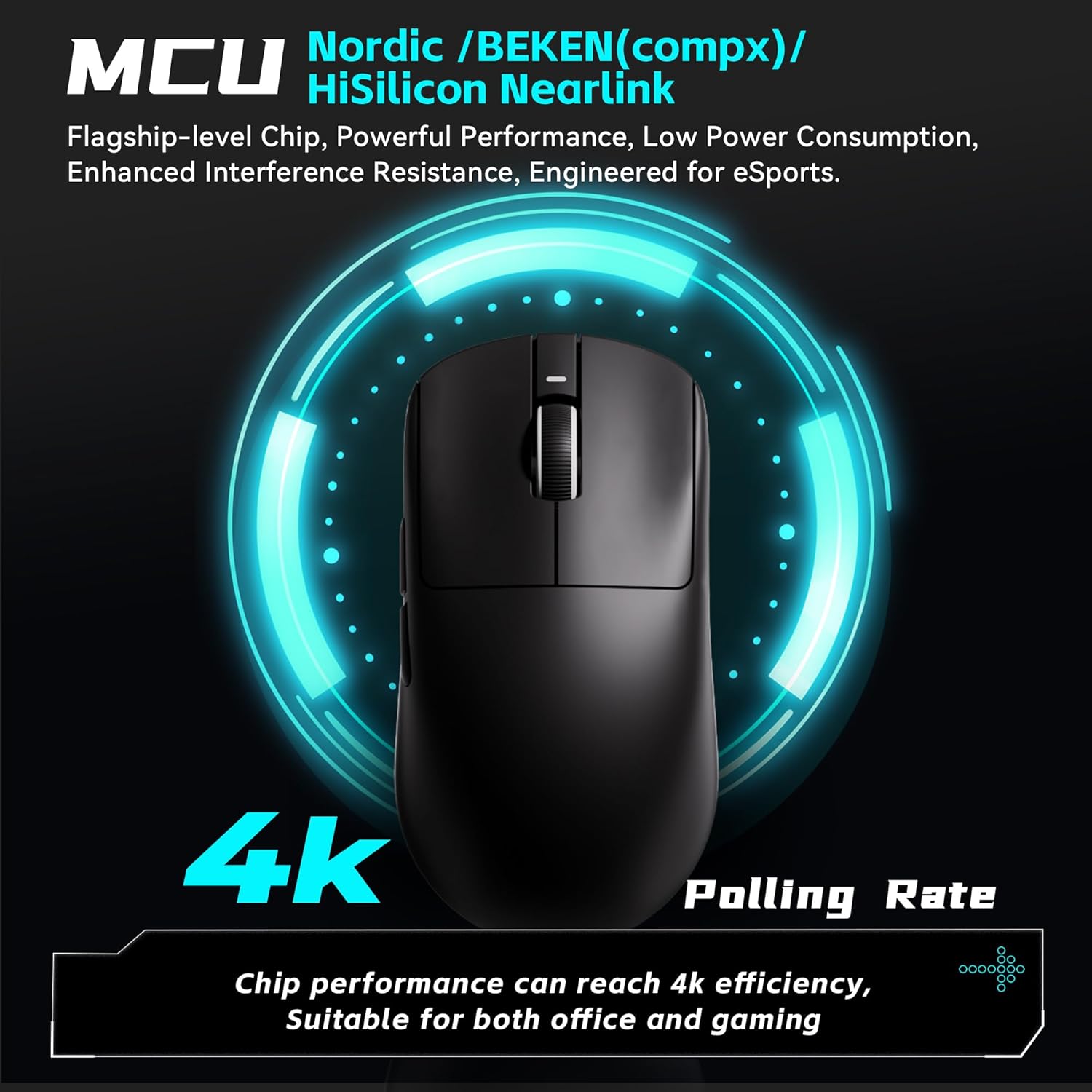
Image: The ATK VXE Dragonfly R1 SE+ mouse with a graphic indicating its high polling rate capabilities, highlighting the advanced MCU chip for optimal performance.
4.3. SmartSpeed X Wireless Transmission
The mouse incorporates SmartSpeed X wireless transmission technology, developed for low latency and enhanced endurance. This ensures smooth operation even in environments with strong signal interference, providing a reliable connection for competitive play.

Image: The ATK VXE Dragonfly R1 SE+ mouse with text emphasizing its Smart Speed X low-latency wireless transmission technology, ensuring smooth performance in various environments.
4.4. Customization (ATK V HUB Software)
For advanced customization, download and install the ATK V HUB software from the official ATK website. Iyi software inokubvumira kuti:
- Adjust DPI settings beyond pre-sets.
- Configure polling rate.
- Program button macros.
- Remap buttons.
- Manage other performance parameters.
The ATK V HUB software supports Windows 10 and above operating systems.

Image: The ATK V HUB software interface, demonstrating its capabilities for adjusting DPI, polling rate, button macros, and other mouse settings.
5. Zvimiro & Zvinotsanangurwa
5.1. Design and Build
The R1 SE+ is engineered for an ultra-lightweight experience, weighing approximately 55g. This design minimizes fatigue during extended use and allows for swift, precise movements. The mouse features a matte texture for enhanced grip and durability.

Mufananidzo: Mukati view of the ATK VXE Dragonfly R1 SE+ mouse highlighting its lightweight components, including the PAW3395 SE sensor and Kailh switches. The image also shows weight comparisons for different R1 series models.

Image: Illustrates the smooth ice-feeling coating available on some R1 Pro models and the matte texture found on R1 SE+ and R1 models, designed for durability and grip.
5.2. Sensor Technology
The ATK VXE Dragonfly R1 SE+ is equipped with the PixArt PAW3395 SE optical sensor, an esports-grade sensor providing precise and consistent tracking. It offers a maximum DPI of 18,000, a tracking speed of 400 IPS, and 40g acceleration, ensuring accurate response in fast-paced gaming scenarios.
5.3. Kuchinja
The R1 SE+ model features Huanuo Blue Glow V2 microswitches. These switches are selected for their balanced feel, comfortable feedback, and long lifespan, contributing to reliable performance over time.

Mufananidzo: Zvakadzama view of Kailh White Blade and Ice Berry Pink Dot microswitches, illustrating their internal mechanisms and highlighting their respective click lifespans and tactile feedback characteristics.
5.4. Kubatana
The mouse offers versatile Tri-Mode connectivity, supporting 2.4G wireless, Bluetooth 5.4, and wired USB-C. This allows users to choose the most suitable connection method for their setup, whether for gaming, work, or travel.

Image: Demonstrates the Tri-Mode connectivity options of the ATK VXE Dragonfly R1 SE+ mouse, including Bluetooth 5.4, 2.4GHz wireless, and wired USB-C connection.
5.5. Full Specifications Table
Image: Comprehensive table outlining the specifications for the entire VXE Dragonfly R1 Series, including model names, dimensions, coating types, sensors, chips, transmission technology, polling rates, battery capacities, continuous operating battery life, weight, microswitches, scroll wheels, mouse feet, connection methods, and 2.4G receiver details.
6. Kuchengeta
6.1. Kuchenesa
- To clean the mouse, use a soft, dry, lint-free cloth.
- For stubborn dirt or grime, lightly dampen the cloth with water or a mild, non-abrasive cleaning solution. Ensure no liquid enters the mouse's internal components.
- Avoid using harsh chemicals, solvents, or abrasive materials, as these can damage the mouse's surface or internal parts.
- Regularly clean the optical sensor area on the bottom of the mouse to maintain tracking accuracy.
6.2. Kuchengeta
- Store the mouse in a cool, dry place away from direct sunlight, extreme temperatures, and high humidity.
- Kana isiri kushandiswa kwenguva yakareba, dzima mbeva uchishandisa switch yemagetsi kuchengetedza hupenyu hwebhatiri.
- If transporting the mouse, consider using a protective case to prevent damage.
7. Kugadzirisa matambudziko
7.1. Mbeva Haisi Kupindura
- Tarisa Bhatiri: Ensure the mouse has sufficient charge. Connect it via USB-C cable to charge.
- Simba Chinja: Verify that the mouse is turned on and the mode switch is set correctly (2.4G, Bluetooth, or Wired).
- 2.4G Wireless: Iva nechokwadi chekuti USB receiver yakabatanidzwa zvakanaka muUSB port iri kushanda. Edza imwe USB port yakasiyana.
- Bluetooth: Confirm Bluetooth is enabled on your device and the mouse is paired. Try unpairing and re-pairing the mouse in your device's Bluetooth settings.
- Wired Mode: Connect the mouse directly with the USB-C cable to see if it functions. This helps determine if the issue is with wireless connectivity.
7.2. Cursor Movement Issues (Lag, Jitter, Inaccuracy)
- Kuchenesa Sensor: Gently clean the optical sensor on the bottom of the mouse with a soft, dry cloth to remove any dust or debris.
- Surface: Use the mouse on a clean, uniform surface, preferably a high-quality mouse pad. Avoid reflective or transparent surfaces.
- Kuisa DPI: Adjust the DPI setting using the DPI button or ATK V HUB software to find a comfortable and accurate sensitivity level.
- Kupindira: In wireless modes, minimize interference from other wireless devices (e.g., Wi-Fi routers, other wireless peripherals) by moving them further away.
- Chiyero chekuvhota: Ensure the polling rate is set appropriately for your needs via the ATK V HUB software.
7.3. Kudonhedzwa kweKubatanidza
- Range: Ensure the mouse is within optimal operating range of the 2.4G receiver or Bluetooth device.
- Bhatiri: Low battery can affect wireless stability. Charge the mouse fully.
- Firmware: Check for and install any available firmware updates for the mouse using the ATK V HUB software. Firmware updates often improve connectivity and performance.
8. Warranty & Tsigiro
The ATK VXE Dragonfly R1 SE+ Wireless Gaming Mouse comes with a product warranty. Please refer to the included "Product warranty certificate" for detailed terms and conditions, including coverage period and claim procedures.
For further assistance, technical support, or warranty claims, please visit the official ATK website or contact ATK customer service through the contact information provided in your warranty documentation or on the official website.


