1. Nhanganyaya
This manual provides essential information for the NIMO 15.6" Gaming Laptop (Model N159). It covers product features, setup procedures, operating instructions, maintenance guidelines, troubleshooting tips, and detailed specifications. Please read this manual thoroughly before using your new laptop to ensure optimal performance and longevity.

Image: The NIMO 15.6" Gaming Laptop, showcasing its display and key features like fingerprint unlock, Type-C PD charger, and backlit keyboard.
2. Chii chiri muBhokisi
Iva nechokwadi chekuti zvinhu zvese zviripo mupakeji:
- Laptop 1 x NIMO N159
- 1 x Type-C 100W PD Inochaja Inokurumidza
- 1 x Chinyorwa cheMushandisi (gwaro iri)
- Sisitimu Yekushanda Yepamba yeWindows 11 (yakaiswa kare)
- Ruzivo rweWarandi (Warandi yemakore maviri, Kudzoka kwemazuva makumi mapfumbamwe)
3. Chigadzirwa Pamusoroview
3.1 Mamiriro Akakosha
- processor: AMD Ryzen 7 7735HS (8 Cores, 16 Threads, up to 4.75GHz)
- Mifananidzo: Integrated AMD Radeon 680M GPU
- Ratidza: 15.6" Full HD (1920x1080) IPS Anti-Glare Display
- Memory: 16GB DDR5 RAM (upgradeable)
- Kuchengeta: 1TB PCIe 4.0 SSD (upgradeable)
- Kuchaja: 100W Type-C PD Fast Charger
- Chengetedzo: Fingerprint Reader for secure unlock
- Kiyibhodhi: Backlit Keyboard with Numeric Keypad
- Audio: Dual 2W stereo speakers, dual beamforming microphones
- Webcam 2MP with physical camera shutter
- Operating System: Windows 11 Home

Image: An illustration detailing the AMD Ryzen 7 7735HS processor, highlighting its 8 cores, 16 threads, and integrated Radeon 680M graphics for balanced performance.
3.2 Zviteshi uye Zvibatanidza
Familiarize yourself with the available ports on your NIMO laptop:

Image: A detailed diagram illustrating the location and type of ports on the NIMO laptop, including USB 2.0, USB 3.2 Gen1, Type-C Gen2 (multifunction), HDMI 2.0, Audio Jack, Micro SD Reader, and Kensington Lock.
- USB 2.0 Chiteshi: Zvekubatanidza midziyo yekare USB.
- USB 3.2 Gen1 Ports (x4): For high-speed data transfer with compatible USB devices.
- Type-C Gen2 Ports (x2, Multifunction): Supports data transfer, video output, and power delivery (100W PD fast charging).
- HDMI 2.0 Chiteshi: For connecting to external displays or TVs.
- Audio Jack: Yekubatanidza mahedhifoni kana vatauri vekunze.
- Muverengi weMicro SD: Yekuverenga makadhi eMicro SD memory.
- Kensington Lock Slot: For securing your laptop with a compatible lock.
4. Setup
4.1 Simba rekutanga Rakabatidzwa
- Bvisa laptop uye zvese zvishandiso kubva mubhokisi.
- Connect the 100W Type-C PD Fast Charger to one of the Type-C ports on the laptop and then to a power outlet.
- Vhura chivharo chelaptop. Iyo laptop inogona kuzvibatisa yega, kana ungangoda kudzvanya bhatani remagetsi.
- Tevedza mirairo yepa-screen kuti upedze Windows 11 Kumisikidzwa kwemba, kusanganisira kusarudzwa kwemutauro, network yekubatanidza, uye kugadzira account yemushandisi.
4.2 Kuchaja Bhatiri
Before first use, it is recommended to fully charge the laptop battery. The 100W Type-C PD Fast Charger can provide approximately 5 hours of usage time with just 1 hour of charging.

Image: A visual representation of the 100W Type-C lightning-fast charger connected to the NIMO laptop, demonstrating its ability to charge quickly and efficiently.
5. Operating Instructions
5.1 Simba On / Off uye Kurara Modhi
- Power On: Press the power button located on the keyboard.
- Power Off: Dzvanya bhatani reKutanga muWindows, wobva wasarudza Simba> Shut down.
- Nzira yekurara: Dzvanya bhatani rekuti Start, wobva wasarudza Power > Sleep, kana kuvhara chivharo chelaptop.
5.2 Using the Fingerprint Unlock
The fingerprint reader is integrated into the touchpad for quick and secure access.
- During Windows setup or later in Windows Settings, configure your fingerprint for login.
- To unlock, simply place your registered finger on the fingerprint reader on the touchpad.
5.3 Adjusting the Backlit Keyboard
The keyboard backlight can be adjusted for comfortable typing in various lighting conditions.

Image: A visual guide demonstrating the fingerprint unlock feature on the touchpad and the functionality of the backlit keyboard, including how to cycle through brightness settings using the F9 key.
- Press the F9 key to cycle through backlight settings:
- 1 Tap: Light (Temporary)
- 2 Taps: Light (Temporary)
- 3 Taps: Light (Constant)
- 4 Taps: Off
5.4 Kushandisa iyo Webcam Shutter
For privacy, the laptop includes a physical camera shutter.
- Slide the shutter to the left to open the camera.
- Slide the shutter to the right to close and cover the camera lens.

Image: A visual guide demonstrating the physical camera shutter, showing both the 'Camera Open' and 'Camera Close' statuses for enhanced privacy.
6. Kuchengeta
6.1 Kuchenesa Laptop
- Gara uchidzima laptop uye bvisa charger usati waichenesa.
- Shandisa jira rakapfava, risina lint zvishoma dampyakavharirwa nemvura kana chidzitiro chekuchenesa chekuratidzira.
- Kune keyboard uye chassis, shandisa jira rakapfava, rakaoma. Dzivisa makemikari ane hasha kana abrasive zvinhu.
- Use compressed air to clear dust from vents periodically.
6.2 Kuchengeta Battery
- Dzivisa kuburitsa bhatiri zvakazara nguva zhinji.
- Chengetedza laptop munzvimbo inotonhorera, yakaoma kana isina kushandiswa kwenguva yakareba.
- Usafumure iyo laptop kune yakanyanya kupisa tembiricha.
6.3 Zvigadziriso zveSoftware
Gara uchitarisa uye kuisa sisitimu yekushandisa uye zvigadziriso zvemutyairi kuti ive nechokwadi chekuita kwakanaka uye kuchengetedzeka.
7. Kugadzirisa matambudziko
| Dambudziko | Zvinogona Kukonzera | Solution |
|---|---|---|
| Laptop haibatike. | Yakaderera bhatiri kana simba adapta nyaya. | Connect the charger and wait a few minutes before attempting to power on. Ensure the charger is properly connected to both the laptop and the power outlet. |
| Sikirini haina blank kana nhema. | Laptop mune yekurara modhi, ratidza zvigadziriso nyaya, kana dambudziko rehardware. | Press any key or the power button to wake from sleep. Try connecting an external monitor to check if the display output works. Restart the laptop. |
| Keyboard backlight haisi kushanda. | Backlight turned off or at lowest setting. | Press the F9 key repeatedly to cycle through brightness levels and turn on the backlight. |
| Fingerprint unlock not working. | Finger not properly placed, or sensor issue. | Ensure your finger is clean and dry and covers the sensor completely. Re-register your fingerprint in Windows Settings if the issue persists. |
| Kunonoka kuita. | Too many applications running, insufficient storage, or outdated drivers. | Close unnecessary applications. Check available storage space. Update Windows and device drivers. |
If you encounter issues not listed here or require further assistance, please contact NIMO customer support.
8. Zvinotsanangurwa
| Brand | NIMO |
| Model Name | NIMO N159B |
| Screen Size | 15.6 inches |
| Screen Resolution | Mapikisheni 1920 x 1080 (FHD IPS) |
| processor | AMD Ryzen 7 7735HS (8 Cores, 4.75 GHz Max Turbo) |
| RAM | 16 GB DDR5 (4800 MHz) |
| Hard Drive | 1024 GB SSD (PCIe 4.0) |
| Graphics Coprocessor | AMD Radeon 680M (Yakabatanidzwa) |
| Operating System | Windows 11 Home |
| Wireless Type | 802.11a/b/g/n/ac |
| USB 2.0 Ports | 1 |
| USB 3.0 Ports | 4 |
| Avhareji Hupenyu hweBhatiri | 5 Hours (54Wh, 11.4V/4700mAh) |
| Item Weight | 3.8 makirogiramu |
| Product Dimensions | 14.07 x 8.98 x 0.76 inches |
| Color | Bhuruu |
| Rear Webcam Resolution | 2 MP |
| Special Features | Kiyibhodhi ine mwenje wekumashure, Muverengi weminwe, HD Audio, Keypad yenhamba |
9. Warranty uye Tsigiro
9.1 Warranty yemugadziri
Your NIMO N159 laptop is covered by a comprehensive 2-Yegore Mugadziri Warandi from Nimo Direct Inc. This warranty covers defects in materials and workmanship under normal use. For warranty claims, please contact customer support.

Image: A technician working on a laptop's internal components, representing the 2-year support provided for Nimo products.
9.2 Return Policy
Nimo Direct Inc. offers a Mutemo wemazuva makumi mapfumbamwe wekudzorera zvinhu zvisina matambudziko. You may return any Nimo product for any reason within 90 days of purchase. Please refer to your purchase documentation for specific return procedures.
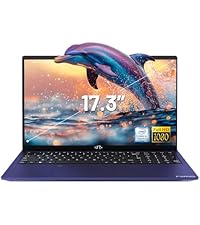
Image: A delivery person handing a package to a customer, illustrating the 90-day return policy for Nimo products.
9.3 Mutengi Tsigiro
For any product-related questions, technical assistance, or warranty claims, please contact our professional after-sales service team. Our dedicated support team is available to resolve issues or facilitate replacements.
- Email: service@nimopc.com
- Pamhepo: Shanyira NIMO yepamutemo website or product page for contact options.

Image: Customer service representatives wearing headsets, indicating professional customer assistance available via phone and live chat.


